1. Introduction
This manual provides essential information for the safe and efficient installation, operation, and maintenance of the Legrand 048408 Room Controller IP 8Mod. Please read this manual thoroughly before attempting to install or operate the device. Keep this manual for future reference.
The Legrand 048408 is an IP-enabled room controller designed for integrated building management systems, offering control over various room functions. It features 8 modules for flexible configuration within a control panel.
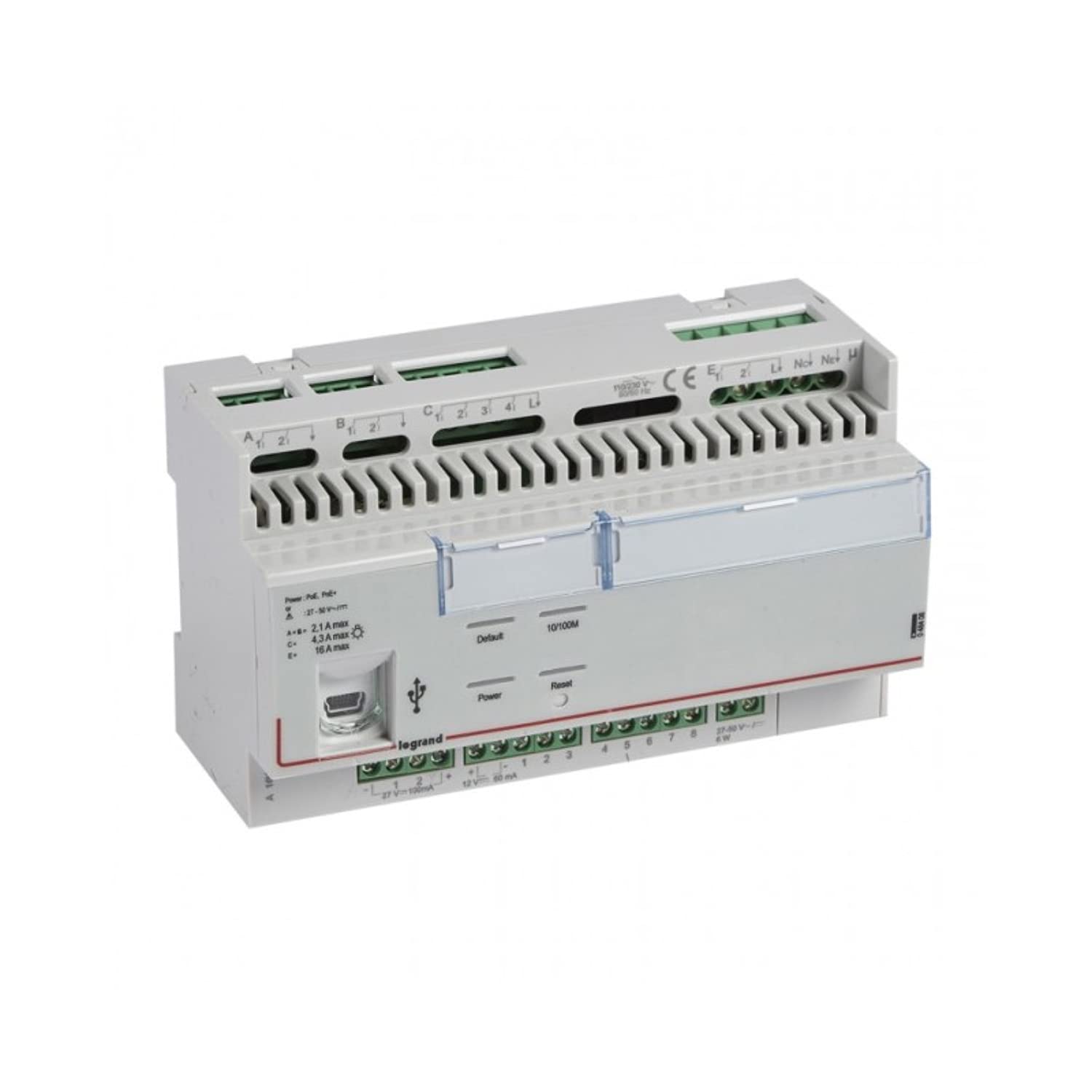
Figure 1 : Face avant view of the Legrand 048408 Room Controller IP 8Mod. This image shows the compact design of the 8-module device, typically installed in a control cabinet.
2. Consignes de sécurité
WARNING: Risk of electric shock. Installation and servicing must be performed by qualified personnel only. Disconnect power before installation or maintenance.
- Respectez toujours les normes électriques locales et nationales.
- Ensure the power supply is disconnected before working on the device or its connections.
- N'exposez pas l'appareil à l'humidité ou à des températures extrêmes.
- Utilisez un équipement de protection individuelle (EPI) approprié lors de l'installation.
- Vérifiez que tous les branchements électriques sont bien fixés et corrects avant de mettre le courant.
3. Configuration et installation
The Legrand 048408 Room Controller is designed for DIN rail mounting within an electrical enclosure.
3.1. Montage
- Ensure the DIN rail is securely installed within the control panel.
- Align the controller's DIN rail clip with the rail.
- Press the controller firmly onto the DIN rail until it clicks into place.
3.2. Connexions de câblage
Refer to the wiring diagram provided with the product packaging for specific connection details. General steps include:
- Alimentation: Connect the appropriate power supply (e.g., 24V DC) to the designated terminals. Observe polarity.
- IP Network: Connect an Ethernet cable from your network switch or router to the RJ45 port on the controller.
- Connexions des modules : Connect external devices (e.g., sensors, actuators, lighting controls) to the 8 module terminals as per your system design. Ensure correct terminal assignments for inputs and outputs.
3.3. Mise sous tension initiale
- Vérifiez minutieusement l'exactitude et la sécurité de tous les branchements électriques.
- Restore power to the control panel.
- Observe the status indicator LEDs on the controller. A solid green LED typically indicates normal operation.
4. Mode d'emploi
The Legrand 048408 Room Controller is primarily managed through a network interface or integrated building management software. Direct manual operation is limited to status indication.
4.1. Indicateurs d'état
- Voyant d'alimentation : Indicates power supply status. (e.g., Green = On, Off = No Power)
- Voyant réseau : Indicates network connectivity and activity. (e.g., Solid Green = Connected, Blinking = Data Transfer)
- Module Status LEDs: Individual LEDs for each of the 8 modules may indicate their operational status or output state. Refer to the product's technical documentation for specific LED behavior.
4.2. Configuration du réseau
Access the controller's web interface or use the provided configuration software to set up IP addresses, subnet masks, gateway, and other network parameters. Consult the Legrand software documentation for detailed instructions on network setup and device integration into your building management system.
5. Entretien
The Legrand 048408 Room Controller requires minimal maintenance. Regular checks ensure optimal performance and longevity.
- Nettoyage: Periodically clean the exterior of the device with a soft, dry cloth. Do not use abrasive cleaners or solvents. Ensure power is disconnected before cleaning.
- Mises à jour du micrologiciel : Check the official Legrand website for available firmware updates. Follow the provided instructions carefully to update the device firmware, typically via the network interface.
- Vérifications de connexion : Inspectez annuellement tous les raccordements électriques pour vérifier leur serrage et l'absence de signes d'usure ou de corrosion.
6. Dépannage
Cette section propose des solutions aux problèmes courants que vous pourriez rencontrer.
| Problème | Cause possible | Solution |
|---|---|---|
| L'appareil ne s'allume pas. | Absence d'alimentation électrique ; câblage incorrect ; alimentation électrique défectueuse. | Vérifiez les connexions d'alimentation et le volume d'alimentationtage. Ensure polarity is correct. Test power supply. |
| Aucune connexion réseau. | Ethernet cable disconnected or faulty; incorrect IP settings; network switch issue. | Verify Ethernet cable connection. Check network LED status. Confirm IP settings in the controller's configuration. Test network switch. |
| Module outputs not responding. | Incorrect wiring to external device; software configuration error; faulty module. | Check wiring to the external device. Review software configuration for the specific module. Contact support if module appears faulty. |
If the problem persists after attempting these solutions, contact Legrand technical support.
7. Spécifications
Technical specifications for the Legrand 048408 Room Controller IP 8Mod:
| Fonctionnalité | Détail |
|---|---|
| Numéro de modèle | 048408 |
| Marque | Legrand |
| Dimensions du produit | 1.97 x 7.87 x 3.15 pouces |
| Poids de l'article | 2.2 livres (environ 1 kilogramme) |
| Nombre de modules | 8 |
| Type de montage | Rail DIN |
| Connectivité | IP (Ethernet) |
| Piles requises | Non |
| Date de première disponibilité | 23 juillet 2022 |
8. Garantie et assistance
Legrand products are manufactured to high standards and are backed by a limited warranty. For specific warranty terms and conditions, please refer to the documentation included with your purchase or visit the official Legrand website.
For technical assistance, troubleshooting beyond this manual, or warranty claims, please contact Legrand customer support:
- Website: www.legrand.us (ou votre Legrand régional) webet données clients liées)
- Coordonnées: Refer to the "Contact Us" section on the Legrand website pour les numéros de téléphone et l'assistance par e-mail.


