Introduction
Thank you for choosing the Hoover DV70 DV11 Handheld Vacuum Cleaner. This manual provides essential information for the safe and efficient operation, maintenance, and troubleshooting of your appliance. Please read it thoroughly before first use and keep it for future reference.
Consignes de sécurité importantes
- Débranchez toujours l'appareil de l'alimentation électrique avant de le nettoyer ou d'effectuer toute opération d'entretien.
- N’utilisez pas l’aspirateur pour aspirer de l’eau ou des substances humides.
- Ne ramassez pas de matériaux inflammables ou combustibles, de cendres chaudes ou d'objets tranchants.
- Gardez les cheveux, les vêtements amples, les doigts et toutes les parties du corps éloignés des ouvertures et des pièces mobiles.
- N’utilisez pas l’aspirateur si le cordon ou la prise est endommagé(e).
- Cet appareil est destiné à un usage domestique uniquement.
- Ensure the dust container is correctly fitted before use.
Produit terminéview
Familiarize yourself with the components of your Hoover DV70 DV11 vacuum cleaner.
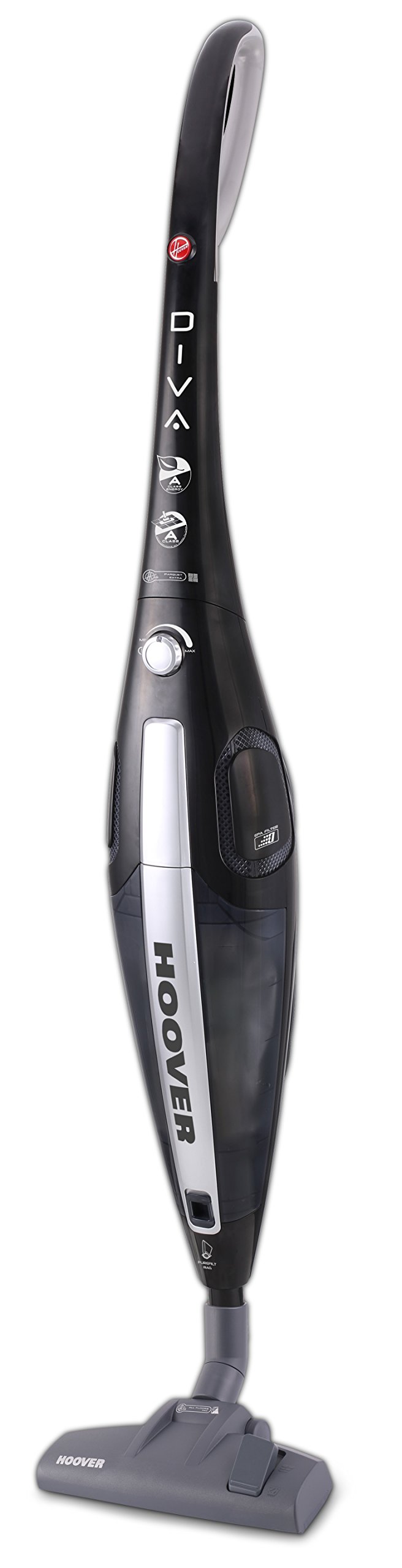
Figure 1: Hoover DV70 DV11 Handheld Vacuum Cleaner. This image shows the full assembly of the vacuum cleaner, highlighting its sleek black and silver design with the handle, main body, and floor nozzle.
- Poignée
- Power Button / Performance Control
- Bouton de déverrouillage du bac à poussière
- Bac à poussière
- Ensemble de filtre
- Floor Nozzle (Switchable)
- Easy Parquet Nozzle (for hard floors)
- Cordon d'alimentation
Configuration et assemblage
Suivez ces étapes pour assembler votre aspirateur avant la première utilisation.
- Déballer les composants : Carefully remove all parts from the packaging. Ensure all components listed in the Product Overview section sont présentes.
- Attachez la poignée : Insérez la poignée dans le corps principal de l'aspirateur jusqu'à ce qu'elle s'enclenche correctement.
- Connect Floor Nozzle: Attach the desired floor nozzle (either the switchable floor nozzle or the Easy Parquet nozzle for hard floors) to the bottom of the main body. Ensure it is firmly connected.
- Connexion électrique : Déroulez le cordon d'alimentation et branchez-le dans une prise électrique appropriée.
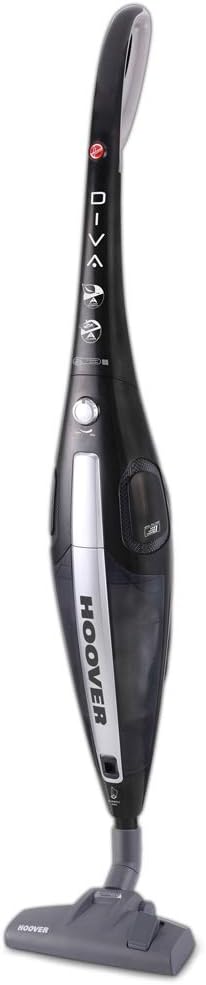
Figure 2 : Face avant view of the Hoover DV70 DV11. This image provides a clear view of the main body and handle, useful for assembly reference.
Mode d'emploi
- Marche/Arrêt : Press the power button located on the main body to turn the vacuum cleaner on. Press it again to turn it off.
- Contrôle des performances : Your vacuum cleaner features electronic performance control. Adjust the suction power as needed for different surfaces or cleaning tasks using the control on the device.
- Utilisation des buses :
- Utilisez le switchable floor nozzle for general cleaning on various floor types.
- For delicate hard floors, attach the Easy Parquet nozzle to prevent scratches and ensure effective cleaning.
- Dust Container Level: Monitor the dust container level indicator. Empty the container when it reaches the maximum fill line to maintain optimal suction performance.
Entretien et nettoyage
Un entretien régulier garantit la longévité et les performances optimales de votre aspirateur.
Vider le bac à poussière
- Débrancher l'alimentation : Always unplug the vacuum cleaner from the power outlet before emptying.
- Retirer le bac à poussière : Press the dust container release button and carefully detach the dust container from the main body.
- Contenu vide : Tenez le récipient à poussière au-dessus d'une poubelle et ouvrez le rabat inférieur pour vider la poussière et les débris accumulés.
- Rattacher : Close the flap and reattach the dust container to the vacuum cleaner, ensuring it clicks securely into place.
Nettoyage des filtres
Il est recommandé de nettoyer régulièrement les filtres, surtout si vous constatez une diminution de la puissance d'aspiration.
- Filtres d'accès : With the dust container removed, locate the filter assembly.
- Supprimer les filtres : Carefully remove the filters. Depending on your model, these may be washable.
- Nettoyer les filtres :
- For washable filters: Rinse under cold running water until the water runs clear. Do not use detergents.
- For non-washable filters: Tap gently over a bin to remove dust. Do not wash.
- Filtres secs : Allow washable filters to air dry completely for at least 24 hours before reinserting. Do not use a dryer or heat.
- Remonter: Once dry, reinsert the filters into the assembly and reattach the dust container.
Dépannage
Si vous rencontrez des problèmes avec votre aspirateur, consultez la liste des problèmes courants et leurs solutions ci-dessous.
| Problème | Cause possible | Solution |
|---|---|---|
| L'aspirateur ne s'allume pas. | Non branché ; prise de courant défectueuse ; bouton marche/arrêt non enfoncé. | Check power cord connection; try a different outlet; press power button firmly. |
| Faible puissance d'aspiration. | Dust container full; filters clogged; nozzle blocked. | Empty dust container; clean or replace filters; check nozzle for obstructions. |
| Bruit inhabituel pendant le fonctionnement. | Obstruction in the brush roll or hose; motor issue. | Turn off and unplug the vacuum. Inspect brush roll and hose for blockages and remove them. If noise persists, contact customer support. |
Caractéristiques
| Fonctionnalité | Détail |
|---|---|
| Marque | Aspirateur |
| Nom du modèle | DF70_DV11011 |
| Numéro de modèle | DV70 DV11 |
| Caractéristiques spéciales | Dust container level indicator |
| Source d'énergie | Électrique avec fil |
| Poids de l'article | 3.9 kilogrammes |
| Capacité | 1.8 litres |
| Quoitage | 750 watts |
| Facteur de forme | Bâton |
| Couleur | Multicolore |
| Niveau de bruit | 79 décibels |
| Portable | Oui |
| Type de contrôle | Contrôle manuel |
| Technologie de connectivité | Wifi |
| Classe d'efficacité énergétique | A (from A to G) |
| Consommation annuelle d'énergie | 27 kWh/an |
| Carpet Cleaning Class | C (from A to G) |
| Hard Floor Cleaning Class | A (from A to G) |
| Dust Emission Class | B (from A to G) |
Garantie et support client
Pour obtenir des informations sur la garantie, veuillez consulter la carte de garantie fournie avec votre produit ou visiter le site officiel de Hoover. website. If you require further assistance, have questions, or need to report a problem not covered in this manual, please contact Hoover customer support.
You can typically find contact details for customer support on the Hoover websur le site ou sur vos documents d'achat.


