Introduction
This manual provides instructions for the proper setup, operation, and maintenance of your Black Box USB to Serial Cable, model IC199A-R3. This cable is designed to facilitate communication between devices with a DB9 serial port and computers equipped with a USB Type-A port. Please read this manual thoroughly before using the product to ensure optimal performance and longevity.
Produit terminéview
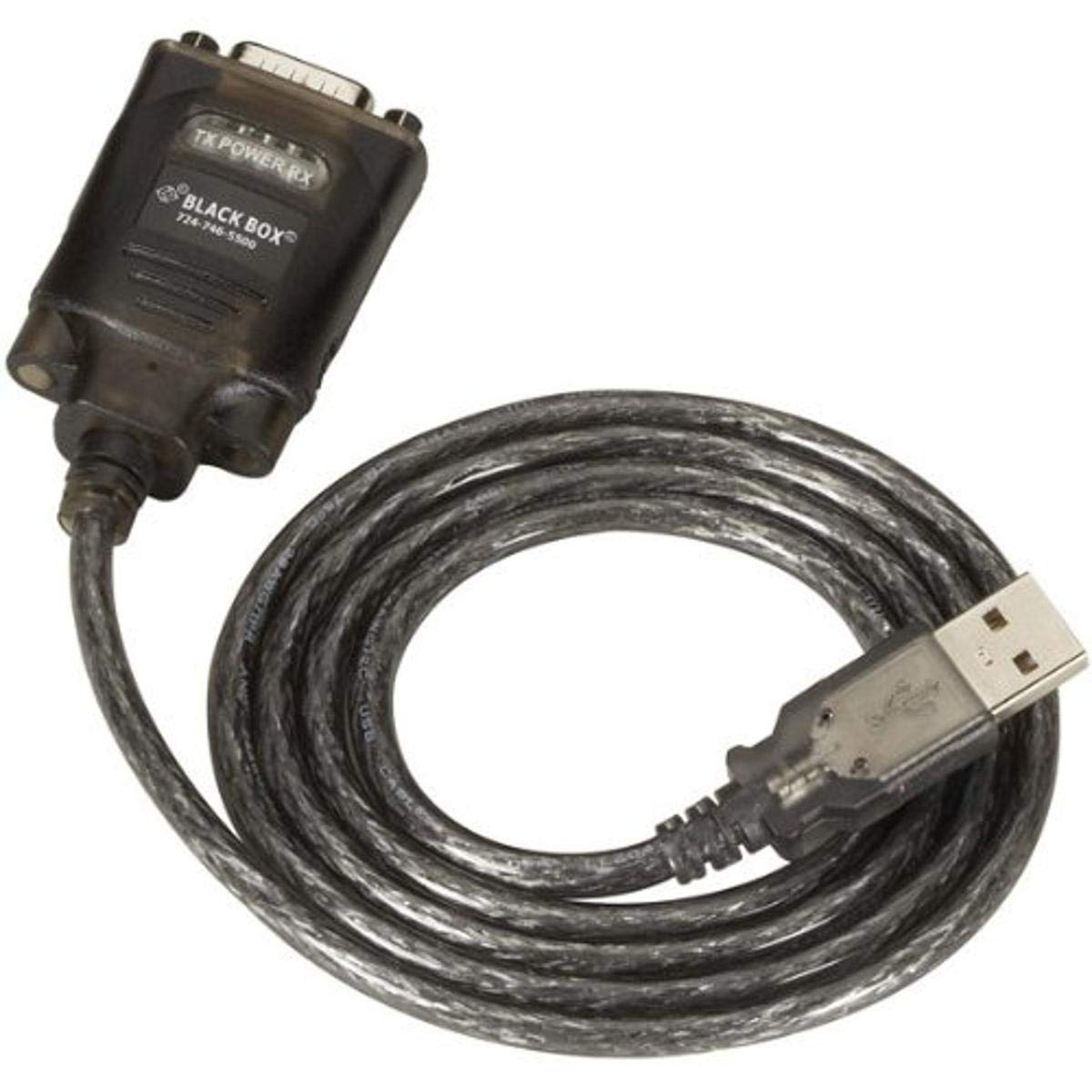
Figure 1: Black Box USB to DB9 Serial Cable (IC199A-R3)
This image displays the Black Box USB to DB9 Serial Cable, featuring a USB Type-A male connector on one end and a DB9 male serial connector on the other. The cable is black and designed for connecting serial devices to a computer's USB port.
The Black Box IC199A-R3 is a reliable solution for connecting legacy serial devices, such as modems, to modern computers that typically lack dedicated serial ports. Its robust design ensures stable data transmission.
Instructions d'installation
- Identifier les connecteurs : Locate the USB Type-A male connector and the DB9 male serial connector on the cable.
- Connectez-vous à l'ordinateur : Insert the USB Type-A male connector into an available USB port on your computer.
- Se connecter au périphérique série : Connect the DB9 male serial connector to the DB9 female port on your serial device (e.g., modem). Ensure a secure connection.
- Installation du pilote : In most modern operating systems (Windows 10/11, macOS, Linux), the necessary drivers should install automatically upon connection. If the device is not recognized, you may need to manually install drivers. Refer to your operating system's documentation or the Black Box support website de téléchargement des pilotes si nécessaire.
- Vérifiez la connexion : After connecting, check your computer's Device Manager (Windows) or System Information (macOS/Linux) to confirm that the USB to Serial adapter is recognized and functioning correctly. It typically appears as a "USB Serial Port" or similar entry.
Mode d'emploi
Once the Black Box IC199A-R3 cable is properly installed and recognized by your computer, it functions as a standard serial port.
- Configuration du logiciel: Open the serial communication software or application you intend to use (e.g., HyperTerminal, PuTTY, minicom, or specific device configuration software).
- Sélectionnez le port COM : Within your software, select the virtual COM port assigned to the USB to Serial adapter. This port number can usually be found in your computer's Device Manager (under "Ports (COM & LPT)").
- Configurer les paramètres série : Set the appropriate serial communication parameters (baud rate, data bits, parity, stop bits, flow control) to match the requirements of your connected serial device. Refer to the documentation of your serial device for these settings.
- Initier la communication : Once configured, you can initiate data transfer or communication with your serial device through the software.
Entretien
To ensure the longevity and reliable performance of your Black Box USB to Serial Cable, follow these simple maintenance guidelines:
- Stockage: Rangez le câble dans un endroit frais et sec, à l'abri de la lumière directe du soleil et des températures extrêmes lorsqu'il n'est pas utilisé.
- Manutention: Avoid bending or kinking the cable sharply, especially near the connectors, as this can damage internal wires.
- Nettoyage: Si nécessaire, essuyez délicatement le câble et les connecteurs avec un chiffon doux, sec et non pelucheux. N’utilisez pas de nettoyants liquides ni de solvants.
- Connexion / Déconnexion: Lors du branchement ou du débranchement d'un câble, saisissez toujours le boîtier du connecteur plutôt que de tirer sur le câble lui-même.
Dépannage
If you encounter issues with your Black Box USB to Serial Cable, consider the following troubleshooting steps:
- Câble non reconnu :
- Assurez-vous que le connecteur USB est complètement inséré dans le port USB de l'ordinateur.
- Essayez un autre port USB sur votre ordinateur.
- Redémarrez votre ordinateur.
- Check Device Manager (Windows) or System Information (macOS/Linux) for any error messages or unrecognized devices. Reinstall drivers if necessary.
- Aucune communication avec le périphérique série :
- Verify that the DB9 connector is securely attached to your serial device.
- Confirm that the correct COM port is selected in your serial communication software.
- Double-check that the serial communication parameters (baud rate, data bits, parity, stop bits, flow control) in your software match those of your serial device.
- Ensure the serial device itself is powered on and functioning correctly.
- Try using a different serial communication software to rule out software-specific issues.
- Connexion intermittente :
- Inspectez le câble pour repérer tout dommage visible ou tout fil effiloché.
- Assurez-vous que toutes les connexions sont bien serrées et non desserrées.
- Évitez de placer le câble à proximité de sources de fortes interférences électromagnétiques.
Caractéristiques
| Marque | Boîte noire |
| Numéro de modèle | IC199A-R3 |
| Connector Type (Computer) | USB Type A Mâle |
| Connector Type (Device) | DB9 Male Serial |
| Type de câble | USB à série |
| Appareils compatibles | Modem |
| Dossier spécial | Sans enchevêtrement |
| Couleur | Noir |
| Nombre de broches | 9 (on DB9 connector) |
| Poids de l'article | 0.24 livre (environ 3.84 onces) |
| Dimensions du produit (emballage) | 6.75 x 1.5 x 4 pouces |
| Fabricant | BLACK BOX CORPORATION |
Garantie et assistance
For information regarding warranty coverage, technical support, or to download the latest drivers, please visit the official Black Box webConsultez leur site web ou contactez leur service client. Conservez votre reçu d'achat pour toute réclamation au titre de la garantie.


