1. Introduction
This manual provides essential information for the safe and efficient operation of your Keystone KSTAD70B 70-Pint Dehumidifier. This unit is designed to remove up to 70 pints of moisture from the air daily, suitable for rooms up to 4500 square feet. Key features include electronic controls with an LED display, a 24-hour timer, a transparent water level indicator, and a full bucket alert with automatic shutoff. It also offers a continuous draining option and a removable, easy-to-clean dust filter with a clean-filter alert. The auto-restart function preserves your settings after a power outage, and rolling casters facilitate easy movement.
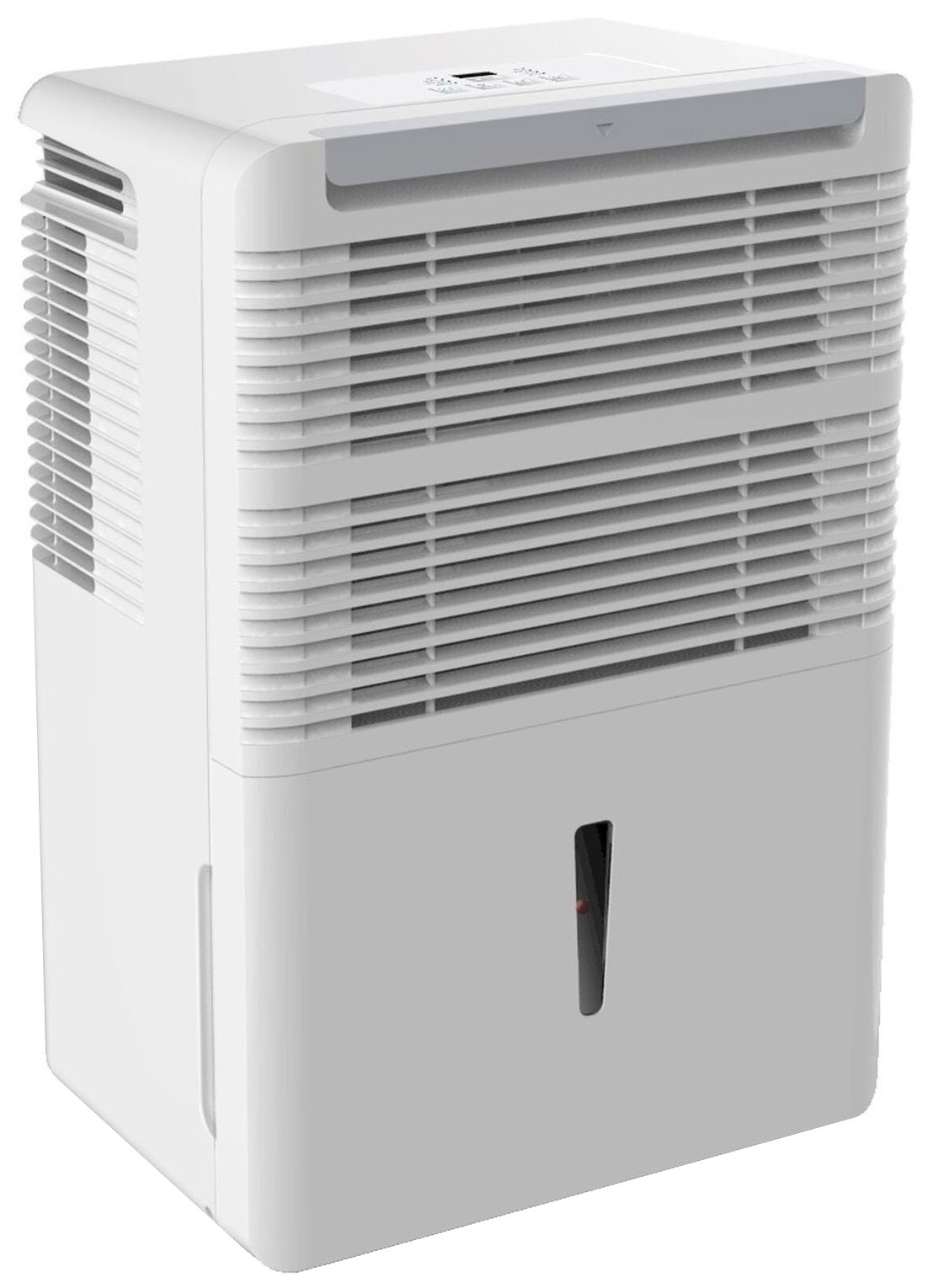
Figure 1 : Face avant view of the Keystone KSTAD70B Dehumidifier.
2. Consignes de sécurité
Please read all safety instructions before operating the dehumidifier to prevent injury or damage. Keep this manual for future reference.
- Always connect the unit to a properly grounded electrical outlet of the correct voltage.
- N'utilisez pas l'appareil avec un cordon d'alimentation ou une fiche endommagés.
- Ensure adequate clearance (at least 12-18 inches) around the air intake and outlet to prevent overheating and ensure efficient operation.
- Ne bloquez pas les orifices d'aération.
- Do not use the dehumidifier near water or in excessively wet environments.
- Débranchez l’appareil avant de le nettoyer ou d’effectuer tout entretien.
- Cet appareil n'est pas destiné à être utilisé par des personnes (y compris les enfants) ayant des capacités physiques, sensorielles ou mentales réduites, ou manquant d'expérience et de connaissances, à moins qu'elles ne bénéficient d'une surveillance ou d'instructions concernant l'utilisation de l'appareil par une personne responsable de leur sécurité.
- Do not use chemical solvents or abrasive cleaners on the unit.
3. Installation et mise en place
3.1 Déballage
Carefully remove the dehumidifier from its packaging. Retain the packaging materials for future storage or transport. Inspect the unit for any shipping damage.
3.2 Placement
For optimal performance, place the dehumidifier in a location where air can circulate freely around it. The unit circulates air from the sides, not the top. Therefore, avoid placing it directly in a corner or against walls. Maintain a minimum clearance of 12-18 inches (30-45 cm) on all sides to ensure proper airflow.
3.3 Mise sous tension initiale
Branchez le cordon d'alimentation à une prise électrique mise à la terre. L'appareil est maintenant prêt à fonctionner.
4. Mode d'emploi
4.1 Panneau de configuration terminéview

Figure 2: Control panel of the Keystone KSTAD70B Dehumidifier.
The control panel features an LED display and various buttons for setting the dehumidifier's functions:
- Bouton d'alimentation : Allume ou éteint l'appareil.
- Bouton du ventilateur : Adjusts fan speed (typically Low, Medium, High).
- Bouton de minuterie : Configure la minuterie marche/arrêt sur 24 heures.
- Flèches haut/bas : Adjust humidity level settings or timer duration.
- Indicateur de filtre : S'allume lorsque le filtre à air a besoin d'être nettoyé.
- Indicateur complet : Illuminates when the water bucket is full and needs emptying.
- Indicateur continu : Illuminates when the unit is set for continuous operation.
- Mode Turbo: Activates maximum dehumidification.
- Mode normal : Fonctionnement standard de déshumidification.
- Dégivrage automatique: Automatically defrosts the coils if ice builds up.
4.2 Réglage du niveau d'humidité souhaité
Press the Up or Down arrow buttons to set your desired humidity level. The unit will operate until the set humidity is reached, then cycle on and off to maintain it. The recommended humidity range for comfort is typically between 45% and 55%.
4.3 Fonctionnement continu
To run the dehumidifier continuously, select the 'Cont.' setting. In this mode, the unit will operate regardless of the ambient humidity level. Note that when continuous operation is selected, the humidity setpoint buttons will not respond.
4.4 Fonction minuterie
Use the Timer button to program the unit to turn on or off automatically after a set number of hours (up to 24 hours).
4.5 Auto-Restart
The unit features an auto-restart function that saves your settings. In the event of a power outage, the dehumidifier will automatically resume operation with the last settings once power is restored.
5. Entretien
Un entretien régulier garantit des performances optimales et une longue durée de vie à votre déshumidificateur.
5.1 Vider le seau d'eau
When the water bucket is full, the 'Full' indicator light will illuminate, and the unit will automatically shut off. Carefully remove the bucket and empty the collected water. Reinsert the bucket firmly until it clicks into place to resume operation.

Figure 3: Removing the water collection bucket.

Figure 4: Transparent water level indicator.
5.2 Option de drainage continu
For continuous operation without emptying the bucket, you can connect a standard garden hose (not included) to the unit's low-level drain. The unit includes an adapter with a clear hose that pushes onto a smooth plastic fitting inside the unit. This adapter has male hose threads for attaching a garden hose. Ensure the hose is routed downwards to a suitable drain to allow gravity to remove the water.
5.3 Nettoyage du filtre à air
The 'Filter' indicator light will remind you when it's time to clean the air filter. A clean filter ensures efficient operation and better air quality. To clean, lift the filter straight up from the top at the front corner of the unit and slide it out. Wash the filter with warm, soapy water, rinse thoroughly, and allow it to air dry completely before reinserting.

Figure 5 : Retrait du filtre à air pour nettoyage.
6. Dépannage
Before contacting support, try these common troubleshooting steps:
| Problème | Cause possible | Solution |
|---|---|---|
| Le déshumidificateur ne s'allume pas. | No power; power cord loose; 'Full' indicator on. | Check power supply; ensure cord is plugged in; empty water bucket. |
| L'appareil fonctionne mais ne déshumidifie pas. | Air filter clogged; room temperature too low; unit size too small for area. | Clean air filter; ensure room temperature is above 41°F (5°C); consider unit placement. |
| L'unité est bruyante. | L'unité n'est pas de niveau ; le ventilateur est obstrué. | Place on a flat, stable surface; check for obstructions in fan area. |
| De l’eau fuit de l’unité. | Water bucket not properly seated; continuous drain hose loose or clogged. | Ensure bucket is fully inserted; check continuous drain hose connection and clear any blockages. |
7. Spécifications
| Fonctionnalité | Détail |
|---|---|
| Marque | Clé de voûte |
| Nom du modèle | KSTAD70B |
| Capacité de déshumidification | 70 pintes par jour |
| Taille de pièce recommandée | Jusqu'à 4500 XNUMX pieds carrés |
| Couleur | Blanc |
| Caractéristiques spéciales | Automatic Restart, Automatic Shutoff |
| Nombre de vitesses | 3 |
| Mode de fonctionnement | Normal, Turbo, Auto-Defrost |
| Quoitage | 720 watts |
| Poids de l'article | 40 livres |
| Dimensions du produit (L x l x H) | 11.25 x 15.5 x 23.25 pouces |
| Utilisations recommandées | Résidentiel |
8. Informations sur la garantie
The Keystone KSTAD70B Dehumidifier comes with a Garantie de 1 ans on parts and labor, and a garantie limitée de 5 ans on the sealed system. Please refer to the physical warranty card included with your product for full terms and conditions.
9. Assistance clientèle
For product registration, warranty claims, or technical assistance, please refer to the contact information provided in the physical instruction manual that came with your dehumidifier. Online registration or direct manufacturer contact information may not be readily available; therefore, retaining your original manual is important for support inquiries.


