1. Introduction
This manual provides instructions for the setup, operation, and maintenance of your ViewSonic VX2770SMH-LED 27-inch IPS 1080p Frameless LED Monitor. This monitor features a sleek design, Full HD 1920x1080 resolution, and an IPS panel for wide viewing angles and accurate color reproduction. It includes HDMI, DVI, and VGA inputs, along with integrated speakers.
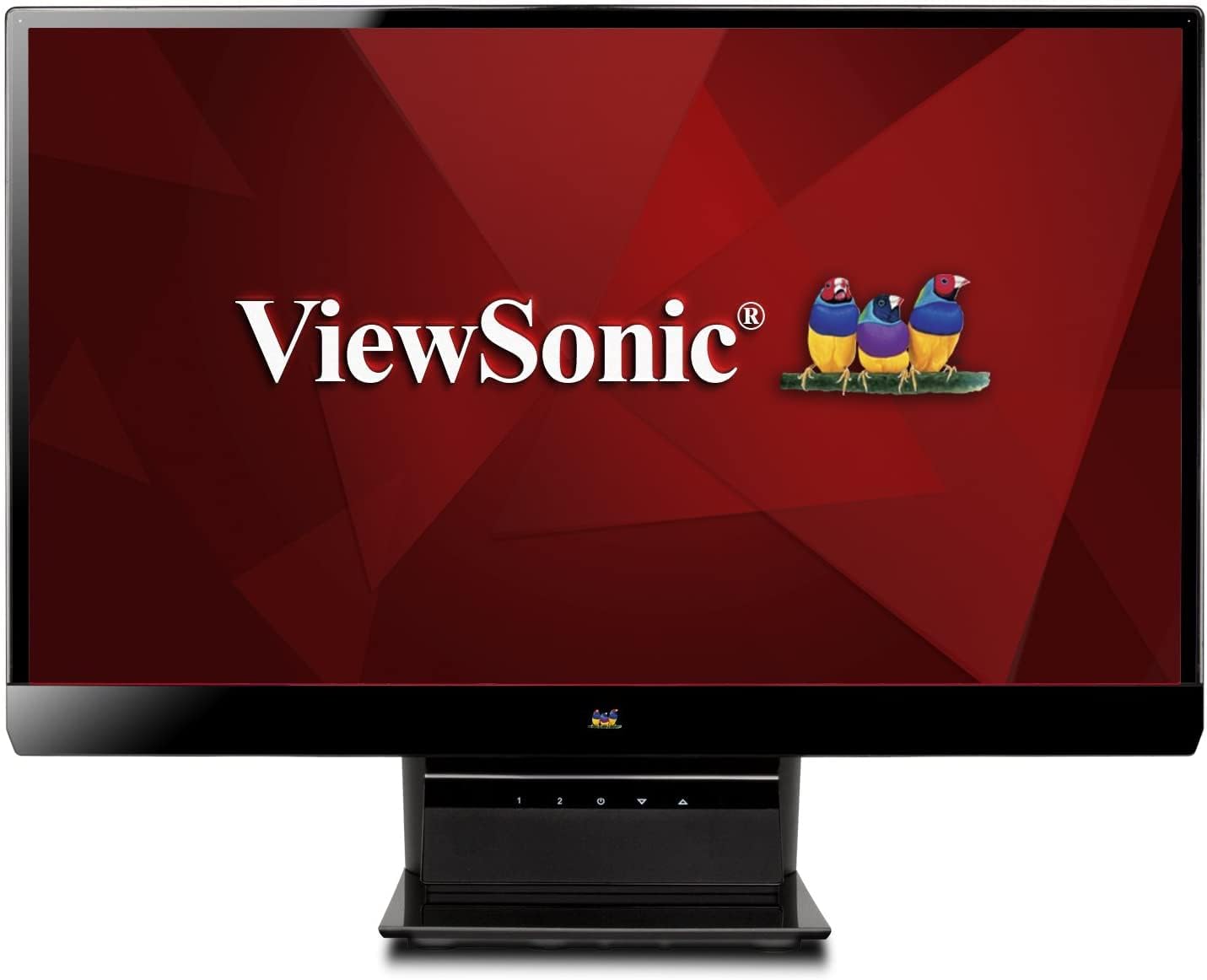
Figure 1 : ViewSonic VX2770SMH-LED 27-inch monitor displaying a tropical beach scene.
2. Contenu du colis
Vérifiez que tous les éléments sont présents dans l'emballage de votre produit :
- VX2770Smh-LED display
- Câble d'alimentation
- Adaptateur secteur AC/DC
- Câble VGA
- Câble HDMI
- Guide de démarrage rapide
- ViewCD de l'assistant Sonic
3. Installation
Suivez ces étapes pour configurer votre moniteur :
- Assemblez le support : Carefully attach the monitor panel to the stand base according to the Quick Start Guide. Ensure it is securely fastened.
- Connecter l'alimentation : Connect the AC/DC adapter to the monitor's power input, then plug the power cable into the adapter and a power outlet.
- Connectez le câble vidéo : Connect one end of the appropriate video cable (HDMI, DVI, or VGA) to the corresponding port on the back of the monitor and the other end to your computer's video output port.
- Mise sous tension : Appuyez sur le bouton d'alimentation du moniteur pour l'allumer.

Figure 2 : Arrière view of the monitor, illustrating the stand attachment area and overall design.
4. Utilisation du moniteur
The monitor features capacitive control buttons located on the stand for easy access to settings and power functions.

Figure 3 : Face avant view of the monitor, showing the control buttons on the stand.
Marche/Arrêt
Press the power button (usually indicated by a power symbol) to turn the monitor on or off.
Menu d'affichage à l'écran (OSD)
Use the control buttons to navigate the OSD menu. This menu allows you to adjust various display settings such as brightness, contrast, color temperature, input source, and more. Refer to the digital manual on the ViewSonic Wizard CD for detailed OSD navigation.
5. Connectivité
Le ViewSonic VX2770SMH-LED monitor offers multiple input options for versatile connectivity:
- HDMI: Pour la vidéo et l'audio numériques haute définition.
- DVI-D : Pour l'entrée vidéo numérique.
- VGA: Pour entrée vidéo analogique.
The monitor also features integrated speakers with SRS Premium Sound for audio output.

Figure 4 : Gros plan view of the HDMI, DVI, and VGA input ports on the monitor's rear panel.
Video 1: Official product video demonstrating the features and design of the ViewSonic VX2770SMH-LED monitor, including its frameless design, IPS panel technology, connectivity options, and energy efficiency.
6. Fonctions d'affichage
- Technologie de panneau IPS : Provides consistent and accurate colors with wide 178/178-degree viewing angles, ensuring clear images from nearly any perspective.
- Résolution Full HD 1080p : Delivers sharp and detailed images (1920x1080) for an enhanced viewexpérience de travail.
- Conception sans cadre : The ultra-thin bezel creates a seamless visual experience, ideal for multi-monitor setups.
- MEGA Dynamic Contrast Ratio: A 30,000,000:1 dynamic contrast ratio enhances image depth and detail.
- Rétro-éclairage LED: Energy-efficient LED backlighting contributes to lower power consumption.
- Mode écologique: Further reduces power consumption and extends the monitor's lifespan.
- sRGB Color Correction: Ensures accurate color reproduction for various applications.
7. Entretien
Pour garantir la longévité et les performances optimales de votre moniteur, suivez ces consignes d'entretien :
- Nettoyage de l'écran : Essuyez délicatement l'écran avec un chiffon doux non pelucheux. Pour les taches tenaces, frottez légèrement.ampNettoyez le chiffon avec de l'eau ou un nettoyant pour écrans doux et non abrasif. Évitez de vaporiser du liquide directement sur l'écran.
- Nettoyage du Casing: Utilisez un chiffon doux et sec pour nettoyer le moniteur.asing.
- Ventilation: Veillez à ce que les ouvertures de ventilation du moniteur ne soient pas obstruées afin d'éviter toute surchauffe.
- Mise hors tension lorsqu'il n'est pas utilisé : Turn off the monitor when not in use to save energy and prolong its life.
8. Dépannage
Si vous rencontrez des problèmes avec votre moniteur, reportez-vous aux étapes de dépannage courantes suivantes :
- Pas d'alimentation : Check if the power cable and AC/DC adapter are securely connected to the monitor and a working power outlet.
- Pas de signal: Verify that the video cable is correctly connected to both the monitor and your computer. Ensure the correct input source is selected via the OSD menu.
- Problèmes d'image (floue, déformée, couleurs incorrectes) : Adjust the display settings through the OSD menu. Ensure your computer's display resolution is set to the monitor's native resolution (1920x1080).
- Pas de son : Check the audio cable connection (if using VGA) or ensure HDMI audio is selected. Adjust the volume settings on both the monitor and your computer.
For more detailed troubleshooting, consult the digital manual on the ViewCD de l'assistant Sonic.
9. Spécifications
| Fonctionnalité | Spécification |
|---|---|
| Taille de l'écran permanent | 27 pouces |
| Résolution de l'écran | 1920x1080 |
| Résolution d'écran maximale | 1920 x 1080 |
| Série | Viewsonic VX2770SMH-LED |
| Numéro de modèle de l'article | VX2770SMH-LED |
| Poids de l'article | 11 livres |
| Dimensions du produit | 7.6 x 24.5 x 18.1 pouces |
| Couleur | Noir |
| Taille de l'écran | 27 pouces |
| Résolution | Full HD 1080p |
| Rapport hauteur/largeur | 1.78:1 |
| Description de la surface de l'écran | Brillant |

Figure 5: Monitor dimensions for planning your workspace.
10. Garantie et assistance
Ce ViewSonic monitor is covered by a Garantie limitée d'un an. For warranty claims or technical support, please refer to the contact information provided in your Quick Start Guide or visit the official ViewSupport Sonic website.


