Produit terminéview
The iSound Twist Portable Bluetooth Wireless Speaker offers a unique design combined with superior sound quality. Its compact form factor allows for portability, while its advanced features enable wireless music streaming and hands-free calling. The speaker features full stereo sound with 6 watts total output from two 40mm drivers and a passive radiator for enhanced bass.
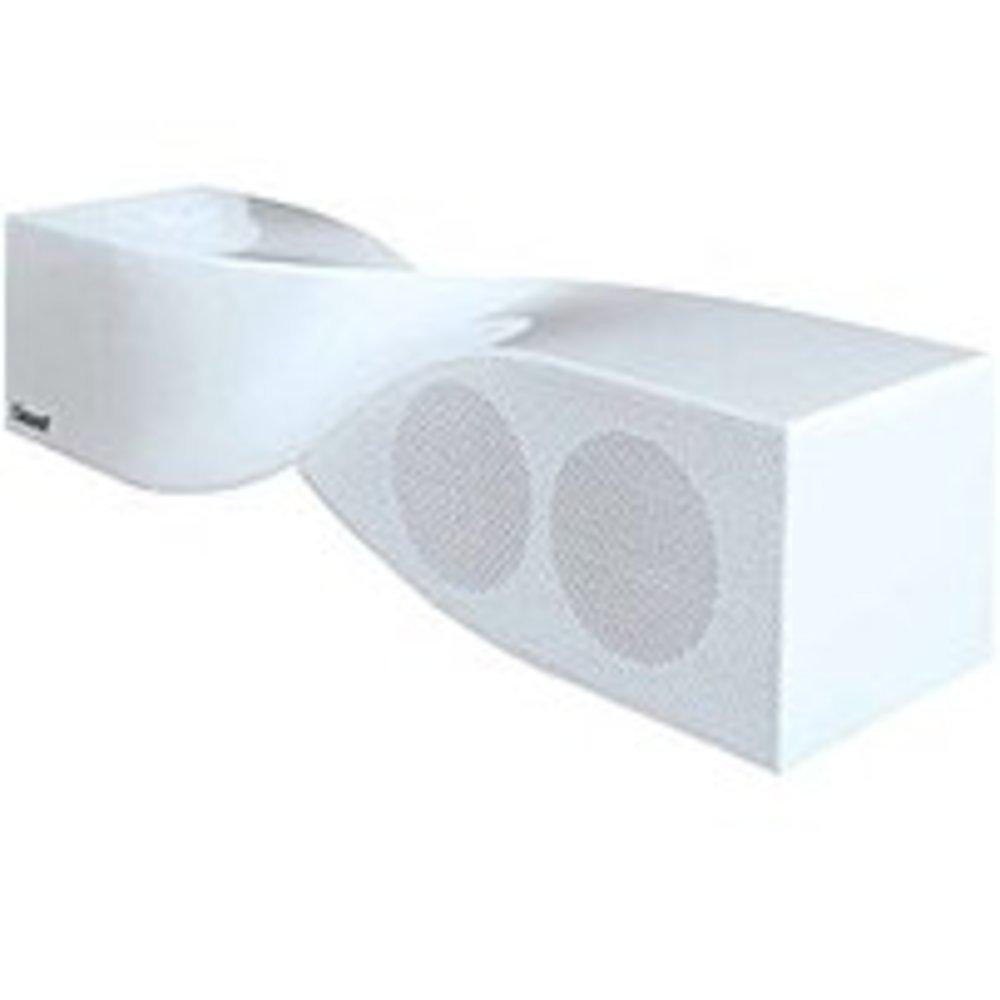
Image: The iSound Twist Portable Bluetooth Wireless Speaker in white, showcasing its unique twisted design.
Contenu du colis
- iSound Twist Portable Bluetooth Wireless Speaker
- Câble de chargement USB
- Câble d'entrée AUX 3.5 mm
- Manuel de l'utilisateur (ce document)
Installation
1. Chargement du haut-parleur
Before initial use, fully charge the iSound Twist speaker. Connect the provided USB charging cable to the speaker's USB charging port and the other end to a powered USB source (e.g., computer, USB wall adapter). The charging indicator light will illuminate during charging and turn off when fully charged. A full charge provides up to 5 hours of continuous play.

Image: Rear panel of the speaker, highlighting the USB charging port, ON/OFF switch, and AUX IN port.
2. Mise sous/hors tension
Locate the ON/OFF switch on the rear panel of the speaker. Slide the switch to the "ON" position to power on the device. Slide it to the "OFF" position to power off.
3. Couplage Bluetooth
- Ensure the speaker is powered on and within close proximity to your Bluetooth-enabled device (e.g., smartphone, tablet, laptop).
- The speaker will automatically enter Bluetooth pairing mode. A blue indicator light will flash, indicating it is discoverable.
- Sur votre appareil, accédez aux paramètres Bluetooth et activez le Bluetooth.
- Rechercher available devices. The iSound Twist speaker should appear in the list, typically named "iSound Twist" or similar.
- Sélectionnez l'enceinte dans la liste pour lancer l'appairage. Si un mot de passe vous est demandé, saisissez « 0000 ».
- Once successfully paired, the blue indicator light on the speaker will stop flashing and remain solid. You will hear an audible confirmation.
- Votre appareil est maintenant connecté et vous pouvez diffuser de l'audio sans fil.
4. Connexion d'entrée AUX
For devices without Bluetooth capability, or if you prefer a wired connection, use the provided 3.5mm AUX cable.
- Connect one end of the 3.5mm AUX cable to the AUX IN port on the rear of the speaker.
- Branchez l'autre extrémité du câble à la prise casque ou au port de sortie audio de votre appareil audio.
- L'enceinte basculera automatiquement en mode d'entrée AUX.
Mode d'emploi
Fonctions du panneau de contrôle
The speaker features onboard controls located on its top surface for convenient operation.
- Bouton d'alimentation/mode : Press and hold to power on/off. Short press to switch between Bluetooth and AUX modes.
- Bouton Lecture/Pause/Appel : Short press to play or pause music. During an incoming call, short press to answer or end the call. Press and hold to reject an incoming call.
- Bouton Volume +/Piste suivante : Appuyez brièvement pour augmenter le volume. Appuyez longuement pour passer au morceau suivant.
- Bouton de diminution du volume/piste précédente : Appuyez brièvement pour baisser le volume. Appuyez longuement pour revenir à la piste précédente.
Appels mains libres
When connected via Bluetooth, the iSound Twist speaker's built-in microphone allows for hands-free phone calls.
- Répondre à un appel: When a call comes in, the music will pause. Press the Play/Pause/Call button once to answer.
- Terminer un appel : During a call, press the Play/Pause/Call button once to end the call.
- Rejeter un appel: Press and hold the Play/Pause/Call button to reject an incoming call.
Entretien
- Tenez le haut-parleur à l'écart de l'eau, de l'humidité et des températures extrêmes.
- Nettoyez le haut-parleur avec un chiffon doux et sec. N'utilisez pas de produits nettoyants abrasifs ni de solvants.
- Évitez de laisser tomber l’enceinte ou de la soumettre à des chocs violents.
- Lorsqu'elle n'est pas utilisée pendant une période prolongée, rangez l'enceinte dans un endroit frais et sec et rechargez-la périodiquement pour préserver la durée de vie de la batterie.
Dépannage
| Problème | Solution |
|---|---|
| Le haut-parleur ne s'allume pas. | Assurez-vous que la batterie est chargée. Branchez l'enceinte à une source d'alimentation à l'aide du câble USB et réessayez. |
| Impossible de coupler via Bluetooth. |
|
| Aucun son ou volume faible. |
|
| La qualité des appels est médiocre. |
|
Caractéristiques
| Fonctionnalité | Détail |
|---|---|
| Nom du modèle | ISOSON-1691 |
| Marque | iSon |
| Type de haut-parleur | Tour |
| Dossier spécial | Microphone intégré |
| Utilisations recommandées | For Smartphones or Tablets, Music Players |
| Appareils compatibles | Ordinateur de bureau, ordinateur portable, lecteur MP3, projecteur, smartphone, tablette, télévision |
| Configuration des canaux de son surround | 2.0 |
| Couleur | Blanc |
| Poids de l'article | 13.6 onces |
| Est étanche | FAUX |
| Technologie de communication sans fil | Bluetooth |
| Taille du haut-parleur | 0.75 pouces |
| Source d'énergie | Alimenté par batterie |
| Nombre de batteries | 1 pile lithium-ion requise. (incluse) |
| Type de pilote audio | Pilote dynamique |
| Taille du pilote audio | 40 millimètres |
| Dimensions du produit | 5 x 4 x 11.75 pouces |
| Puissance de sortie maximale du haut-parleur | 6 watts |
| Technologie de connectivité | Sans fil |
| Mode de sortie audio | Stéréo |
| Type de montage | Support de table |
Vidéo officielle du produit
Video: Official product video for the iSound Twist Bluetooth Speaker, demonstrating its features and design. This video showcases the speaker's ability to stream audio from various devices and handle calls.
Garantie et assistance
The iSound Twist Portable Bluetooth Wireless Speaker comes with a Garantie limitée. For specific warranty terms, conditions, and support inquiries, please refer to the warranty card included in your product packaging or visit the official iSound website.
For further assistance, please contact iSound customer support.


