1. Introduction
The TP-Link TL-R470T+ Load Balance Broadband Router is designed for small businesses requiring robust and flexible network connectivity. This device offers advanced features to ensure consistent network uptime and reliable Ethernet connectivity, optimizing internet access through multiple WAN connections.
2. caractéristiques du produit
- Ports multi-WAN : Features three changeable WAN/LAN ports, allowing configuration for up to four WAN ports to meet diverse internet access requirements.
- Smart Load Balancing: Automatically distributes network traffic across multiple WAN connections based on load and bandwidth, ensuring optimal performance and reliability.
- Sécurité avancée : Includes Denial of Service (DoS) attack detection and blocking (TCP/UDP/ICMP flooding, Ping of Death), along with IP/MAC/URL/Web filtering functions to protect against intruders and viruses.
- Efficient Access Management: Supports PPPoE server functionality for user authentication and IP-based bandwidth control to manage bandwidth usage. The e-bulletin feature allows for periodic web-page notifications to user groups.
- Protection contre la foudre : Incorporates professional lightning protection technology designed to prevent electrical surges up to 4KV, safeguarding networking infrastructure.
- DDNS Support: Facilitates easy remote management using a domain name.
- IP and MAC Binding: Prevents ARP virus attacks by binding IP addresses to MAC addresses.
3. Contenu du colis
Vérifiez que votre colis contient les éléments suivants :
- Routeur à large bande à équilibrage de charge TP-Link TL-R470T+
- Cordon d'alimentation
- Câble Ethernet RJ-45
- Guide d'installation rapide
4. Installation
Follow these steps to set up your TL-R470T+ router:
- Connexion physique :
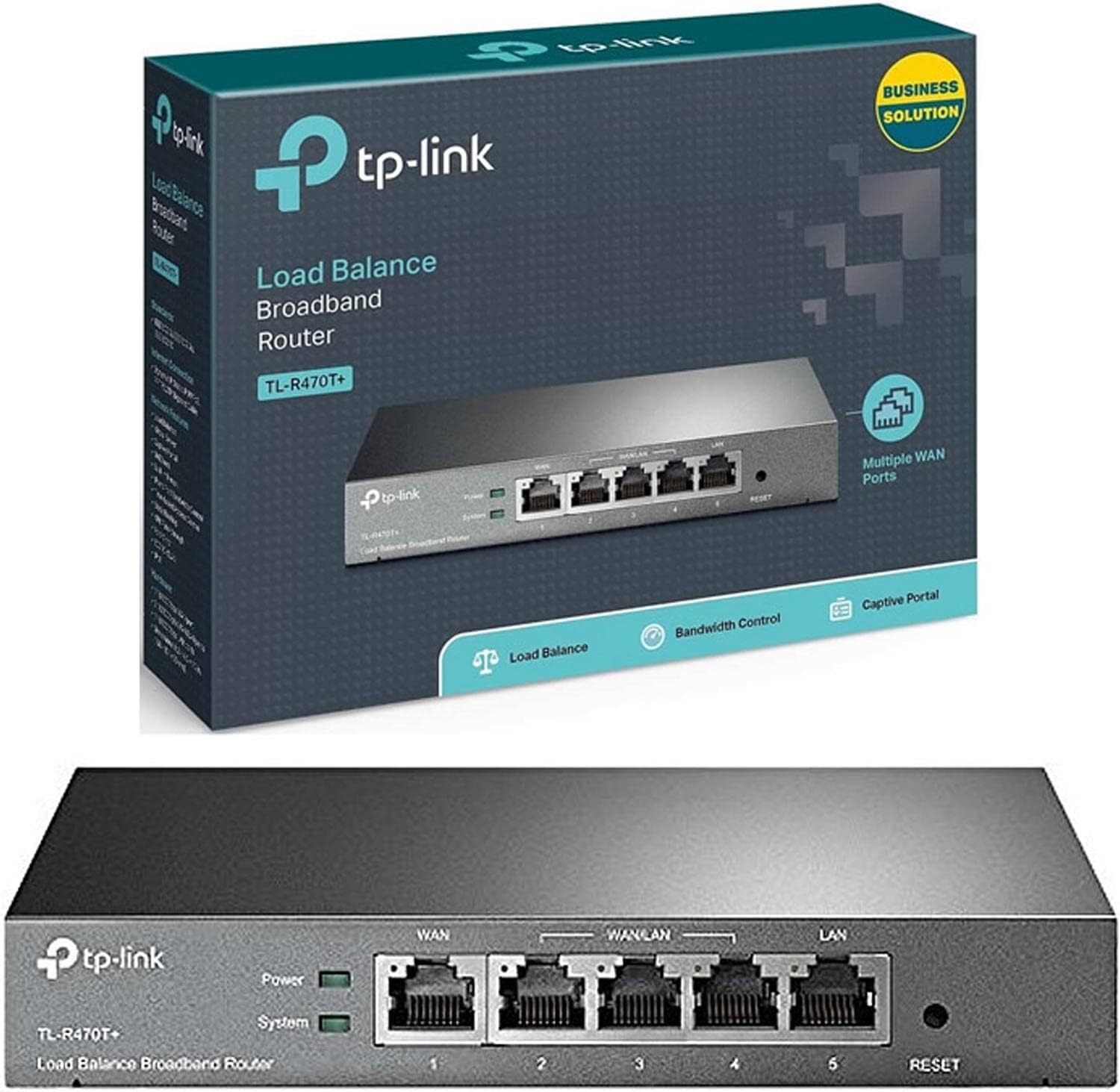
Image : Avant view of the TL-R470T+ router, displaying the WAN port, three configurable WAN/LAN ports, and one dedicated LAN port, along with power and system LED indicators.
- Connect your modem's Ethernet cable to the router's dedicated WAN port (Port 1).
- If using additional WAN connections, connect them to the configurable WAN/LAN ports (Ports 2-4).
- Connect your local network devices (computers, switches) to the LAN port (Port 5) or other configurable ports set as LAN.
- Branchez l'adaptateur secteur à l'entrée d'alimentation du routeur et branchez-le à une prise électrique.
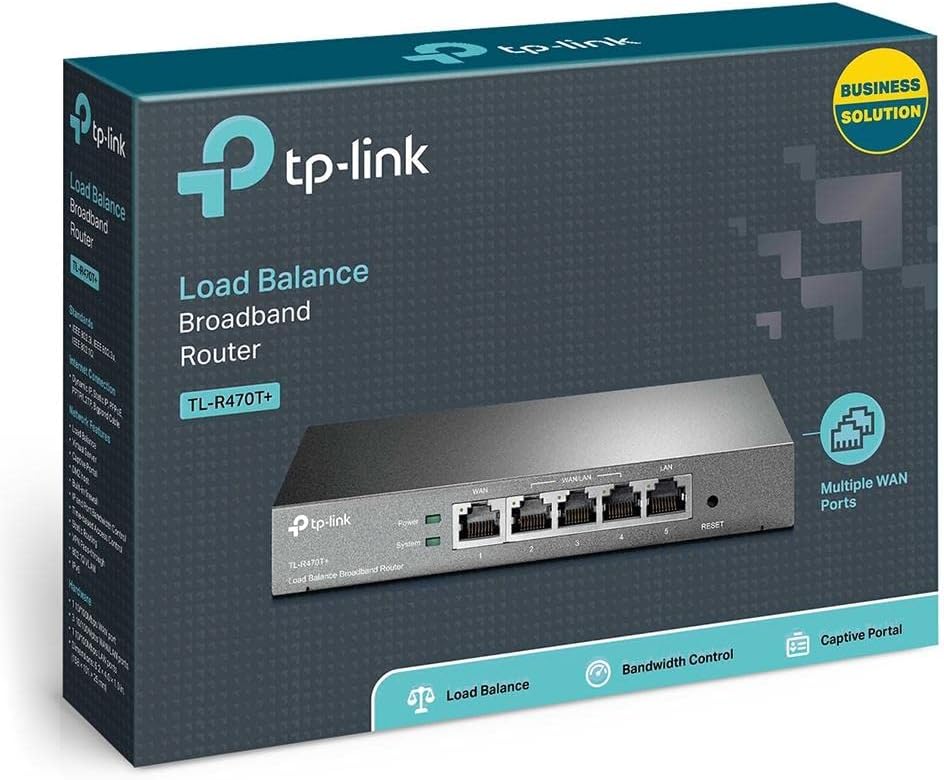
Image : Dos view of the TL-R470T+ router, highlighting the power input (9V=0.6A) and a Kensington lock slot for physical security.
- Configuration initiale :
- Ouvrir un web browser on a computer connected to the router's LAN port.
- Saisissez l'adresse IP par défaut (généralement 192.168.0.1) dans la barre d'adresse.
- Log in using the default username and password (refer to the Quick Installation Guide for details).
- Follow the on-screen wizard to configure your WAN connections and basic network settings.
5. Mode d'emploi
Once set up, the TL-R470T+ operates to manage your network traffic efficiently.
- L'équilibrage de charge: The router intelligently distributes internet traffic across active WAN connections. You can configure load balancing policies via the web interface to prioritize certain connections or applications.
- Firewall and Filtering: Access the security settings in the web interface to configure IP/MAC/URL filtering rules and enable DoS attack protection. This helps secure your network from external threats.
- Contrôle de la bande passante : Utilize the IP-based bandwidth control feature to allocate specific bandwidth limits to different users or devices on your network, ensuring fair usage and preventing congestion.
- Port Forwarding (Virtual Servers): For applications requiring external access to internal network resources (e.g., FTP servers, gaming servers), configure Virtual Servers (Port Forwarding) in the router's settings.
- Dynamic DNS (DDNS): If you have a dynamic public IP address, configure DDNS to associate a fixed domain name with your router, enabling consistent remote access.
6. Entretien
Un entretien régulier garantit des performances optimales et une longue durée de vie à votre routeur.
- Mises à jour du micrologiciel : Consultez régulièrement le site officiel de TP-Link. webSite de mise à jour du micrologiciel. La mise à jour du micrologiciel peut améliorer les performances, ajouter de nouvelles fonctionnalités et corriger les failles de sécurité.
- Sauvegarde de la configuration : Sauvegardez régulièrement les paramètres de configuration de votre routeur via le web interface. This allows for quick restoration in case of accidental changes or a factory reset.
- Environnement physique : Ensure the router is placed in a well-ventilated area, away from direct sunlight, heat sources, and moisture. Keep the device clean and free from dust accumulation.
- Protection contre la foudre : While the device has built-in lightning protection, ensure proper grounding of your electrical system to maximize its effectiveness.
7. Dépannage
Cette section aborde les problèmes courants que vous pourriez rencontrer.
- Pas d'accès Internet:
- Verify that your modem is working correctly and providing an internet connection.
- Check the WAN port LED indicators on the router; they should be lit.
- Ensure WAN settings (IP address, DNS) are correctly configured in the router's web interface.
- Redémarrez votre modem et votre routeur.
- Vitesse Internet lente :
- Vérifiez la vitesse de votre fournisseur d'accès Internet.
- Review load balancing settings to ensure optimal distribution across WANs.
- Check for any active bandwidth control rules that might be limiting speed for your device.
- Impossible d'accéder Web Page de gestion :
- Assurez-vous que votre ordinateur est connecté à un port LAN du routeur.
- Vérifiez que l'adresse IP de votre ordinateur se trouve dans le même sous-réseau que le routeur (par exemple, 192.168.0.x).
- Essayez de vider le cache de votre navigateur ou d'utiliser un autre navigateur.
- If the issue persists, perform a factory reset by pressing and holding the reset button for approximately 5-10 seconds while the router is powered on. Note: This will erase all custom configurations.
8. Spécifications
| Numéro de modèle de l'article | TL-R470T + |
| Marque | TP-Link |
| Type d'interface | 1 Fixed Ethernet WAN Port, 1 Fixed Ethernet LAN Port, 3 Changeable Ethernet WAN/LAN Ports |
| Nombre de ports | 5 |
| Taux de transfert de données | 100 mégabits par seconde |
| Voltage | 240 volts |
| Poids de l'article | 0.46 kilogrammes (1.02 livres) |
| Dimensions du produit | 8.3 x 1.1 x 5 pouces |
| Compatibilité du système d'exploitation | Microsoft Windows 8, 7, Vista, XP or MAC OS, NetWare, UNIX or Linux |
| Type sans fil | 802.11ac (Note: This device is a wired router, 802.11ac refers to internal component compatibility, not wireless functionality) |
| Taille de la mémoire flash | 4 Mo |
9. Garantie et assistance
Pour obtenir des informations sur la garantie, une assistance technique et une aide supplémentaire, veuillez consulter le site officiel de TP-Link. website or contact TP-Link customer service directly. The Quick Installation Guide included with your product may also contain specific warranty details for your region.


