1. Introduction
The ZIPRO Boost Gold stationary exercise bike is designed to provide perfect conditions for an effective home workout. This ergometer bike allows you to enthusiastically work towards your fitness goals. Its magnetic resistance system enables precise adjustment of workout intensity, helping you track and achieve satisfying progress.
2. Consignes de sécurité
- Consultez un médecin avant de commencer tout programme d'exercice.
- Gardez les enfants et les animaux domestiques éloignés de l'équipement pendant son utilisation.
- Placez le vélo d'exercice sur une surface plane et stable, en laissant un espace suffisant autour de celui-ci.
- Portez une tenue et des chaussures de sport appropriées.
- Ne dépassez pas le poids maximum de l'utilisateur de 120 kg.
- Avant chaque utilisation, inspectez le vélo pour repérer les pièces desserrées ou usées.
- Arrêtez immédiatement l'exercice si vous vous sentez faible, étourdi ou si vous ressentez une douleur.
3. Contenu du colis
Veuillez vérifier que tous les composants sont présents avant l'assemblage :
- Assemblage du cadre principal
- Potence et guidon
- Tige de selle et selle
- Pédales (gauche et droite)
- Stabilisateurs avant et arrière
- Digital Computer Console
- Porte-bouteille d'eau
- Assembly Hardware Kit (bolts, washers, nuts, tools)
- Manuel d'utilisation
4. Configuration et assemblage
Follow these general steps for assembly. Refer to the included assembly diagram for detailed instructions.
- Fixez les stabilisateurs : Fixez les stabilisateurs avant et arrière au cadre principal à l'aide des boulons et rondelles fournis. Assurez-vous qu'ils soient bien serrés pour garantir la stabilité.
- Installez les pédales : Attach the left and right pedals to the crank arms. Note that the left pedal is reverse-threaded. Tighten securely.
- Montage de la tige de selle et de la selle : Insert the seat post into the main frame and secure it at the desired height. Attach the seat to the seat post and adjust its position.
- Installation de la tige de guidon et du guidon : Insérez la tige de guidon dans le cadre principal. Fixez le guidon à la tige et serrez-le.
- Connect Computer Console: Connect the sensor wires from the main frame and handlebars to the back of the computer console. Mount the console onto the handlebar post.
- Porte-bouteille intégré : Secure the water bottle holder to the designated spot on the main frame.
- Vérification finale : Ensure all bolts and nuts are tightened and the bike is stable before first use.

The Zipro Boost Gold Exercise Bike, showcasing its sleek black and gold design, adjustable seat, handlebars, and integrated water bottle holder.

This image illustrates the compact dimensions of the Zipro Boost Gold Exercise Bike, measuring 107 cm in length, 47 cm in width, and 141 cm in height, making it suitable for home use.
5. Mode d'emploi
5.1 Réglage de la résistance
The Zipro Boost Gold features an 8-step magnetic resistance system. To adjust the resistance, turn the knob located on the main frame below the handlebars. Turn clockwise to increase resistance and counter-clockwise to decrease it. Levels 1-3 are for easy workouts, 4-6 for medium intensity, and 7-8 for hard, challenging sessions.

Detail of the magnetic resistance adjustment knob, offering 8 distinct levels from 1-3 (easy), 4-6 (medium), to 7-8 (hard), allowing users to customize their workout intensity.
5.2 Réglage du siège et du guidon
For optimal comfort and effective training, adjust the seat height, horizontal position, and handlebar angle to fit your body. Loosen the adjustment knobs, set to your preferred position, and tighten securely.
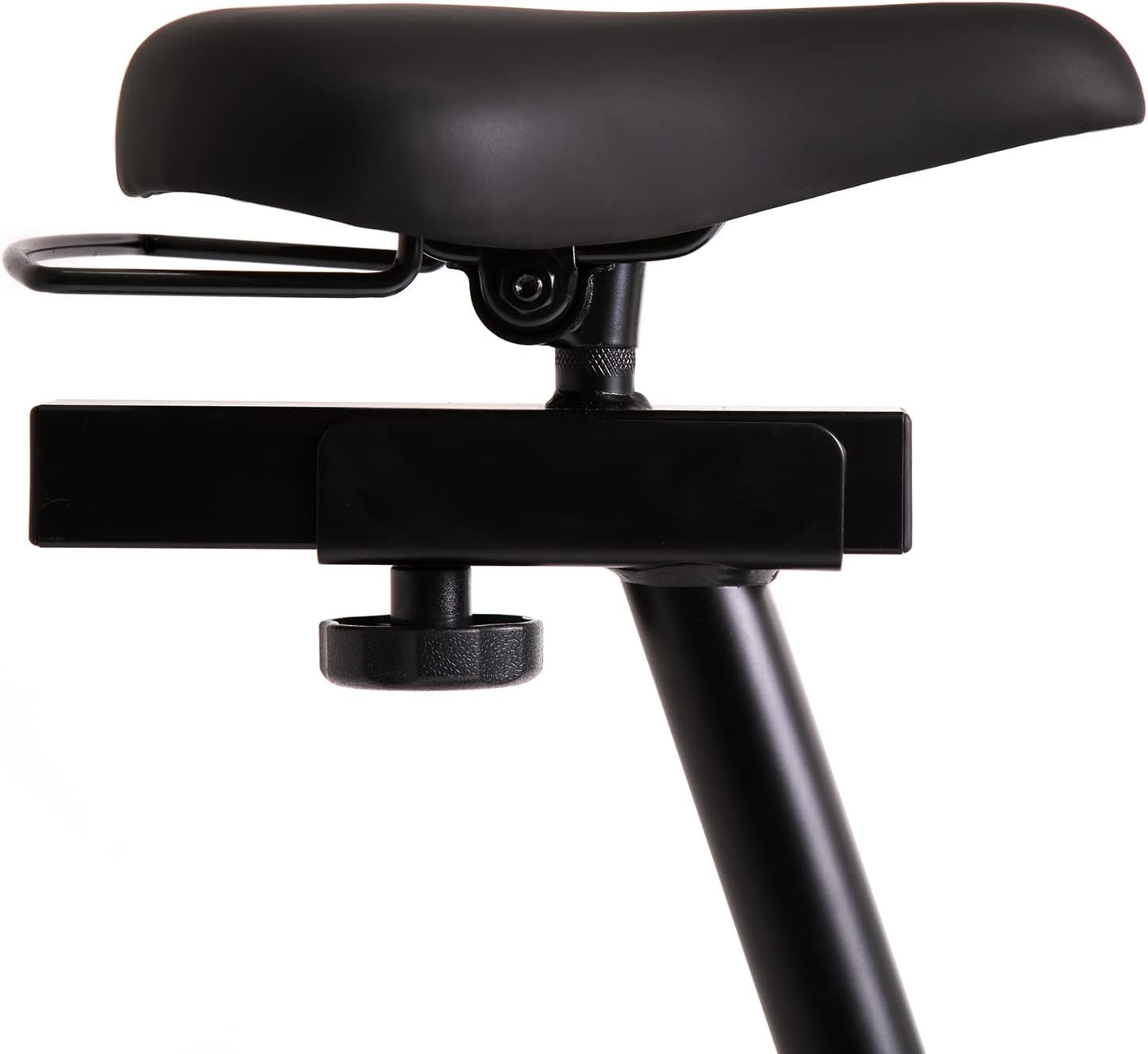
This image highlights the robust adjustment mechanism for the seat, allowing for precise positioning to optimize comfort and biomechanics during exercise.
5.3 Using the Computer Console
The modern computer console tracks your workout data. It typically displays:
- TEMPS: Durée de votre entraînement.
- CALORIES : Estimation des calories brûlées.
- VITESSE: Votre vitesse actuelle.
- IMPULSION: Your heart rate (measured via handlebar sensors).
Use the 'MODE' button to cycle through display functions, 'RESET' to clear data, and 'SET' for specific settings if available.

The modern computer display provides essential workout data, including elapsed time, calories burned, current speed, and pulse rate, to help track progress.
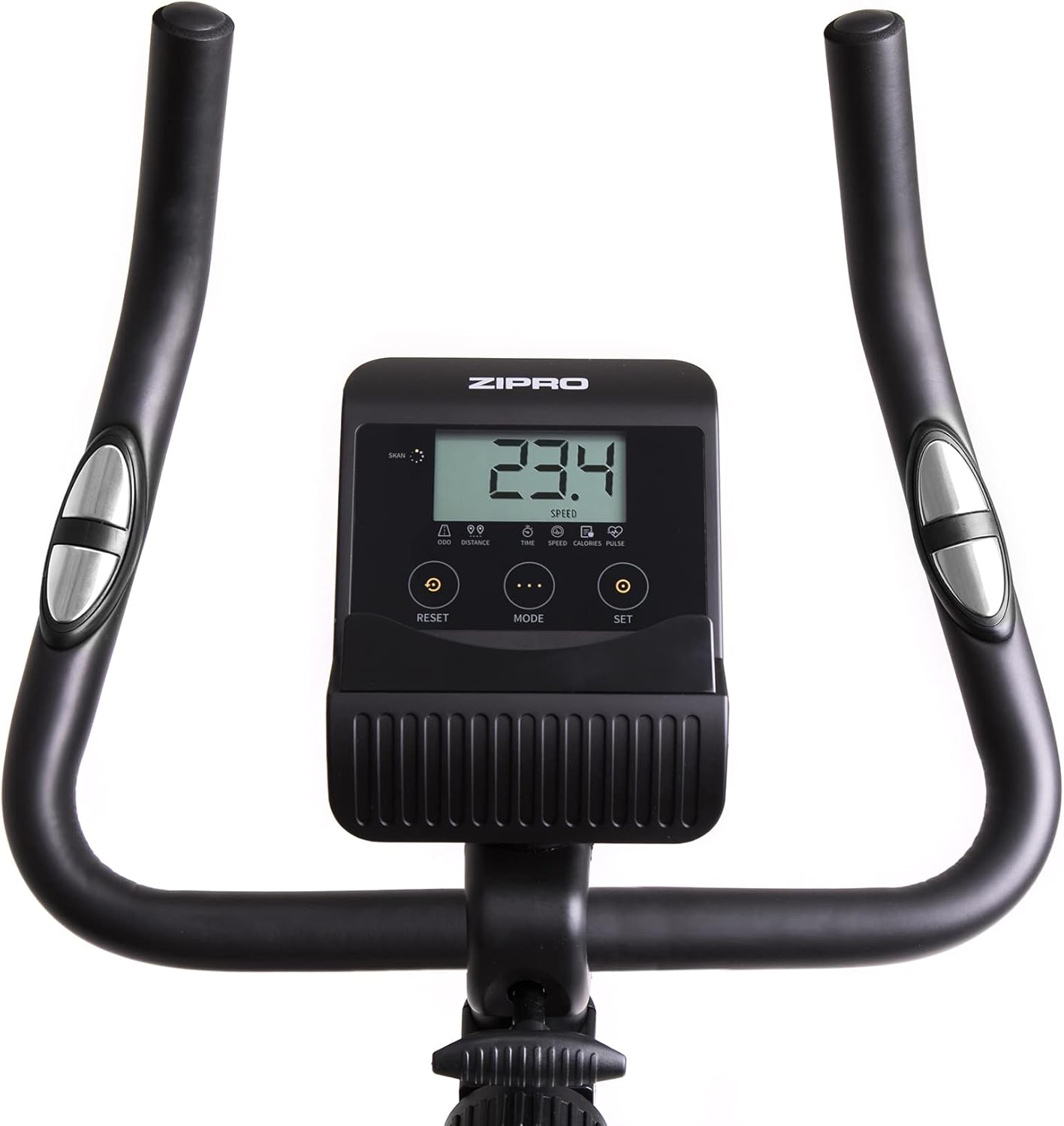
A closer look at the exercise bike's computer, displaying various metrics and featuring intuitive buttons for 'RESET', 'MODE', and 'SET' to navigate and control workout data.
5.4 Smartphone/Tablet Holder
The integrated holder allows you to place your smartphone or tablet for entertainment or to follow fitness apps during your workout.

A convenient stand for mobile devices is integrated into the handlebars, enabling users to enjoy their favorite digital content, such as music or videos, while exercising.
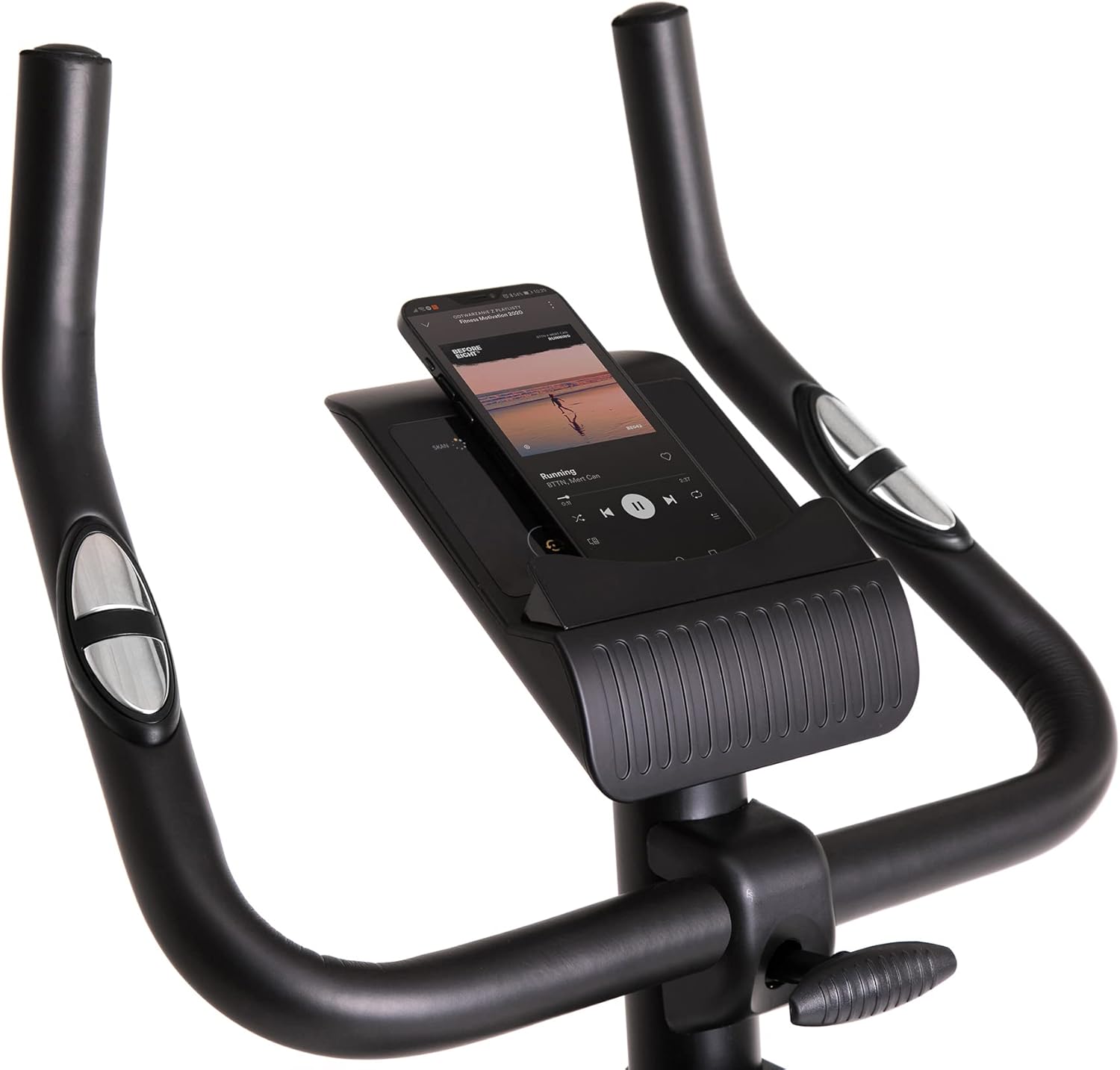
Demonstrates a smartphone securely placed in the integrated holder, ready for entertainment or fitness app use during a workout session.
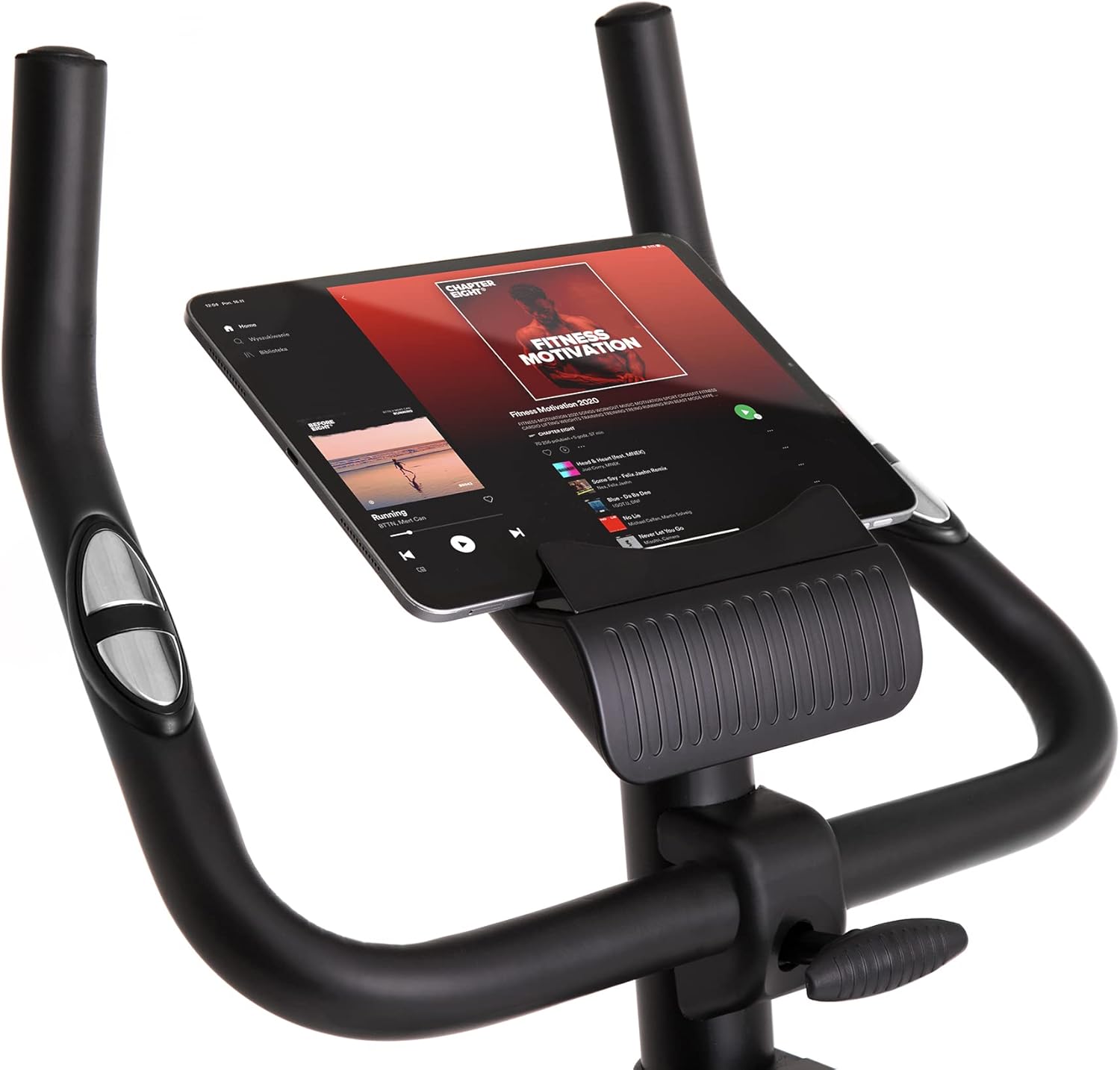
Shows a larger tablet device fitting comfortably in the holder, providing a wider screen for viewing media or following guided workouts.
6. Entretien
- Nettoyage: Essuyez le vélo avec une annonceamp Essuyez-vous avec un chiffon après chaque utilisation pour enlever la transpiration et la poussière. N'utilisez pas de nettoyants abrasifs.
- Lubrification: Vérifiez et lubrifiez périodiquement les pièces mobiles comme recommandé dans le manuel complet (le cas échéant).
- Inspection: Vérifiez régulièrement le serrage et l'usure de tous les boulons, écrous et pièces mobiles. Resserrer les fixations desserrées.
- Stockage: Store the bike in a dry, cool place away from direct sunlight and extreme temperatures. Use the transport wheels for easy relocation.
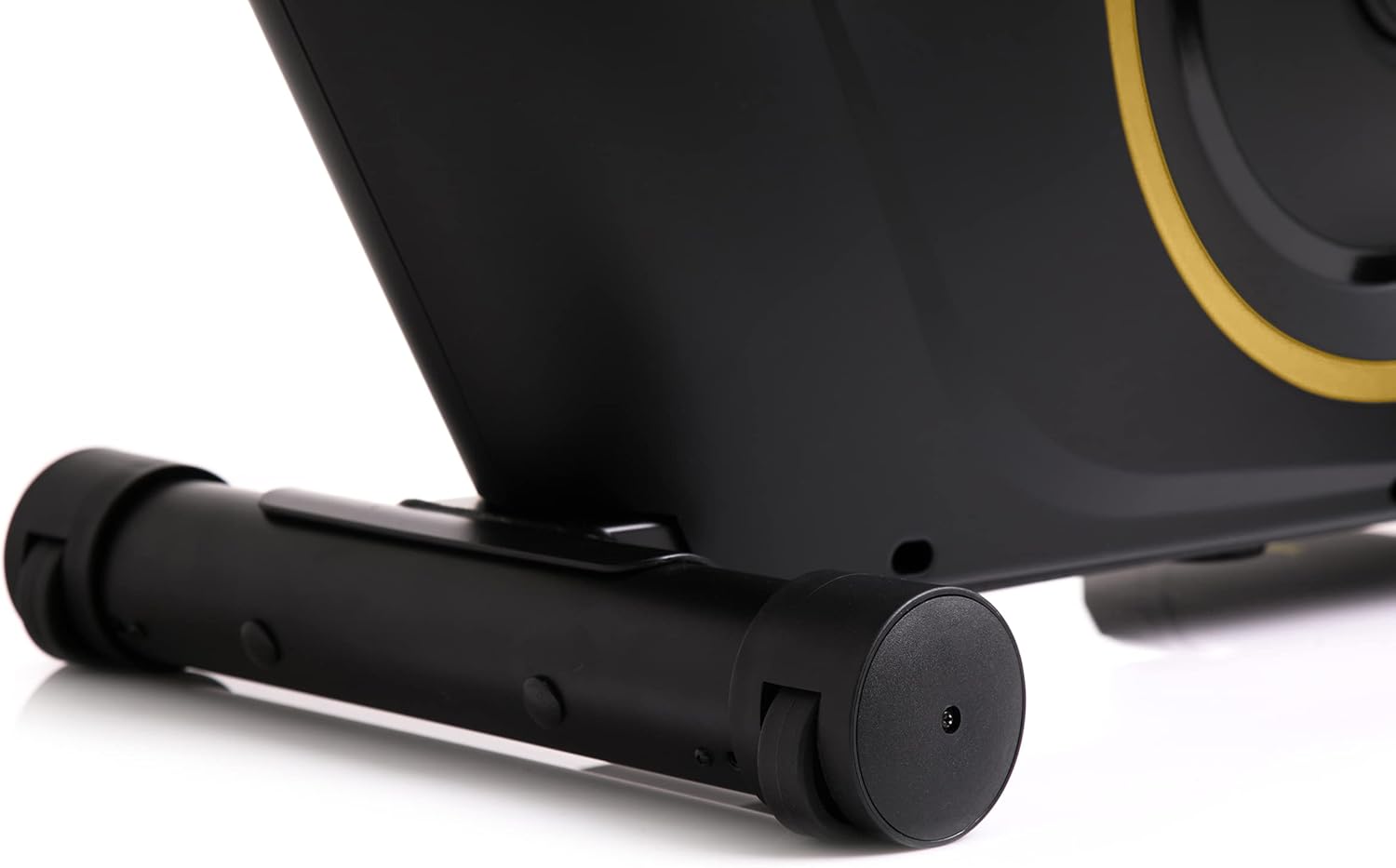
The front stabilizer features integrated transport wheels, making it easy to move the exercise bike around your home for convenient storage or placement.

A practical water bottle holder is positioned on the main frame, ensuring hydration is always within reach during your workout.
7. Dépannage
| Problème | Cause possible | Solution |
|---|---|---|
| L'écran de l'ordinateur ne fonctionne pas. | Connexion de câble défectueuse, batteries déchargées | Check all cable connections. Replace batteries in the computer console. |
| Bruit inhabituel pendant le fonctionnement | Loose parts, friction | Check all bolts and nuts for tightness. Ensure no parts are rubbing against each other. |
| Le vélo semble instable. | Surface irrégulière, stabilisateurs non fixés | Place the bike on a flat, level surface. Tighten bolts on front and rear stabilizers. |
| La résistance ne change pas | Problème de mécanisme de résistance | Vérifiez que le bouton de résistance tourne librement. Si le problème persiste, contactez le service client. |
8. Spécifications
| Fonctionnalité | Détail |
|---|---|
| Couleur du modèle | Noir/Or |
| Style | Boost Gold |
| Système d'entraînement | Ceinture |
| Matériau principal | Plastique, métal, polyéthylène |
| Source d'énergie | Alimenté par batterie |
| Capacité de poids maximale | 120 kilogrammes |
| Fabricant | Morele.net Sp. zoo |
| Numéro de modèle de l'article | 5944584 |
| Dimensions du produit (L x l x H) | 107 x 47 x 141 cm |
| Poids de l'article | 23 kilogrammes |
| Mécanisme de résistance | Magnétique |
| Utilisations recommandées | Domicile, Salle de sport, Studio, Intérieur |
9. Vidéo produit
This video provides a general presentation of the ZIPRO product range, showcasing various fitness equipment designed for home use. While not specific to the Boost Gold model, it highlights the brand's commitment to quality and home fitness solutions.
10. Garantie et assistance
Pour obtenir des informations sur la garantie et l'assistance clientèle, veuillez consulter la documentation fournie avec votre achat ou visiter le site officiel de ZIPRO. webConsultez le site. Conservez votre preuve d'achat pour toute réclamation au titre de la garantie.


