1. Introduction
This manual provides essential instructions for setting up, operating, and maintaining your BlackBerry BB 9900 Bold Touch smartphone. Please read this guide thoroughly to ensure proper use and to maximize the device's capabilities. The BlackBerry BB 9900 Bold Touch combines a capacitive touchscreen with a full QWERTY keyboard, running on BlackBerry OS 7.
3. Appareil terminéview
Familiarize yourself with the physical features of your BlackBerry BB 9900 Bold Touch.
3.1 avant View

Image : Avant view of the BlackBerry BB 9900 Bold Touch, highlighting the 2.8-inch touchscreen and the physical QWERTY keyboard below it. The device also features a trackpad and call/end buttons.
- Écran tactile : 2.8-inch capacitive display for interactive navigation.
- Clavier QWERTY: Full physical keyboard for efficient typing.
- Optical Trackpad: For precise navigation and selection.
- Boutons d'appel/de fin : Standard telephony controls.
3.2 Arrière View

Image : Arrière view of the BlackBerry BB 9900 Bold Touch, featuring the 5-megapixel camera lens, LED flash, and the BlackBerry logo.
- Caméra 5MP: Primary camera with autofocus and LED flash.
- Couvercle de la batterie : Removable cover for battery and SIM card access.
3.3 Côté View
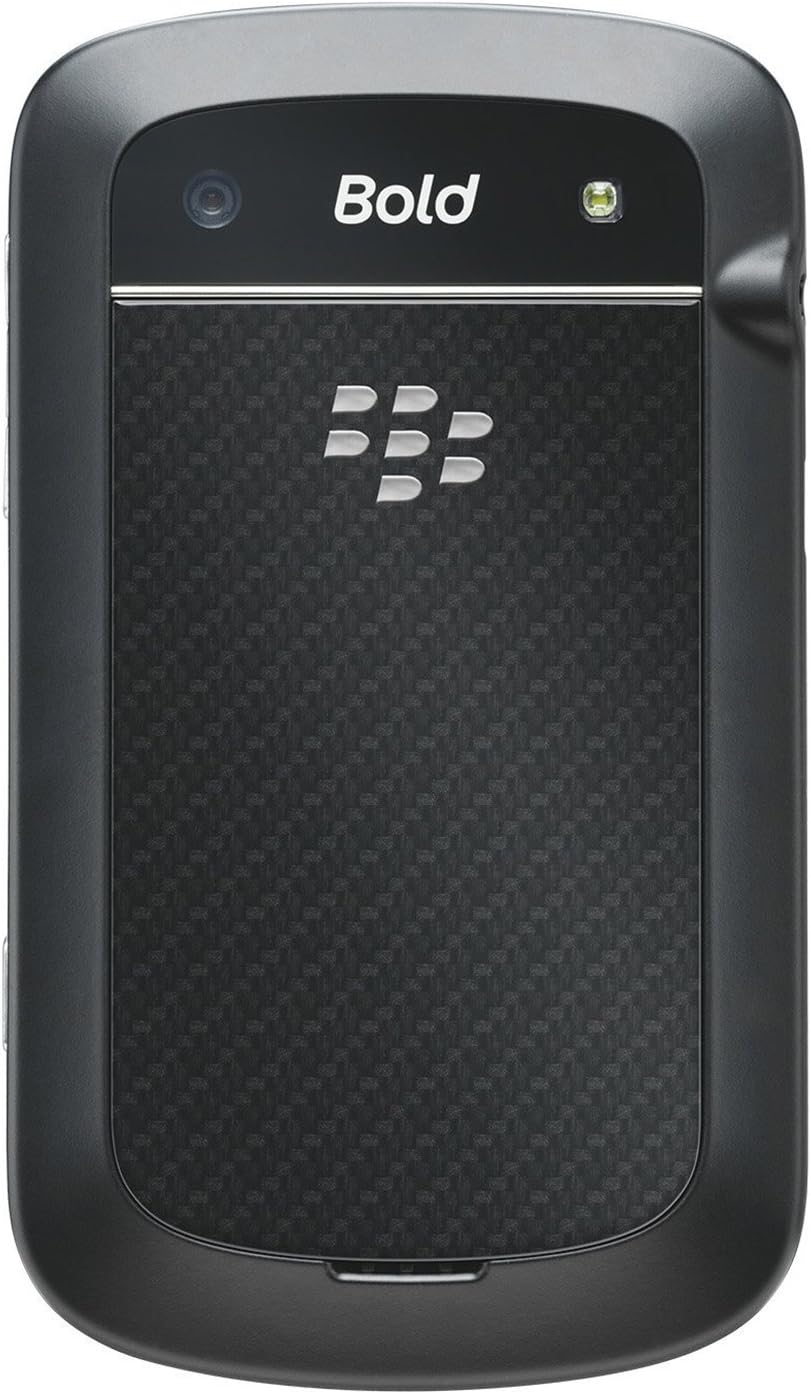
Image : Côté view of the BlackBerry BB 9900 Bold Touch, illustrating the placement of the volume control buttons and a customizable convenience key.
- Boutons de volume : Réglez les niveaux audio.
- Convenience Key: Bouton de raccourci personnalisable.
5. Mode d'emploi
Navigation sur écran tactile 5.1
- Robinet: Touch the screen briefly to open applications, select items, or activate buttons.
- Glisser: Drag your finger across the screen to scroll through lists or switch between home screen panels.
- Pincer pour zoomer : Use two fingers to zoom in or out on photos, web pages, or maps.
5.2 Utilisation du clavier QWERTY
The physical QWERTY keyboard allows for fast and accurate text entry. Each key corresponds to a letter, number, or symbol. Use the 'Alt' key for alternate characters and the 'Shift' key for capitalization.
5.3 Passer des appels
- From the home screen, tap the Phone icon or press the green Call button.
- Enter the phone number using the keyboard.
- Appuyez sur le bouton vert « Appel » pour lancer l'appel.
- Pour mettre fin à un appel, appuyez sur le bouton rouge « Raccrocher ».
5.4 Envoi de messages
- Tap the Messages icon from the home screen.
- Select 'Compose New' or similar option.
- Saisissez le numéro du destinataire ou sélectionnez-le dans vos contacts.
- Type your message using the QWERTY keyboard.
- Tap 'Send'.
5.5 Utilisation de l'appareil photo
- Appuyez sur l'icône de l'appareil photo pour ouvrir l'application appareil photo.
- Cadrez votre prise de vue en utilisant l'écran comme un viewchercheur.
- Tap the screen or press the convenience key (if configured) to take a photo.
- The 5MP camera features autofocus and an LED flash for improved image quality.
5.6 Connexion au Wi-Fi
- Go to 'Options' > 'Networks and Connections' > 'Wi-Fi'.
- Turn Wi-Fi on. The device will scan for available networks.
- Sélectionnez le réseau souhaité et saisissez le mot de passe si vous y êtes invité.
- Once connected, the Wi-Fi indicator will appear in the status bar.
5.7 Using NFC (Near Field Communication)
The BlackBerry BB 9900 Bold Touch supports NFC for short-range wireless communication. This allows for quick pairing with compatible accessories or sharing data with other NFC-enabled devices by tapping them together.
- Assurez-vous que NFC est activé dans les paramètres de votre appareil.
- Hold your device close to another NFC-enabled device or tag.
- Follow on-screen prompts to complete the desired action (e.g., pairing, data transfer).
9. Assistance et garantie
9.1 Assistance clientèle
For technical assistance, troubleshooting beyond this manual, or service inquiries, please visit the official BlackBerry support website or contact your local service provider. Refer to the packaging or official website pour les coordonnées spécifiques.
9.2 Informations sur la garantie
Your BlackBerry BB 9900 Bold Touch is covered by a limited warranty. Please refer to the warranty card included in your product packaging or visit the official BlackBerry webConsultez le site pour connaître les conditions générales détaillées, notamment la durée et les spécificités de la garantie. Conservez votre preuve d'achat pour toute réclamation au titre de la garantie.