1. Introduction
The Mitel Gigabit Ethernet Stand (Model 51009841) is an accessory designed to enhance the network capabilities of compatible Mitel IP phones. It provides Gigabit Ethernet connectivity, allowing computers connected to the IP phone to access high-speed network services. This stand integrates seamlessly with your existing Mitel IP phone setup, offering improved data transfer rates at the desktop.
This manual provides detailed instructions for the proper installation, operation, and maintenance of your Gigabit Ethernet Stand.
2. Produit terminéview
The Mitel Gigabit Ethernet Stand features a dual-port 100/1000baseT design, built into a phone base that attaches to compatible Mitel IP phones. It provides three distinct ports for network connectivity:
- Gigabit Ethernet LAN Port: Connects to your network switch.
- Gigabit Ethernet PC Port: Se connecte à votre ordinateur.
- 10/100 MB Ethernet Connection: Connects to the IP phone.
The stand can be powered via 802.3af Power over Ethernet (PoE) or an optional 48V power supply (sold separately).
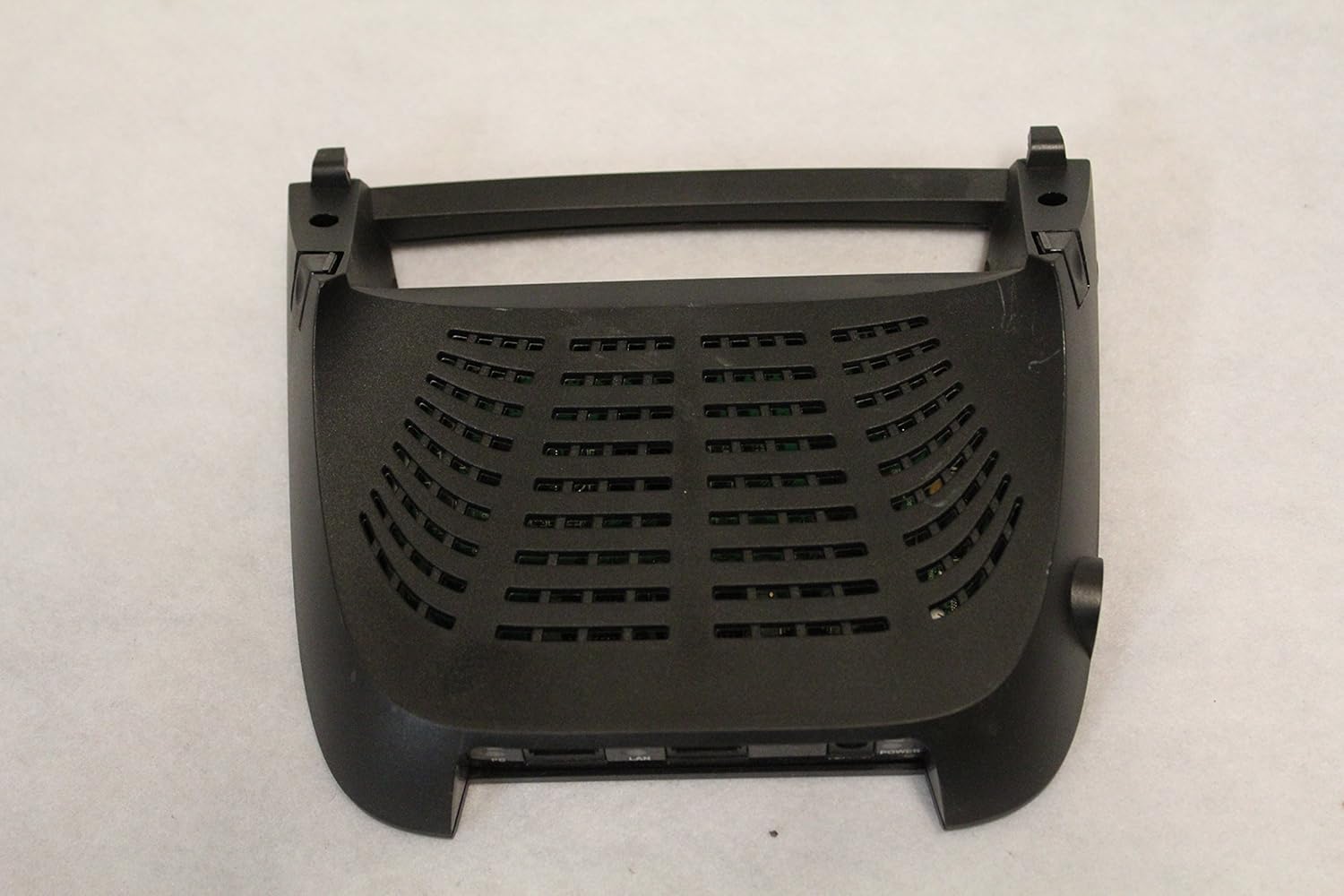
Figure 1 : Vue de dessus view of the Mitel Gigabit Ethernet Stand, showing its ventilated design. This view highlights the overall shape and the integrated stand for an IP phone.
3. Configuration et installation
Follow these steps to properly set up your Mitel Gigabit Ethernet Stand:
- Contrôle de compatibilité: Ensure your Mitel IP phone is compatible. The stand supports Mitel 5312, 5320, 5324, 5330, 5340, 5215, and 5220 Dual mode IP phones. Additionally, your system requires Mitel Communications Director (MCD) 4.0 SP3 or 4.1 SP2, Mitel SX-200 ICP 5.0, or Mitel SIP phone software 8.0.
- Attach to IP Phone: Carefully align the Gigabit Ethernet Stand with the base of your compatible Mitel IP phone. The stand is designed to attach easily, leaving the module slot on the phone free for other accessories like IP Programmable Key Modules, Line Interface Module, Mitel 5310 IP Conference Module, or Cordless (DECT) Accessories Module.
- Connect Network Cable (LAN): Connectez un câble Ethernet de votre commutateur réseau ou routeur au Réseau local port on the rear of the Gigabit Ethernet Stand.
- Connexion PC (facultatif) : If you wish to provide Gigabit Ethernet connectivity to your computer through the stand, connect an Ethernet cable from your computer to the PC port on the rear of the stand.
- Connexion électrique :
- If your network switch provides 802.3af Power over Ethernet (PoE), the stand will receive power through the LAN connection.
- If PoE is not available, connect an optional 48V power supply (sold separately) to the POUVOIR input on the rear of the stand.
- Vérifiez la connexion : Once powered, the stand will establish a connection with the IP phone and the network. Observe any indicator lights for proper operation.

Figure 2 : Arrière view of the Mitel Gigabit Ethernet Stand, highlighting the PC, LAN, and Power input ports. The power input specifies 48V === 0.4A.

Figure 3 : Arrière view of the Mitel Gigabit Ethernet Stand with a white Ethernet cable connected to the LAN port, demonstrating a typical setup. A green power indicator light is visible.
4. Mode d'emploi
Once the Mitel Gigabit Ethernet Stand is properly installed and powered, it operates automatically to provide enhanced network connectivity.
- Network Passthrough: The stand acts as a passthrough device, allowing your IP phone and a connected computer to share a single network drop while providing Gigabit speeds to the computer.
- Indicateur d'alimentation : A power indicator light (typically green) on the rear of the stand confirms that the device is receiving power and is operational.
- Emplacement du module : The design ensures that the module slot on your Mitel IP phone remains available for other accessories, providing flexibility in your phone's configuration.
5. Entretien
The Mitel Gigabit Ethernet Stand requires minimal maintenance to ensure optimal performance.
- Nettoyage: Use a soft, dry cloth to gently wipe the exterior of the stand. Avoid using liquid cleaners, aerosols, or harsh chemicals, as these can damage the device.
- Ventilation: Ensure that the ventilation slots on the stand are not obstructed to prevent overheating.
- Environnement: Operate the stand in a clean, dry environment, away from extreme temperatures and direct sunlight.
6. Dépannage
If you encounter issues with your Mitel Gigabit Ethernet Stand, refer to the following troubleshooting tips:
- Pas de voyant d'alimentation :
- Check if the Ethernet cable is securely connected to the Réseau local port and the network switch (if using PoE).
- If using an optional power supply, ensure it is correctly plugged into the POUVOIR port and a working electrical outlet.
- Verify that your network switch is providing 802.3af PoE if you are relying on it for power.
- No Network Connectivity to PC:
- Ensure the Ethernet cable from your PC is securely connected to the PC port on the stand.
- Vérifiez que le Réseau local port is connected to an active network switch.
- Vérifiez les paramètres réseau de votre ordinateur.
- Vitesse du réseau lente :
- Ensure all Ethernet cables used are rated for Gigabit speeds (Cat5e or Cat6).
- Verify that your network switch supports Gigabit Ethernet.
Conformité réglementaire : This device complies with Part 15 of the FCC Rules. Operation is subject to the following two conditions: (1) This device may not cause harmful interference, and (2) This device must accept any interference received, including interference that may cause undesired operation. This Class B device complies with Canadian ICES-003.
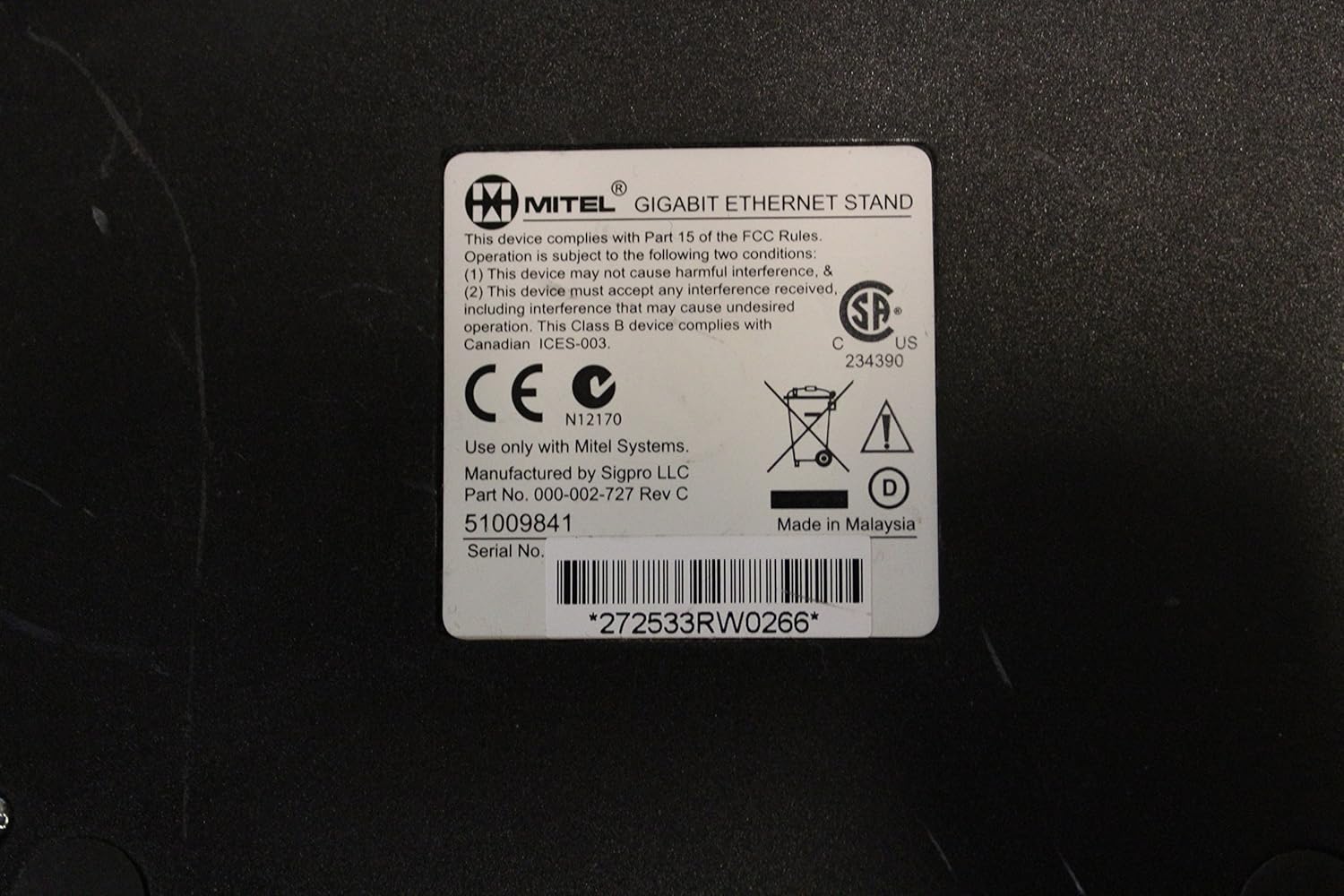
Figure 4 : Bas view of the Mitel Gigabit Ethernet Stand, showing the regulatory label with FCC compliance information, CE mark, and model number 51009841. The serial number *272533RW0266* is also visible on this label.
7. Spécifications
| Numéro de modèle | 51009841 |
| Marque | Mitel |
| Connectivité | Dual-port 100/1000baseT Ethernet |
| Ports | 1x Gigabit Ethernet LAN, 1x Gigabit Ethernet PC, 1x 10/100 MB Ethernet (to IP phone) |
| Puissance d'entrée | 802.3af PoE or optional 48V DC (0.4A) power supply |
| Dimensions (L x l x H) | 10 x 10 x 6 pouces (environ) |
| Poids | 3 livres (environ) |
| Compatibilité | Mitel 5312, 5320, 5324, 5330, 5340, 5215, 5220 IP phones; Mitel Communications Director (MCD) 4.0 SP3/4.1 SP2; Mitel SX-200 ICP 5.0; Mitel SIP phone software 8.0 |
| Lieu de fabrication | Fabriqué en Malaisie |
| Numéro de série Example | *272533RW0266* (Note: Actual serial number varies per unit) |

Figure 5: Underside of the Mitel Gigabit Ethernet Stand, illustrating the structural design, screw points, and rubber feet for stability.
8. Garantie et assistance
For information regarding warranty coverage, technical support, or service for your Mitel Gigabit Ethernet Stand, please refer to the documentation provided with your original purchase or visit the official Mitel website. You may also contact Mitel customer support directly for assistance.
Lorsque vous contactez l'assistance, veuillez avoir à portée de main le numéro de modèle (51009841) et le numéro de série de votre produit.


