1. Introduction
This manual provides essential information for the installation, operation, and maintenance of the Cisco Catalyst WS-C2960S-24TS-L 2960 Series 24-Port Gigabit Ethernet Switch. The Cisco Catalyst 2960-S and 2960 Series Switches are designed to provide reliable network performance and availability, supporting business applications and security services. These switches are suitable for growing businesses requiring optimized network bandwidth and fast, reliable application delivery.
2. Installation
2.1 Déballage et inspection
Carefully unpack the switch and inspect it for any signs of damage during shipping. Ensure all components listed in the packing list are present. If any items are missing or damaged, contact your vendor immediately.
2.2 Préparation du site
Before installation, ensure the installation site meets the following requirements:
- Une ventilation adéquate pour éviter la surchauffe.
- Stable power source (240 Volts).
- Operating temperature within 0°C to 40°C (32°F to 104°F).
- Sufficient space for cable routing and maintenance access.
2.3 Montage du commutateur
The switch can be mounted in a standard 19-inch equipment rack or placed on a flat, stable surface. For rack mounting, use the provided rack-mount kit and secure the switch firmly. Ensure proper grounding.
2.4 Connexion de l'alimentation
Connect the power cord to the AC power receptacle on the rear of the switch and then to a grounded AC outlet. The switch will power on automatically.
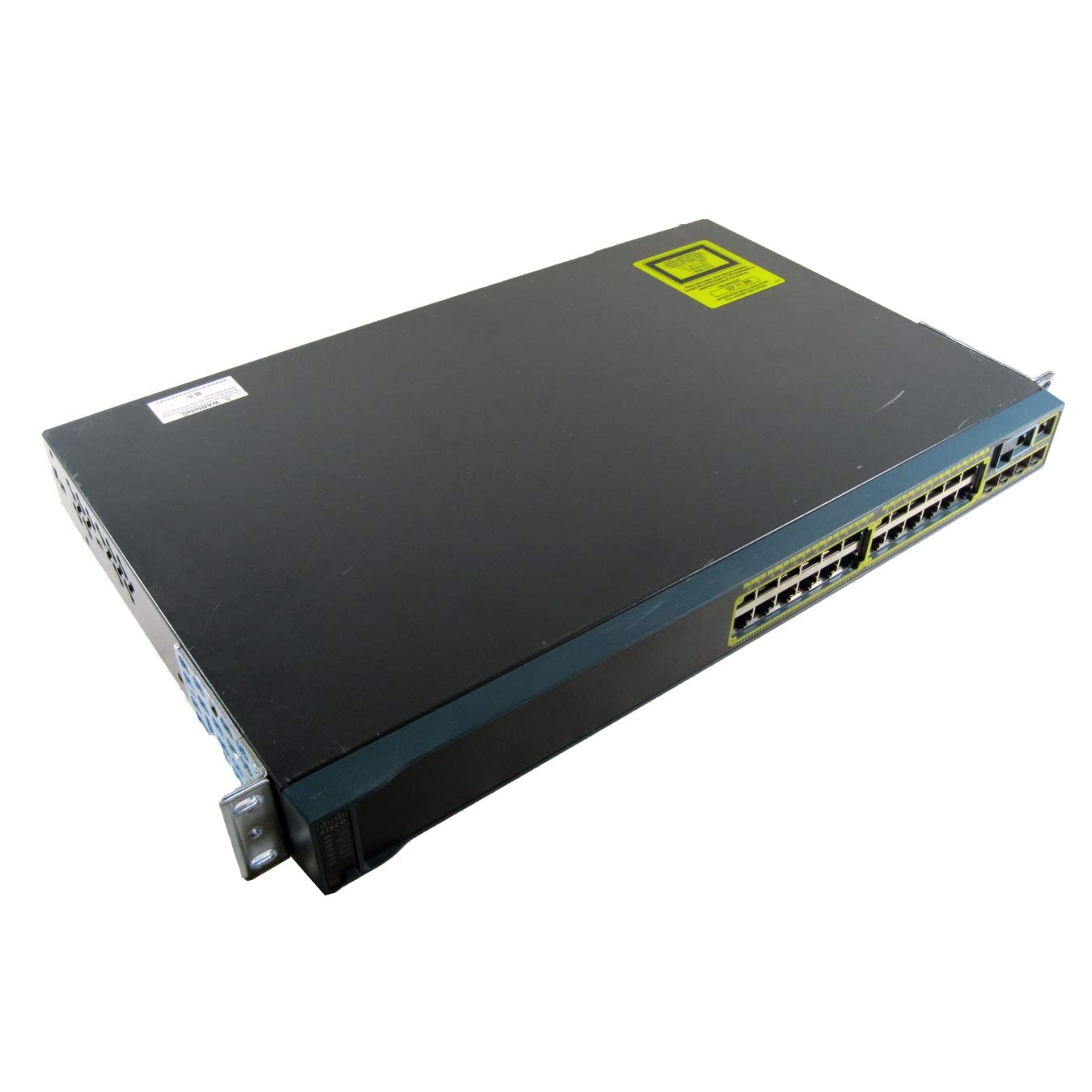
Figure 1 : Arrière view of the Cisco Catalyst WS-C2960S-24TS-L switch, illustrating the power input, console port, and other interfaces. This view helps identify connection points for initial setup.
2.5 Connexions réseau
Connect network devices (computers, servers, other switches) to the 24 RJ-45 Gigabit Ethernet ports using standard Ethernet cables. For uplink connections or stacking, utilize the SFP/SFP+ expansion slots and stack ports as required.
3. Fonctionnement
3.1 Configuration initiale
Upon initial power-up, the switch will perform a self-test. Access the switch's command-line interface (CLI) via the console port or through a network connection using Telnet or SSH for configuration. Refer to the Cisco IOS Software Configuration Guide for detailed configuration procedures.
3.2 Indicateurs LED
Monitor the LED indicators on the front panel to check the status of the switch and its ports. Common indicators include:
- Voyant système : Indicates overall system status (e.g., green for normal operation, amber for fault).
- LED d'état des ports : Indicate link activity, speed, and duplex status for each port.
- Stack LED: Indicates the status of the stacking connection (if applicable).
3.3 Basic Network Management
The switch supports various management protocols, including SNMP, Telnet, SSH, and a web-based interface (if enabled). Use these tools to monitor network traffic, configure VLANs, manage security settings, and perform firmware upgrades.
4. Entretien
4.1 Nettoyage régulier
Periodically clean the exterior of the switch with a soft, dry cloth. Ensure ventilation openings are free from dust and debris to maintain proper airflow and prevent overheating.
4.2 mises à jour du micrologiciel
Regularly check the Cisco website for the latest firmware updates. Applying updates can improve performance, add new features, and address security vulnerabilities. Follow Cisco's recommended procedures for firmware upgrades to avoid service interruptions.
4.3 Surveillance environnementale
Ensure the operating environment remains within the specified temperature and humidity ranges. Extreme conditions can affect the switch's reliability and lifespan.
5. Dépannage
5.1 Pas d'alimentation
- Vérifiez que le cordon d'alimentation est bien branché à la fois à l'interrupteur et à la prise de courant.
- Vérifiez si la prise de courant fonctionne en y branchant un autre appareil.
- Assurez-vous que la source d'alimentation fournit le volume correcttage (240 Volts).
5.2 Aucun lien sur le port
- Check the Ethernet cable for damage and ensure it is properly seated at both ends.
- Vérifiez que l'appareil connecté est allumé et fonctionne correctement.
- Essayez un autre port sur le commutateur ou un autre câble.
- Check the port configuration on the switch (e.g., speed, duplex settings).
5.3 Problèmes de connectivité réseau
- Confirm IP addressing and subnet mask configurations on connected devices and the switch.
- Check for VLAN configuration errors if VLANs are in use.
- Review switch logs for error messages or port flapping events.
- Perform a basic ping test from a connected device to the switch's IP address.
6. Spécifications
| Fonctionnalité | Détail |
|---|---|
| Numéro de modèle | WS-C2960S-24TS-L |
| Marque | Cisco |
| Ports | 24 x RJ-45 Gigabit Ethernet, Stack Port, 5 x Expansion Slots (SFP/SFP+) |
| Type d'interface | RJ45, SFP, PoE, PoE+, SFP+ |
| Taux de transfert de données | 1000 mégabits par seconde (Gigabit Ethernet) |
| Voltage | 240 volts |
| Indice de température supérieur | 40 degrés Celsius |
| Dimensions du produit | 17.52 x 11.77 x 1.77 pouces |
| Poids de l'article | 11.79 livres (5.36 kilogramme) |
| Matériau du boîtier | Plastique |
| Couleur | Noir |
7. Garantie et assistance
7.1 Informations sur la garantie
Ce produit est livré avec un 30-day warranty for defective reasons onlyVeuillez conserver votre preuve d'achat pour toute réclamation au titre de la garantie. La garantie couvre les défauts de fabrication dans des conditions normales d'utilisation.
7.2 Assistance technique
For technical assistance, product documentation, or to report issues, please visit the official Cisco support website or contact your authorized Cisco reseller. Ensure you have your product model number (WS-C2960S-24TS-L) and serial number available when seeking support.
Note: Cisco's official website (www.cisco.com/support) is the primary resource for comprehensive documentation and support services.