1. Introduction
This manual provides instructions for the proper setup, operation, and maintenance of your Taylor 7335 Digital Scale. This electronic scale is designed for accurate body weight measurement, combining a silver platform with a black textured mat for a secure, non-slip surface. It features a large, easy-to-read LCD display and is powered by a long-life lithium battery.
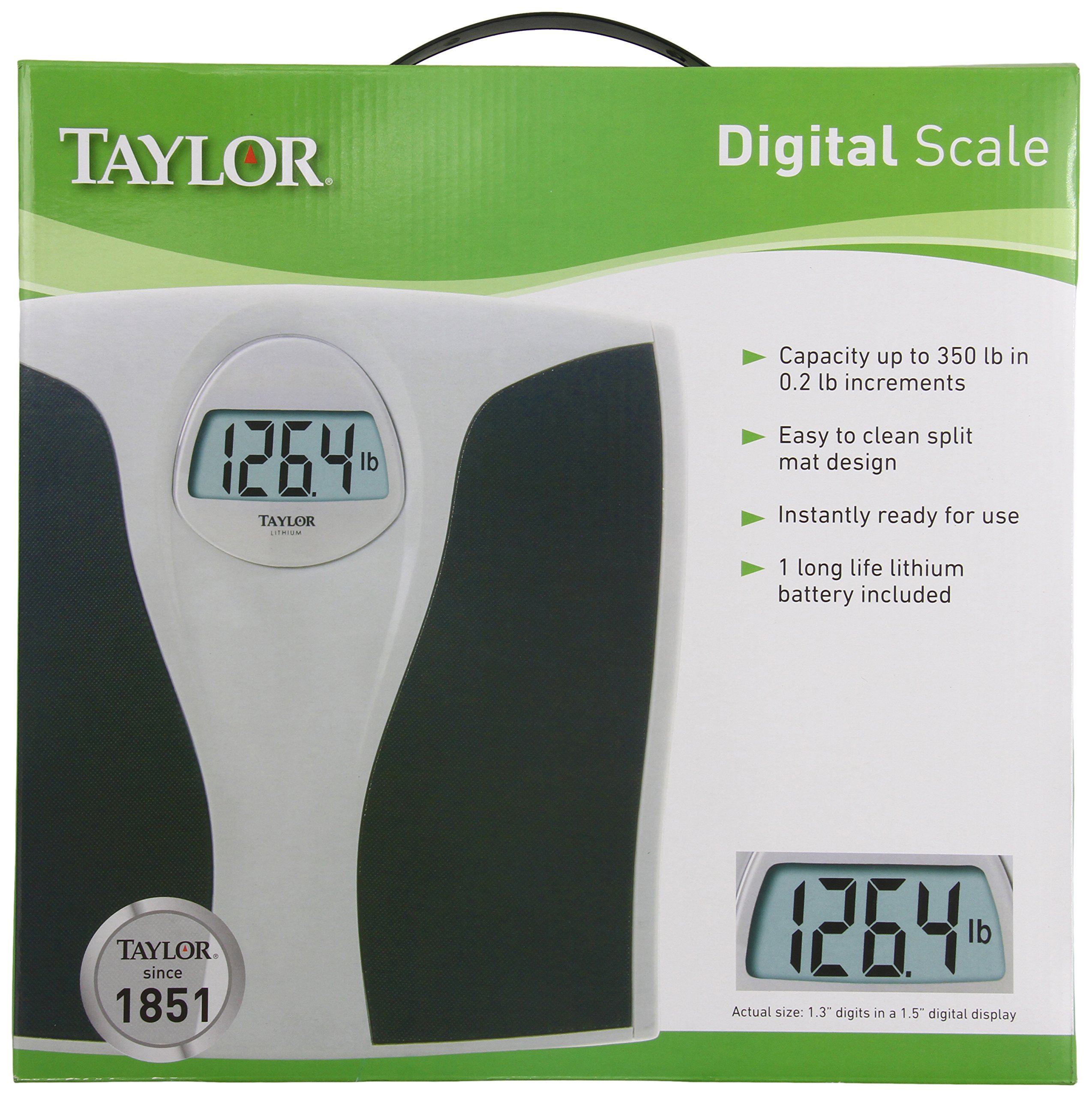
Figure 1.1 : Taylor 7335 Digital Scale. This image displays the scale's overall design, including its large digital readout and the textured mat for user comfort and safety.
Caractéristiques principales :
- Haute capacité : Measures up to 350 lb (160 kg) in 0.2 lb (0.1 kg) increments.
- Grande lecture : 1.3-inch digits on a 1.5-inch LCD display for clear visibility.
- Easy-To-Clean: Features a split mat design for simple maintenance.
- Long-Life Lithium Battery: Included for extended use.
- Conception durable : Silver platform with a premium black textured mat.
- Garantie limitée de 5 ans : Ensures product reliability.
2. Installation
2.1 Déballage
Carefully remove the scale from its packaging. Inspect the scale for any visible damage. Retain packaging for future storage or transport if needed.
2.2 Installation de la batterie
Your Taylor 7335 Digital Scale comes with a long-life lithium battery pre-installed. Before first use, ensure any protective plastic tab is removed from the battery compartment, typically located on the underside of the scale. If the display does not activate, check that the battery is correctly seated.
2.3 Placement
For accurate readings, place the scale on a hard, flat, and stable surface. Avoid placing the scale on carpets, rugs, or uneven flooring, as this can affect measurement accuracy.
3. Mode d'emploi
3.1 Prendre une mesure
- Assurez-vous que la balance soit placée sur une surface dure et plane.
- Gently tap the scale with your foot to activate it. The display will show "0.0" or "0.00".
- Une fois que « 0.0 » ou « 0.00 » s’affiche, montez sur la balance pieds nus, en restant immobile et centré sur le plateau.
- Your weight will be displayed on the large LCD screen. The reading will flash or hold steady when the measurement is complete.
- Descendez de la balance. L'affichage conservera votre poids pendant quelques secondes avant de s'éteindre automatiquement.
3.2 Unit Conversion (Pounds/Kilograms)
The Taylor 7335 Digital Scale can display weight in both pounds (lb) and kilograms (kg). To switch between units, locate the unit switch button, usually on the underside of the scale near the battery compartment. Press this button to toggle between 'lb' and 'kg' modes.
4. Entretien
4.1 Nettoyage
The scale features an easy-to-clean split mat design. To clean the scale, wipe the surface with a damp Utilisez un chiffon et un détergent doux. N’utilisez pas de nettoyants abrasifs ni n’immergez le détartreur dans l’eau. Assurez-vous qu’il soit parfaitement sec avant de le ranger ou de l’utiliser à nouveau.
4.2 Remplacement de la batterie
While the included lithium battery is designed for long life, it will eventually require replacement. If the display becomes dim or shows an error message related to low battery, replace the battery with a new, equivalent lithium battery. Refer to the battery compartment for the specific battery type.
4.3 Stockage
Store the scale in a cool, dry place away from extreme temperatures and humidity. Avoid placing heavy objects on the scale when not in use.
5. Dépannage
- Lectures inexactes ou incohérentes :
- Veillez à placer la balance sur une surface dure, plane et stable. Les tapis ou les sols irréguliers peuvent entraîner des imprécisions.
- Step onto the scale gently and stand still. Shifting weight can affect the reading.
- Perform a re-calibration: Step on the scale, let it display a reading, then step off. Wait for it to turn off, then step on again.
- Check battery level. A low battery can lead to inconsistent performance.
- Display Shows "Lo" or is Dim:
This indicates a low battery. Replace the lithium battery with a new one.
- Display Shows "Err" or Overload Indicator:
This typically means the scale's maximum capacity (350 lb / 160 kg) has been exceeded. Remove weight immediately to prevent damage.
- La balance ne s'allume pas :
Check if the battery is correctly installed and if any protective tab has been removed. Replace the battery if necessary.
6. Spécifications
| Numéro de modèle | 7335 |
| Marque | Taylor |
| Capacité de poids | 350 lb (160 kg) |
| Incréments de poids | 0.2 lb (0.1 kg) |
| Afficher | 1.5" LCD with 1.3" digits |
| Source d'énergie | 1 x Long-life Lithium Battery (included) |
| Dimensions du produit | 2 x 13 x 14 pouces |
| Poids de l'article | 3.5 livres |
| Couleur | Black (with Silver platform) |
| Matériel | Silver platform, textured mat |
| Code UPC | 077784007433 |
7. Garantie et assistance
7.1 Garantie limitée
Your Taylor 7335 Digital Scale is covered by a Garantie limitée de cinq (5) ansCette garantie couvre les défauts de matériaux et de fabrication dans des conditions normales d'utilisation. Veuillez conserver votre preuve d'achat pour toute réclamation au titre de la garantie.
7.2 Assistance clientèle
For technical assistance, warranty inquiries, or replacement parts, please contact Taylor Precision Products.
- Fabricant: Produits de précision Taylor
- Adresse: Oak Brook, IL 60523, U.S.A.
- Website: www.taylorusa.com
7.3 Responsabilité environnementale
Taylor is committed to the conservation of natural resources. Please properly recycle this packaging and the product at the end of its life cycle according to local regulations.


