1. Produit terminéview
This manual provides essential information for the safe and proper use of your Equip CEE 7/7 (SCHUKO) to C13 Power Cable. This cable is designed to connect electronic devices requiring a C13 power input to a standard CEE 7/7 (SCHUKO) wall outlet.
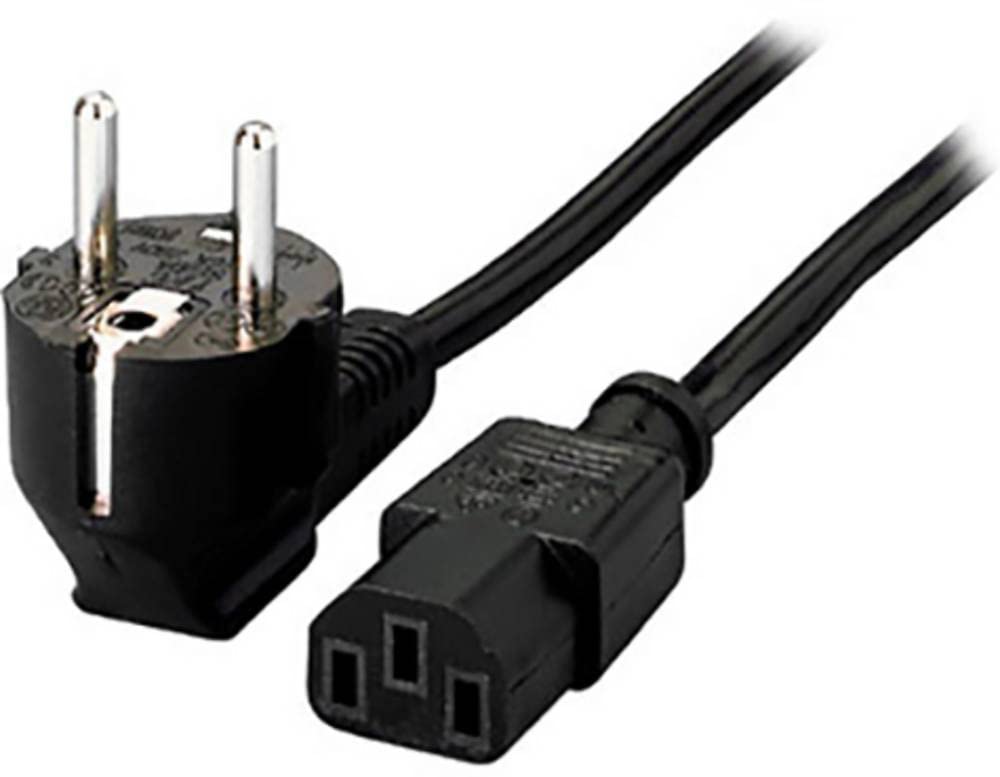
Figure 1: Equip CEE 7/7 (SCHUKO) to C13 Power Cable. The image shows the male CEE 7/7 (Schuko) plug with two round pins and grounding clips, and the female C13 connector, commonly used for computers and monitors.
Caractéristiques principales :
- C13 socket x 1
- 1 x Schuko (CEE 7/7) plug
- Conductor: 0.75 mm² (24/0.19 mm)
- Longueur du câble : 1.1 m
2. Consignes de sécurité
Please read and understand these safety instructions before using the power cable. Failure to follow these instructions may result in electric shock, fire, or damage to equipment.
- N’utilisez pas le câble s’il est endommagé, effiloché ou si ses fils sont dénudés.
- Assurer le voltage and current ratings of the connected device are compatible with the power supply and cable.
- Ne surchargez pas les prises électriques.
- Keep the cable away from water, heat sources, and sharp objects.
- Do not attempt to modify or repair the cable. Contact qualified personnel for assistance.
- Always grasp the plug, not the cable, when disconnecting from an outlet or device.
3. Configuration et connexion
Follow these steps to properly connect your device using the Equip power cable:
- Inspectez le câble : Before connecting, visually inspect the power cable for any signs of damage, such as cuts, abrasions, or bent pins. Do not use a damaged cable.
- Connectez-vous à l'appareil : Insert the C13 connector (female end) firmly into the corresponding C14 inlet on your electronic device (e.g., computer, monitor, printer). Ensure a snug fit.
- Connectez-vous à une prise de courant : Insert the CEE 7/7 (SCHUKO) plug (male end) into a standard, grounded CEE 7/7 wall power outlet. Ensure the plug is fully inserted.
- Mise sous tension : Once both ends are securely connected, you may power on your device.

Figure 2: C13 Connector. This image shows the C13 female connector, which plugs into the C14 inlet of electronic devices.
4. Mode d'emploi
This power cable is designed for simple plug-and-play operation. Once connected as described in the "Setup and Connection" section, it provides power to your device.
- Ensure the cable is not kinked, pinched, or run under heavy objects that could damage it.
- Avoid pulling on the cable to disconnect it. Always use the molded plug to remove it from the outlet or device.
- Do not use the cable in wet or damp conditions.
5. Maintenance et entretien
Proper maintenance ensures the longevity and safe operation of your power cable.
- Nettoyage: Disconnect the cable from all power sources before cleaning. Wipe the cable and plugs with a dry, soft cloth. Do not use liquid cleaners or solvents.
- Stockage: When not in use, coil the cable loosely. Avoid tight coiling or bending, which can damage the internal wires. Store in a cool, dry place away from direct sunlight and extreme temperatures.
- Inspection: Periodically inspect the cable for any signs of wear, damage, or discoloration. Replace the cable immediately if any damage is observed.
6. Dépannage
If you encounter issues with your power cable, refer to the following common troubleshooting steps:
| Problème | Cause possible | Solution |
|---|---|---|
| L'appareil ne s'allume pas. | Câble non complètement connecté. | Ensure both the C13 connector and the CEE 7/7 plug are fully inserted into their respective ports. |
| L'appareil ne s'allume pas. | La prise de courant n'est pas active. | Test the power outlet with another known working device. Check circuit breakers. |
| L'appareil ne s'allume pas. | Câble endommagé. | Inspect the cable for visible damage. If damaged, replace the cable immediately. |
| Alimentation électrique intermittente. | Connexion lâche. | Ensure all connections are secure. Avoid moving the cable while the device is in operation. |
Si les étapes de dépannage ne résolvent pas le problème, cessez l'utilisation et contactez le service client.
7. Spécifications
| Numéro de modèle | 112120 |
| Connecteur de type 1 | CEE 7/7 (SCHUKO) Male |
| Connecteur de type 2 | IEC C13 Female |
| Taille du conducteur | 0.75 mm² (24/0.19 mm) |
| Longueur du câble | 1.1 mètres (environ 3.6 pieds) |
| Dimensions du produit | 1.44 x 1.44 x 70.87 inches (approximate cable dimensions) |
| Poids de l'article | 7 onces (0.2 kilogrammes) |
| Marque | Équiper |
| Fabricant | communications de données numériques |
8. Garantie et assistance
For warranty information or technical support, please refer to the official Equip webConsultez le site ou contactez votre détaillant. Conservez votre reçu d'achat comme preuve d'achat.
Fabricant: communications de données numériques
Marque: Équiper
Coordonnées: S'il vous plaît visitez le Equip official website pour obtenir de l'aide et nos coordonnées.


