1. Introduction
The IRiver IAB60 is a versatile audio system designed to enhance your daily life with multiple entertainment and utility features. It combines a CD player, FM radio, Bluetooth connectivity, wireless charging, and an alarm clock into a compact and stylish unit. This manual provides detailed instructions for setup, operation, and maintenance to ensure optimal performance and longevity of your device.

2. Contenu du colis
- IRiver IAB60 Main Unit
- Câble d'alimentation
- Télécommande
- Manuel de l'utilisateur (ce document)
3. Installation
3.1 Connexion d'alimentation
- Connect the provided power cable to the DC IN port on the rear of the IAB60 unit.
- Plug the other end of the power cable into a standard AC power outlet (100-240V, 60Hz).
3.2 Battery Installation (for Clock Memory)
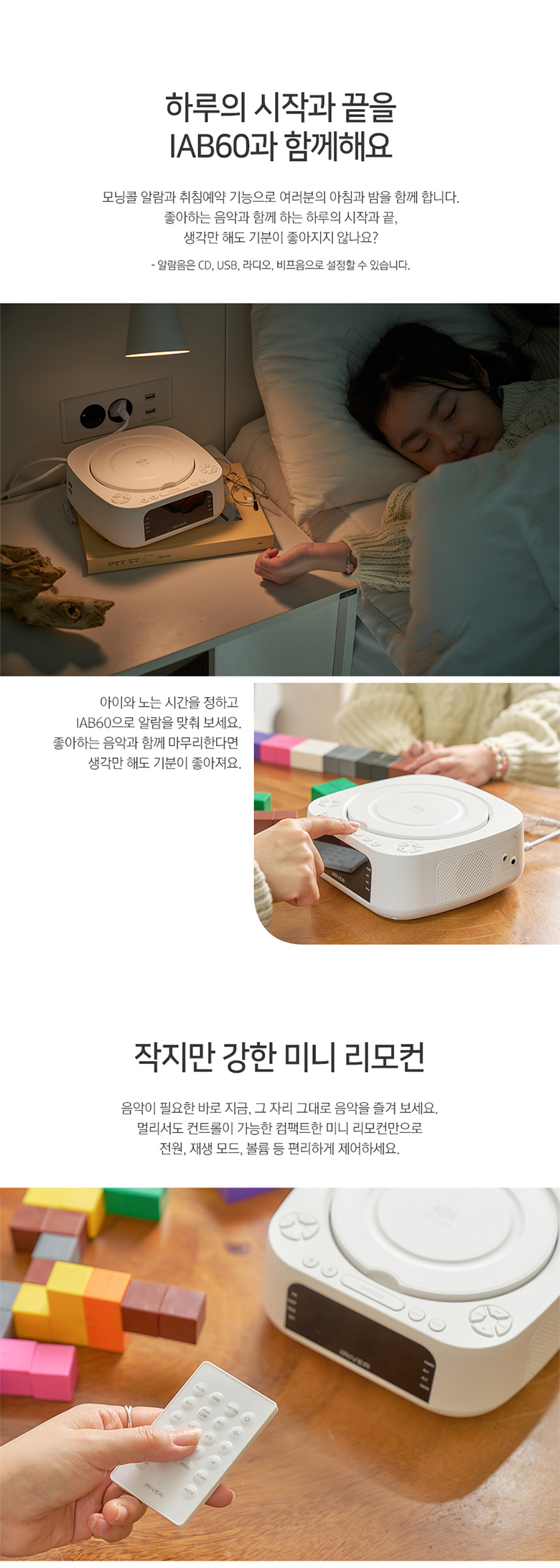
Pour conserver l'heure et les réglages d'alarme pendant une coupure de couranttage, install two AAA batteries (not included) in the battery compartment located on the bottom of the unit.
3.3 Connexion d'antenne FM
For optimal FM radio reception, connect the included FM antenna wire to the FM ANT port on the rear of the unit. Extend the antenna fully and position it for best signal.
4. Mode d'emploi
4.1 Mise sous/hors tension
Appuyez sur le POUVOIR button on the top panel or remote control to turn the unit on or off.
4.2 Paramètres de l'horloge et de l'alarme
The IAB60 features a clear LED display for time and alarm functions.
- Réglage du temps : Utilisez le RÉGLAGE DE L'HEURE bouton pour accéder au mode de réglage de l'heure. Utilisez le +/- boutons pour régler les heures et les minutes.
- Réglage des alarmes : Presse AL1 or AL2 to set individual alarms. You can choose to wake up to CD, FM radio, or a buzzer sound.
4.3 Fonctionnement du lecteur CD
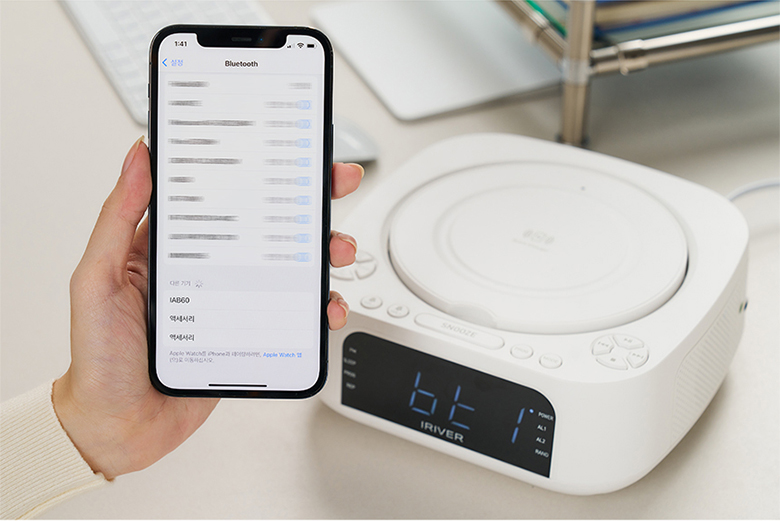
The IAB60 supports AUDIO CD, CD-R, and CD-RW discs with MP3/WMA formats.
- Gently open the top cover of the CD player.
- Placez le CD, étiquette vers le haut, sur la broche.
- Close the top cover. The unit will automatically detect the CD and begin playback or display 'OP' if no disc is detected.
- Utilisez le LECTURE/PAUSE, ARRÊT, SKIP (◀◀/▶▶), RÉPÉTER, et PROGRAMME (program up to 20 tracks) buttons for control.
4.4 Bluetooth Connectivity (v5.0)
The IAB60 supports Bluetooth v5.0 for both input (playing audio from your phone) and output (connecting to Bluetooth headphones/speakers).
- Mode d'appariement: Appuyez sur le MODE button until 'BT' appears on the display. The unit will enter pairing mode.
- Connecting to a Device (Input): On your smartphone or other Bluetooth device, search for 'IAB60' in the Bluetooth settings and connect.
- Connecting to Headphones/Speakers (Output): Refer to the specific instructions for your Bluetooth headphones or speakers to put them into pairing mode, then initiate pairing from the IAB60 (specific button or menu option may vary, refer to remote control functions).
4.5 Radio FM
Enjoy clear FM radio reception with the built-in tuner.
- Appuyez sur le MODE appuyez sur le bouton jusqu'à ce que « FM » apparaisse à l'écran.
- Utilisez le RÉGLER +/- Des boutons permettent de régler manuellement une station, ou vous pouvez appuyer longuement pour lancer une recherche automatique de la prochaine station disponible.
- Appuyez sur le PROGRAMME button to save favorite stations.
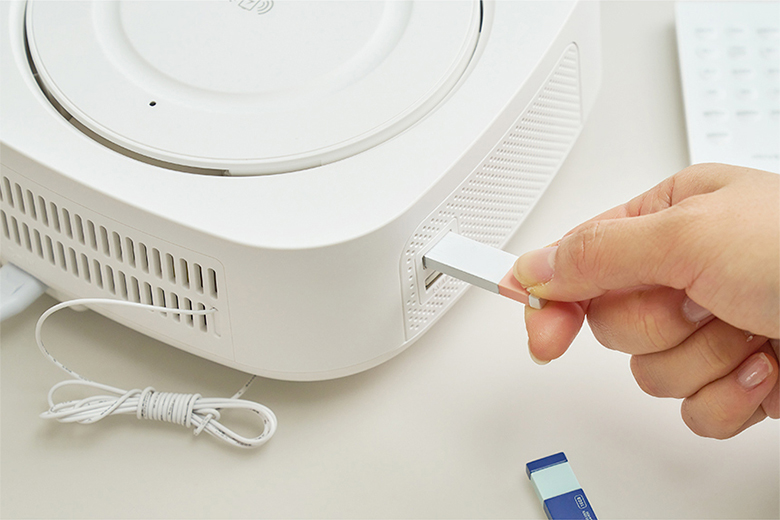
4.6 Lecture de musique USB
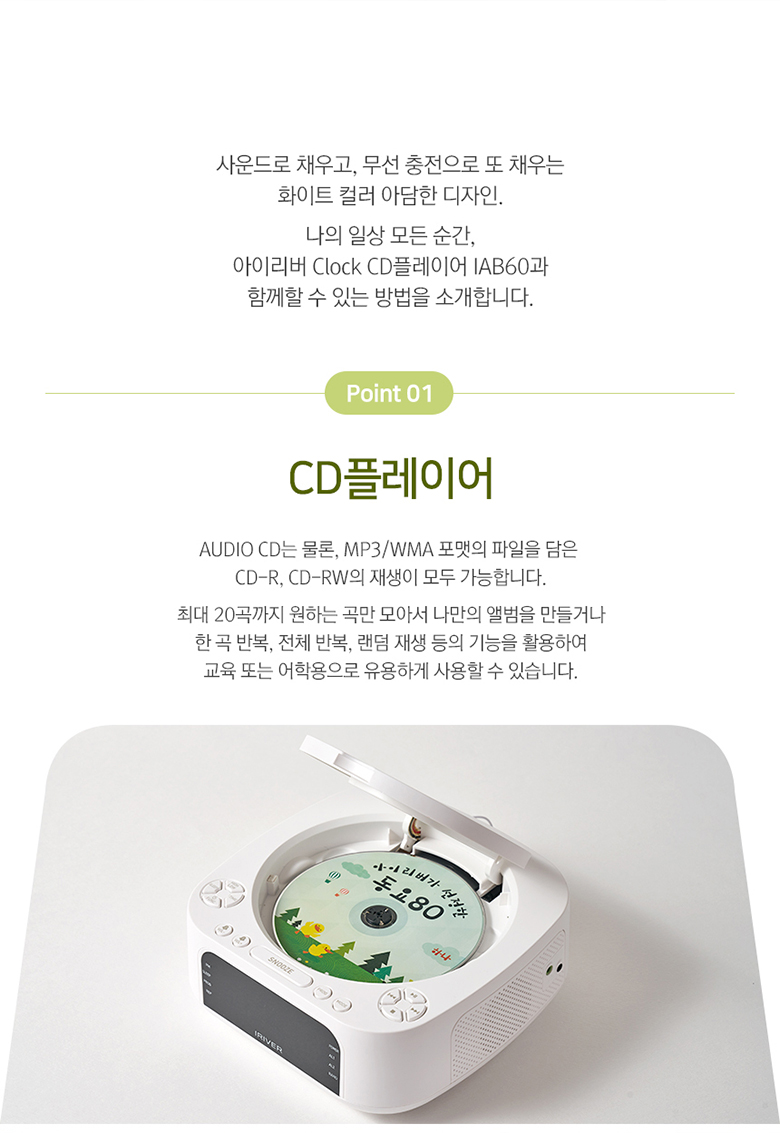
Play MP3/WMA audio files directement à partir d'une clé USB (jusqu'à 32 Go).
- Insérez une clé USB dans le port USB situé sur le côté de l'appareil.
- Appuyez sur le MODE appuyez sur le bouton jusqu'à ce que « USB » apparaisse à l'écran.
- Use the playback controls (LECTURE/PAUSE, SAUTER) to navigate your music.
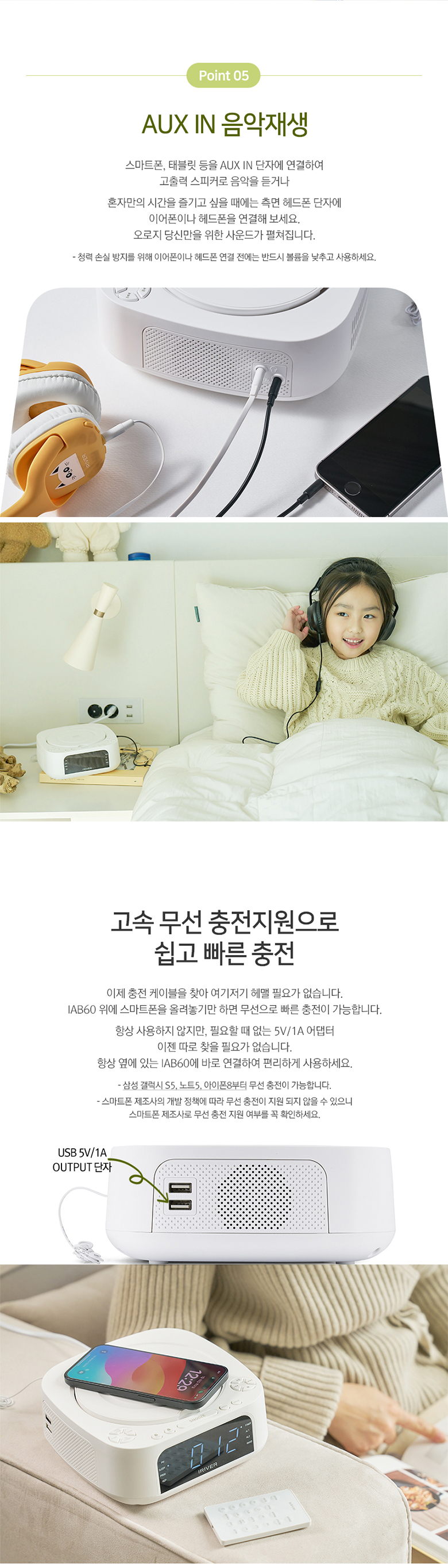
4.7 ENTRÉE AUX
Connect external audio devices (e.g., MP3 players, smartphones) using a 3.5mm audio cable.
- Connect one end of a 3.5mm audio cable to the AUX IN port on the side of the IAB60.
- Branchez l'autre extrémité à la prise casque ou à la sortie audio de votre appareil externe.
- Appuyez sur le MODE appuyez sur le bouton jusqu'à ce que « AUX » apparaisse à l'écran.
- Contrôlez la lecture depuis votre appareil externe.
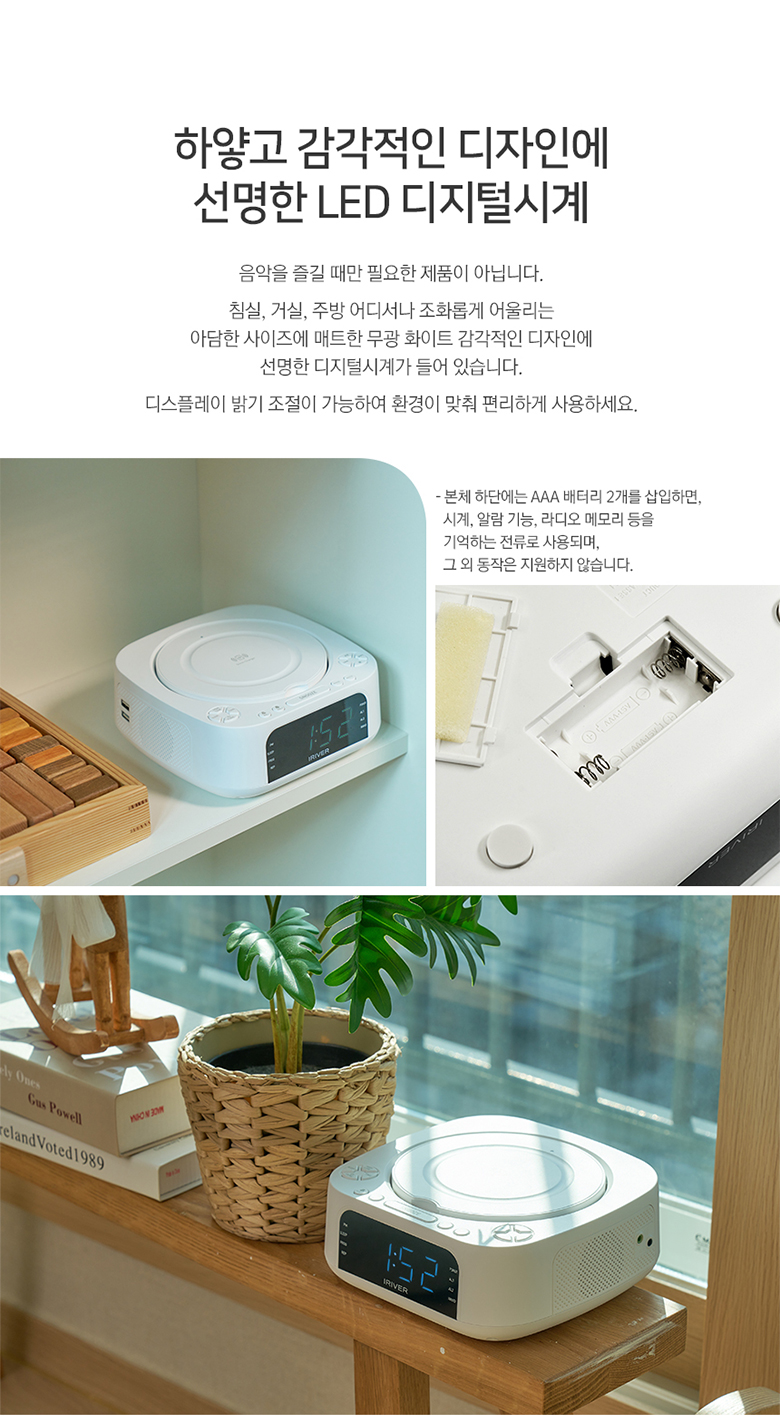
4.8 Recharge sans fil
The IAB60 features a high-speed wireless charging pad on its top surface.
- Ensure the IAB60 is powered on.
- Place your Qi-compatible smartphone or device on the center of the wireless charging pad.
- The device should indicate that it is charging. If not, adjust its position slightly.
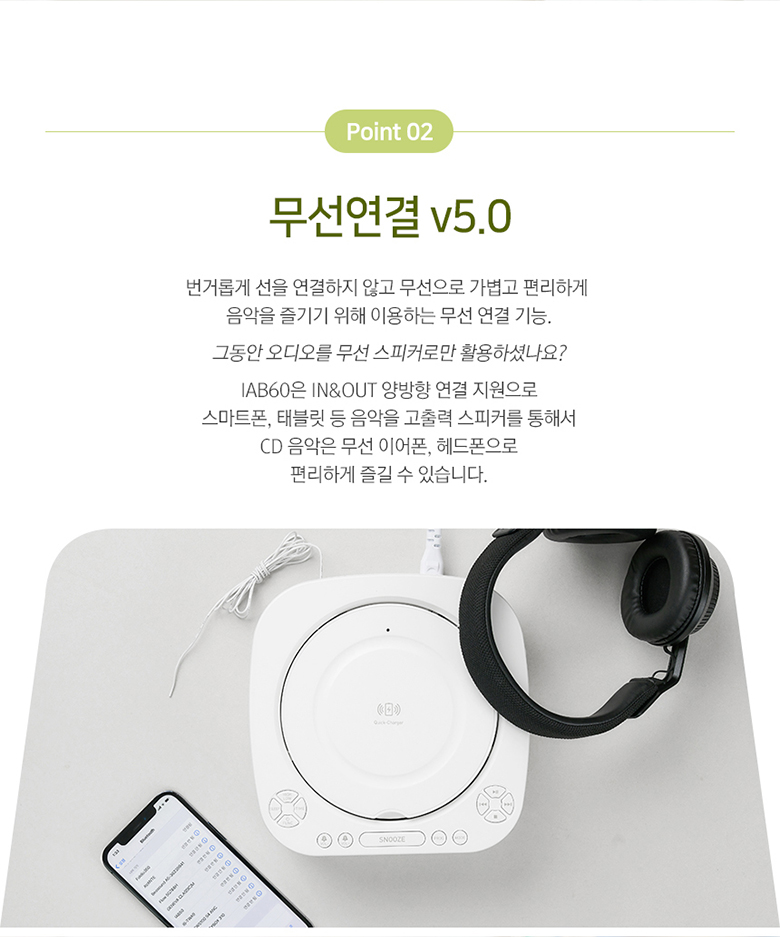
Télécommande 4.9
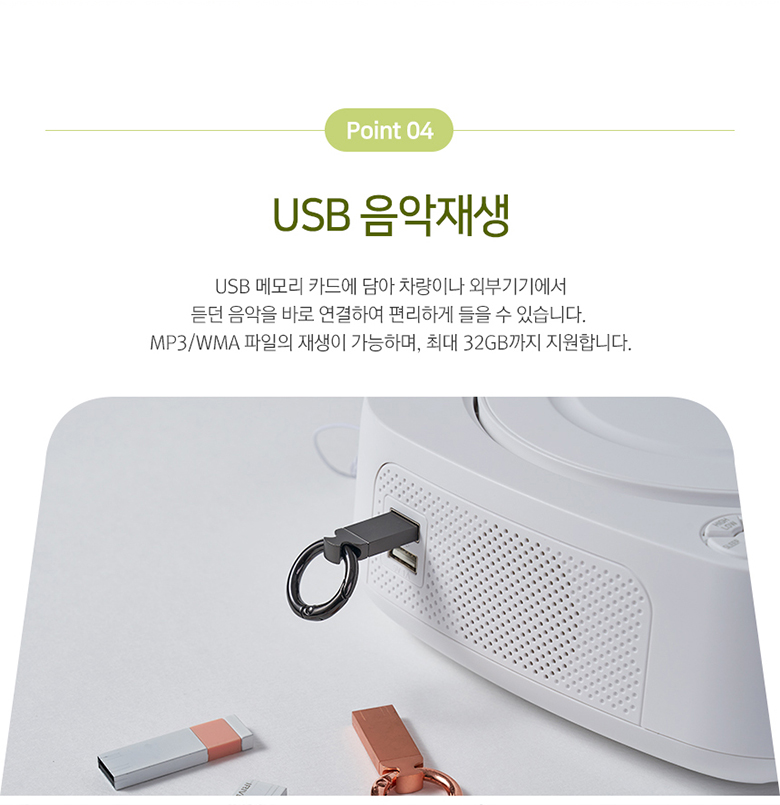
The included mini remote control provides convenient access to all major functions, including power, mode selection, playback controls, volume, alarm settings, and sleep timer.
5. Entretien
- Nettoyage: Utilisez un chiffon doux et sec pour nettoyer l'extérieur de l'appareil. N'utilisez pas de nettoyants abrasifs ni de solvants.
- Lecteur CD: Keep the CD compartment clean and free of dust. Avoid touching the lens.
- Remplacement de la batterie : Replace the AAA backup batteries annually or when the clock settings are not retained during power interruptions.
- Stockage: Si vous devez entreposer l'appareil pendant une période prolongée, débranchez-le de l'alimentation et retirez les batteries de secours.
6. Dépannage
- Pas d'alimentation : Assurez-vous que le câble d'alimentation est correctement connecté à la fois à l'appareil et à la prise de courant.
- Pas de son : Check the volume level. Ensure the correct mode (CD, FM, BT, USB, AUX) is selected. If using Bluetooth output, ensure your external device is properly paired and connected.
- Le CD ne joue pas : Vérifiez que le CD est correctement inséré (étiquette vers le haut) et qu'il est propre et sans rayures. Essayez un autre CD.
- Bluetooth ne se connecte pas : Ensure the IAB60 is in Bluetooth mode and your external device's Bluetooth is enabled and in pairing mode. Move devices closer together.
- Le chargement sans fil ne fonctionne pas : Ensure your device is Qi-compatible and placed centrally on the charging pad. Remove any thick cases that might interfere with charging.
- Mauvaise réception FM : Ajustez la position de l'antenne FM. Essayez de déplacer l'appareil à un autre endroit.
7. Spécifications
| Fonctionnalité | Spécification |
|---|---|
| Modèle | IAB60 |
| Couleur | Blanc |
| Dimensions (L x P x H) | 180.5 x 198 x 73.5 mm |
| Poids | Environ 1.13 kg |
| Puissance d'entrée | CA 100-240V, 60Hz |
| Puissance de sortie | DC 9V, 2A |
| Température de fonctionnement | 0°C - 40°C |
| Sortie haut-parleur | 5 W x 2 (Total 10 W) |
| Version Bluetooth | 5.0 |
| BluetoothProfiles | A2DP, AVRCP |
| Portée Bluetooth | Jusqu'à 10 mètres (33 pieds) |
| Lecture de CD | AUDIO CD, CD-R, CD-RW |
| Formats audio pris en charge | MP3, WMA |
| Fréquence radio FM | 87.5 - 108.0 MHz (0.1 MHz step) |
| Port USB | 5V 1A output, Max 32GB support |
| AUX IN | Prise stéréo 3.5 mm |
| Batterie de secours | 2 x AAA batteries (for clock memory) |

8. Garantie et assistance
Pour toute information relative à la garantie et à l'assistance technique, veuillez consulter la documentation fournie lors de votre achat ou contacter votre revendeur. Conservez votre preuve d'achat pour toute réclamation au titre de la garantie.
9. Conseils d'utilisation
- Emplacement du chargeur sans fil : For optimal wireless charging, ensure your device is centered on the charging pad. Slight adjustments may be needed for different phone models.
- Portée de la télécommande : Ensure there are no obstructions between the remote control and the main unit for best performance.
- Qualité sonore : Experiment with the unit's placement in your room to find the best acoustic environment for sound quality.


