
1. Introduction
The NGTeco Cloud Time Clock TC1 is an advanced 4-in-1 employee attendance system designed for small businesses. It offers real-time remote access to punch data through its cloud service, accessible via web browser or mobile app. This device supports multiple check-in methods including face recognition, fingerprint, RFID card, and PIN, ensuring flexible and secure attendance tracking. The system provides accurate hour calculations, automatic report generation, and customizable shift configurations to fit various team structures.
Key features include free cloud service, customizable shifts, bank-grade data security with AWS US servers, multi-language support, large storage capacity (up to 200 users and 30,000 logs), and offline functionality. It connects via 2.4GHz WiFi or LAN. This manual provides detailed instructions for setup, operation, maintenance, and troubleshooting.
2. Produit terminéview
The NGTeco Cloud Time Clock TC1 integrates multiple identification technologies for efficient employee attendance management. It is designed for ease of use and robust data security.

Image: The NGTeco Cloud Time Clock TC1 displaying its four identification methods: Face Scan, Fingerprint, RFID Card, and Password (PIN).
2.1. Identification Modes
- Face Scan: Utilizes facial recognition for quick and touchless check-in.
- Empreinte digitale: Biometric fingerprint scanning for secure identification.
- Carte RFID : Supports RFID cards for convenient tap-in/tap-out.
- PIN Check-in: Traditional PIN entry for attendance.
2.2. Cloud Service and Software
The device operates with NGTeco Office software and app, providing a free cloud service for real-time data access and management. This includes:
- Auto Work Hour Calculation
- Flexible & Overnight Shifts
- Blacklist Control
- Free Cloud Data Storage
- Lunch & Overtime Tracking
- Scheduled Report Sending

Image: Visual representation of NGTeco Office basic features, including work hour calculation, flexible shifts, blacklist control, cloud storage, and report sending.
3. Installation
Setting up your NGTeco Cloud Time Clock TC1 involves three primary steps to connect the device and enroll users.
3.1. Quick Setup Steps
- Connect Device to 2.4GHz Wi-Fi: Ensure your device is powered on and connect it to a stable 2.4GHz Wi-Fi network. Alternatively, a LAN connection can be used.
- Log In and Enter Device Serial Number (SN): Access the NGTeco Office software via web or app. Log in to your account and register your device by entering its unique serial number.
- Add Users and Enroll Biometrics: Once the device is registered, add employee profiles and enroll their chosen biometric data (face or fingerprint) or assign RFID cards/PINs.
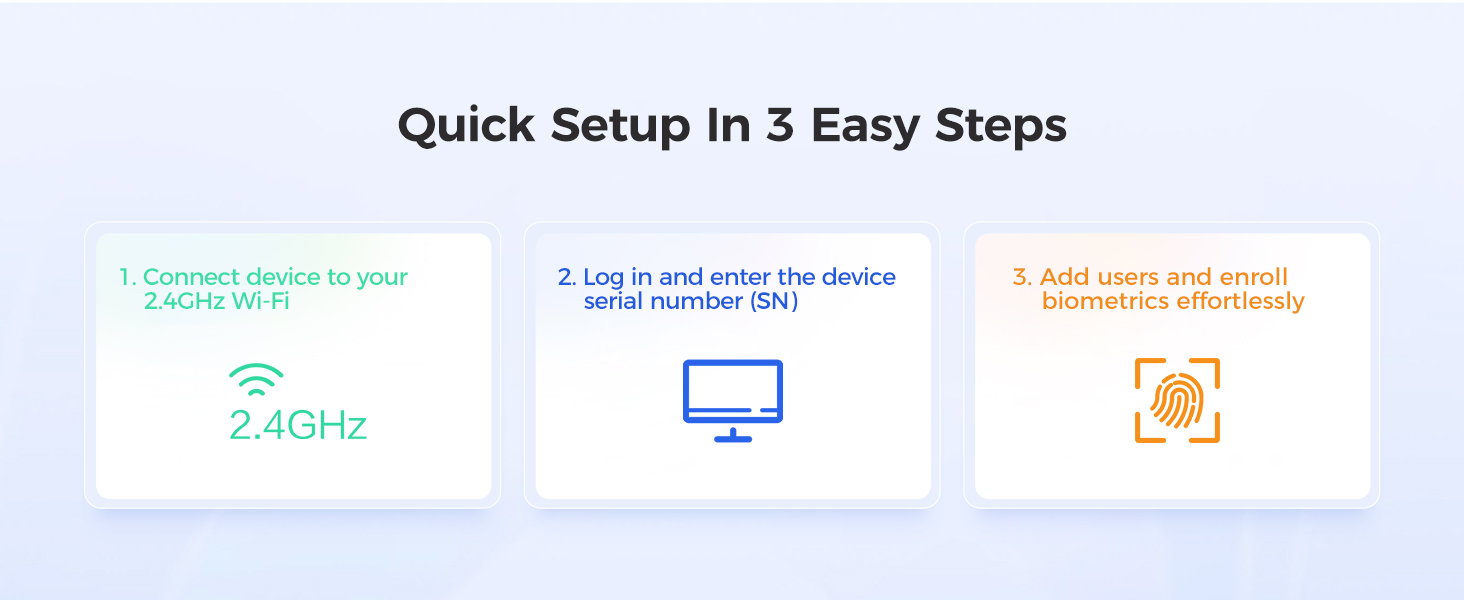
Image: A visual guide illustrating the three quick setup steps: Wi-Fi connection, device registration, and user enrollment.
3.2. Guide vidéo d'installation
Video: A quick start guide for the TC1 Cloud-Based Time Clock, demonstrating the initial setup process.
4. Mode d'emploi
Operating the NGTeco Cloud Time Clock TC1 involves daily employee check-ins and managing attendance data through the NGTeco Office platform.
4.1. Employee Check-in
Employees can check in and out using any of the four configured methods:
- Reconnaissance de visage: Stand in front of the device for facial scan.
- Empreinte digitale: Place registered finger on the scanner.
- Carte RFID : Tap the registered RFID card on the device.
- NIP: Enter the assigned PIN on the keypad.
Video: Demonstrates the 4-in-1 check-in methods (Face, Fingerprint, RFID, PIN) on the NGTeco TC1 time clock.
4.2. Cloud-Based Management
Access the NGTeco Office platform via web or mobile app to manage attendance data, shifts, and reports.
- Données en temps réel : View employee punch data as it happens.
- Shift Customization: Configure fixed, rotating, split, or flexible shifts to match your business needs.
- Génération de rapport : Generate various attendance reports, including daily, weekly, and monthly summaries.
- Intégration de la paie : Customize reports for different payroll formats, choosing fields and setting pay periods.

Image: Illustrates cloud-based control with mobile and web accès, synchronisation multi-appareils et rapports de présence en direct.

Image: Screenshot showing options to customize attendance reports, choose fields, save templates, and set pay periods for payroll.
4.3. Employee App Features (TimeEntrix Subscription)
For advanced employee features, a separate TimeEntrix subscription unlocks:
- GPS check-ins for accurate location tracking.
- Real-time attendance reports for employees.
- Intelligent reminders and more.

Image: A mobile phone screen displaying the employee app dashboard with calendar, punch records, and attendance features.
5. Entretien
Regular maintenance ensures the longevity and optimal performance of your NGTeco Cloud Time Clock TC1.
- Nettoyage: Regularly wipe the device screen and sensor areas with a soft, dry cloth. Avoid abrasive cleaners or liquids that could damage the electronics.
- Mises à jour logicielles : Ensure the device firmware and NGTeco Office software are kept up-to-date. Updates often include performance improvements and security enhancements.
- Stabilité du réseau : Maintain a stable 2.4GHz Wi-Fi or LAN connection to ensure continuous data synchronization and prevent data loss during offline periods.
- Sauvegarde des données : While data is stored in the cloud, it is good practice to regularly export reports and maintain local backups if required by your business policies.
6. Dépannage
This section addresses common issues you might encounter with your NGTeco Cloud Time Clock TC1.
6.1. Problèmes courants et solutions
| Problème | Cause possible | Solution |
|---|---|---|
| L'appareil ne se connecte pas au Wi-Fi | Incorrect Wi-Fi password, out of range, 5GHz network. | Verify password, move device closer to router, ensure it's a 2.4GHz network. Try LAN connection as an alternative. |
| Admin access denied | Incorrect admin credentials, system glitch. | Double-check login details. If issue persists, contact NGTeco technical support for remote assistance. |
| Device reboots unexpectedly | Power supply issue, software error, hardware malfunction. | Ensure stable power supply. If frequent, contact NGTeco technical support. |
| Biometric (Face/Fingerprint) not recognized | Improper placement, sensor dirty, enrollment issue. | Ensure proper positioning. Clean sensor. Re-enroll biometric data if necessary. |
| Les données ne se synchronisent pas avec le cloud | No internet connection, cloud service issue. | Check network connection. Verify NGTeco Office service status. Offline punches will sync once connection is restored. |
6.2. Contacter l'assistance
Si vous rencontrez des problèmes non abordés ici ou si vous avez besoin d'aide supplémentaire, veuillez consulter la section Garantie et assistance pour obtenir les coordonnées.
7. Spécifications
| Fonctionnalité | Détail |
|---|---|
| Marque | NGTéco |
| Numéro de modèle | TR-TC1-NG |
| Couleur | Noir Argent |
| Type d'affichage | Numérique |
| Technologie de connectivité | 2.4GHz WiFi, LAN |
| Source d'énergie | Électrique avec fil |
| Dimensions du produit | 4 po L x 5 po H |
| Taille de l'écran | 5.66 pouces |
| Capacité de l'utilisateur | Jusqu'à 200 utilisateurs |
| Capacité du journal | Jusqu'à 50 000 bûches |
| Utilisation intérieure/extérieure | Intérieur |
| Type de montage | Support mural |
| Dossier spécial | WiFi, Cloud Service, 4-in-1 Identification |
8. Garantie et assistance
NGTeco is committed to providing reliable products and excellent customer service.
8.1. Informations sur la garantie
The NGTeco Cloud Time Clock TC1 comes with a Garantie de 1 ans à compter de la date d'achat, couvrant les défauts de fabrication et les dysfonctionnements dans des conditions normales d'utilisation.
8.2. Assistance technique
NGTeco offers lifetime US-based technical support for the TC1 time clock. Our support team is available to assist with setup, troubleshooting, and any operational questions you may have.
- Disponibilité: Monday - Friday, 6 AM - 6 PM EST.
- Contact: Please refer to the contact information provided with your product packaging or visit the official NGTeco website regroupant les canaux d'assistance les plus récents.

Image : Terminéview of NGTeco support services, including pre-sales consultation, fast response, free troubleshooting, one-on-one support, and tailored setup advice.