PowerA Advantage Wireless Controller for Nintendo Switch 2 - Mario & Yoshi
Model: NSGP0569-01V
Introduction
Ce manuel fournit des instructions complètes pour le PowerA Advantage Wireless Controller, designed for use with the Nintendo Switch family of devices. It covers setup, operation, maintenance, and troubleshooting to ensure optimal performance and longevity of your controller.
Caractéristiques principales
Modules à effet Hall : Equipped with contact-free magnetic sensors in the thumbsticks to prevent stick drift, offering smoother control, enhanced precision, and increased longevity.
Boutons de jeu avancés : Two mappable buttons can be programmed on the fly during gameplay without needing to access system settings.
Intuitive Motion Controls: Experience fluid and responsive motion controls for aiming, steering, flying, and other in-game actions.
Bouton C : Provides quick access to GameChat features.
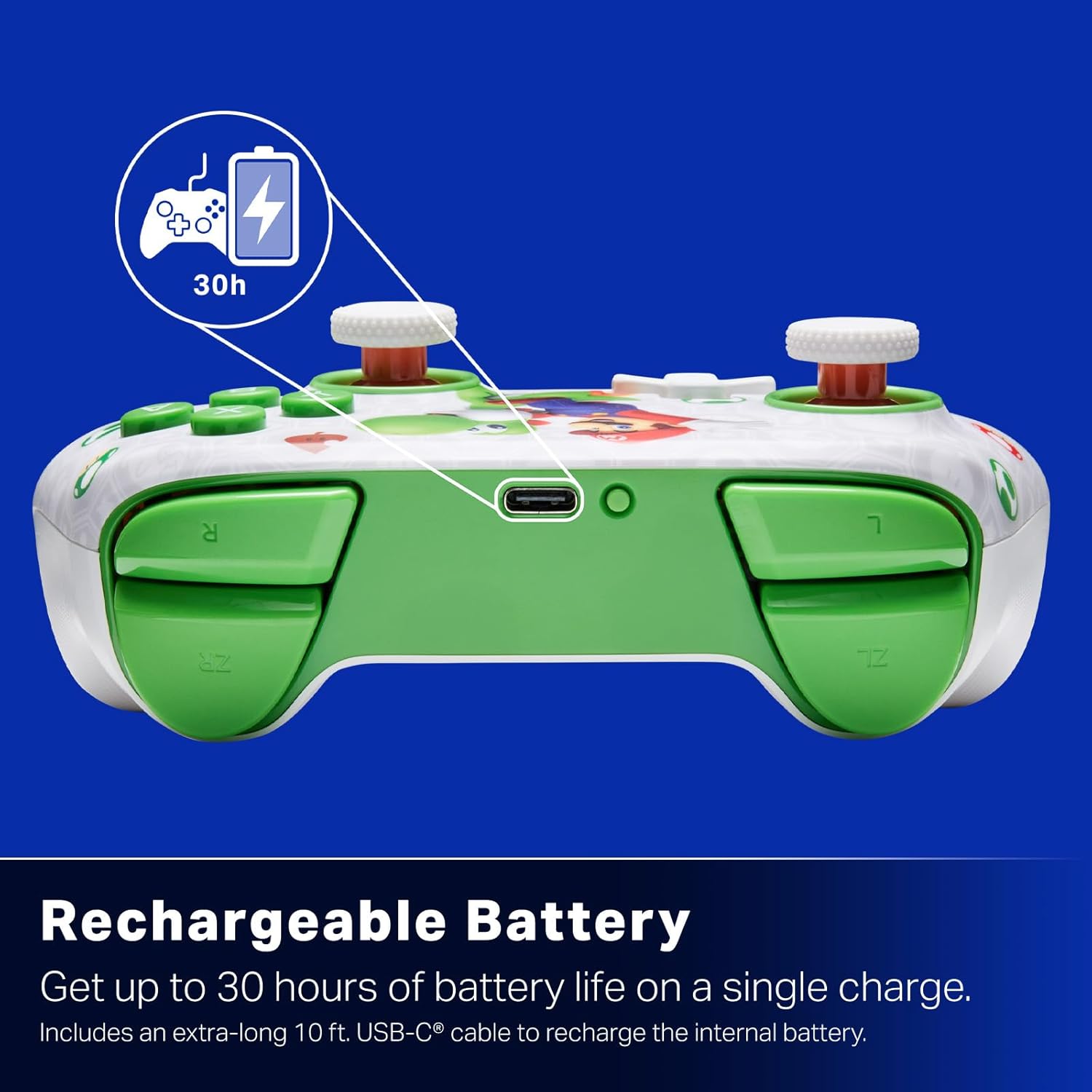
Batterie rechargeable : Offers up to 30 hours of gameplay on a single charge. Includes a 10 ft. (3m) USB-C cable for recharging.
Conception ergonomique : Crafted for comfort during extended gaming sessions, utilizing cutting-edge ergonomics and high-quality materials.
Nintendo Family Compatibility: Compatible with Nintendo Switch 2, Nintendo Switch, Nintendo Switch – OLED Model, and Nintendo Switch Lite.
Licence officielle : PowerA products undergo rigorous testing by Nintendo to ensure compatibility and quality.
Instructions d'installation
1. Charge initiale
Before first use, fully charge your PowerA Advantage Wireless Controller. Connect the included 10 ft. (3m) USB-C cable to the controller's USB-C port and the other end to a powered USB port on your Nintendo Switch dock or a USB wall adapter.
Figure 1: Controller connected via USB-C for charging, highlighting the rechargeable battery feature.
2. Appairage avec la Nintendo Switch
Assurez-vous que votre console Nintendo Switch est allumée et mise à jour avec la dernière version du logiciel système.
Dans le menu HOME, sélectionnez Contrôleurs, alors Changer la prise/l'ordre.
On the PowerA Advantage Wireless Controller, press and hold the Bouton SYNC located on the top edge of the controller for at least three seconds. The player indicator LEDs on the bottom of the controller will begin to flash.
Once the controller successfully pairs, the player indicator LED(s) corresponding to the controller number will remain lit.
Appuyez sur le Un bouton pour confirmer et quitter l'écran de jumelage.
For subsequent uses, simply press the HOME button on the controller to wake it up and automatically reconnect to your Switch console.
Mode d'emploi
Commandes de base
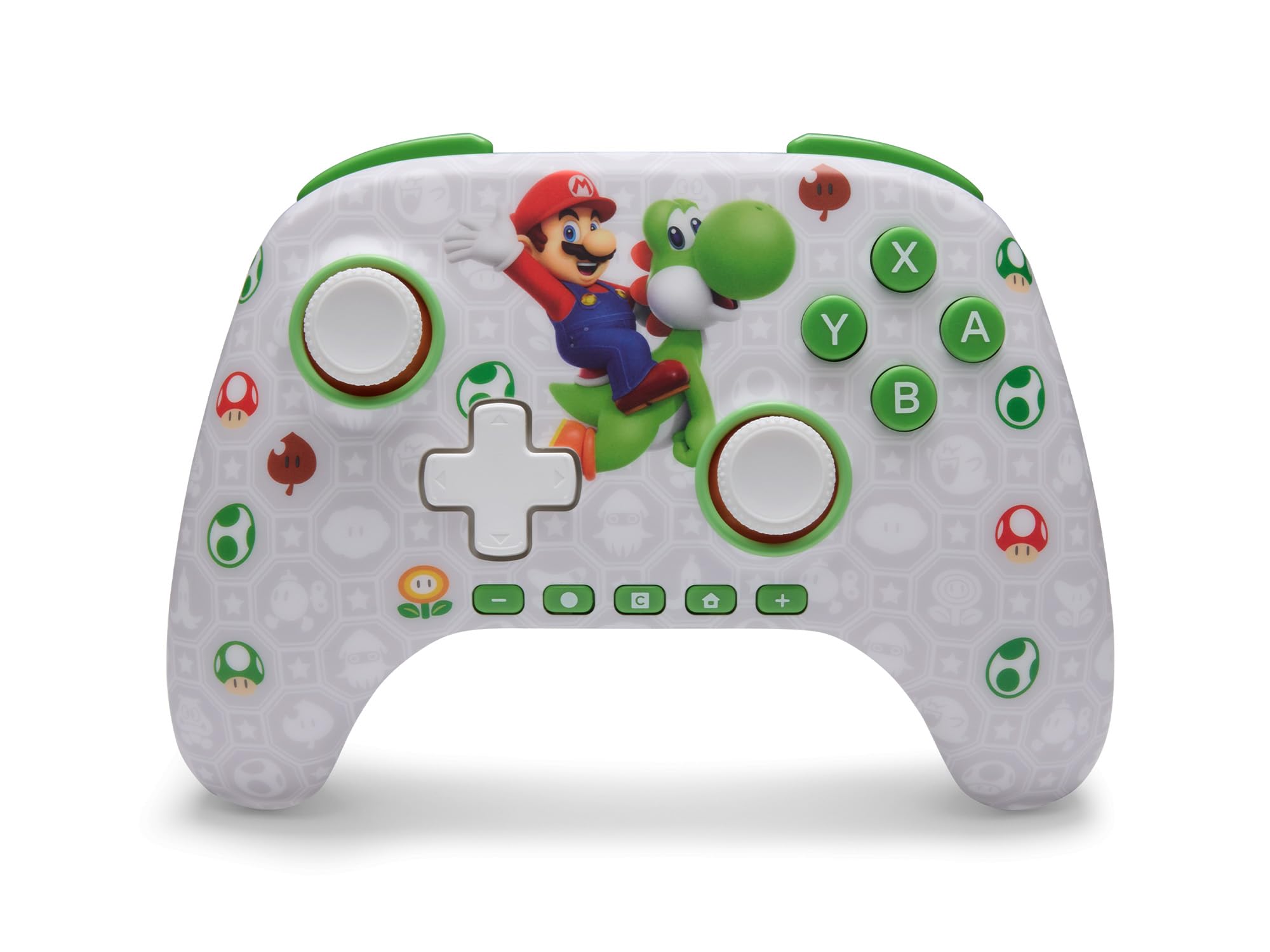
Le PowerA Advantage Wireless Controller features standard Nintendo Switch button layouts, including A, B, X, Y buttons, L/R and ZL/ZR shoulder buttons, a D-pad, and dual analog sticks. Familiarize yourself with these controls for general gameplay.
Figure 2 : Face avant view de la PowerA Advantage Wireless Controller, highlighting the Mario and Yoshi design and button layout.
Boutons de jeu avancés (AGB)
The controller includes two mappable Advanced Gaming Buttons (AGR and AGL) on the back. These buttons can be assigned to replicate any other button on the controller for quick access during gameplay.
Appuyez sur le Program Button (PRGM) on the back of the controller. The Program LED will flash.
Appuyez sur le Advanced Gaming Button (AGR or AGL) you wish to map. The Program LED will flash rapidly.
Appuyez sur le bouton you want to assign to the Advanced Gaming Button (e.g., A, B, X, Y, L, R, ZL, ZR, D-pad directions). The Program LED will stop flashing, indicating successful mapping.
To clear a mapped button, repeat steps 1-2, then press the Bouton de programme encore.
Figure 3: Advanced Gaming Buttons (AGB) on the back of the controller, with an illustration of mappable functions.
Commandes de mouvement
The controller supports motion controls, allowing for intuitive interaction in compatible games. These controls are automatically enabled when supported by the game.
Figure 4: Controller demonstrating motion control capabilities through tilting.
C Button (GameChat)
The dedicated C Button provides quick access to GameChat features in supported titles, enhancing your multiplayer experience.
Figure 5: The 'C' button, used for GameChat features.
Entretien
Nettoyage: Utilisez un chiffon doux et sec pour nettoyer la manette. Évitez d'utiliser des produits chimiques agressifs ou des matériaux abrasifs.
Stockage: Rangez la manette dans un endroit frais et sec, à l'abri de la lumière directe du soleil et des températures extrêmes.
Entretien de la batterie: Pour prolonger la durée de vie de la batterie, évitez de décharger complètement la manette fréquemment. Rechargez-la régulièrement, même si vous ne l'utilisez pas en permanence.
Entretien des câbles : Handle the USB-C charging cable with care. Avoid bending or twisting it excessively.
Dépannage
Manette non connectée/non appariée
Assurez-vous que le contrôleur est complètement chargé.
Verify the Nintendo Switch console is updated to the latest system software.
Repeat the pairing process (see "Pairing with Nintendo Switch" in Setup Instructions).
If issues persist, try restarting both the controller and the Nintendo Switch console.
Dérive du bâton
Le PowerA Advantage Controller features Hall Effect modules designed to prevent stick drift. If you experience any unintended input, ensure the controller's firmware is up to date (check PowerA's official website pour les mises à jour).
Recalibrate the joysticks through the Nintendo Switch system settings if necessary (System Settings > Controllers and Sensors > Calibrate Control Sticks).
Durée de vie de la batterie courte
Assurez-vous que la manette est complètement chargée avant chaque utilisation.
Battery life can vary based on game usage and features enabled.
Utilisez le câble USB-C fourni pour une charge optimale.
Caractéristiques
Fonctionnalité
Détail
Numéro de modèle
NSGP0569-01V
Connectivité
Sans fil (Bluetooth), USB-C (pour le chargement)
Appareils compatibles
Nintendo Switch 2, Nintendo Switch, Nintendo Switch – OLED Model, Nintendo Switch Lite
Autonomie de la batterie
Jusqu'à 30 heures (varie selon l'utilisation)
Longueur du câble
10 ft. (3m) USB-C
Dimensions
5.88 x 4.21 x 2.36 pouces
Poids
0.66 livres
Caractéristiques spéciales
Hall Effect Thumbsticks, Mappable Advanced Gaming Buttons, Motion Controls, C Button
Garantie et assistance
Le PowerA Advantage Wireless Controller comes with a Garantie limitée de deux ansPour obtenir des informations détaillées sur la garantie, l'assistance produit ou pour enregistrer votre produit, veuillez consulter le site officiel de PowerA. website à PowerA.com/Support.
Figure 6: Official Nintendo Licensed Product badge, ensuring quality and compatibility.
Ask a question about this manual
Ask about setup, troubleshooting, compatibility, parts, safety, or missing instructions. Manuals+ will review the question and use this page’s manual context to help answer it.