
1. Introduction
Welcome to the user manual for your new Xiaomi 17 Ultra smartphone. This device combines cutting-edge technology with a sophisticated design, offering an exceptional user experience. Key features include a powerful Leica 200MP telephoto lens, a 1-inch ultra-dynamic camera with LOFIC HDR technology for stunning night photography, and the advanced Snapdragon 8 Elite Gen 5 mobile platform for superior performance. The device is also equipped with a long-lasting 6000 mAh Xiaomi Surge battery and integrates HyperAI for enhanced productivity and smart features.

Figure 1: Xiaomi 17 Ultra smartphone in hand.
2. Installation
2.1 Déballage et contenu de l'emballage
Carefully unbox your Xiaomi 17 Ultra. Ensure all components are present. The standard package includes the Xiaomi 17 Ultra smartphone, a USB-C cable, and a SIM ejector tool (SIM-Pin).

Figure 2: Package contents including the Xiaomi 17 Ultra, USB-C cable, and SIM-Pin.
2.2 Insertion de la carte SIM
- Repérez le tiroir de la carte SIM sur le côté de votre appareil.
- Insérez l'outil d'éjection de la carte SIM dans le petit trou du tiroir SIM et appuyez doucement jusqu'à ce que le tiroir sorte.
- Placez votre ou vos cartes Nano-SIM dans le tiroir, contacts dorés vers le bas. Assurez-vous du bon sens d'insertion.
- Carefully push the SIM tray back into the slot until it is flush with the device.

Figure 3 : Côté view of the Xiaomi 17 Ultra, indicating the SIM card tray.
2.3 Mise sous tension et charge initiales
To power on your device, press and hold the power button located on the side until the Xiaomi logo appears. For initial setup, it is recommended to fully charge your device. Connect the USB-C cable to the phone's charging port and the other end to a compatible power adapter (not included) or a computer.
3. Operating Your Xiaomi 17 Ultra
3.1 Navigation de base
- Marche/Arrêt : Press and hold the power button. Select "Power off" or "Restart" from the menu.
- Verrouillage/déverrouillage de l'écran : Briefly press the power button. Use your fingerprint, face unlock, or PIN/pattern to unlock.
- Écran d'accueil : Faites glisser votre doigt depuis le bas de l'écran pour accéder à l'écran d'accueil.
- Applications récentes : Faites glisser votre doigt du bas vers le haut et maintenez la pression pour view candidatures récentes.
- Notifications et paramètres rapides : Faites glisser votre doigt du haut vers le bas de l'écran pour accéder aux notifications et aux boutons de configuration rapide.
3.2 Caractéristiques de la caméra
The Xiaomi 17 Ultra features an advanced Leica camera system designed for professional-grade photography.
- Leica 200MP Telephoto Lens: Experience exceptional detail and clarity with the 75–100mm optical zoom, eliminating the need for digital cropping.
- Leica 1-inch Ultra-Dynamic Camera: The large 1-inch sensor, combined with LOFIC HDR technology, captures stunning images even in challenging low-light conditions, preserving intricate details.
- Leica UltraPure Optical Design: An updated optical structure with precision glass elements significantly reduces reflections, ensuring purer image quality.
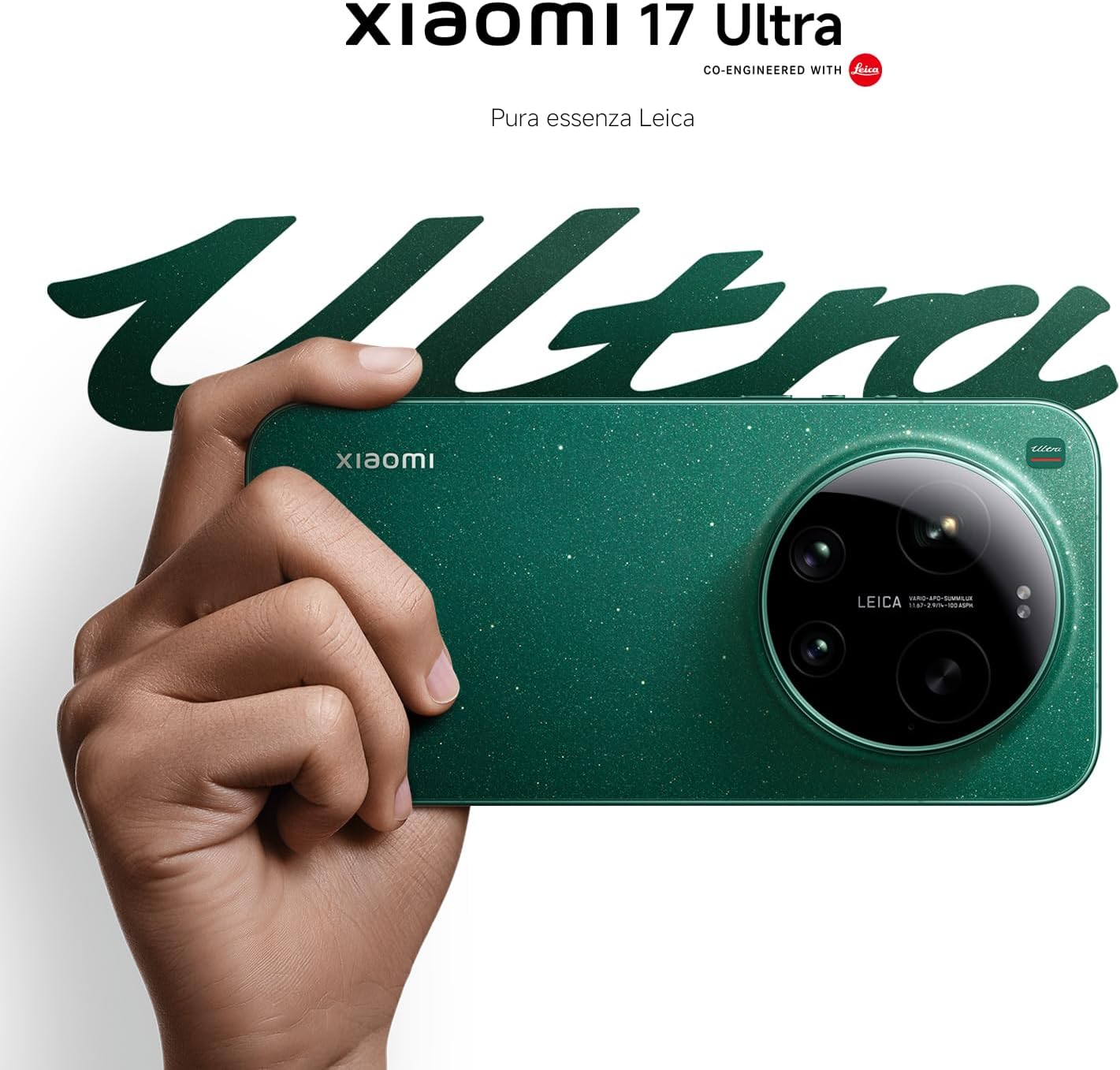
Figure 4: Leica 200MP Telephoto Lens.

Figure 5: Leica 1-inch Ultra-Dynamic Camera Sensor.

Figure 6: Leica UltraPure Optical Design.
Video 1: Demonstration of the Xiaomi 17 Ultra's camera capabilities, capturing fireworks with detail and clarity.
3.3 HyperAI Features
The integrated HyperAI enhances various aspects of your smartphone experience, offering intelligent assistance and improved productivity.
- Écriture par l'IA : Assists with text composition and suggestions.
- Reconnaissance vocale par IA : Provides accurate voice-to-text conversion and command execution.
- Recherche IA : Intelligently processes search queries for more relevant results.
- Dynamic AI Wallpapers: Offers personalized and adaptive visual experiences.

Figure 7 : Plusview of Xiaomi HyperAI functionalities.
4. Entretien
4.1 Entretien de la batterie
Your Xiaomi 17 Ultra is equipped with a 6000 mAh Xiaomi Surge battery for extended usage. To maximize battery lifespan:
- Évitez les températures extrêmes (chaudes ou froides).
- Ne laissez pas la batterie se décharger complètement régulièrement. Rechargez-la avant qu'elle n'atteigne un niveau très bas.
- Utilisez uniquement des chargeurs et des câbles homologués.
- Évitez la surfacturation prolongée.

Figure 8 : Interne view of the 6000 mAh Xiaomi Surge battery.
4.2 Screen and Device Cleaning
To clean your device, use a soft, lint-free cloth. Avoid abrasive materials, sprays, or harsh chemicals. For stubborn smudges, slightly dampNettoyez le chiffon avec de l'eau. Ne plongez pas l'appareil dans l'eau.
4.3 Mises à jour logicielles
Regularly check for and install software updates to ensure optimal performance, security, and access to new features. You can usually find this option in your device's settings under "About phone" or "System updates."
5. Dépannage
5.1 Problèmes courants et solutions
| Problème | Solution possible |
|---|---|
| L'appareil ne s'allume pas | Assurez-vous que la batterie est chargée. Appuyez sur le bouton d'alimentation et maintenez-le enfoncé pendant au moins 10 à 15 secondes pour forcer le redémarrage. |
| Les applications plantent ou se bloquent. | Close the app and reopen it. Clear the app's cache and data in settings. Update the app or the phone's software. |
| Faible autonomie de la batterie | Check background app usage. Reduce screen brightness. Disable unnecessary features like GPS or Bluetooth when not in use. Refer to battery care tips. |
| Problèmes de connectivité réseau | Restart the device. Check if airplane mode is off. Reinsert the SIM card. Reset network settings. Contact your service provider. |
6. Spécifications
| Fonctionnalité | Détail |
|---|---|
| Modèle | Xiaomi 17 Ultra |
| Processeur | Snapdragon 8 Elite Gen 5 Mobile Platform |
| BÉLIER | 16 Go |
| Stockage interne | 512 Go |
| Caméra principale | Leica 1-inch Ultra-Dynamic Camera with LOFIC HDR |
| Téléobjectif | Leica 200MP, 75–100mm Optical Zoom |
| Batterie | 6000 mAh Xiaomi Surge Battery (typical) |
| Fonctionnalités de l'IA | Xiaomi HyperAI (AI Writing, Voice Recognition, Search, Dynamic Wallpapers) |

Figure 9: Snapdragon 8 Elite Gen 5 Mobile Platform.
7. Garantie et assistance
7.1 Garantie du fabricant
Your Xiaomi 17 Ultra comes with a Garantie constructeur d'un an. This includes the standard 2-year manufacturer warranty plus an additional 1 year of extended warranty, automatically applied upon purchase.
Veuillez conserver votre preuve d'achat pour les réclamations au titre de la garantie.
7.2 Assistance clientèle
For further assistance, technical support, or warranty inquiries, please visit the official Xiaomi support website or contact their customer service. You can find contact information on the Xiaomi official website or within your device's "Settings" under "About phone" > "Legal information" or "Support".