
1. Introduction
Thank you for choosing the Vivaniir 128GB Mini Voice Recorder V53. This compact and powerful device is designed for high-quality audio recording in various settings, including lectures, meetings, interviews, and personal memos. With its 128GB internal memory, long battery life, and advanced noise reduction technology, you can capture clear audio with ease.
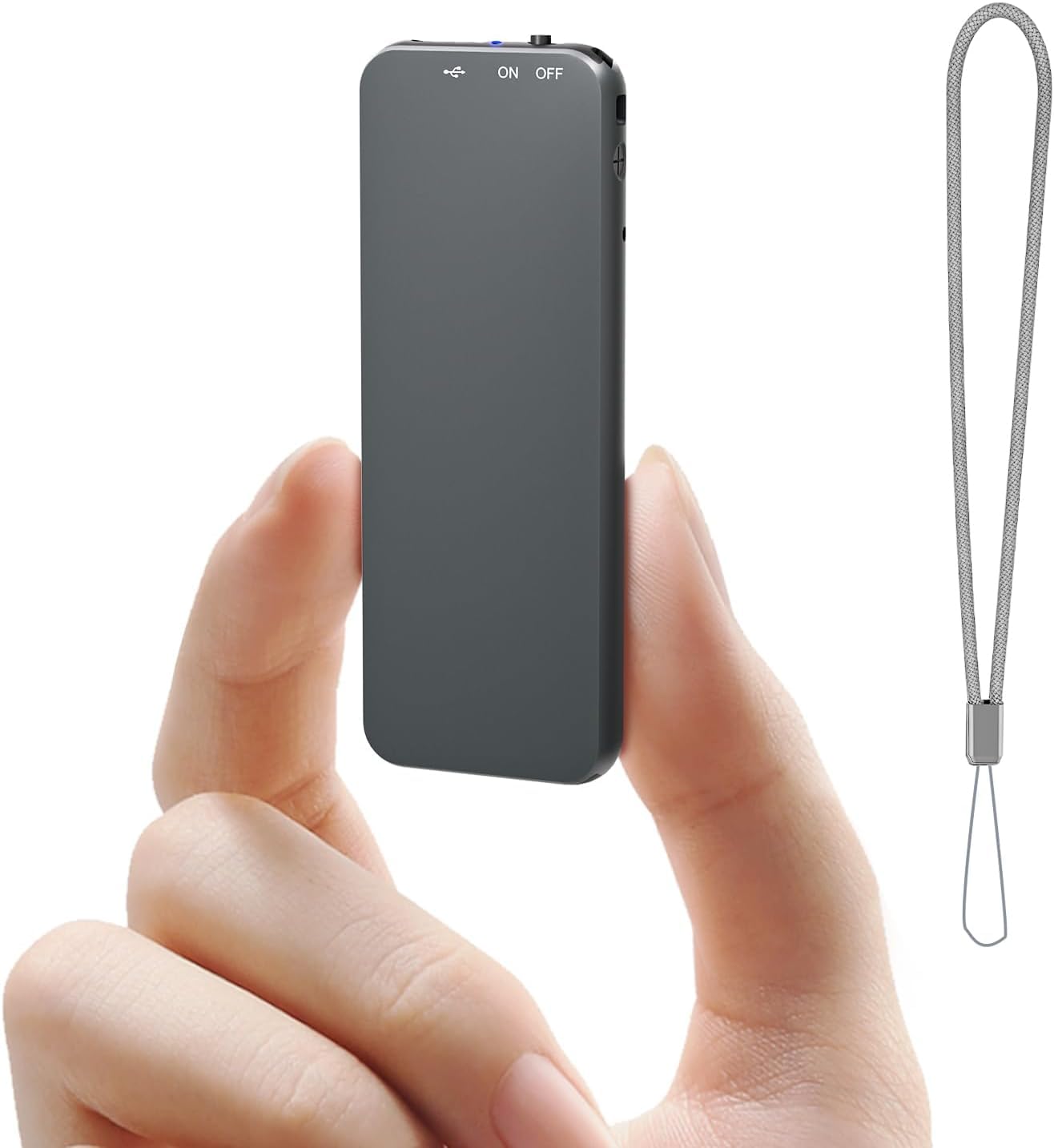
Figure 1: Vivaniir 128GB Mini Voice Recorder, showcasing son design compact et ses caractéristiques clés.
2. Contenu de la boîte
Your Vivaniir 128GB Mini Voice Recorder package includes the following items:
- 1 x 128GB Digital Voice Recorder
- 1 x casque filaire
- 1 câble USB vers type C.
- 1 x câble de type C à type C
- 1 x cordon
- 1 x Manuel d'utilisation

Figure 2: All items included in the Vivaniir 128GB Mini Voice Recorder package.
3. Produit terminéview
Familiarisez-vous avec les composants physiques et les commandes de votre enregistreur vocal :

Figure 3: Dimensions and key features of the voice recorder.
- On/Off/Record Switch: Slide up to 'ON' to start recording, slide down to 'OFF' to save and power off.
- Port USB Type-C : Pour le chargement et la connexion à un ordinateur.
- Bouton de réinitialisation : A small pinhole button for resetting the device if needed.
- Trou de lanière : Pour fixer la lanière fournie.
- Indicator Light/Sound Hole: Provides visual feedback and captures audio.
4. Installation
4.1 Chargement de l'appareil
Connect the voice recorder to a power source using the provided USB Type-C cable. A full charge takes approximately 1.5 hours and provides 40-45 hours of continuous recording time.
4.2 Réglage de la date et de l'heure
Pour garantir un horaire précisamps on your recordings, set the date and time by connecting the device to a computer. Refer to the video below for detailed instructions.
Video 1: Instructions on how to set the date and time on your Vivaniir voice recorder using Windows or Mac computers.
5. Mode d'emploi
5.1 Enregistrement de base
To start recording, simply slide the 'ON/OFF' switch to the 'ON' position. The device will begin recording automatically. To save the recording and power off the device, slide the switch to the 'OFF' position. Files are named with the date and time for easy organization.

Figure 4: Simple one-key operation for starting and saving recordings.
5.2 Enregistrement activé par la voix (VOR)
The device supports Voice Activated Recording (VOR), which allows it to record only when sound is detected, saving memory and battery. You can adjust the VOR sensitivity (0-7, where 0 is off and 1-7 is on). For important occasions, continuous recording is recommended as VOR may miss subtle sounds.

Figure 5: Voice Activated Recording (VOR) functionality with adjustable sensitivity.
5.3 Segmented Recording
The recorder can be set to record in segments of 30, 60, or 120 minutes. This feature helps manage large recording fileplus efficacement.

Figure 6: Segmented recording options for file gestion.
5.4 Lecture et File Transfert
To listen to your recordings or transfer files to a computer, follow the instructions in the video below. The package includes a wire control with earphones for direct playback and various cables for computer connection.
Video 2: Detailed guide on how to use the Vivaniir digital voice recorder for playback and file transfert.
6. Entretien
- Avoid formatting the voice recorder on your computer, as this may render the device unable to record, function, or be recognized by your computer.
- Conservez l'appareil au sec et à l'abri des températures extrêmes.
- Nettoyez l'appareil avec un chiffon doux et sec.
7. Dépannage
If you encounter any issues with your Vivaniir voice recorder, please refer to the detailed troubleshooting section in the included user manual. Common issues can often be resolved by resetting the device using the reset button.
8. Spécifications
| Fonctionnalité | Détail |
|---|---|
| Capacité de stockage de la mémoire | 128 Go |
| Durée d'enregistrement numérique | 40 à 45 heure |
| Durée de vie moyenne de la batterie | 40 heures |
| Dimensions du produit | 0.25"P x 1"L x 2.8"H |
| Poids de l'article | 25 gramme |
| Interface matérielle | USB Type C |
| Facteur de forme du microphone | Intégré |
| Format | Audio MP3, WAV |
| Prise pour casque | 3.5 millimètres |
| Appareils compatibles | Personal Computer, Type-C Android Phones |
9. Garantie
The Vivaniir 128GB Mini Voice Recorder V53 comes with a Garantie de 2 ans À compter de la date d'achat. Veuillez conserver votre preuve d'achat pour toute réclamation au titre de la garantie.
10. Assistance
For any questions, technical support, or after-sales service, please contact us via email:
Courriel après-vente : V53@126.com
You can also visit the Vivaniir store on Amazon for more product information and support: Vivaniir Store