1. Introduction
This manual provides detailed instructions for the operation and maintenance of the Generic V539 OBDII Auto Diagnostic Code Scanner. This device is designed to assist in diagnosing engine-related issues in compatible vehicles, specifically BMW I3 (2011-2020) and BMW I8 (2019-2020) models. It supports all 10 modes of OBDII test for comprehensive vehicle diagnosis.

Image 1.1: The V539 OBDII Auto Diagnostic Code Scanner, highlighting its multi-language support and plug-and-play functionality.
2. caractéristiques du produit
- Compatibilité OBDII : Supports all 10 modes of OBDII test for a complete diagnosis.
- Compatibilité du véhicule : Specifically designed for BMW I3 (2011-2020) and BMW I8 (2019-2020) models.
- Fonctions diagnostiques : Determines the cause of the engine light, reads I/M readiness, reads and clears codes, turns off engine light (MIL), performs battery voltage tests, displays live data streams, supports onboard monitoring mode, and conducts component testing.
- Conception durable : Features an upgraded processing chip and a rugged, drop-resistant housing made from engineering-grade ABS for reliability and longevity.
- Interface conviviale : Equipped with a 2.8-inch high-definition color screen for clear visuals and structured data display, even in varying lighting conditions.
- Facilité d'utilisation : Boots up instantly with clear menu prompts and a one-click scan function for straightforward operation.
- Contrôle anti-pollution en un clic : A dedicated I/M Readiness hotkey provides instant emission monitor status.

Image 2.1: The V539 scanner's 2.8-inch high-definition color screen, showing various diagnostic menu options.

Image 2.2: The V539 scanner's robust engineering-grade ABS protective shell and anti-slip design for enhanced durability.
3. Installation
- Localisez le port OBDII : Le port OBDII se trouve généralement sous le tableau de bord, côté conducteur. Consultez le manuel du propriétaire de votre véhicule si vous ne le trouvez pas.
- Connectez le scanner : With the vehicle's ignition off, firmly plug the V539 scanner's OBDII connector into the vehicle's OBDII port.
- Mise sous tension : Turn the vehicle's ignition to the "ON" position (do not start the engine). The scanner will automatically power on and display the main menu.
- Language Selection (if needed): If prompted, select your preferred language from the available options.
4. Procédures d'exploitation
Follow these steps to diagnose and clear fault codes using the V539 scanner.
- Insert OBDII Plug: Connect the scanner to your vehicle's OBDII port as described in the Setup section.
- Retrieve Fault Codes: From the main menu, select "OBD/EOBD" or "Diagnosis" and press "OK". The scanner will communicate with the vehicle's ECU and display any detected Diagnostic Trouble Codes (DTCs). Each code will be accompanied by a brief description.
- Review Codes d'erreur : Carefully read and understand the displayed fault codes. You can use the "LOOKUP" function on the scanner to get more detailed information about specific DTCs.
- Effacer les codes d'erreur : After addressing the underlying issue that caused the fault code, you can clear the codes. Navigate to the "Clear Codes" option (often found within the "Diagnosis" menu or as a dedicated button/option) and confirm your selection. This will turn off the Malfunction Indicator Lamp (MIL) ou voyant « Vérifier le moteur ».

Image 4.1: Visual guide for the V539 scanner's operating procedure, showing connection, code retrieval, and code clearing steps.
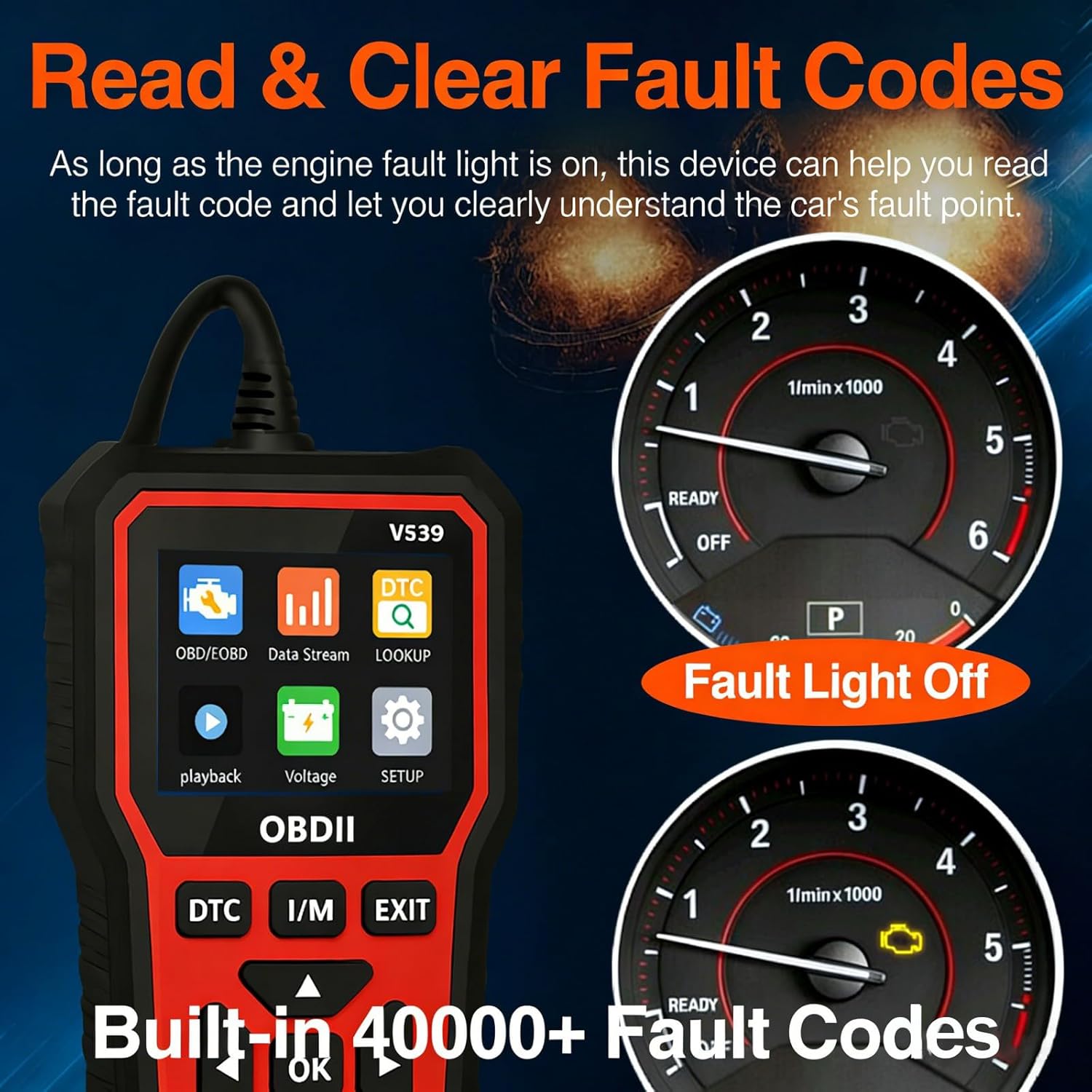
Image 4.2: The V539 scanner's ability to read and clear fault codes, demonstrating how the fault light turns off after successful clearance.
5. Fonctions principalesview
The V539 OBDII scanner offers a range of diagnostic capabilities:
- Engine Fault Diagnosis
- Engine Fault Code Clearance
- Record Freeze Frame Information
- Vehicle Information Reading
- Vérification de l'état de préparation I/M
- Real-time Data Stream Reading
- Vol batterietage Test
- Test du capteur d'oxygène
- Retrieve Fault Code Library
- Playback Function for recorded data

Image 5.1: An illustration of the V539 scanner's main diagnostic functions.
6. Entretien
- Nettoyage: Utilisez un chiffon doux et sec pour nettoyer l'écran et le boîtier du scanner. Évitez d'utiliser des nettoyants abrasifs ou des solvants.
- Stockage: Conservez l'appareil dans un endroit frais et sec, à l'abri de la lumière directe du soleil et des températures extrêmes.
- Entretien des câbles : Do not bend or crimp the OBDII cable excessively. Ensure the connector pins are clean and free from debris.
- Mises à jour logicielles : Vérifiez le fabricant webConsultez régulièrement cette page pour vérifier les mises à jour logicielles disponibles afin de garantir des performances et une compatibilité optimales.
7. Dépannage
| Problème | Cause possible | Solution |
|---|---|---|
| Le scanner ne s'allume pas. | Loose connection; vehicle ignition off; faulty OBDII port. | Ensure the OBDII connector is firmly plugged in. Turn the vehicle ignition to the "ON" position. Test the scanner on another compatible vehicle if possible. |
| Erreur de communication avec le véhicule. | Incorrect protocol; vehicle not OBDII compliant; loose connection. | Verify vehicle is OBDII compliant. Check the connection. Try again after turning the ignition off and on. |
| Impossible d'effacer les codes d'erreur. | Underlying issue not resolved; ignition not in "ON" position. | Ensure the vehicle's fault has been repaired. Confirm ignition is "ON" (engine off). Some codes may require specific driving cycles to clear after repair. |
| L'écran est noir ou figé. | Problème logiciel ; problème d'alimentation. | Débranchez le scanner du véhicule, patientez quelques secondes, puis rebranchez-le. Si le problème persiste, contactez l'assistance. |
8. Spécifications
- Modèle: V539
- Fabricant: HDCAL
- Numéro de modèle de l'article : HDCAL-6670383
- Poids de l'article : 1.1 livre (environ 0.5 kg)
- Dimensions du produit : 0.39 x 0.39 x 0.39 pouces (environ 1 x 1 x 1 cm) - Note: This dimension seems incorrect based on images, likely a placeholder. Actual dimensions are closer to 15.5cm x 7.3cm based on Image 7.1.
- Afficher: Écran couleur haute définition de 2.8 pouces
- Matériau du boîtier : Engineering-grade ABS
- Compatibilité: OBDII compliant vehicles, specifically BMW I3 (2011-2020) and BMW I8 (2019-2020).

Image 8.1: Physical dimensions of the V539 OBDII scanner and its OBDII plug.
9. Garantie et assistance
For warranty information or technical support, please refer to the documentation included with your purchase or contact the manufacturer directly. Keep your purchase receipt as proof of purchase for warranty claims.