
1. Produit terminéview
The Hunter ZenTech 52 Inch Smart Ceiling Fan (Model 53638) is designed for both indoor and covered outdoor spaces, offering quiet, efficient performance with advanced smart home integration. This 5-blade fan features a slim DC motor, adjustable LED lighting with TrueLight technology, and Wi-Fi connectivity for control via the HunterSMART app, Amazon Alexa, Google Assistant, and Apple HomeKit. It is ENERGY STAR certified and damp-rated for versatile use.
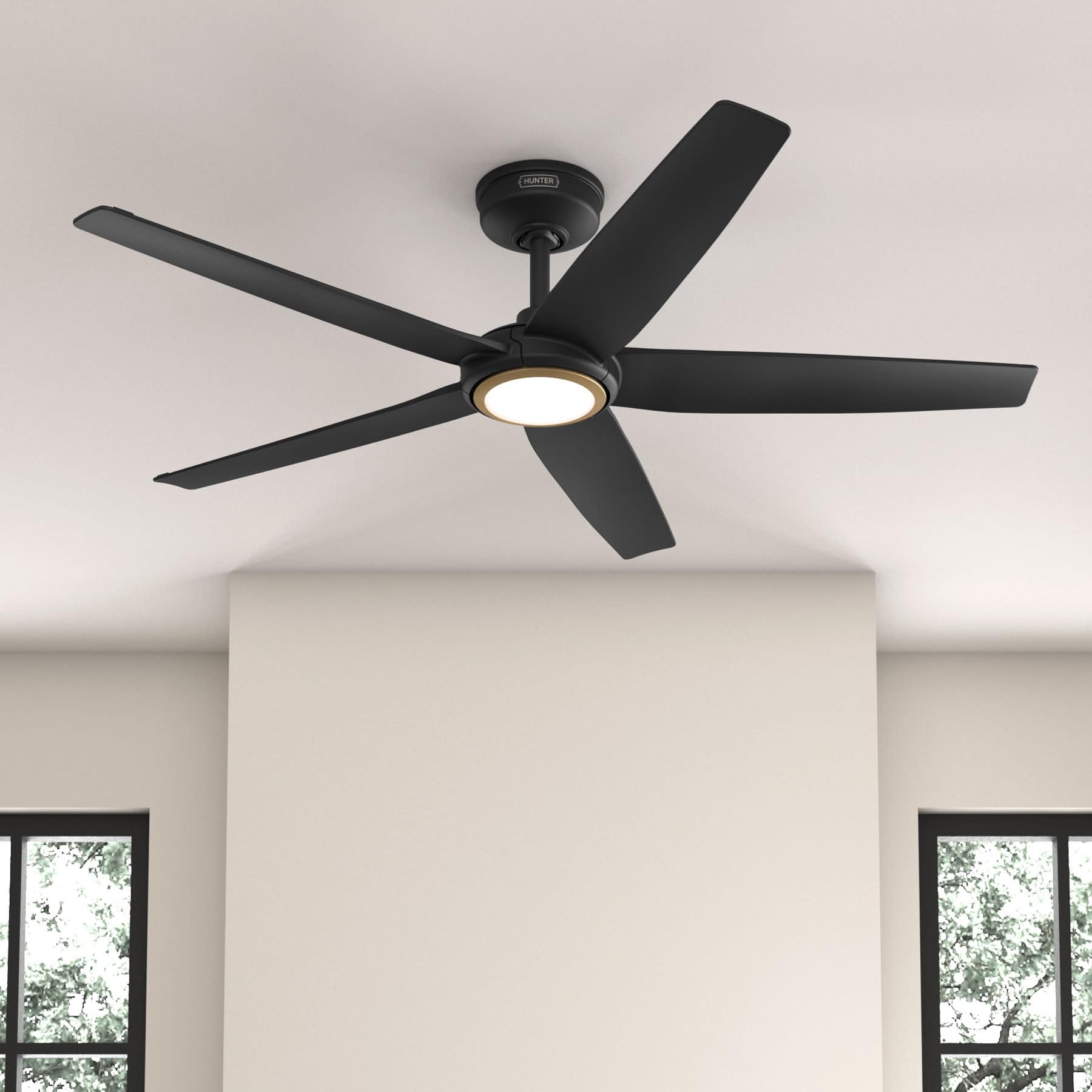
Figure 1: Hunter ZenTech 52 Inch Smart Ceiling Fan (Matte Black)
Caractéristiques principales :
- Conception avancée : Ultra-slim DC motor for powerful, quiet airflow and a modern aesthetic.
- Intégration à la maison intelligente : HunterSMART technology for app and voice control via Amazon Alexa, Google Assistant, and Apple HomeKit.
- Éclairage LED réglable : TrueLight LED offers 10 brightness levels and 10 color temperatures, protected by a durable Duralight lens.
- SureSpeed Guarantee: Delivers strong, consistent airflow with quiet, wobble-free performance.
- Efficacité énergétique : ENERGY STAR certified reversible 6-speed DC motor.
- Damp Noté: Suitable for indoor and covered outdoor areas.
2. Consignes de sécurité importantes
Veuillez lire attentivement toutes les instructions avant de commencer l'installation. Le non-respect de ces instructions peut entraîner un choc électrique, un incendie ou des blessures.
- Coupez toujours l'alimentation au niveau du disjoncteur principal avant toute installation ou intervention.
- Assurez-vous que tous les raccordements électriques sont conformes aux normes et règlements locaux. Si vous n'êtes pas familiarisé avec le câblage électrique, consultez un électricien qualifié.
- La structure de montage doit être capable de supporter le poids du ventilateur (environ 14.11 lbs).
- Do not bend blade brackets during installation or cleaning.
- Gardez vos mains à distance des pales du ventilateur lorsque celui-ci est en marche.
- Ce ventilateur est damp-rated for use in covered outdoor areas but should not be exposed directly to water.
3. Contenu du colis
Avant de commencer l'installation, vérifiez que tous les composants énumérés ci-dessous sont présents dans votre colis.
- Boîtier de moteur de ventilateur de plafond
- Lames de ventilateur 5
- Light Kit with Duralight Lens
- Tige de suspension de 6 pouces
- Auvent et support de montage
- Télécommande portable
- Kit de visserie (vis, rondelles, connecteurs de fils)

Figure 2: ZenTech 52 Inch Fan Components
4. Guide d'installation
Professional installation is recommended. Ensure the power is OFF at the circuit breaker before starting.
4.1 Montage du ventilateur
- Fixez le support de montage à la boîte de jonction au plafond. La boîte de jonction doit être homologuée pour supporter un ventilateur.
- Assemble the downrod (6-inch included, compatible with up to 24-inch downrods) to the fan motor housing.
- Hang the fan assembly from the mounting bracket.
- Complete electrical wiring connections as per the wiring diagram provided in the full manual.
- Fixez les pales du ventilateur au carter du moteur.
- Install the light kit and Duralight lens.

Figure 3: ZenTech Fan installed in a covered outdoor space
5. Mode d'emploi
The ZenTech fan can be operated using the included handheld remote control or through the HunterSMART app.
5.1 Fonctionnement de la télécommande
- Marche/Arrêt du ventilateur : Appuyez sur le bouton du ventilateur pour l'allumer ou l'éteindre.
- Vitesse du ventilateur : Utilisez les boutons de vitesse pour sélectionner les 6 vitesses du ventilateur.
- Lumière allumée/éteinte : Appuyez sur le bouton d'éclairage pour allumer ou éteindre la lumière.
- Atténuation de la lumière : Hold the light button to dim or brighten the light.
- Température de couleur: Press the color temperature button to cycle through different color temperatures (warm to cool).
- Fonction inverse : Press the reverse button to change the fan's direction for seasonal use.
5.2 LED Light Control (TrueLight Technology)
The TrueLight LED system allows for precise control over your lighting environment. You can select from 10 brightness levels and 10 color temperatures to match your preference.

Figure 4: TrueLight LED Technology for adjustable lighting
6. Intégration à la maison intelligente
The ZenTech fan features HunterSMART technology, enabling seamless integration with popular smart home ecosystems.
6.1 Connecting to HunterSMART App
- Download the HunterSMART app from your device's app store.
- Follow the in-app instructions to create an account and add your ZenTech fan.
- Ensure your fan is powered on and your mobile device is connected to a 2.4 GHz Wi-Fi network during setup.
6.2 Compatibilité avec la commande vocale
Once connected to the HunterSMART app, you can link your fan to:
- Amazon Alexa
- Assistant Google
- Apple HomeKit
Refer to the respective smart home platform's instructions for linking smart devices.

Figure 5: HunterSMART Control Options
7. Entretien et maintenance
Un entretien régulier garantit des performances optimales et une longue durée de vie à votre ventilateur de plafond.
- Nettoyage: Dust the fan blades and motor housing periodically with a soft, lint-free cloth. For damp-rated areas, wipe down with a slightly damp cloth, then dry thoroughly. Do not use abrasive cleaners or solvents.
- Contrôle d'étanchéité : Annually, check all screws and connections for tightness. Vibrations can cause them to loosen over time.
- Kit d'éclairage : The LED light source is designed for long life and is not user-serviceable.
8. Guide de dépannage
If you encounter issues with your ZenTech ceiling fan, refer to the table below for common problems and solutions.
| Problème | Cause possible | Solution |
|---|---|---|
| Le ventilateur ne démarre pas | Ventilateur hors tension ; connexions électriques desserrées ; pile de la télécommande faible. | Vérifiez le disjoncteur ; assurez-vous que toutes les connexions des fils sont bien fixées ; remplacez la pile de la télécommande. |
| La lumière ne fonctionne pas | No power to the light kit; Loose wire connection; Light kit malfunction. | Check circuit breaker; Verify light kit wiring; Contact customer support if LED is faulty. |
| Le ventilateur vacille | Loose blades or blade holders; Improperly balanced blades; Loose mounting bracket. | Ensure all blade screws are tight; Use a blade balancing kit (not included); Tighten mounting bracket screws. |
| Les fonctionnalités intelligentes ne se connectent pas | Incorrect Wi-Fi network (not 2.4 GHz); Incorrect app setup; Router issues. | Ensure connection to 2.4 GHz Wi-Fi; Re-attempt app setup; Restart router and fan. |
9. Spécifications techniques
| Spécification | Détail |
|---|---|
| Marque | Chasseur |
| Nom du modèle | ZenTech |
| Numéro de modèle | 53638 |
| Taille | 52 pouces |
| Couleur | Noir mat |
| Dimensions du produit | 52"P x 52"L x 11.78"H |
| Poids de l'article | 14.11 livres |
| Nombre de lames | 5 |
| Type de moteur | DC |
| Nombre de vitesses | 6 |
| Capacité de débit d'air | 5443.94 pieds cubes par minute |
| Quoitage | 17 watts |
| Voltage | 120 volts |
| Utilisation intérieure/extérieure | Intérieur, extérieur couvert (D)amp (Évalué) |
| Caractéristiques spéciales | LED Light, Quiet Operation, Water Resistant, Wi-Fi Enabled |
| Type de contrôleur | Contrôle par application, télécommande |
| Certifications | Certifications ETL, Energy Star et FCC |
| Longueur de la tige de suspension | 6 pouces (inclus) |
10. Informations sur la garantie
The Hunter ZenTech 52 Inch Smart Ceiling Fan is backed by Hunter's commitment to quality. It includes a limited lifetime motor warranty, ensuring long-term confidence in your product. For full warranty details and terms, please refer to the documentation included with your fan or visit the official Hunter Fan Company website.
11. Assistance clientèle
If you require further assistance, have questions about installation, operation, or troubleshooting that are not covered in this manual, please contact Hunter Fan Company customer support. You can typically find contact information on the official Hunter Fan Company website ou à l'intérieur de l'emballage du produit.