
1. Introduction
Thank you for choosing the MARBERO M365 Portable Power Station. This device is designed to provide reliable power for various applications, including outdoor activities, RV travel, and emergency backup. Please read this manual carefully before using the product to ensure safe and optimal performance. Keep this manual for future reference.
Informations importantes sur la sécurité
- Ne pas démonter, réparer ni modifier l'appareil. Un remontage incorrect peut provoquer un incendie ou des blessures.
- Ne pas exposer l'appareil au feu ou à des températures extrêmes (supérieures à 60 °C / 140 °F).
- Ne pas utiliser ni entreposer l'appareil dans une salle de bain ou dans un endroit exposé à l'eau ou à l'humidité.
- Do not use or store the unit near heat sources such as fires or heaters.
- Utilisez uniquement les accessoires fournis ou approuvés.
- Gardez l'appareil hors de portée des enfants et des animaux domestiques.
- N'insérez pas d'objets étrangers dans les ports.
- Assurez une ventilation adéquate pendant l'utilisation et la charge. Ne couvrez pas l'appareil.
- If the unit emits smoke, strange odors, or any other abnormal phenomena, stop using it immediately and contact customer support.
2. Contenu du colis
Verify that all items listed below are included in your package. If any items are missing or damaged, please contact MARBERO customer support.
- 1 x MARBERO M365 Portable Power Station
- 1 x 15V/2A Power Adapter (Wall Charger)
- 1 x Chargeur de voiture
- 1 x adaptateur allume-cigare
- 1 x Manuel d'utilisation
3. Produit terminéview
The MARBERO M365 Portable Power Station features multiple output ports to power a wide range of devices. Familiarize yourself with the components below.
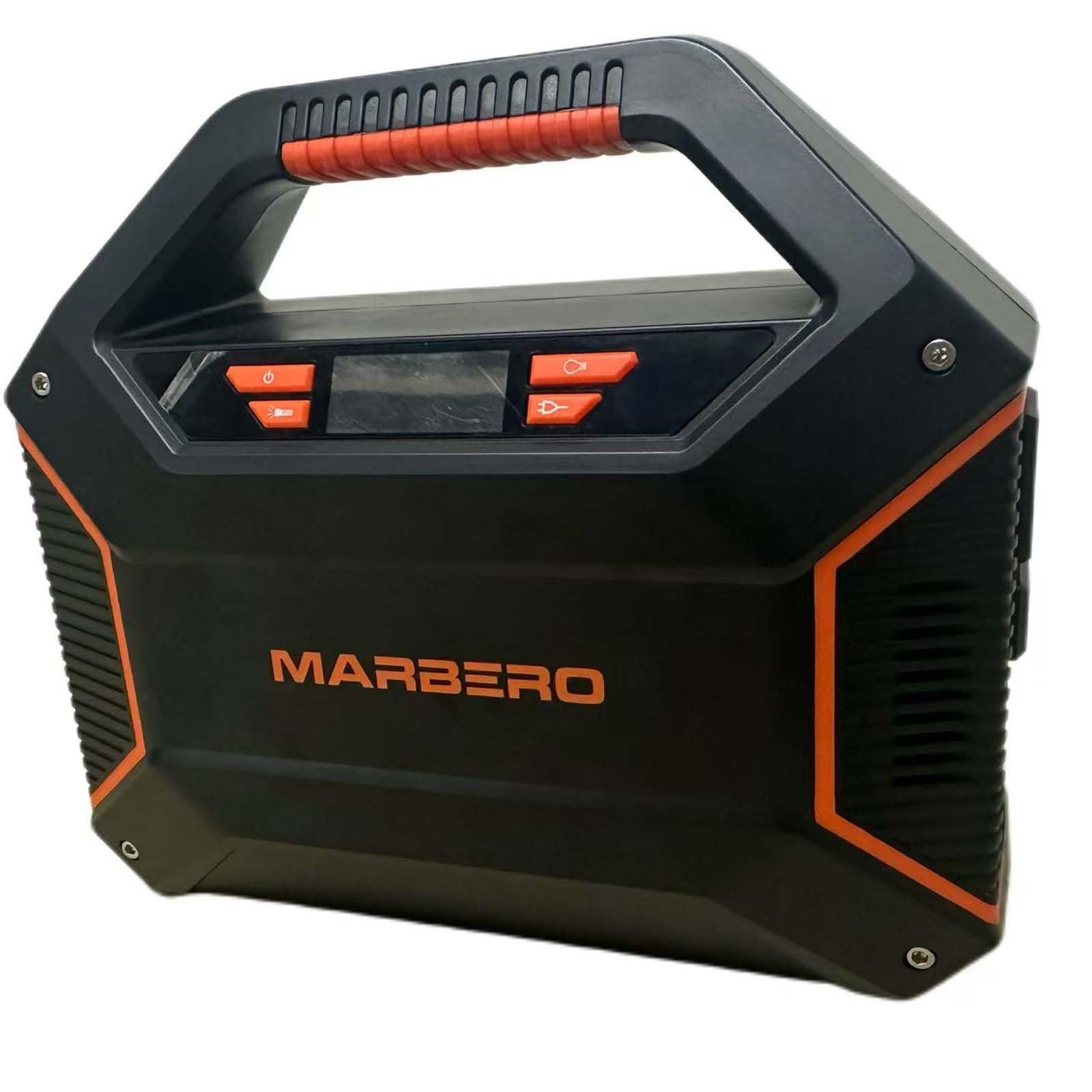
Image 3.1: Devant view of the MARBERO M365 Portable Power Station, showing the display, AC outlets, USB ports, and DC outputs.
Composants et ports
- Écran LCD : Shows battery level, output status, and error indicators.
- Ports de sortie CA (x2) : 110V, 100W (max). For powering household appliances.
- Ports de sortie USB-A (x2) : Standard USB ports for charging smartphones, tablets, etc.
- QC3.0 USB-A Output Port (x1): Quick Charge 3.0 compatible for faster charging of supported devices.
- USB-C Output Port (x1): Pour recharger les appareils compatibles USB-C.
- Ports de sortie CC (x3) : 12V, for DC-powered devices.
- Car Port Output (x1): 12V, for car-powered devices.
- Port d'entrée CC : Pour recharger la station d'alimentation via un adaptateur secteur, un chargeur de voiture ou un panneau solaire.
- Bouton d'alimentation : Allume/éteint l'appareil.
- Bouton de sortie CA : Active/désactive la sortie CA.
- Bouton de sortie CC : Activates/deactivates DC output.
- Bouton de sortie USB : Activates/deactivates USB output.
- Lumière d'urgence: Éclairage LED intégré.
4. Installation
Before first use, fully charge the MARBERO M365 Portable Power Station.
Charger la centrale électrique
The M365 can be charged using the included AC wall adapter, car charger, or a compatible solar panel (sold separately).
- Chargement mural CA :
- Connect the 15V/2A Power Adapter to the DC Input Port of the power station.
- Branchez l'autre extrémité de l'adaptateur dans une prise murale standard.
- The LCD display will show a charging indicator, and the battery level will increase.
- Le temps de charge est d'environ 5 à 6 heures pour une charge complète.
- Recharge de voiture :
- Connect the Car Charger to the DC Input Port of the power station.
- Insérez l'autre extrémité dans la prise allume-cigare 12V de votre véhicule.
- The LCD display will indicate charging.
- Solar Panel Charging (Optional):
- Connect a compatible solar panel (15V-24V, 3A max) to the DC Input Port using the appropriate cable (not included with all solar panels).
- Placez le panneau solaire en plein soleil.
- The LCD display will indicate charging. Charging time varies depending on solar intensity.
It is recommended to fully charge the unit every 3 months if not in regular use to maintain battery health.
5. Mode d'emploi
Mise sous/hors tension
- To turn on the power station, press and hold the Bouton d'alimentation for 3 seconds. The LCD display will illuminate.
- To turn off the power station, press and hold the Bouton d'alimentation pendant 3 secondes à nouveau.
Utilisation de la sortie CA
- After turning on the power station, press the Bouton de sortie CA to activate the AC outlets. The AC icon will appear on the LCD display.
- Plug your AC-powered device (up to 100W continuous, 150W peak) into one of the AC output ports.
- Lorsque vous avez terminé, appuyez sur le Bouton de sortie CA again to turn off the AC output and conserve battery.
- Note: If the total power draw exceeds 100W, the unit may automatically shut down to prevent overload.
Utilisation de la sortie CC
- After turning on the power station, press the Bouton de sortie CC to activate the DC and Car Port outputs. The DC icon will appear on the LCD display.
- Connect your 12V DC device to one of the DC output ports or the car port.
- Lorsque vous avez terminé, appuyez sur le Bouton de sortie CC again to turn off the DC output.
Utilisation de la sortie USB
- After turning on the power station, press the Bouton de sortie USB to activate all USB ports (USB-A, QC3.0 USB-A, USB-C). The USB icon will appear on the LCD display.
- Connect your USB-powered device to the appropriate USB port.
- Lorsque vous avez terminé, appuyez sur le Bouton de sortie USB again to turn off the USB outputs.
Éclairage de secours
- To turn on the emergency light, press the Bouton d'éclairage d'urgence (often integrated with the Power Button or a dedicated button, refer to physical unit).
- Press again to cycle through different modes (e.g., low, high, SOS flash) or to turn off.
6. Entretien
Stockage
- Entreposez la centrale électrique dans un endroit frais et sec, à l'abri de la lumière directe du soleil et des substances corrosives.
- Ideal storage temperature is between -10°C to 40°C (14°F to 104°F).
- For long-term storage, charge the unit to approximately 50-80% every 3 months to prolong battery life.
- Avoid storing the unit completely discharged for extended periods.
Nettoyage
- Utilisez un chiffon doux et sec pour essuyer l'extérieur de l'appareil.
- N'utilisez pas de nettoyants abrasifs ni de solvants.
- Veillez à ce que les ouvertures de ventilation soient dégagées de toute poussière et débris.
7. Dépannage
If you encounter issues with your MARBERO M365, refer to the following common problems and solutions. If the problem persists, contact customer support.
| Problème | Cause possible | Solution |
|---|---|---|
| L'unité ne s'allume pas. | La batterie est complètement déchargée. | Chargez l'appareil à l'aide de l'adaptateur secteur. |
| Aucune sortie des ports CA. | AC output not activated. Device power draw exceeds 100W. Niveau de batterie trop faible. | Press the AC Output Button. Use devices within the 100W limit. Rechargez la centrale électrique. |
| No output from USB/DC ports. | Sortie USB/CC non activée. Niveau de batterie trop faible. | Press the respective USB/DC Output Button. Rechargez la centrale électrique. |
| L'unité ne charge pas. | Le chargeur n'est pas correctement connecté. Le chargeur est défectueux. L'appareil est trop chaud/froid. | Assurez-vous que toutes les connexions sont sécurisées. Try a different charging method. Move unit to a suitable temperature environment. |
| L'écran LCD affiche un code d'erreur. | Internal fault or protection mode activated. | Turn off the unit, wait a few minutes, then restart. If error persists, contact support. |
8. Spécifications
Detailed technical specifications for the MARBERO M365 Portable Power Station.
| Modèle | M365 |
| Type de batterie | Lithium Ion, 12V |
| Sortie CA | 2 x 110V, 60Hz, 100W (Rated), 150W (Peak) |
| Sortie DC | 3 x 12V DC ports, 1 x 12V Car Port |
| Sortie USB | 2 x USB-A, 1 x QC3.0 USB-A, 1 x USB-C |
| Entrée (DC) | 15V/2A (via AC adapter, car charger, or solar panel) |
| Dimensions (L x l x H) | 8.14 po x 3.77 po x 7.08 po (20.68 cm x 9.58 cm x 17.98 cm) |
| Poids | 3.74 livres (1.7 kg) |
| Température de fonctionnement | -10°C à 40°C (14°F à 104°F) |
| Fonctions de protection | Short Circuit Protection, Over Charge Protection, Overload Protection, Over-Voltage Protection, Automatic Shut Down |
9. Garantie et assistance
Informations sur la garantie
MARBERO provides a Garantie de 12 mois for the M365 Portable Power Station from the date of purchase. This warranty covers manufacturing defects and workmanship under normal use. It does not cover damage caused by misuse, accidents, unauthorized modifications, or natural disasters.
Veuillez conserver votre preuve d'achat pour les réclamations au titre de la garantie.
Assistance clientèle
If you have any questions, require technical assistance, or need to make a warranty claim, please contact MARBERO customer service:
- E-mail: Refer to your purchase platform or product packaging for the most current contact email.
- Support en ligne: Visit the official MARBERO website or the Amazon store page for support options.
Our customer service team is available to assist you with any issues you may encounter.