
1. Produit terminéview
This manual provides detailed instructions for the assembly, operation, and maintenance of your Simple Deluxe 47-inch L-Shaped Gaming Desk. Designed for versatility, this desk features integrated power outlets, USB charging ports, three fabric storage drawers, and two open shelves, making it suitable for gaming, home office, or study environments.
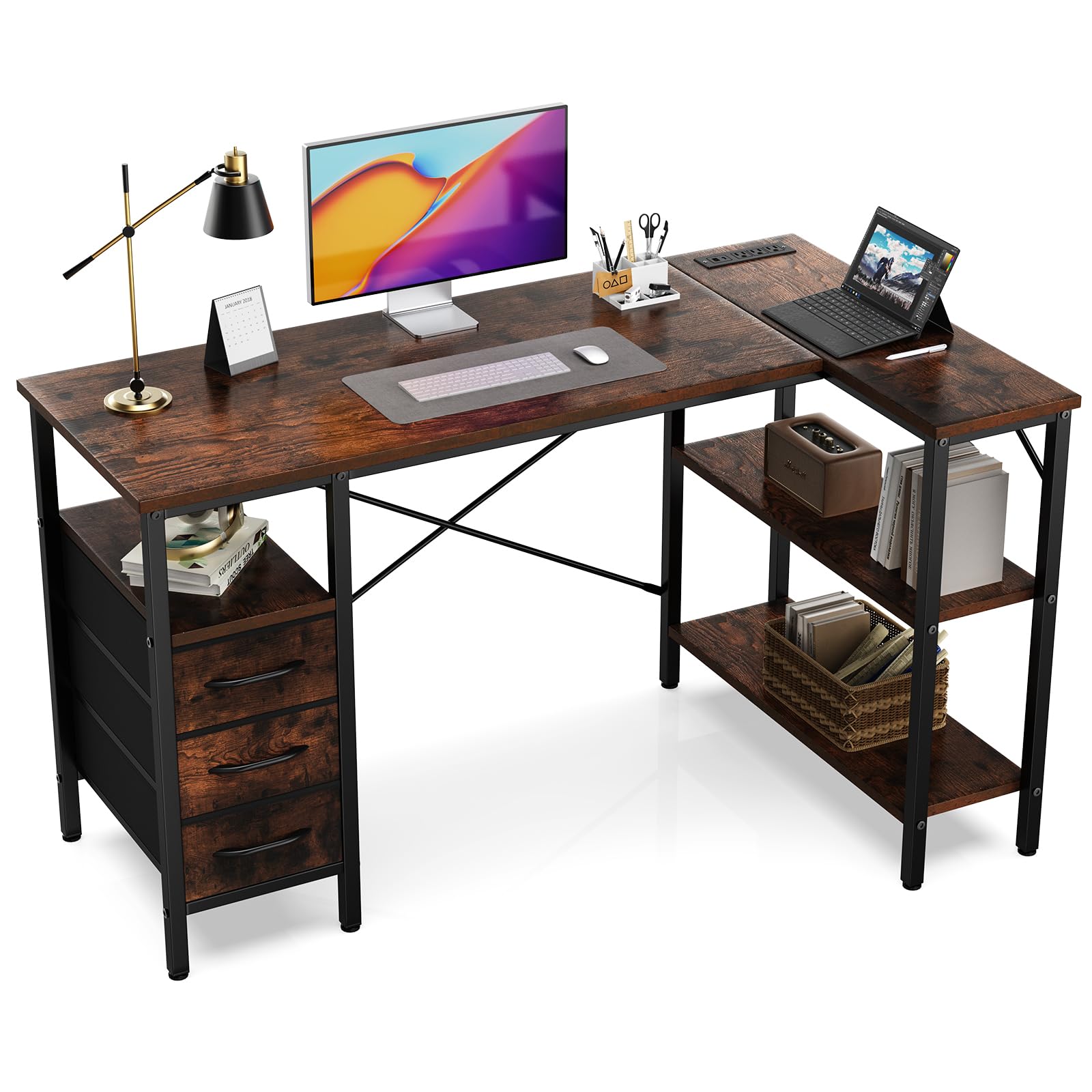
Figure 1: Fully assembled Simple Deluxe L-Shaped Gaming Desk.
2. Consignes de sécurité
- Assemblez toujours le bureau sur une surface douce et propre afin d'éviter les rayures.
- Assurez-vous que toutes les vis et fixations sont bien serrées avant utilisation.
- Do not overload the desk or shelves beyond the recommended weight capacity of 220 pounds (100 kg).
- Tenez les enfants et les animaux domestiques éloignés de la zone de montage.
- Utilisez uniquement les outils et la quincaillerie fournis pour l'assemblage.
- For electrical safety, do not expose the power outlets to moisture.
3. Contenu du colis
Avant l'assemblage, vérifiez que tous les composants énumérés ci-dessous sont présents et en bon état. Si des pièces sont manquantes ou endommagées, contactez le service client.
| Partie | Description | Quantité |
|---|---|---|
| Panneaux de bureau | Main desktop, L-shaped extension, shelf boards | Divers |
| Composants de cadre métallique | Legs, support bars, cross braces | Divers |
| Power Outlet Module | Prises secteur et ports USB intégrés | 1 |
| Tiroirs en tissu | Collapsible storage drawers | 3 |
| Pack de matériel | Vis, clé Allen, etc. | 1 ensemble |

Figure 2 : Plusview of desk dimensions and main components.
4. Instructions de montage
Follow these steps carefully for proper assembly. It is recommended that one person assembles the desk.
4.1. Guide vidéo
Video 1: Detailed assembly guide for the L-Shaped Desk with Shelf Drawers. This video demonstrates each step of the assembly process, from frame construction to drawer installation and power outlet integration.
4.2. Guide étape par étape
- Assembler le cadre principal du bureau :
Connect the metal frame components using the provided screws and Allen wrench. Ensure all connections are firm. Pay attention to the orientation of the pieces as shown in the diagrams.

Figure 3: Initial assembly of the desk's metal frame structure.
- Attach the Shelf Boards:
Insert the shelf boards into the designated slots on the frame. Secure them with screws. Note that the height of some shelves may be adjustable to suit your needs.

Figure 4: Securing the shelf boards within the metal frame.
- Install the Desktop Panels:
Carefully place the main desktop and the L-shaped extension panel onto the assembled frame. Align the pre-drilled holes and secure them with screws. Ensure the power outlet cutout is correctly positioned.

Figure 5: Placing and securing the desktop surfaces.
- Integrate the Power Outlet Module:
Insert the power outlet module into its designated cutout on the desktop. Secure it with the provided screws. Connect the power cable as instructed.

Figure 6: Securing the power outlet module into the desktop.
- Assemble and Insert Fabric Drawers:
Unfold the fabric drawers and insert the bottom panel to give them shape. Attach the handles. Slide the assembled drawers into their respective compartments under the desk.
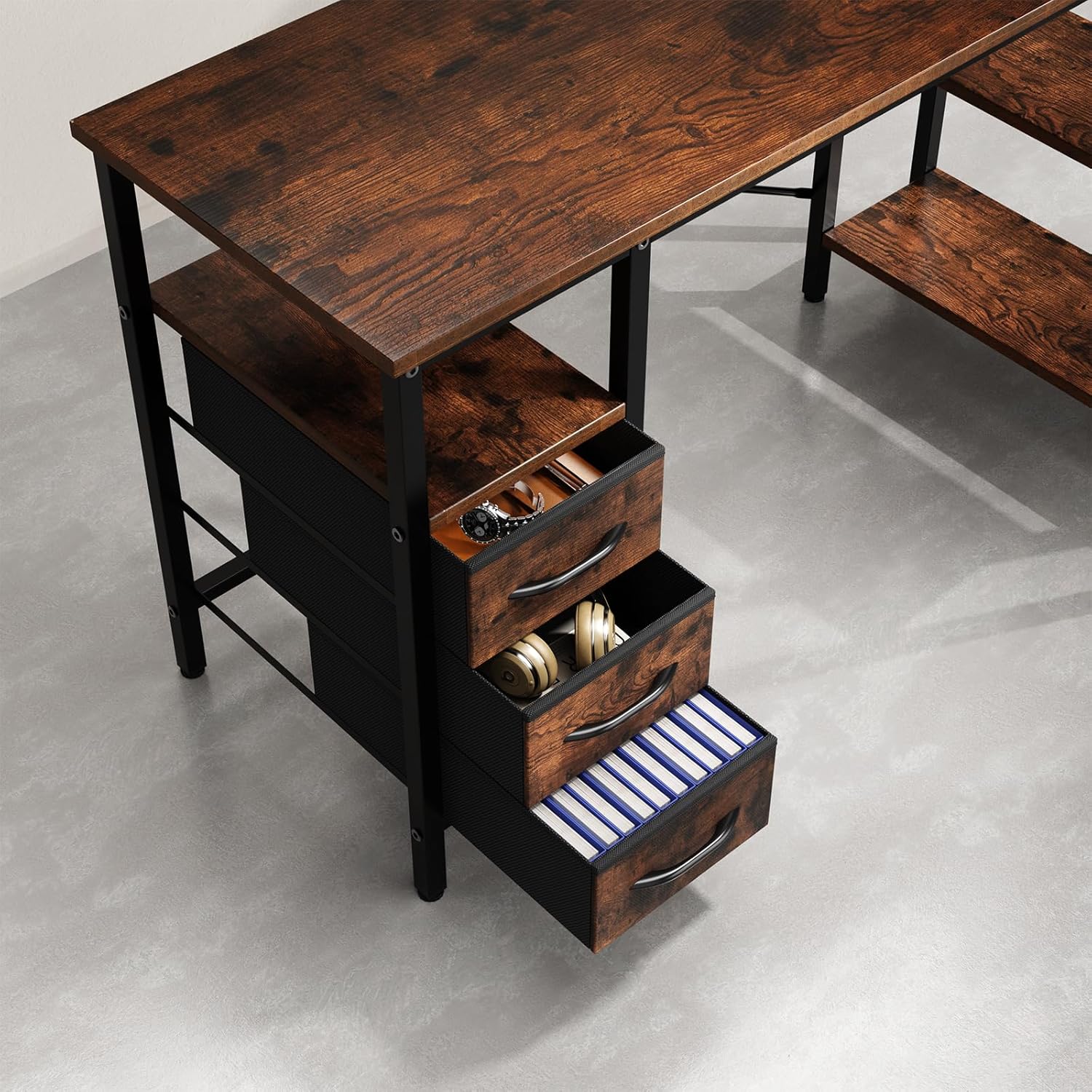
Figure 7: Fabric drawers providing ample storage for office supplies and accessories.
5. Mode d'emploi
5.1. Using the Integrated Power Outlets
- Branchez le cordon d'alimentation principal du bureau dans une prise murale standard.
- The integrated power strip provides three AC outlets and two USB charging ports.
- Connect your devices (monitors, laptops, phones, etc.) to the appropriate outlets.
- Ensure devices are compatible with the power specifications (120V AC, 60Hz, 12A max).
6. Entretien
- Nettoyage: Essuyez les surfaces du bureau avec de l'eau.amp Chiffon. Évitez les produits chimiques agressifs ou les nettoyants abrasifs qui pourraient endommager la finition.
- Vérification du matériel : Vérifiez régulièrement le serrage de toutes les vis et fixations. Resserrer si nécessaire pour assurer la stabilité de l'ensemble.
- Sécurité électrique : Inspect the power cord and outlets for any signs of damage. Discontinue use and contact customer support if damage is found.
- Entretien des tiroirs : The fabric drawers can be spot cleaned with a mild detergent. Allow them to air dry completely before reinserting.
7. Dépannage
| Problème | Cause possible | Solution |
|---|---|---|
| Le bureau est bancal. | Vis desserrées ou sol inégal. | Check and tighten all screws. Adjust the leveling feet on the bottom of the desk legs if applicable. |
| Les prises électriques ne fonctionnent pas. | Desk not plugged in, circuit breaker tripped, or faulty module. | Ensure the desk's power cord is securely plugged into a working wall outlet. Check your home's circuit breaker. If issues persist, contact customer support. |
| Les tiroirs ne coulissent pas facilement. | Drawers are fabric and not designed to slide on rails. | The drawers are fabric storage bins designed to fit into compartments, not to slide on metal rails. Ensure they are properly shaped and inserted. |
8. Spécifications
- Marque: De Luxe Simple
- Numéro de modèle : D-D3BCL01-47IN-RUST
- Forme: Forme en L
- Dimensions du produit : 18.5"P x 47.2"L x 29.7"H
- Couleur: Brun rustique
- Matériel: Bois d'ingénierie, métal
- Nombre de tiroirs: 3
- Nombre d'étagères : 2
- Recommandation de poids maximum: 220 livres
- Prises de courant: Prises secteur et ports USB intégrés
- Assemblage requis : Oui (Recommandé pour 1 personne)
- Conseils d'entretien : Essuyez avec Damp Tissu
9. Garantie et assistance
For warranty information, missing parts, or technical support, please contact Simple Deluxe customer service. Keep your purchase receipt and model number handy for faster service.
Visitez le Simple Deluxe Store Pour plus de produits et d'informations.