
1. Introduction
The FOREVER KW-530 Kids Boost AI 4G Smartwatch is designed for children, integrating safety, communication, and daily assistance into a compact and robust wearable device. This smartwatch features GPS, Wi-Fi, and 4G connectivity, a nano-SIM slot, a 2.0-inch IPS touch display, and a 2 MP camera. It supports video and voice calls, real-time location tracking, and an SOS emergency call function. Additionally, it offers practical features such as a pedometer, sleep and health monitoring, reminders (e.g., for drinking water or movement), an alarm, and a timer. With an IP67 water resistance rating and durable Panda Glass, the KW-530 is suitable for daily use, school activities, and playtime.
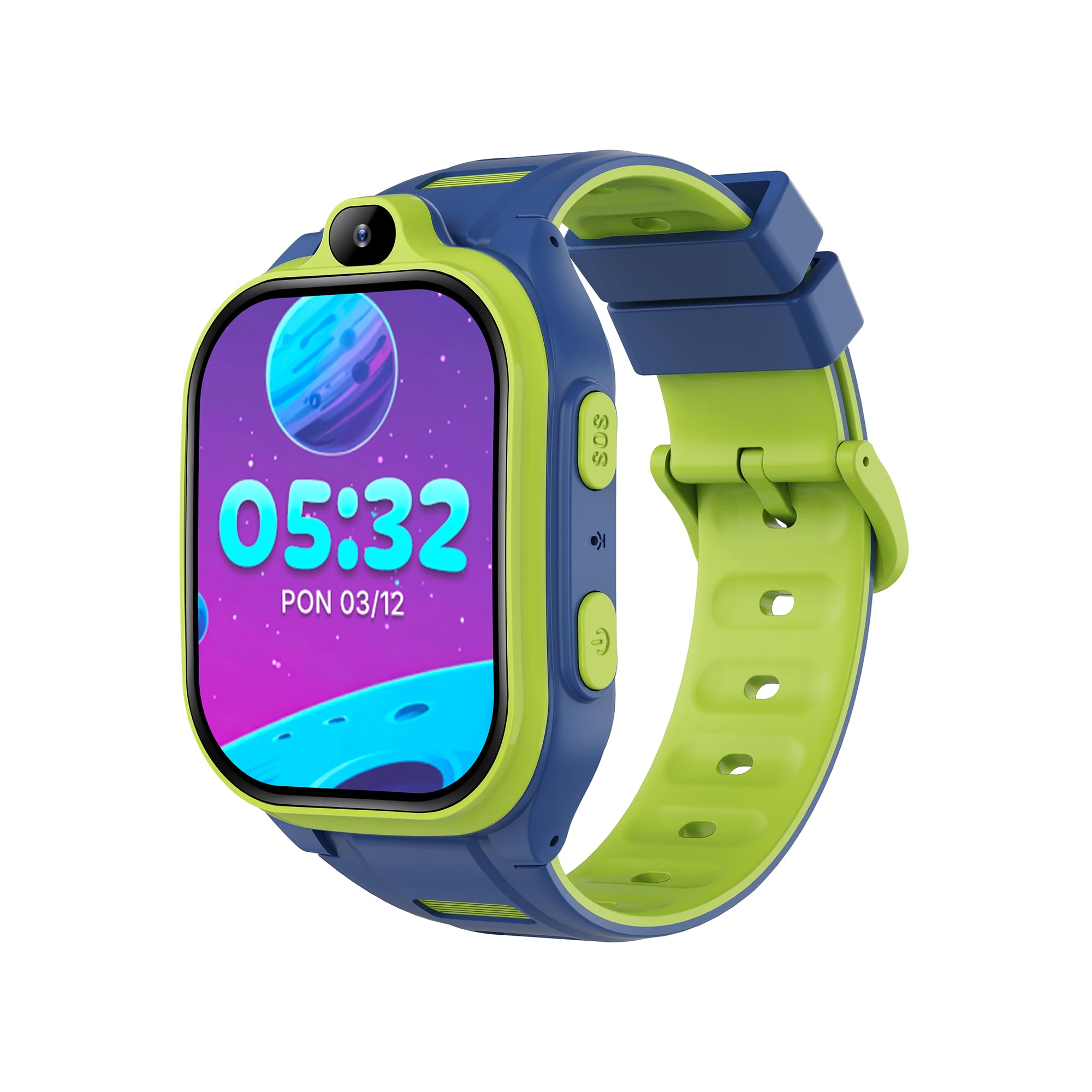
Image 1.1: The FOREVER KW-530 Smartwatch, displaying the time and date on its screen.
2. Contenu de la boîte
Veuillez vérifier le contenu du colis pour vous assurer que tous les éléments sont présents :
- FOREVER KW-530 Smartwatch
- Câble de chargement
- Manuel d'utilisation

Image 2.1: Product packaging for the FOREVER KW-530 Smartwatch, illustrating key features and contents.
3. Installation
3.1. Recharge de la montre connectée
Before first use, fully charge the smartwatch. Connect the provided charging cable to the charging port on the watch and plug the other end into a USB power adapter (not included) or a computer's USB port. The battery indicator on the screen will show charging progress.
3.2. Installation de la carte SIM
The KW-530 requires a nano-SIM card for 4G connectivity, calls, and GPS tracking. Ensure the SIM card is active and has a data plan.
- Repérez l'emplacement de la carte SIM sur le côté de la montre connectée.
- Ouvrez délicatement le tiroir de la carte SIM à l'aide de l'outil fourni ou d'une petite épingle.
- Insert the nano-SIM card into the tray with the gold contacts facing down and the cut corner aligned correctly.
- Repoussez délicatement le plateau dans son logement jusqu'à ce qu'il s'enclenche.
3.3. Mise sous/hors tension
- Pour allumer : Maintenez le bouton d'alimentation (généralement situé sur le côté) enfoncé jusqu'à ce que l'écran s'allume.
- Pour éteindre : Maintenez le bouton d'alimentation enfoncé, puis sélectionnez « Éteindre » à l'écran.
3.4. Pairing with the Companion App
To utilize all features, the smartwatch must be paired with the FOREVER Kids Boost companion application on a parent's smartphone. Download the app from your device's app store.
- Create an account in the app and log in.
- On the smartwatch, navigate to the 'QR Code' or 'Bind Device' section to display a unique QR code.
- In the companion app, select 'Add Device' and use your smartphone's camera to scan the QR code displayed on the smartwatch.
- Follow the on-screen prompts in the app to complete the pairing process and set up parental controls, contacts, and safety zones.
4. Mode d'emploi
4.1. Navigation de base
The smartwatch features a 2.0-inch IPS touch display. Swipe left, right, up, or down to navigate through menus and applications. Tap to select an item or open an app. Use the physical buttons for quick actions like returning to the home screen or activating the SOS function.
4.2. Fonctionnalités de communication
- Appels vocaux: Access the 'Phone' app to make and receive calls from pre-approved contacts.
- Appels vidéo : Use the 'Video Call' app to initiate video calls with approved contacts. The smartwatch features a 2 MP camera for this purpose.
- SMS/Chat: Send and receive text messages or use the chat function with approved contacts.
- Blocage des numéros inconnus : Parents can configure the app to block calls from numbers not in the smartwatch's contact list, ensuring child safety.

Image 4.1: Illustration of video call capabilities on the FOREVER KW-530 Smartwatch.
4.3. Sécurité et suivi
- Bouton SOS : In an emergency, pressing and holding the SOS button will automatically dial pre-set emergency contacts and send location alerts.
- Suivi de localisation en temps réel : Parents can monitor the child's location in real-time via GPS, Wi-Fi, and LBS (Location Based Service) through the companion app.
- Historique de l'itinéraire : The app allows reviewing the child's past routes and locations.
- Mode Ne pas déranger : Configure specific times when the smartwatch will not receive calls or notifications, such as during school hours.
- Remote Voice and Camera Monitoring: The companion app may offer features for remote monitoring, allowing parents to listen to the surroundings or take a picture from the watch's camera.

Image 4.2: Safety features including the SOS button and route history tracking.
4.4. Health and Daily Functions
- Pédomètre: Enregistre le nombre de pas effectués chaque jour.
- Surveillance du sommeil : Surveille les cycles et la qualité du sommeil.
- Calorie Monitoring: Estimation des calories brûlées en fonction de l'activité.
- Rappels : Set reminders for various activities, such as drinking water or movement.
- Alarme, minuteur, chronomètre : Fonctions standard de chronométrage et d'alerte.
- Calendrier: Helps organize daily schedules.
- Déverrouillage par reconnaissance faciale : Provides a convenient way to unlock the device.

Image 4.3 : Terminéview of health and organizational features available on the smartwatch.
4.5. AI and Smart Features
- Applications d'IA : The smartwatch supports over 17 AI applications, enhancing functionality and user experience.
- Jarvis App: Integration with the Jarvis app for smart assistance.
- Commandes vocales : Interact with the smartwatch using voice commands.
- Safety Filters: Utilize safety filters for content and communication management.
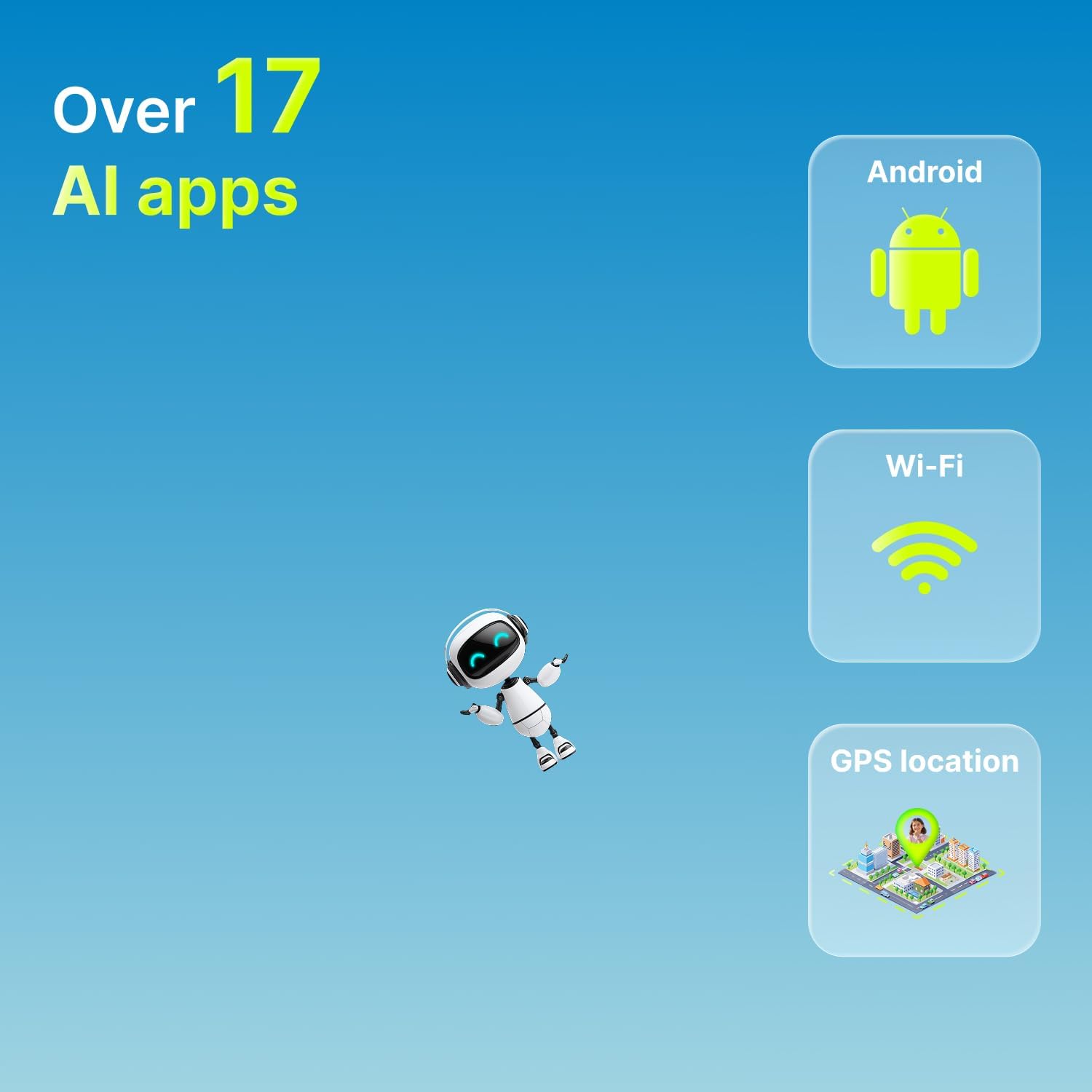
Image 4.4: Key AI and connectivity features of the smartwatch.

Image 4.5: Advanced features including the Jarvis app, safety filters, and voice commands.
5. Entretien
5.1. Nettoyage
To clean the smartwatch, gently wipe the screen and body with a soft, dry, lint-free cloth. For stubborn smudges, slightly dampen the cloth with water. Avoid using harsh chemicals, abrasive materials, or aerosol sprays, as these can damage the device.
5.2. Résistance à l'eau (IP67)
The KW-530 is rated IP67, meaning it is resistant to splashes and rain. It can withstand immersion in up to 1 meter of fresh water for up to 30 minutes. However, it is not recommended for swimming, showering, or prolonged submersion in water. Ensure the SIM card slot cover is securely closed to maintain water resistance.

Image 5.1: Durability features including IP67 water resistance and Panda Glass 7H.
5.3. Entretien de la batterie
The smartwatch is equipped with an 800 mAh Lithium-Ion battery, providing an average battery life of 1-2 days. To prolong battery life:
- Évitez les températures extrêmes.
- Rechargez l'appareil régulièrement, mais évitez de le laisser complètement chargé ou complètement déchargé pendant des périodes prolongées.
- Utilisez le câble de chargement fourni.
6. Dépannage
If you encounter issues with your FOREVER KW-530 Smartwatch, please refer to the following common solutions:
| Problème | Cause possible | Solution |
|---|---|---|
| La montre connectée ne s'allume pas. | Batterie faible ou dysfonctionnement de l'appareil. | Chargez la montre connectée pendant au moins 30 minutes. Si elle ne s'allume toujours pas, contactez l'assistance. |
| Impossible de passer/recevoir des appels. | No SIM card, inactive SIM, poor network signal, or unknown number blocking. | Ensure SIM card is correctly inserted and active. Check network signal strength. Verify parental settings in the app regarding call restrictions. |
| La localisation GPS est inexacte. | Poor GPS signal (indoors/dense areas), Wi-Fi/LBS not available. | Move to an open outdoor area. Ensure Wi-Fi is enabled on the watch if available. Location accuracy can vary based on environment. |
| La batterie se décharge rapidement. | Frequent use of 4G/GPS, high screen brightness, or background apps. | Reduce screen brightness. Limit continuous GPS tracking. Close unused applications. Enable 'Do Not Disturb' mode when not needed. |
| Cannot pair with the app. | Incorrect QR code, app issues, or network problems. | Ensure the smartwatch has a stable internet connection. Restart both the smartwatch and the smartphone. Try rescanning the QR code. Update the app to the latest version. |
7. Spécifications
| Fonctionnalité | Spécification |
|---|---|
| Modèle | KW-530 |
| Taille de l'écran | 2.0 pouces |
| Type d'affichage | Écran tactile IPS |
| Technologie de connectivité | Wi-Fi, 4G |
| GPS | GPS intégré |
| Capacité de la batterie | 800 mAh (Lithium-Ion) |
| Durée de vie moyenne de la batterie | Jusqu'à 2 jours |
| Stockage interne | 16 Go |
| Caractéristiques spéciales | Calendar, Camera, GPS, SOS Button, Pedometer, Sleep Monitor, Reminders |
| Résistance à l'eau | IP67 (Resistant to splashes and rain) |
| Matériau de l'écran | Panda Glass 7H |
| Matériau de la bande | Silicone |
| Couleur | Blue/Green (as per product variant) |
| Public cible | Children/Teenagers |
| Fabricant | TelForceOne S.A |
8. Informations sur la garantie
This FOREVER KW-530 Smartwatch comes with a standard manufacturer's warranty. Please refer to the warranty card included in your product packaging or contact your retailer for specific details regarding warranty duration and terms. The warranty typically covers manufacturing defects under normal use conditions.
9. Assistance
For technical assistance, troubleshooting beyond this manual, or inquiries about your FOREVER KW-530 Smartwatch, please contact the retailer where you purchased the product or visit the official FOREVER website for support resources. Keep your purchase receipt and product serial number handy when seeking support.


