
Introduction
Thank you for choosing the Mikado MD-183 2.0 Bluetooth RGB USB + 3.5mm Speaker system. This manual provides essential information for setting up, operating, maintaining, and troubleshooting your new speakers. Please read it carefully before use to ensure optimal performance and longevity of your device.
The MD-183 offers versatile audio connectivity with both Bluetooth and 3.5mm AUX input, powered conveniently via USB. Enjoy enhanced audio with dynamic RGB lighting for an immersive experience.
Installation
1. Déballage
Carefully remove all components from the packaging. Ensure you have the two speaker units and the integrated USB and 3.5mm audio cables.
2. Emplacement des haut-parleurs
Place the two speaker units on a stable, flat surface, ideally equidistant from your listening position and on either side of your computer monitor or laptop for optimal stereo separation.
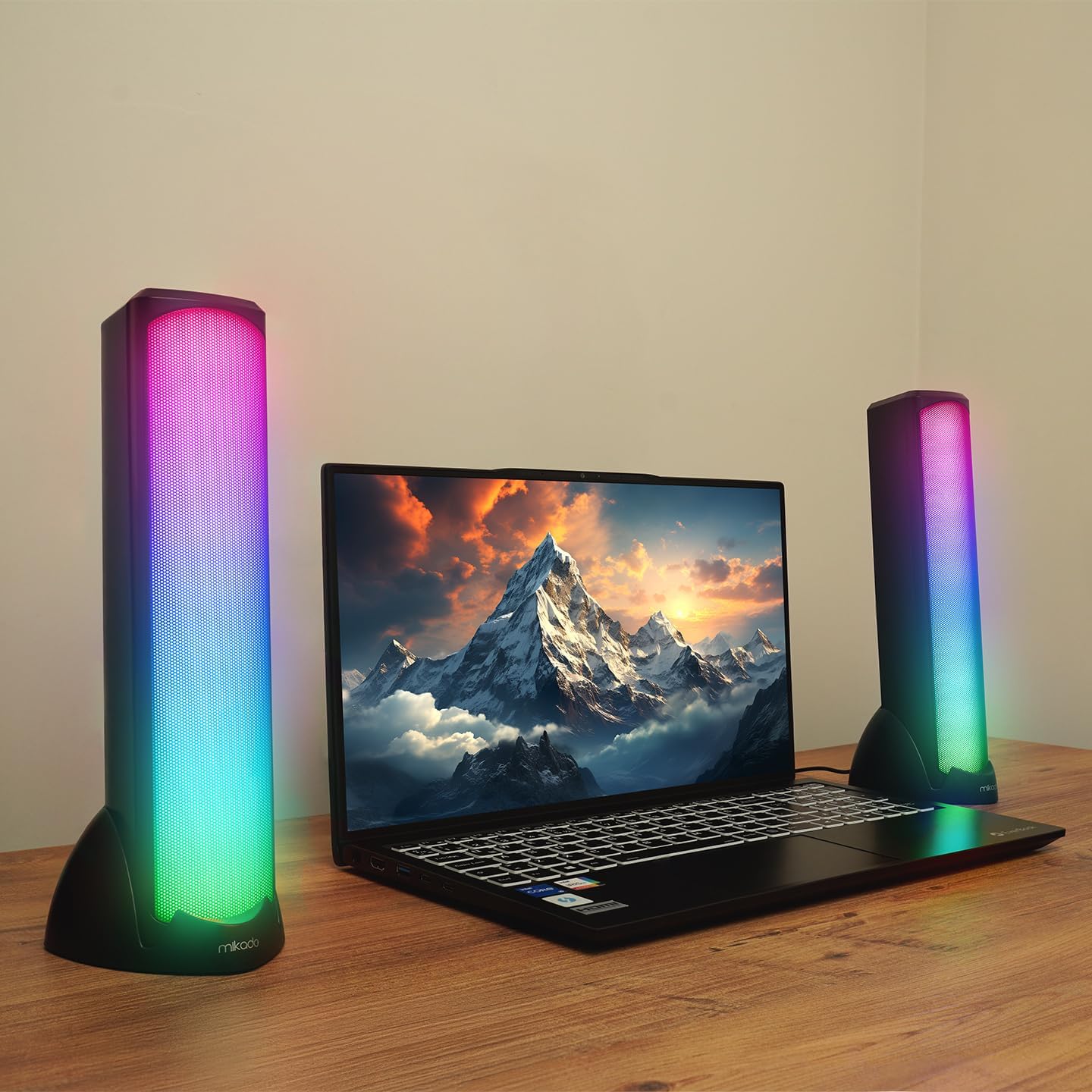
Image: Mikado MD-183 speakers positioned on a desk next to a laptop, demonstrating their illuminated RGB design.
3. Connecting for Power and Audio
The MD-183 speakers are powered via USB and receive audio input through either a 3.5mm AUX cable or Bluetooth.
- Connexion d'alimentation USB : Connect the USB-A plug of the integrated cable to an available USB port on your computer, laptop, or a 5V USB power adapter (not included). The speakers will power on automatically.
- Connexion audio AUX 3.5 mm : For wired audio, connect the 3.5mm audio jack to the headphone output or audio output port of your device (e.g., computer, smartphone, MP3 player).

Image : détaillée view of the USB-A connector for power and the 3.5mm AUX audio jack for wired sound input.
4. Appairage Bluetooth (facultatif)
Pour se connecter via Bluetooth :
- Vérifiez que les haut-parleurs sont allumés.
- On your audio source device (e.g., smartphone, tablet, Bluetooth-enabled computer), enable Bluetooth and search for available devices.
- Select "MD-183" from the list of found devices. A confirmation sound will indicate successful pairing.
- Si un mot de passe vous est demandé, saisissez « 0000 ».
Mode d'emploi
The Mikado MD-183 speakers feature an inline control panel for easy access to volume, mode selection, and RGB lighting.

Image: The inline control panel, showing the rotary volume knob, the light bulb button for RGB control, and the 'M' button for mode selection.
1. Marche/Arrêt
The speakers power on automatically when the USB cable is connected to a powered USB port. To turn off, disconnect the USB cable.
2. Contrôle du volume
Rotate the central knob on the inline control panel to adjust the volume. Turn clockwise to increase volume and counter-clockwise to decrease it.
3. Sélection du mode
Press the 'M' button on the inline control panel to switch between Mode Bluetooth et Mode auxiliaire 3.5 mm. An audible prompt will indicate the current mode.
4. Contrôle de l'éclairage RVB
Appuyez sur le bouton de l'ampoule (💡) on the inline control panel to cycle through different RGB lighting modes or to turn the lighting off.
Entretien
1. Nettoyage
To clean the speakers, gently wipe the surfaces with a soft, dry, or slightly damp cloth. Do not use abrasive cleaners, solvents, or harsh chemicals, as these can damage the finish and internal components. Ensure the speakers are disconnected from power before cleaning.
2. Stockage
When not in use for extended periods, store the speakers in a cool, dry place away from direct sunlight and extreme temperatures. Protect them from dust and moisture.
Dépannage
If you encounter issues with your Mikado MD-183 speakers, please refer to the following common solutions:
- Pas de son :
- Assurez-vous que le câble USB est correctement connecté à un port USB alimenté.
- Check that the 3.5mm AUX cable is fully inserted into both the speakers and your audio source, or that Bluetooth is successfully paired.
- Verify the volume knob on the inline control panel is turned up.
- Check the volume settings on your audio source device.
- Ensure the correct audio output is selected on your computer or device.
- Press the 'M' button to ensure you are in the correct input mode (Bluetooth or AUX).
- Problèmes de connexion Bluetooth :
- Make sure the speakers are in Bluetooth mode (press 'M' button).
- Assurez-vous que le Bluetooth est activé sur votre appareil source.
- Move your source device closer to the speakers (within 10 meters / 33 feet).
- Forget "MD-183" from your device's Bluetooth list and attempt to re-pair.
- Restart both the speakers (by unplugging and replugging USB) and your source device.
- Les lumières RVB ne fonctionnent pas :
- Assurez-vous que les haut-parleurs sont alimentés via USB.
- Appuyez sur le bouton de l'ampoule (💡) on the inline control panel to cycle through lighting modes or turn them on.
Caractéristiques
| Modèle | MD-183 |
| Type de haut-parleur | Haut-parleurs stéréo à 2.0 canaux |
| Puissance de sortie | 6W (3W x 2) |
| Gamme de fréquences | 45Hz ~ 16KHz |
| Impédance du haut-parleur | 4 ohms |
| Connectivité | Bluetooth, entrée AUX 3.5 mm |
| Source d'énergie | USB 5V CC |
| Longueur du câble | USB 1.4 meters |
| Éclairage | Éclairage RVB |
| Poids | 0.88 kg |
| Dimensions (par enceinte) | 60mm (W) x 57.5mm (D) x 280mm (H) |
Garantie et assistance
Informations sur la garantie
The Mikado MD-183 speakers come with a Garantie de 2 ans À compter de la date d'achat, cette garantie couvre les défauts de fabrication et les vices de matériaux dans des conditions normales d'utilisation. Veuillez conserver votre preuve d'achat pour toute réclamation au titre de la garantie.
La garantie ne couvre pas les dommages causés par une mauvaise utilisation, des accidents, des modifications non autorisées ou l'usure normale.
Assistance clientèle
For technical assistance, warranty claims, or further inquiries, please contact your retailer or the official Mikado customer support channel. Refer to the product packaging or the retailer's website pour les coordonnées spécifiques.