
Introduction
Thank you for choosing the Panana 37-inch Standing Desk Converter. This height-adjustable workstation is designed to transform your existing desk into an ergonomic sit-to-stand setup, promoting better posture and productivity. This manual provides essential information for safe assembly, operation, and maintenance of your new desk converter.

Image: The Panana Standing Desk Converter in use, showcasing its dual-level design with a laptop on the upper platform and a keyboard on the lower tray.
Consignes de sécurité
- Lisez attentivement toutes les instructions avant le montage et l'utilisation.
- Ne pas dépasser la capacité de charge maximale de 15 kg (33 lb). Une surcharge peut entraîner une instabilité et des dommages.
- Ensure the desk converter is placed on a stable, level surface.
- Lors du réglage en hauteur, veillez à garder vos mains et vos doigts éloignés des pièces mobiles afin d'éviter tout pincement.
- Distribute weight evenly on the desktop and keyboard tray.
- Do not allow children to operate or play with the desk converter.
- Regularly check all fasteners to ensure they are tight.
Contenu du colis
The Panana Standing Desk Converter arrives almost fully assembled. Please verify that all components are present and undamaged.
- Main Desk Converter Unit (pre-assembled)
- Plateau pour clavier
- Mounting Hardware for Keyboard Tray
- Manuel d'instructions (ce document)
Configuration et assemblage
The Panana Standing Desk Converter requires minimal assembly. Follow these steps to prepare your workstation:
- Déballer l'appareil : Carefully remove the main desk converter unit and the keyboard tray from its packaging.
- Fixez le plateau du clavier :
- Locate the pre-drilled holes on the underside of the main unit and on the keyboard tray.
- Align the keyboard tray with the attachment points.
- Secure the keyboard tray using the provided mounting hardware (screws). Ensure it is firmly attached.
- Position on Desk: Place the assembled desk converter on your existing desk. Ensure it is centered and stable.
- Préparer le matériel : Place your monitors, laptop, and other office essentials on the top platform. Position your keyboard and mouse on the lower tray.

Image: The desk converter highlighting its height-adjustable feature and ease of assembly.
Mode d'emploi
The Panana Standing Desk Converter features a gas spring lift system for smooth height adjustments.
- Réglage de la hauteur :
- To raise the desk: Gently squeeze the adjustment levers located on the sides of the top platform. While holding the levers, lift the platform to your desired standing height. Release the levers to lock it in place.
- To lower the desk: Gently squeeze the adjustment levers. While holding the levers, apply slight downward pressure to lower the platform to your desired sitting height. Release the levers to lock it in place.
- Ergonomie optimale :
- When standing, ensure your monitor is at eye level and your elbows are at a 90-degree angle when typing.
- When sitting, maintain good posture with your feet flat on the floor and your back supported.

Image: Illustration of the strong gas spring system enabling smooth height transitions.
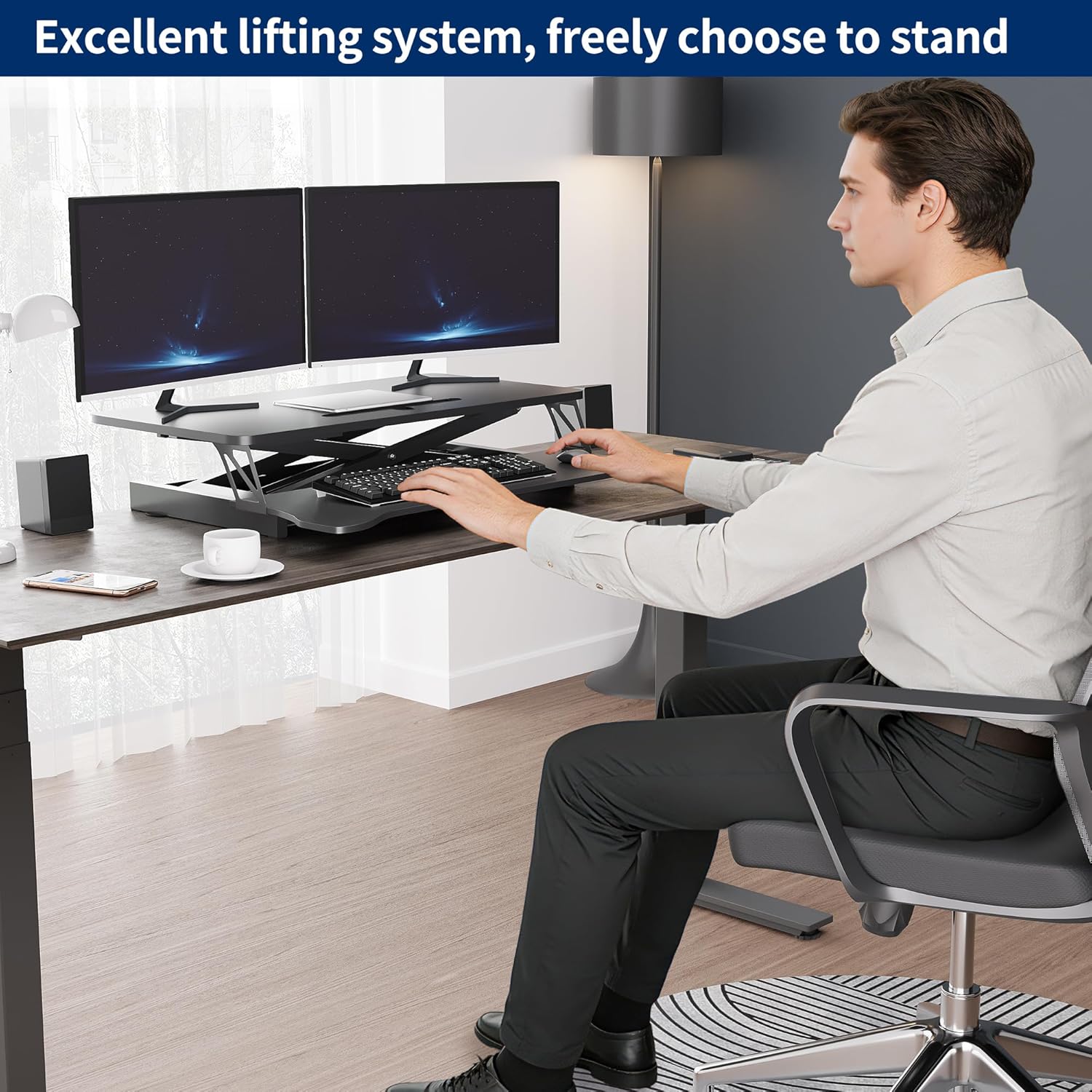
Image: User demonstrating the desk converter in a sitting position.

Image: The desk converter in a standing position, accommodating dual monitors and a laptop.
Entretien
To ensure the longevity and proper function of your Panana Standing Desk Converter, follow these simple maintenance guidelines:
- Nettoyage: Essuyez les surfaces avec un chiffon sec. Évitez les nettoyants abrasifs ou les produits chimiques agressifs qui pourraient endommager la finition.
- Inspection: Vérifiez régulièrement le serrage de toutes les vis et fixations. Resserrer les fixations desserrées si nécessaire.
- Mouvement: Ensure the gas spring mechanism operates smoothly. If you notice any stiffness, ensure no obstructions are present.
Dépannage
| Problème | Cause possible | Solution |
|---|---|---|
| Desk is difficult to raise or lower. |
|
|
| Le bureau semble instable ou bancal. |
|
|
| Keyboard tray is loose. |
|
|
Caractéristiques
| Marque: | Panana |
| Nom du modèle : | Convertisseur de bureau debout |
| Numéro de modèle : | BOCDLYXMJ |
| Couleur: | Noir |
| Taille: | 37 pouces |
| Dimensions du produit (P x L x H) : | 39.9 cm (P) x 94 cm (L) x 50.8 cm (H) (15.7 cm (P) x 37 cm (L) x 20 cm (H)) |
| Plage de réglage de la hauteur : | 5.1 pouces à 20 pouces (13 cm à 50.8 cm) |
| Capacité de poids : | Jusqu'à 33 lb (15 kg) |
| Matériel: | Bois d'ingénierie, acier allié |
| Caractéristiques: | Adjustable Height, Keyboard Tray Included, Monitor Stand, Gas Spring Lift System |
| Assemblage requis : | Oui (minimal) |
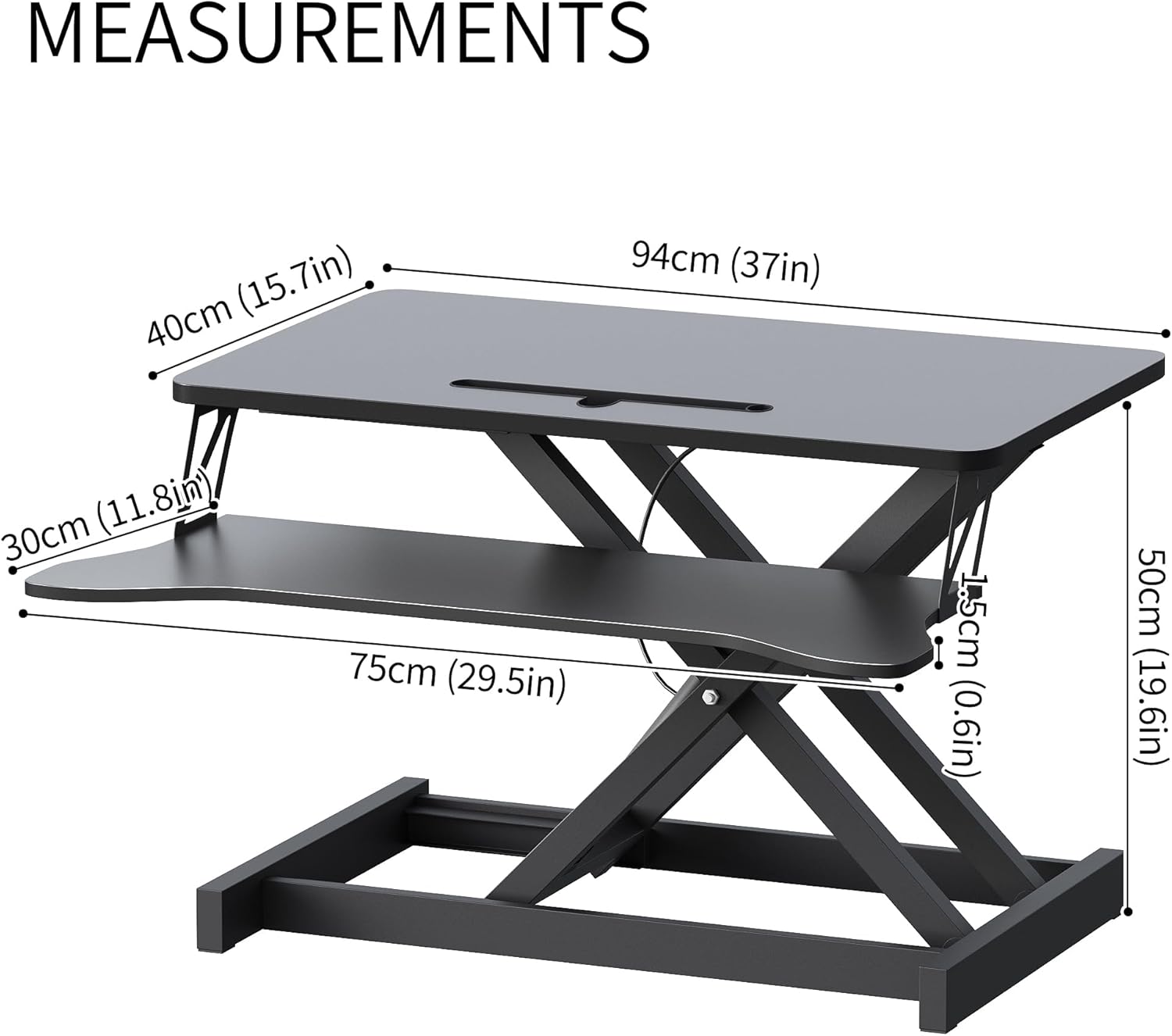
Image: Detailed measurements of the desk converter's dimensions.
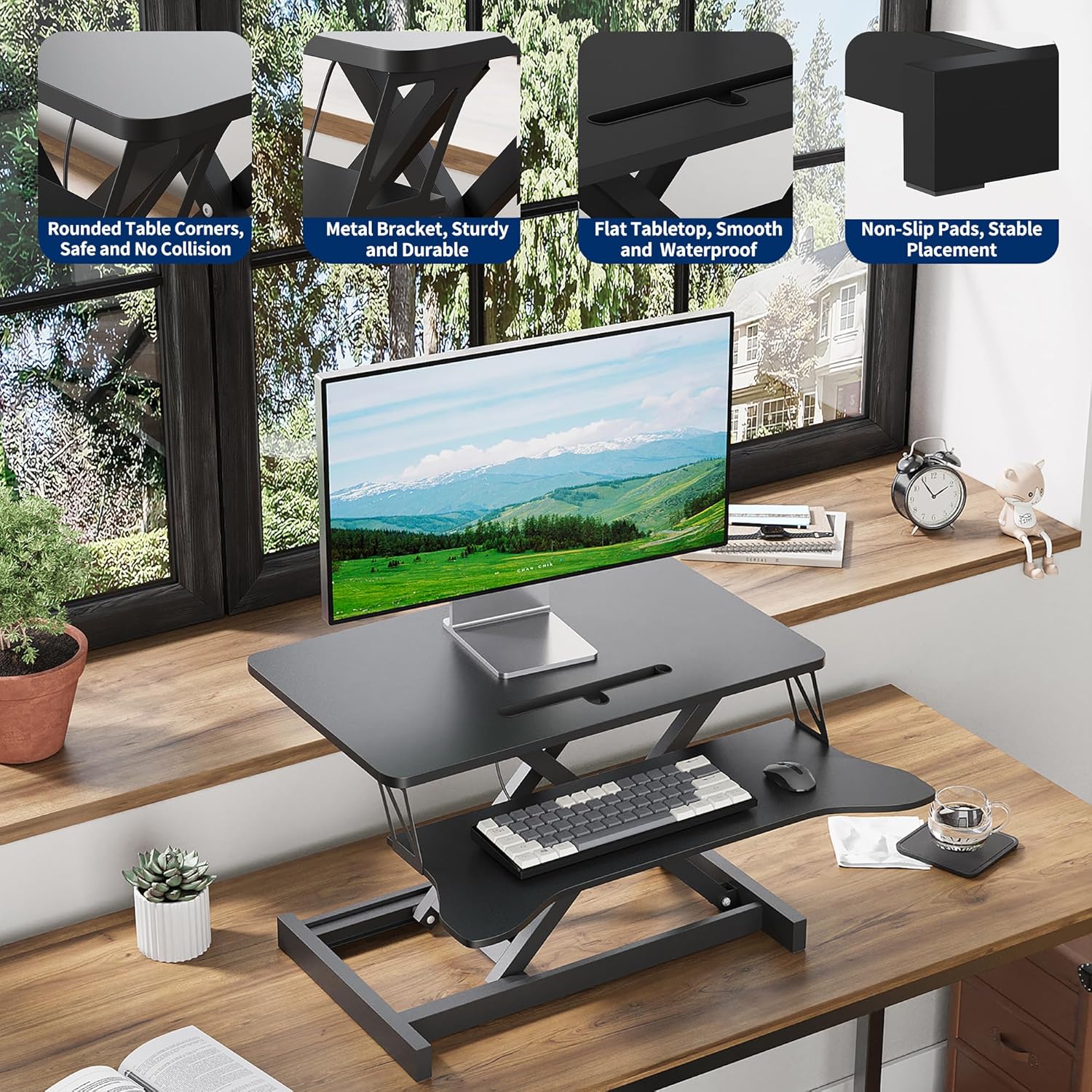
Image: Visual representation of the desk converter's quality features, including rounded corners, sturdy metal bracket, smooth tabletop, and stable non-slip pads.
Garantie et assistance
Panana is committed to providing high-quality products. For specific warranty information or technical support, please refer to the warranty card included with your purchase or contact Panana customer service through the retailer where the product was purchased.
Veuillez conserver votre preuve d'achat pour toute réclamation au titre de la garantie.