
Introduction
The iLive Cinema Pop-up Movie Kit is a comprehensive portable entertainment solution designed to transform any space into a personal cinema. This kit includes a 720p projector, a 120-inch ultra-bright projector screen, an adjustable tripod, and a powerful Bluetooth 5.0 speaker system. Enjoy crisp images and rich audio for both indoor and outdoor movie nights.
Ce qui est inclus
- Projecteur 720p
- 120-inch Anti-Wrinkle Polyester Projector Screen (16:9 aspect ratio, 1.3 gain)
- Professional-Grade Tripod with integrated bubble level (360-degree pan, ±180-degree tilt, 41.73-inch max height, 4 kg capacity)
- Bluetooth 5.0 Speaker System (dual 4-inch full-range speakers, 16W peak output, LED light effects, rechargeable battery)
- Télécommande
- Câble d'alimentation
- Câble HDMI
- Câble audio 3.5 mm
- Câble USB
- Mallette de transport
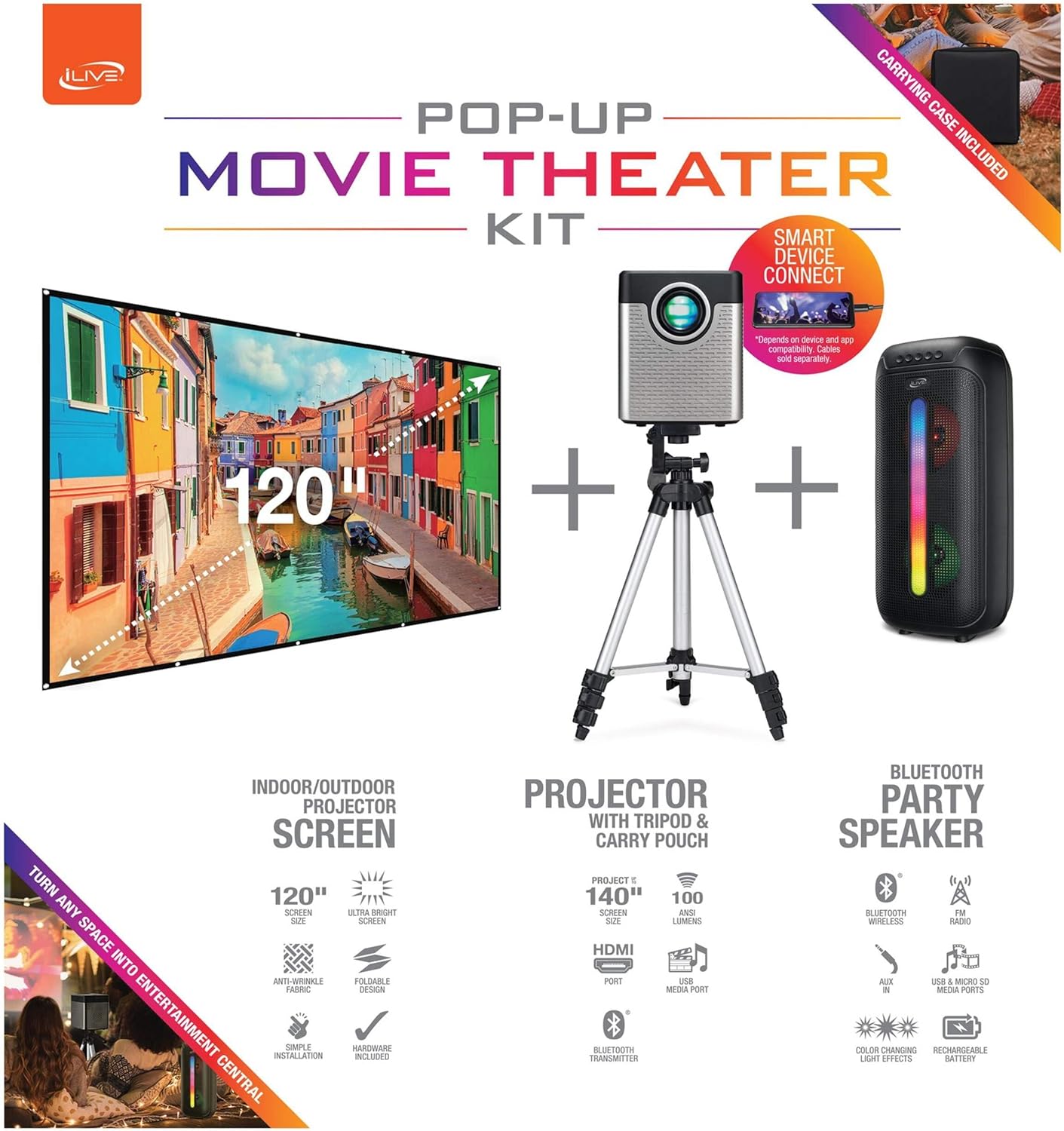
Figure 1: Diagram of the iLive Cinema Pop-up Movie Kit components.

Figure 2: The complete kit packed in its carrying case.
Installation
- Déballer les composants : Carefully remove all items from the carrying case.
- Assembler le trépied : Extend the legs of the tripod and secure them. Adjust the height to your desired viewing level. The integrated bubble level assists in ensuring a stable and level base.
- Monter le projecteur : Securely attach the projector to the tripod mount. Ensure it is stable and facing the desired projection area.
- Set Up Screen: Unfold the 120-inch anti-wrinkle screen. If using the tripod, attach the screen to the tripod frame using the provided fasteners. Ensure the screen is taut and wrinkle-free for optimal viewing. For alternative mounting, use the grommets along the screen's edges with appropriate wall hooks (not included).
- Position de l'orateur : Place the Bluetooth speaker in a location that provides optimal sound distribution for your viewzone de travail.
- Connecter l'alimentation : Branchez le câble d'alimentation au projecteur et à une prise de courant appropriée.
- Connecter des appareils (facultatif) : Connect your media source (e.g., laptop, gaming console, Blu-ray player) to the projector using an HDMI or USB cable. For external audio, use the 3.5mm audio input or connect wirelessly via Bluetooth to the speaker.

Figure 3: Projector mounted on the tripod.

Figure 4 : Example outdoor setup with the projector and screen.
Mode d'emploi
Fonctionnement du projecteur
- Marche/Arrêt : Appuyez sur le bouton d'alimentation du projecteur ou de la télécommande pour allumer ou éteindre l'appareil.
- La source d'entrée: Use the remote control to select the desired input source (HDMI, USB, etc.).
- Réglage de la mise au point : Réglez la bague de mise au point de l'objectif du projecteur jusqu'à ce que l'image soit nette.
- Correction trapézoïdale : If the projected image appears trapezoidal, use the keystone correction feature (manual or automatic, if available) to adjust the image to a rectangular shape. The projector supports vertical keystone correction.
- Rapport hauteur/largeur : Select between 16:9 and 4:3 aspect ratios based on your content and preference.
- Distance de projection : The projector has a flexible projection range of 2.6 to 12.5 feet. Adjust the distance to achieve the desired screen size.
Fonctionnement du haut-parleur Bluetooth
- Marche/Arrêt : Maintenez le bouton d'alimentation de l'enceinte enfoncé pour l'allumer ou l'éteindre.
- Jumelage Bluetooth: Activez le Bluetooth sur votre appareil (par exemple, smartphone, tablette). Rechercher the iLive speaker in the list of available devices and pair.
- Contrôle du volume : Réglez le volume à l'aide des commandes du haut-parleur ou de votre appareil connecté.
- Effets de lumière LED : The speaker features LED light effects. Refer to the speaker's specific controls for adjusting or disabling these effects.
- Véritable stéréo sans fil (TWS) : If you have two iLive Bluetooth speakers, you can pair them together for a True Wireless Stereo experience. Follow the instructions provided with the speaker for TWS pairing.
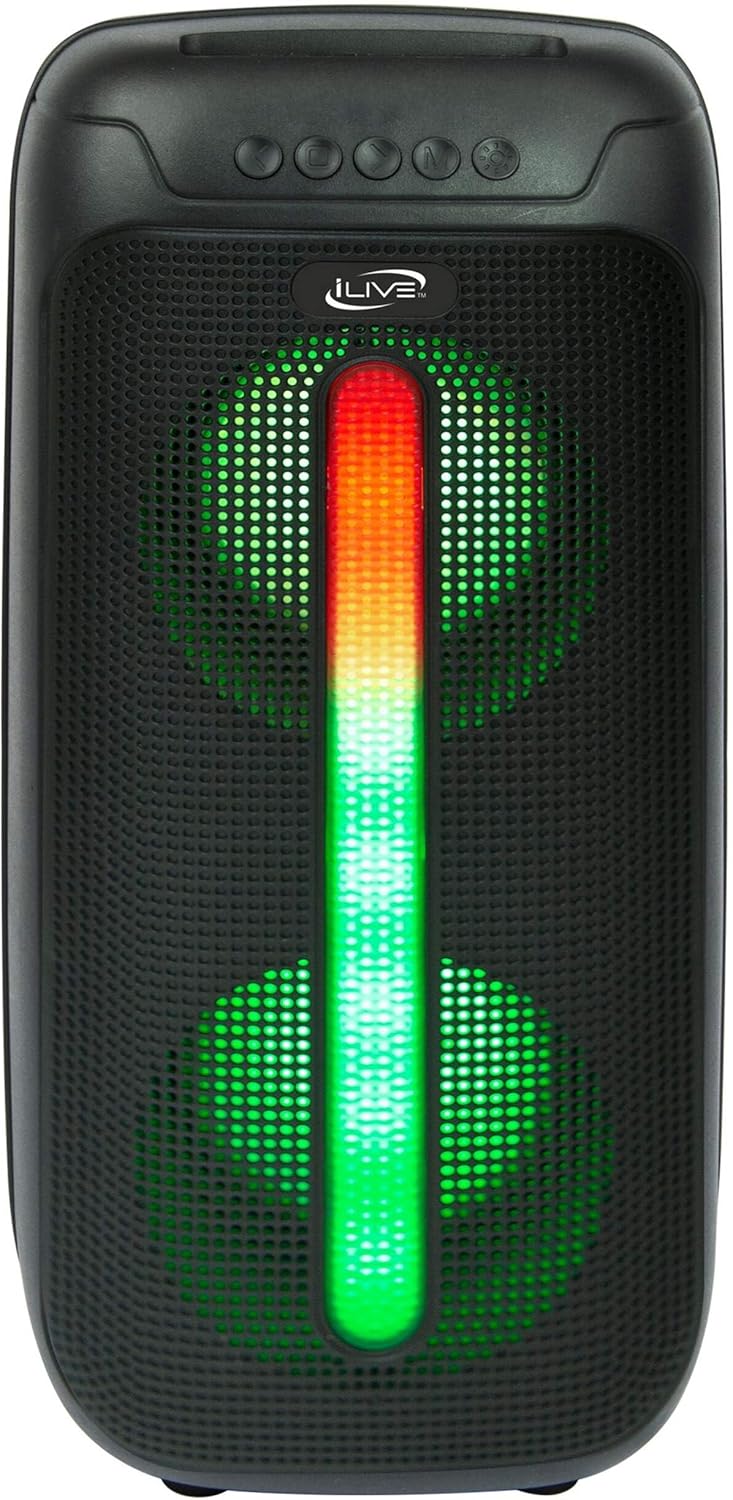
Figure 5: iLive Bluetooth 5.0 Speaker.
Entretien
- Objectif du projecteur : Utilisez un chiffon doux non pelucheux pour nettoyer délicatement la lentille du projecteur. Évitez les matériaux abrasifs et les produits chimiques agressifs.
- Projector Vents: Ensure the projector's ventilation openings are clear of dust and debris to prevent overheating.
- Nettoyage de l'écran : The anti-wrinkle polyester screen can be gently wiped with a damp cloth if necessary. Allow it to air dry completely before folding or storing.
- Entretien des enceintes : Keep the speaker dry and clean. Avoid exposing it to extreme temperatures or direct sunlight.
- Stockage: When not in use, store all components in the provided carrying case in a cool, dry place to protect them from dust and damage.
Dépannage
- Aucune image à l'écran :
- Assurez-vous que le projecteur est allumé et que le cache-objectif est retiré.
- Vérifiez que la source d'entrée correcte est sélectionnée sur le projecteur.
- Vérifiez que toutes les connexions des câbles (HDMI, USB) sont bien fixées.
- Image floue :
- Ajustez la bague de mise au point sur l'objectif du projecteur.
- Ensure the projection distance is within the recommended range (2.6-12.5 ft).
- Distorted Image (Trapezoidal):
- Use the keystone correction feature to adjust the image geometry.
- Ensure the projector is placed on a level surface or the tripod is properly adjusted.
- Aucun son ne sort du haut-parleur :
- Assurez-vous que l'enceinte est allumée et chargée.
- Verify Bluetooth pairing or 3.5mm audio cable connection.
- Check volume levels on both the speaker and the connected device.
- Problèmes de couplage Bluetooth :
- Assurez-vous que l’enceinte est en mode d’appairage.
- Rapprochez le haut-parleur de votre appareil.
- Déconnectez puis reconnectez l'appareil.
Caractéristiques
| Fonctionnalité | Spécification |
|---|---|
| Numéro de modèle | LE2024BDL |
| Résolution d'affichage | 1280 x 720 (720p) |
| Type d'affichage | DIRIGÉ |
| Luminosité | 3000 lumens |
| Rapport de contraste | 1000:1 |
| Rapports d'aspect | 16:9, 4:3 |
| Source de lumière de la vie | 20,000 heures |
| Portée de projection | 2.6 à 12.5 pieds |
| Taille maximale de l'image | 120 pouces |
| Connectivité | HDMI, USB, 3.5mm Audio, Bluetooth 5.0 |
| Sortie haut-parleur | 16W Peak (Dual 4-inch drivers) |
| Autonomie de la batterie du haut-parleur | Jusqu'à 4 heures (à 50% du volume) |
| Caractéristiques du trépied | Integrated bubble level, 360-degree pan, ±180-degree tilt, 41.73-inch max height, 4 kg capacity |
| Prise en charge de l'encodage vidéo | H.264, H.265 |
| Méthode de contrôle | Télécommande |
Vidéos officielles des produits
Aucune vidéo officielle du vendeur n'est disponible pour ce produit pour le moment.
Garantie et assistance
For warranty information or technical support, please contact iLive customer service at 1-888-999-4215. Please have your model number (THE2024BDL) and proof of purchase ready when contacting support.