
1. Consignes de sécurité importantes
Please read and save these instructions before operating the ECOSELF HAP602 Air Purifier. Failure to follow these instructions may result in electric shock, fire, or serious injury.
- Débranchez toujours le purificateur d'air avant de le déplacer, de le nettoyer ou d'effectuer toute opération d'entretien.
- Do not operate the appliance if the cord or plug is damaged. Contact customer support for assistance.
- Tenez le purificateur d'air éloigné de l'eau et de tout autre liquide. Ne l'utilisez pas dans un environnement humide.
- Ne pas obstruer les entrées et sorties d'air. Veiller à laisser un espace suffisant autour de l'appareil pour une bonne circulation de l'air.
- Cet appareil est destiné à un usage intérieur uniquement.
- Ne laissez pas les enfants utiliser le purificateur d'air sans surveillance.
- Only use ECOSELF original replacement filters. Using non-original filters may void your warranty and affect performance.
2. Produit terminéview
The ECOSELF HAP602 Air Purifier is designed to improve indoor air quality through a multi-stage filtration system and real-time air quality monitoring.
2.1 Composants
- Unité principale
- 3-Stage Filtration System (Pre-Filter, Activated Carbon Filter, Main Filter)
- Cordon d'alimentation
- Manuel d'utilisation
2.2 Système de filtration
The HAP602 utilizes a 3-stagsystème de filtration électronique pour capturer diverses particules et odeurs en suspension dans l'air.

Image : Diagramme illustrant le 3-stage filtration system, including a Pre-Filter, Activated Carbon Filter, and Main Filter, designed to capture fur/hair, odor, and pollen.
- Préfiltre: Capture les particules plus grosses telles que la poussière, les peluches et les poils d'animaux.
- Filtre à charbon actif: Absorbs odors, smoke, and volatile organic compounds (VOCs).
- Filtre principal : A high-efficiency filter designed to capture fine particles like pollen, dust mites, and pet dander.
3. Installation
3.1 Déballage
- Retirez le purificateur d'air de son emballage.
- Retirez tous les sacs en plastique et les matériaux de protection.
3.2 Installation du filtre
The filters may come pre-installed but wrapped in plastic. Remove all plastic packaging from the filters before use.
- Retournez le purificateur d'air et tournez le couvercle de la base dans le sens inverse des aiguilles d'une montre pour le déverrouiller.
- Remove the base cover and carefully pull out the filter assembly.
- Remove all plastic packaging from each filter layer.
- Reinsert the filters into the air purifier, ensuring they are properly seated.
- Remettez le couvercle de base en place et tournez-le dans le sens des aiguilles d'une montre pour le verrouiller correctement.
3.3 Placement
Place the air purifier on a firm, level surface. Ensure there is at least 6 inches (15 cm) of space around all sides for optimal airflow.

Image: The ECOSELF HAP602 Air Purifier shown in different rooms, including a desk, living room floor, kitchen counter, and bedside table, demonstrating versatile placement options.
3.4 Connexion d'alimentation
Plug the power cord into a standard electrical outlet (AC 120V/60Hz).
4. Mode d'emploi
The ECOSELF HAP602 features an intuitive control panel for easy operation.

Image : Une image détaillée view of the ECOSELF HAP602 control panel, displaying buttons for Power, Speed, Lock, Light, Timer, Filter Reset, and Auto mode, along with a digital PM2.5 display.
4.1 Mise sous/hors tension
- Appuyez sur le Pouvoir bouton pour allumer ou éteindre l'appareil.
4.2 Réglage de la vitesse du ventilateur
- Appuyez sur le Vitesse button repeatedly to cycle through fan speeds (Low, Medium, High).
4.3 Auto Mode and Air Quality Indicator
The air purifier features a built-in PM2.5 sensor and real-time display. In Auto Mode, the fan speed adjusts automatically based on detected air quality.

Image: The ECOSELF HAP602 Air Purifier displaying different air quality levels (Very Good, Good, Moderate, Bad) with corresponding PM2.5 values and color indicators (green, blue, yellow, red).
- Appuyez sur le Auto button to activate Auto Mode.
- The indicator light on the display changes color to reflect air quality:
- Vert: Very Good (0-50 µg/m³)
- Bleu: Good (50-100 µg/m³)
- Jaune: Moderate (100-150 µg/m³)
- Rouge: Bad (>150 µg/m³)
4.4 Mode veille
Sleep Mode operates the air purifier at its lowest fan speed with minimal noise and turns off display lights for an undisturbed environment.

Image: The ECOSELF HAP602 Air Purifier placed on a bedside table in a dark room, emphasizing its quiet operation in Sleep Mode, with a visual representation of low noise levels (15dB, 20dB, 35dB).
- Pour activer le mode veille, appuyez sur Vitesse button until the Sleep Mode indicator is active or the fan speed is at its lowest setting and lights dim.
4.5 Sécurité enfants
The Child Lock function prevents accidental changes to settings.
- Appuyez et maintenez enfoncé le Verrouillage button for 3 seconds to activate or deactivate the Child Lock.
- When activated, all other buttons will be unresponsive.
4.6 Fonction minuterie
- Appuyez sur le Minuteur button repeatedly to set the operating time (e.g., 2H, 4H, 8H). The unit will automatically turn off after the set time.
4.7 Contrôle de la lumière
- Appuyez sur le Lumière bouton pour allumer ou éteindre l'éclairage de l'écran.
5. Entretien
5.1 Remplacement du filtre
The filter needs to be replaced every 3 to 6 months, depending on usage and air quality. The unit will indicate when a filter change is due.
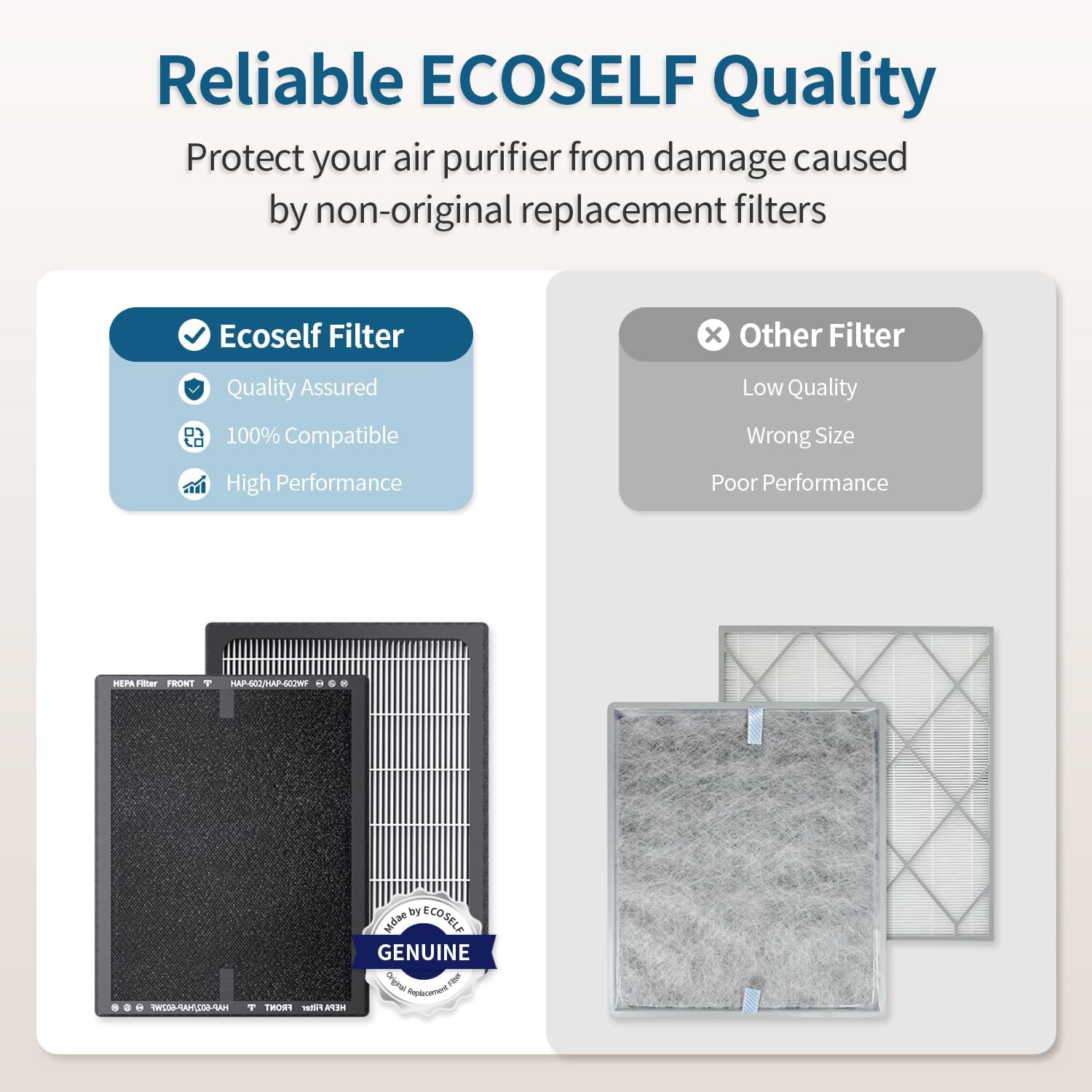
Image: A comparison showing an ECOSELF original filter with quality assurance and high performance versus a generic filter labeled as low quality and wrong size, emphasizing the importance of using genuine filters.
- Débranchez le purificateur d'air de la prise de courant.
- Follow the steps in Section 3.2 to remove the old filter.
- Jetez l'ancien filtre de manière responsable.
- Install a new ECOSELF original replacement filter, ensuring all plastic packaging is removed.
- Remettez en place et verrouillez le couvercle de la base.
- Branchez le purificateur d'air.
- Appuyez et maintenez enfoncé le Réinitialisation du filtre button for 3 seconds to reset the filter replacement indicator.
Note: Do not clean the filter with water or other liquids. The filter is not washable.
5.2 Nettoyage de l'extérieur
- Essuyez l'extérieur du purificateur d'air avec un chiffon doux et sec.
- N'utilisez pas de nettoyants abrasifs ni de solvants.
6. Dépannage
| Problème | Cause possible | Solution |
|---|---|---|
| L'appareil ne s'allume pas | Non branché ; Alimentation coupéetage; Child Lock active | Ensure power cord is securely plugged in; Check power supply; Deactivate Child Lock (press and hold Lock button for 3 seconds). |
| Faible débit d'air | Filtre obstrué ; entrées/sorties d'air bloquées | Replace filter; Ensure no obstructions around the unit. |
| Bruit inhabituel | Filtre mal installé ; corps étranger à l'intérieur | Reinstall filter; Unplug and check for foreign objects. |
| Air quality indicator always red/yellow | High pollution in environment; Sensor dirty | Allow more time for purification; Clean the PM2.5 sensor (refer to manufacturer's guidelines if available, typically a small brush). |
7. Spécifications
- Modèle: HAP602
- Marque: ECOSELF
- ASIN: B0FSZHG63R
- Filtration: 3-Stage (Pre-Filter, Activated Carbon, Main Filter)
- Zone de couverture : Up to 2400 sq ft / 223 m² (refreshes every 30 minutes)
- Niveau de bruit : Aussi bas que 20 dB (mode veille)
- Caractéristiques: PM2.5 Sensor, Auto Mode, Sleep Mode, Child Lock, Timer, Adjustable Fan Speeds
- Première disponibilité : 15 juillet 2025
8. Garantie et assistance
For warranty information and customer support, please refer to the warranty card included with your product or visit the official ECOSELF website. Ensure you have your model number (HAP602) and ASIN (B0FSZHG63R) ready when contacting support.