
Introduction
This manual provides detailed instructions for the setup, operation, and maintenance of your EIGIIS KE3P Military GPS Smart Watch. Please read this manual thoroughly to ensure proper use and to maximize the features of your device.
Qu'y a-t-il dans la boîte
- 1 montre connectée militaire EIGIIS pour homme
- 1x Câble de chargement
- 1x Manuel d'utilisation
Produit terminéview
Familiarize yourself with the components and controls of your EIGIIS KE3P Smart Watch.

Figure 1 : Face avant view of the EIGIIS KE3P Smart Watch, showcasing son design robuste et son écran éclatant.

Figure 2 : Retour view of the EIGIIS KE3P Smart Watch, highlighting the optical heart rate and blood oxygen sensors.

Figure 3 : Côté view of the EIGIIS KE3P Smart Watch, showing the physical buttons and the integrated LED flashlight.
Composants clés :
- Écran TFT de 1.45 pouces : Full-touch color screen for interactive use.
- Upper Button (Home): Navigates to the home screen or activates specific functions.
- Lower Button (Back): Returns to the previous screen or activates specific functions.
- Lampe de poche LED: Intégré sur le côté pour l'éclairage.
- Capteurs optiques : Located on the back for heart rate and sleep monitoring.
- Port de charge : Magnetic charging pins on the back for power input.
- Microphone et haut-parleur : Pour la fonctionnalité d'appel Bluetooth.
Installation
Follow these steps to set up your EIGIIS KE3P Smart Watch.
1. Chargement de l'appareil
Before first use, fully charge your smartwatch. Connect the magnetic charging cable to the charging port on the back of the watch and plug the USB end into a power adapter (not included).

Figure 4: The EIGIIS KE3P Smart Watch connected to its magnetic charging cable, illustrating its 530mAh battery capacity.
2. Installation et appairage de l'application
Your smartwatch is compatible with iOS 13+ and Android 5.0+ devices. Download the companion app (e.g., 'GloryFit' or as specified in the watch manual) from your device's app store. Follow the in-app instructions to pair your watch via Bluetooth.
Video 1: Demonstrates the process of connecting the EIGIIS KE3P Smart Watch to a smartphone via the companion app, including Bluetooth pairing steps.
Video 2: An unboxing video for the EIGIIS KE3P Smart Watch, showing the contents of the package and initial device handling.
Mode d'emploi
Learn how to use the various features of your EIGIIS KE3P Smart Watch.
1. Suivi GPS intégré
The smartwatch features built-in GPS with support for six satellite systems for faster and more accurate positioning. Use this feature to track your outdoor activities and routes.

Figure 5: The EIGIIS KE3P Smart Watch displaying a GPS-tracked route during an outdoor activity.
Video 3: A guide on correctly using the GPS function of the EIGIIS KE3P Smart Watch for outdoor tracking.
2. Lampe de poche LED
Activate the built-in LED flashlight with bright, flash, and SOS modes for convenience in low-light conditions.

Figure 6: The EIGIIS KE3P Smart Watch with its powerful LED flashlight activated, providing illumination.
Video 4: Showcases the LED flashlight feature of the EIGIIS KE3P Smart Watch, demonstrating its utility in dark environments.
3. Notifications d'appels et de messages Bluetooth
With a built-in microphone and speaker, you can make and receive calls directly from your wrist. The watch also displays real-time alerts from various applications.

Figure 7: The EIGIIS KE3P Smart Watch showing an incoming Bluetooth call, illustrating its hands-free communication capability.
4. Surveillance de la santé 24 heures sur 24
The smartwatch continuously monitors your heart rate, blood oxygen, and sleep patterns. Sync data to the app for a comprehensive overview of your health metrics.

Figure 8: The EIGIIS KE3P Smart Watch showing real-time heart rate data, part of its continuous health monitoring features.

Figure 9: The EIGIIS KE3P Smart Watch presenting sleep monitoring data, including sleep stages et durée.
5. Plus de 100 modes sportifs
Track your performance across over 100 sports modes, including steps, heart rate, and calories burned. The 3ATM water resistance rating makes it suitable for various water sports.
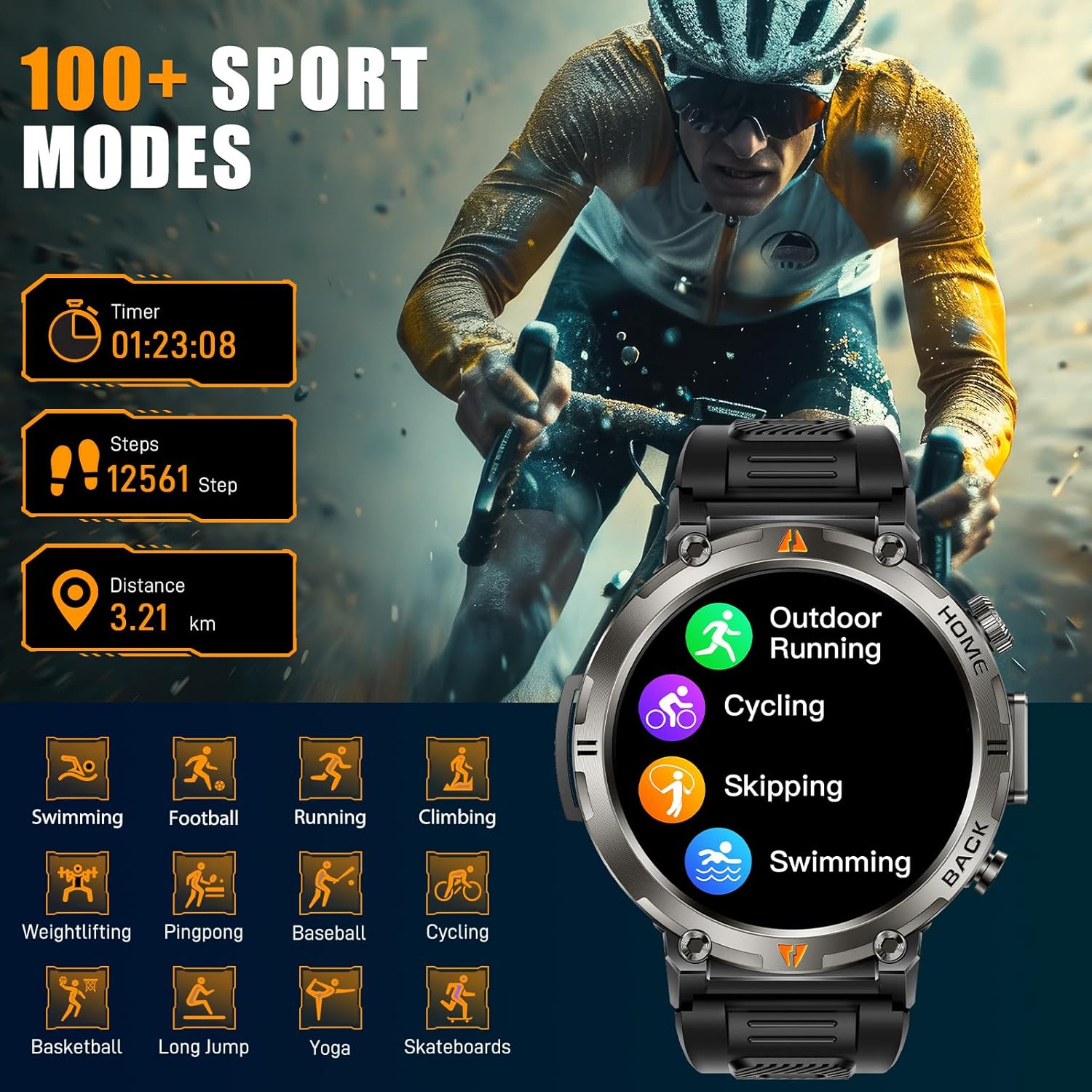
Figure 10: The EIGIIS KE3P Smart Watch interface showing a selection of its 100+ available sports tracking modes.
6. Cadrans de montre personnalisés
Personalize your smartwatch with a variety of pre-installed watch faces or create your own using the companion app.

Figure 11: The EIGIIS KE3P Smart Watch showcasing its 1.45-inch full-touch TFT display with various customizable watch face options.
Entretien
To ensure the longevity and optimal performance of your EIGIIS KE3P Smart Watch, follow these maintenance guidelines:
- Nettoyage: Essuyez régulièrement l'écran et le bracelet de la montre avec un chiffon doux et sec. Pour les saletés tenaces, utilisez un chiffon légèrement plus sec.amp Essuyez soigneusement avec un chiffon. Évitez les produits chimiques agressifs.
- Chargement : Use only the provided charging cable. Ensure the charging contacts on both the watch and the cable are clean and dry before charging.
- Exposition à l'eau : While the watch is 3ATM waterproof, avoid prolonged exposure to hot water, steam, or high-velocity water. Dry the watch thoroughly after exposure to water.
- Stockage: Rangez la montre dans un endroit frais et sec lorsqu'elle n'est pas utilisée. Évitez les températures extrêmes.
Dépannage
If you encounter any issues with your EIGIIS KE3P Smart Watch, refer to the following common solutions:
- La montre ne s'allume pas : Assurez-vous que la montre est complètement chargée. Branchez-la au chargeur pendant au moins 30 minutes.
- Impossible de connecter le téléphone : Assurez-vous que le Bluetooth est activé sur votre téléphone et que la montre se trouve à portée. Redémarrez la montre et votre téléphone, puis essayez de nouveau de les jumeler via l'application.
- Données sanitaires inexactes : Assurez-vous que la montre est bien ajustée à votre poignet, ni trop serrée ni trop lâche. Nettoyez la zone du capteur au dos de la montre.
- Notifications non reçues : Vérifiez les autorisations de l'application sur votre téléphone pour vous assurer que l'application associée a accès aux notifications. Assurez-vous également que les notifications sont activées dans les paramètres de la montre et dans l'application associée.
- Autonomie courte de la batterie : Reduce screen brightness, disable unnecessary features (e.g., continuous heart rate monitoring if not needed), and ensure the watch is fully charged regularly.
Si le problème persiste, veuillez contacter le service client.
Caractéristiques
| Fonctionnalité | Détail |
|---|---|
| Dimensions du produit | 6.73 x 4.37 x 1.06 pouces |
| Poids de l'article | 5.6 onces |
| Numéro de modèle de l'article | KE3 |
| Piles | 1 pile C requise (incluse) |
| Fabricant | EIGIIS |
| Taille d'affichage de l'écran debout | 1.45 pouces |
| Capacité de stockage de la mémoire | 128 Mo |
| Système opérateur | iPhone Android |
| Caractéristiques spéciales | Built-in GPS, 3 Modes Flashlight, 530 mAh Big Battery, 3ATM waterproof, Compass, 1.45'' Big Screen, 360*360 Pixels, Bluetooth Calling, Contact Person, Call Records, Voice Assistant, Workout Records, Heart Rate, Sleep Monitor, Messages, Weather, Music, Breath Training, Stopwatch, Timer, Alarm Clock, Calendar, Calculator, Find Phone, Remote Camera Control |
| Capacité de la batterie | 530 millièmeamp Heures |
| Technologie de connectivité | Bluetooth |
| Norme de communication sans fil | Bluetooth |
| Composition des cellules de batterie | Lithium-ion |
| GPS | GPS intégré |
| Forme | Rond |
| Taille de l'écran | 1.45 pouces |
Garantie et assistance
This EIGIIS KE3P Smart Watch is compatible with iOS 13+ and Android 5.0+ (not for PC or tablets). We provide 24-hour customer support to ensure your satisfaction. For any inquiries or assistance, please contact our support team.