
1. Introduction
This manual provides comprehensive instructions for the Inateck Wearable 1MP 2D QR Barcode Scanner, Nano 370 (Model N6022-BK). It covers product features, setup, operation, maintenance, and troubleshooting to ensure optimal performance and user experience.

Figure 1: Inateck Nano 370 Wearable Barcode Scanner overview.
2. caractéristiques du produit
- Ergonomic 60g Design: Features a 10° scanning angle designed to reduce wrist fatigue. Weighing only 60g with a breathable strap, it offers comfort for extended use.
- Voice Control & Hands-Free Operation: Activate scanning by saying "Scan." Supports automatic detection and a manual trigger for various workflows.
- 1MP High-Resolution Sensor: Equipped with a CMOS 1280*800 sensor, capable of instantly reading 1D/2D codes from smartphones and damaged labels.
- Bluetooth 5.3 & Triple Connection Modes: Provides stable transmission up to 40m with quick reconnection. Compatible with iOS, Android, and Windows via Bluetooth, 2.4G Dongle, or USB cable.
- 10 Hours Battery Life & Plug-and-Play: No drivers required for operation. The 800mAh battery supports a full day of continuous use. Features vibration and LED feedback for scan confirmation in noisy environments.

Figure 2: Ergonomic design highlights, including 60g weight, high-quality silicone, and 10° tilted lens for comfortable scanning.

Figure 3: Demonstrates the scanner's powerful megapixel resolution and ability to read various 1D, 2D, and QR codes, including those on screens or damaged labels.
3. Installation
3.1 Chargement de l'appareil
Before first use, fully charge the scanner using the provided USB-C cable. The LED indicator will show charging status. A full charge provides up to 10 hours of continuous operation.

Figure 4: The scanner features an 800mAh battery, providing up to one day of continuous use.
3.2 Modes de connexion
The Nano 370 scanner supports three connection methods:
- Bluetooth : For wireless connection to Windows, Mac OS, Linux, Android, and iOS devices.
- Câble USB : Direct connection via USB-C cable to a computer.
- Adaptateur 2.4 GHz : For wireless connection using the included 2.4G dongle.

Figure 5: Illustration of the three connection modes: Bluetooth for various operating systems, USB wired, and 2.4G adapter.
3.3 Inateck Scanner APP
For advanced configuration and efficient management, download the Inateck Scanner APP, available for both Android and iOS devices. This app allows for easy customization of scanner settings.

Figure 6: The Inateck Scanner APP supports simple and efficient configuration on Android and iOS devices.
4. Mode d'emploi
4.1 Port du scanner
Attach the scanner to your wrist using the adjustable, breathable strap. Ensure it is snug but comfortable, allowing for free movement of your hand and wrist. The 10° tilted lens is designed for optimal scanning posture.

Figure 7: Proper hand and wrist positioning for effective scanning with the wearable device.
4.2 Modes de numérisation
The Nano 370 offers three scanning modes to suit different operational needs:
- Mode de contrôle vocal : Simply say "Scan" to activate the laser and read a barcode. This is ideal for hands-free operation, especially when handling heavy items.
- Mode capteur automatique : The scanner automatically detects and reads barcodes when they enter its field of view.
- Mode de déclenchement manuel : Press the physical button on the scanner to activate the laser and scan a barcode.
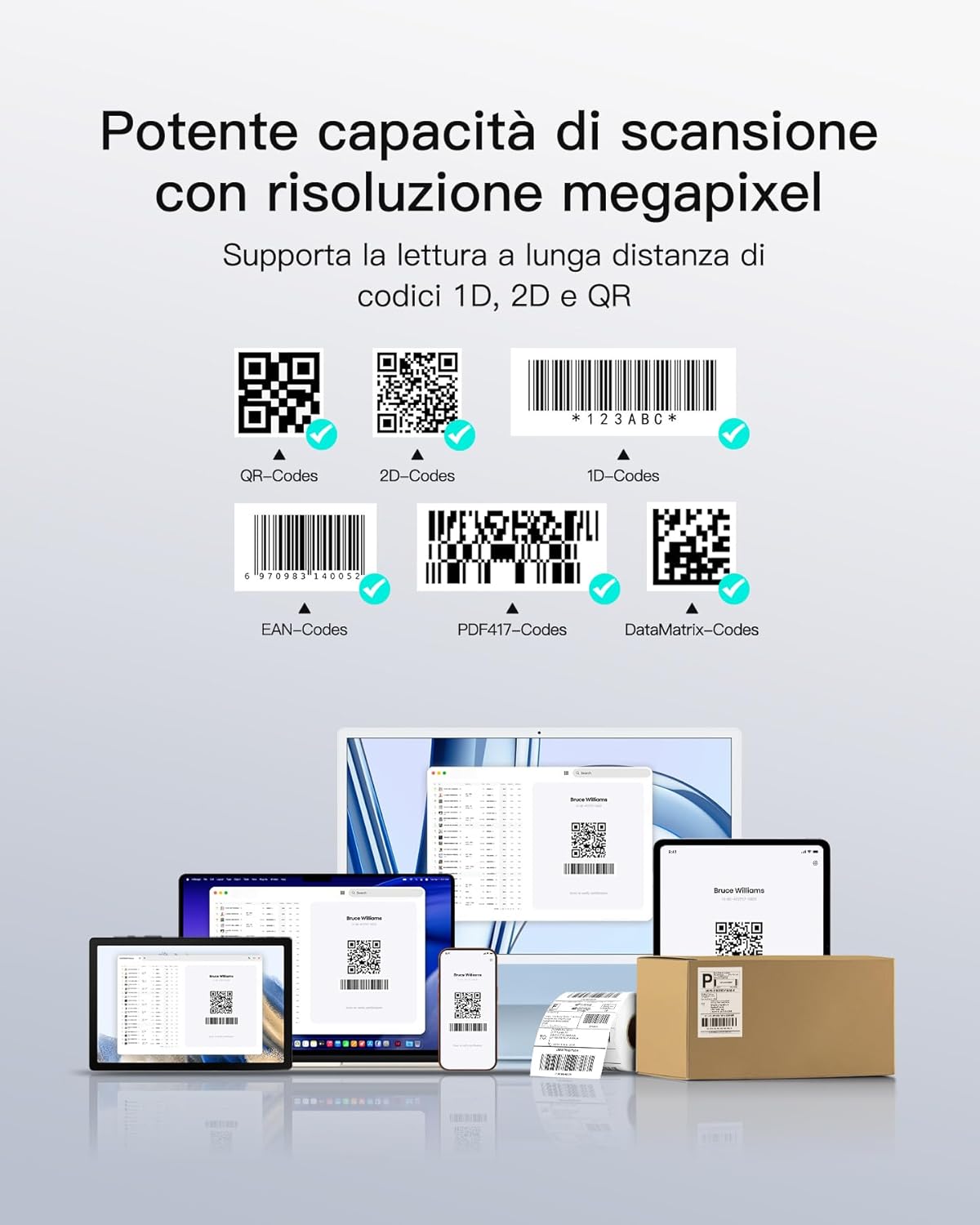
Figure 8 : Plusview of the three operational modes: voice command, automatic sensor, and manual button press.
4.3 Scan Confirmation
Upon successful scan, the device provides both vibration feedback and an LED indicator to confirm the reading, which is particularly useful in noisy environments.
5. Entretien
- Nettoyage: Use a soft, dry cloth to clean the scanner's body and lens. Avoid abrasive materials or harsh chemicals.
- Stockage: Rangez le scanner dans un endroit frais et sec, à l'abri de la lumière directe du soleil et des températures extrêmes.
- Entretien de la batterie: Pour prolonger la durée de vie de la batterie, évitez de la décharger complètement et fréquemment. Rechargez l'appareil régulièrement.
- Remplacement de la sangle : The breathable silicone strap is designed for durability. If replacement is needed, contact Inateck support.
6. Dépannage
| Problème | Cause possible | Solution |
|---|---|---|
| Le scanner ne s'allume pas. | Batterie faible ; dysfonctionnement de l’appareil | Charge the scanner; Contact support if issue persists. |
| Impossible de se connecter via Bluetooth | Bluetooth not enabled on host device; Out of range; Pairing issue | Ensure Bluetooth is on; Move closer to host device; Re-pair the scanner. |
| Unable to read barcodes | Barcode damaged/unreadable; Incorrect scanning mode; Lens dirty | Try a different barcode; Switch scanning modes; Clean the lens. |
| La commande vocale ne répond pas | Voice control disabled; Noisy environment | Check settings in Inateck Scanner APP; Use manual trigger in noisy areas. |
7. Spécifications
- Numéro de modèle : N6022-BK
- Marque: Inateck
- Capteur: 1MP CMOS (1280*800)
- Angle de balayage : 10 Degrees (Ergonomic Tilt)
- Poids: 60g
- Connectivité : Bluetooth 5.3, USB-C, 2.4G Wireless (with adapter)
- Appareils compatibles : Ordinateur de bureau, ordinateur portable, tablette, smartphone
- Systèmes d'exploitation compatibles : Windows, macOS, Linux, Android, iOS
- Batterie: Batterie lithium-ion 800 mAh (incluse)
- Autonomie de la batterie : Jusqu'à 10 heures d'utilisation continue
- Vitesse de numérisation : 0.5 seconds per scan
- Retour: Vibration, LED Indicator
8. Garantie et assistance
Inateck products come with a standard manufacturer's warranty. For detailed warranty information, technical support, or service inquiries, please visit the official Inateck website ou contactez leur service client.
Inateck officiel Website: www.inatec.com
9. Vidéo produit
Vidéo 1 : Un overview of the Inateck Nano 370 Wearable Barcode Scanner, showcasing its design, features, and various operational aspects.