
Introduction
This manual provides essential information for setting up, operating, maintaining, and troubleshooting your Apple Watch Series 11 GPS + Cellular 42mm. Please read it thoroughly to ensure proper use and to maximize your device's capabilities.
- Know Your Sleep Score: Track and understand your sleep quality for improved rest.
- Health Insights: Take ECGs, receive notifications for heart rate irregularities, and monitor blood oxygen levels with the Vitals app.
- Conception: The thin and lightweight design ensures comfort for continuous wear, including during exercise and sleep.
- Fitness Partner: Utilize advanced metrics for workouts, including Pacer, Heart Rate Zones, training load, and Workout Buddy powered by Apple Intelligence (requires nearby iPhone).
- Autonomie de la batterie : Enjoy up to 24 hours of normal use, with fast charging providing up to 8 hours of use in just 15 minutes.

Image : Terminéview of Apple Watch Series 11 features including health insights, battery life, sleep score, and 5G connectivity.
Qu'y a-t-il dans la boîte
Vérifiez que tous les composants sont présents dans l'emballage :
- Étui pour Apple Watch
- Sport Band (M/L size for 160–210mm wrists)
- Câble de charge magnétique de 1 m

Image: The Apple Watch Series 11 packaging contents, showing the watch case, sport band, and USB-C magnetic fast charging cable.
Installation
1. Attaching the Band
Slide the band into the slots on the top and bottom of the Apple Watch case until you feel and hear a click. Ensure the band is securely fastened before wearing.
2. Recharger votre Apple Watch
Connect the 1m Magnetic Charging Cable to a USB-C power adapter (sold separately) and plug it into a power outlet. Place the back of your Apple Watch on the magnetic charger. The watch will display a charging indicator. Allow the watch to charge fully before initial use.
3. Couplage avec l'iPhone
- Ensure your iPhone is updated to the latest iOS version and has Bluetooth and Wi-Fi enabled.
- Allumez votre Apple Watch en appuyant longuement sur le bouton latéral jusqu'à ce que le logo Apple apparaisse.
- Bring your iPhone near your Apple Watch. A pairing animation will appear on your iPhone. Tap 'Continue'.
- Position your iPhone so that your Apple Watch appears in the viewfinder in the Apple Watch app.
- Follow the on-screen instructions on both devices to complete the pairing process, including setting up cellular service if desired.
Mode d'emploi
Navigation de base
- Couronne numérique: Rotate to scroll, zoom, or adjust values. Press once to go to the watch face or app list. Double-press to switch between your last two apps. Press and hold for Siri.
- Bouton latéral: Press once to open the Dock (recent apps). Double-press for Apple Pay. Press and hold for emergency services or to power off.
- Écran tactile: Tap to select, swipe to navigate, force touch for additional options (if available).
Surveillance de la santé
The Apple Watch Series 11 offers advanced health features:
- Application ECG : Take an electrocardiogram to record your heart's electrical activity. Open the ECG app and follow the on-screen instructions.
- Surveillance de la fréquence cardiaque The watch continuously monitors your heart rate. You will receive notifications for unusually high or low heart rates, and irregular rhythms.
- Blood Oxygen App: Mesurez votre saturation en oxygène sanguin à la demande.
- Suivi du sommeil : Portez votre montre au lit pour suivre votre sommeil.tages and receive a sleep score in the Vitals app.
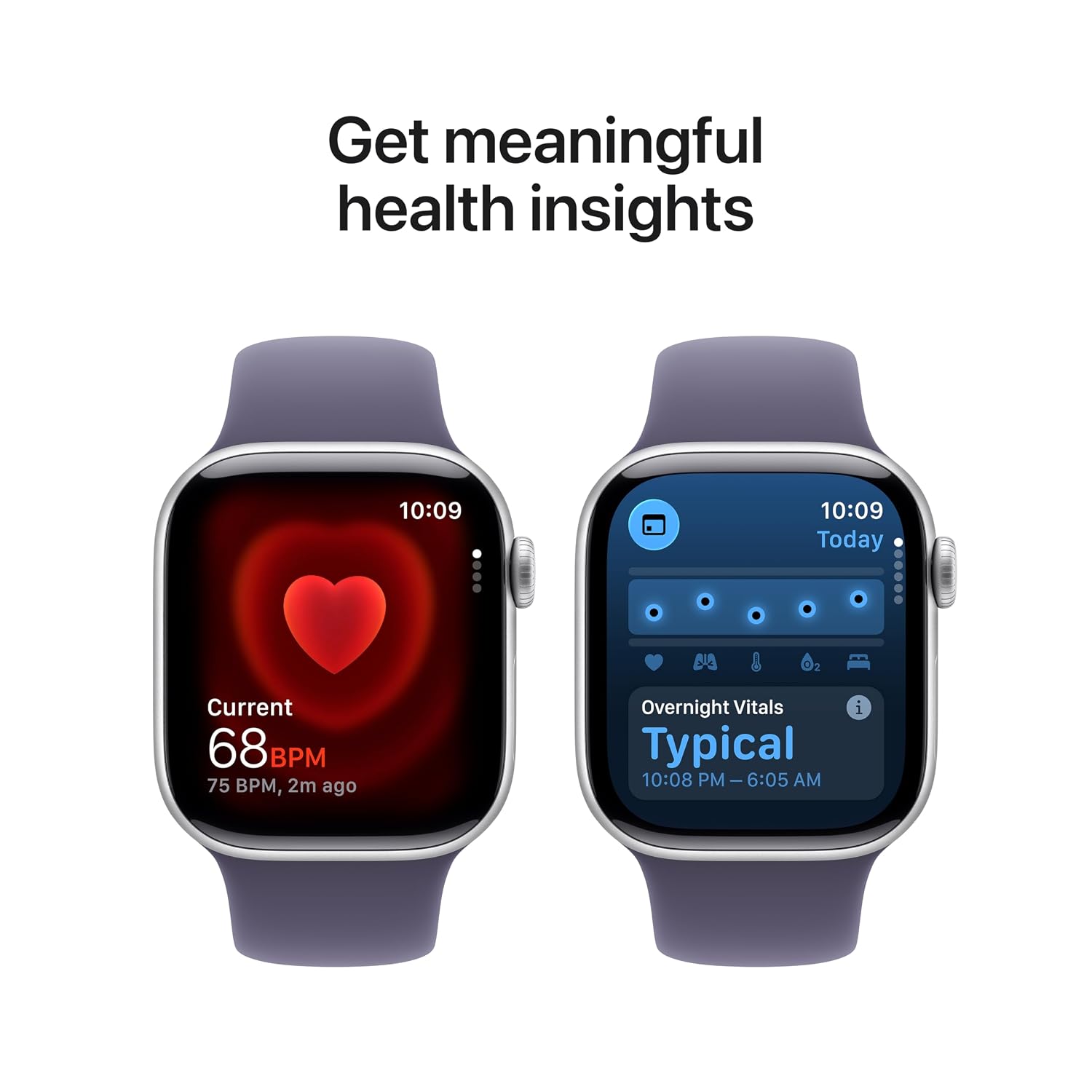
Image: The Apple Watch Series 11 showing current heart rate and overnight vitals within the Vitals app.
Suivi de la condition physique
Track your daily activity and workouts with precision:
- Anneaux d'activité : Monitor your Move, Exercise, and Stand goals throughout the day.
- Application d'entraînement : Select from various workout types, including running, cycling, swimming, and more. The watch provides advanced metrics like Pacer, Heart Rate Zones, and training load.
- Partenaire d'entraînement : Utilize Apple Intelligence features from your nearby iPhone for enhanced workout guidance.

Image: The Apple Watch Series 11 showing activity rings on one screen and the interface for an Outdoor Run workout on another.
Connectivité cellulaire
With GPS + Cellular, your Apple Watch can make calls, send messages, and stream music even when your iPhone is not nearby, provided you have an active cellular plan with a compatible carrier.

Image: A person wearing an Apple Watch Series 11, highlighting its 5G connectivity for independent use.
Entretien
Nettoyer votre Apple Watch
- Turn off your Apple Watch and disconnect it from the charger.
- Essuyez la montre avec un chiffon doux et non pelucheux. Si nécessaire, frottez légèrement.ampfr le chiffon avec de l'eau fraîche.
- For the band, follow specific cleaning instructions based on its material (e.g., silicone bands can be wiped with a damp cloth and mild soap).
- N'utilisez pas de produits chimiques agressifs ou de matériaux abrasifs.
Résistance à l'eau
The Apple Watch Series 11 is water resistant, but not waterproof. It can be used for shallow-water activities like swimming in a pool or ocean. It should not be used for scuba diving, waterskiing, or other activities involving high-velocity water or submersion below shallow depths. Water resistance may decrease over time. Avoid exposing the watch to soap, shampoo, conditioner, lotions, perfumes, solvents, detergent, acids, acidic foods, insect repellent, sunscreen, oil, or hair dye, as these can negatively affect water seals and acoustic membranes.
Mises à jour logicielles
Keep your Apple Watch software updated to ensure optimal performance and access to the latest features and security enhancements. Updates are managed through the Apple Watch app on your paired iPhone.
Dépannage
Problèmes courants et solutions
- La montre ne s'allume pas : Ensure the watch is charged. Place it on the magnetic charging cable for at least 30 minutes. If it still doesn't turn on, force restart it by holding both the side button and Digital Crown for at least 10 seconds until you see the Apple logo.
- Problèmes de couplage : Ensure your iPhone's Bluetooth is on and both devices are close to each other. Restart both your iPhone and Apple Watch. If issues persist, unpair the watch from your iPhone (if previously paired) and attempt to pair again.
- Mauvaise durée de vie de la batterie: Check for background app refresh settings. Reduce screen brightness. Disable 'Always On Display' if not needed. Ensure software is up to date.
- Applications ne répondant pas : Force quit the app by pressing the side button, then swipe left on the app and tap the 'X' button. Reopen the app. If the issue continues, restart your Apple Watch.
- Cellular Connectivity Problems: Verify your cellular plan is active and compatible with Apple Watch. Check your carrier's coverage in your area. Ensure cellular data is enabled on your watch.
Contacter le support
If you encounter issues that cannot be resolved using this guide, please visit the official Apple Support webConsultez le site ou contactez le service client d'Apple pour obtenir de l'aide supplémentaire.
Caractéristiques
| Fonctionnalité | Détail |
|---|---|
| Numéro de modèle | MF8J4HN/A |
| Système opérateur | watchOS |
| Capacité de stockage de la mémoire | 64 Go |
| Caractéristiques spéciales | Activity Tracker, Alarm Clock, Always On Display, Fall Detection, GPS |
| Capacité de la batterie | 0.1 millièmeamp Hours (up to 24 hours normal use) |
| Technologie de connectivité | Bluetooth, cellulaire |
| Poids de l'article | 29.6 g |
| Fabricant | Pomme |
| Pays d'origine | Chine |
Garantie et assistance
Informations sur la garantie
Your Apple Watch Series 11 is covered by Apple's standard limited warranty. For detailed terms and conditions, please refer to the warranty documentation included with your product or visit the official Apple website. Extended coverage, such as '1 Year Protect+ with AppleCare Service', may be available for purchase separately.
Assistance clientèle
For technical assistance, service, or to find authorized service providers, please visit the official Apple Support website (support.apple.com) or contact Apple customer service directly. Have your device's serial number ready when contacting support.