
1. Introduction
The T-WOLF G520 is a high-performance wired gaming mouse designed for precision and comfort. It features a USB2.0 wired connection, 7 customizable buttons, and dynamic RGB lighting. This manual provides essential information for setting up, operating, and maintaining your G520 gaming mouse.
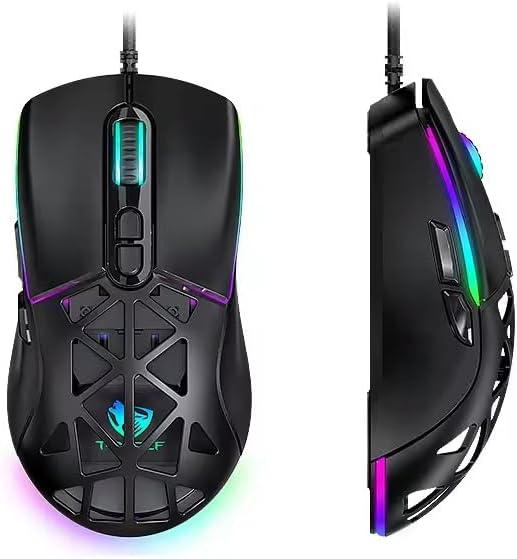
Figure 1: T-WOLF G520 Gaming Mouse (Front and Side View)
2. caractéristiques du produit
- Connexion: Wired USB2.0 for stable and responsive performance.
- Type de capteur : Optical sensor for accurate tracking.
- Paramètres DPI : Adjustable DPI from 800 to 12800 (800 / 1600 / 3200 / 4800 / 6400 / 12800).
- Taux de sondage : 1000Hz for rapid response times.
- Boutons: 7 programmable buttons (Left, Right, Middle, Forward, Back, DPI+, DPI-).
- Éclairage RVB : 13 dynamic RGB lighting modes.
- Durabilité: 10 million click lifespan for micro switches.
- Câble: 1.5m braided cable for enhanced durability and tangle resistance.
- Conception: Lightweight honeycomb structure and ergonomic shape for comfortable grip and ventilation.
- Personnalisation : Magnetic interchangeable back cover.

Figure 2 : Principales caractéristiquesview
3. Contenu du colis
- T-WOLF G520 Gaming Mouse Unit
- Interchangeable Magnetic Back Covers (2 types)

Figure 3: G520 Mouse with Interchangeable Back Covers
4. Instructions de configuration
- Connect the USB connector of the T-WOLF G520 gaming mouse to an available USB 2.0 port on your computer.
- The mouse is Plug & Play compatible and does not require additional drivers for basic functionality. Your operating system will automatically detect and install the necessary drivers.
- Once detected, the mouse will be ready for use.
5. Mode d'emploi
5.1 Fonctions des boutons
The T-WOLF G520 mouse features 7 buttons with the following default functions:
- Bouton gauche : Fonction de clic principale.
- Bouton droit : Fonction de clic secondaire (menu contextuel).
- Bouton central / Molette de défilement : Scroll up/down, click for universal scroll or other functions.
- Bouton avant : Navigue vers l'avant dans web navigateurs ou file explorateurs.
- Bouton Retour : Navigue en arrière dans web navigateurs ou file explorateurs.
- Bouton DPI+ : Augmente la sensibilité DPI.
- Bouton DPI : Diminue la sensibilité DPI.
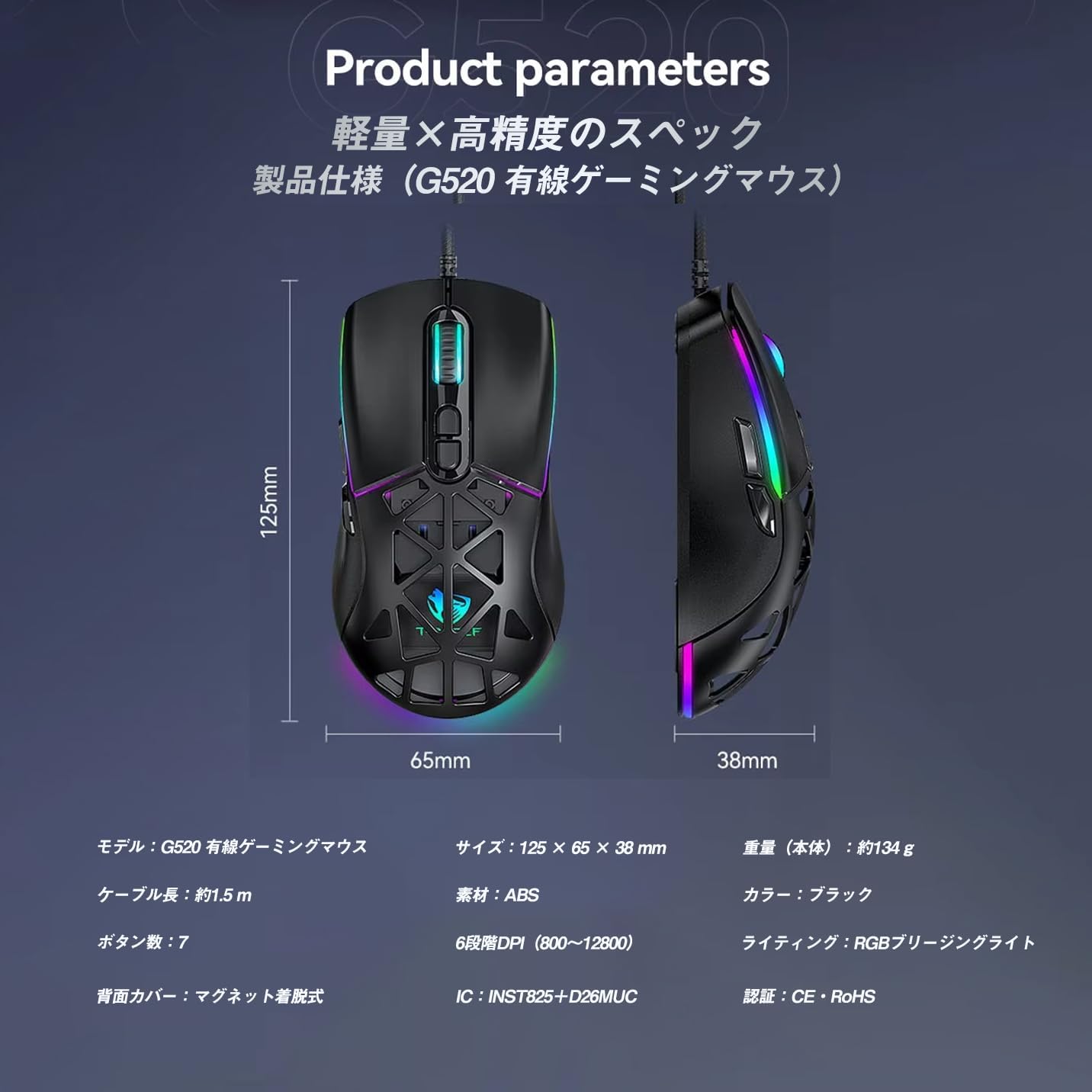
Figure 4: G520 Button Layout
5.2 Ajustement PPP
The mouse supports 6 adjustable DPI levels. To change the DPI, press the PPP+ or DPI- buttons located on the top of the mouse. Each press will cycle through the available DPI settings: 800, 1600, 3200, 4800, 6400, and 12800.

Figure 5 : Niveaux de réglage DPI
5.3 Contrôle de l'éclairage RVB
The T-WOLF G520 features 13 RGB lighting modes. To change the RGB lighting mode, press and hold the Bouton Retour et le Bouton DPI simultaneously for approximately 3 seconds. Repeat this action to cycle through the different lighting effects.
5.4 Magnetic Back Cover
The mouse comes with two types of magnetic back covers that can be easily interchanged. To remove a cover, gently lift it from the back of the mouse. To attach a cover, align it with the mouse body and allow the magnets to secure it in place.

Figure 6: Magnetic Back Cover Exchange
6. Entretien
- Nettoyage: Utilisez un chiffon doux et sec pour nettoyer la souris. Pour les saletés tenaces, un chiffon légèrement plus sec peut être utile.amp Un chiffon peut être utilisé, en veillant à ce qu'aucun liquide ne pénètre dans la souris.
- Évitez les liquides : Ne plongez pas la souris dans l'eau et ne l'exposez pas à une humidité excessive.
- Stockage: Conservez la souris dans un endroit frais et sec, à l'abri de la lumière directe du soleil et des températures extrêmes.
- Entretien des câbles : Avoid bending or twisting the braided cable excessively to prevent damage.
7. Dépannage
- Souris ne répondant pas :
- Assurez-vous que le câble USB est correctement connecté au port USB de votre ordinateur.
- Essayez de connecter la souris à un autre port USB.
- Redémarrez votre ordinateur.
- DPI inchangé :
- Assurez-vous d'appuyer sur les boutons DPI+ ou DPI- appropriés.
- The mouse cycles through 6 fixed DPI levels; there is no software adjustment.
- Éclairage RGB non fonctionnel/ne changeant pas :
- Vérifiez que la souris est correctement connectée.
- Appuyez et maintenez enfoncé le Bouton Retour et Bouton DPI simultaneously for 3 seconds to cycle through modes.
- Problèmes de suivi :
- Nettoyez le capteur optique situé sous la souris.
- Utilisez la souris sur une surface propre et uniforme ou sur un tapis de souris.
8. Spécifications
| Fonctionnalité | Spécification |
|---|---|
| Modèle | G520 |
| Type de connexion | Wired USB2.0 |
| Type de capteur | Optique |
| Paramètres PPP | 800 / 1600 / 3200 / 4800 / 6400 / 12800 |
| Taux de sondage | 1000 Hz |
| Nombre de boutons | 7 |
| Longueur du câble | 1.5m (Braided) |
| Dimensions (L × l × H) | 124 × 65 × 40 mm |
| Poids | Environ 132 g |
| Vol d'exploitationtage/Courant | 5 V / 150 mA |
| Éclairage | RGB (13 modes) |
| Matériel | Plastique (ABS) |
| Systèmes d'exploitation compatibles | Windows 10, Windows 11, Mac OS, Linux (OS standard, no driver required) |

Figure 7 : Diagramme des spécifications du produit
9. Garantie et assistance
This product is covered by a standard manufacturer's warranty. Please refer to your purchase documentation for specific warranty terms and conditions. For technical support or warranty claims, please contact the retailer or the manufacturer's customer service.