
Introduction
Welcome to the Urbanista Santa Monica Adaptive Noise Cancelling Earbuds. These true wireless earbuds are designed to provide a superior audio experience with advanced features for comfort and performance. This manual will guide you through the setup, operation, and maintenance of your new earbuds.
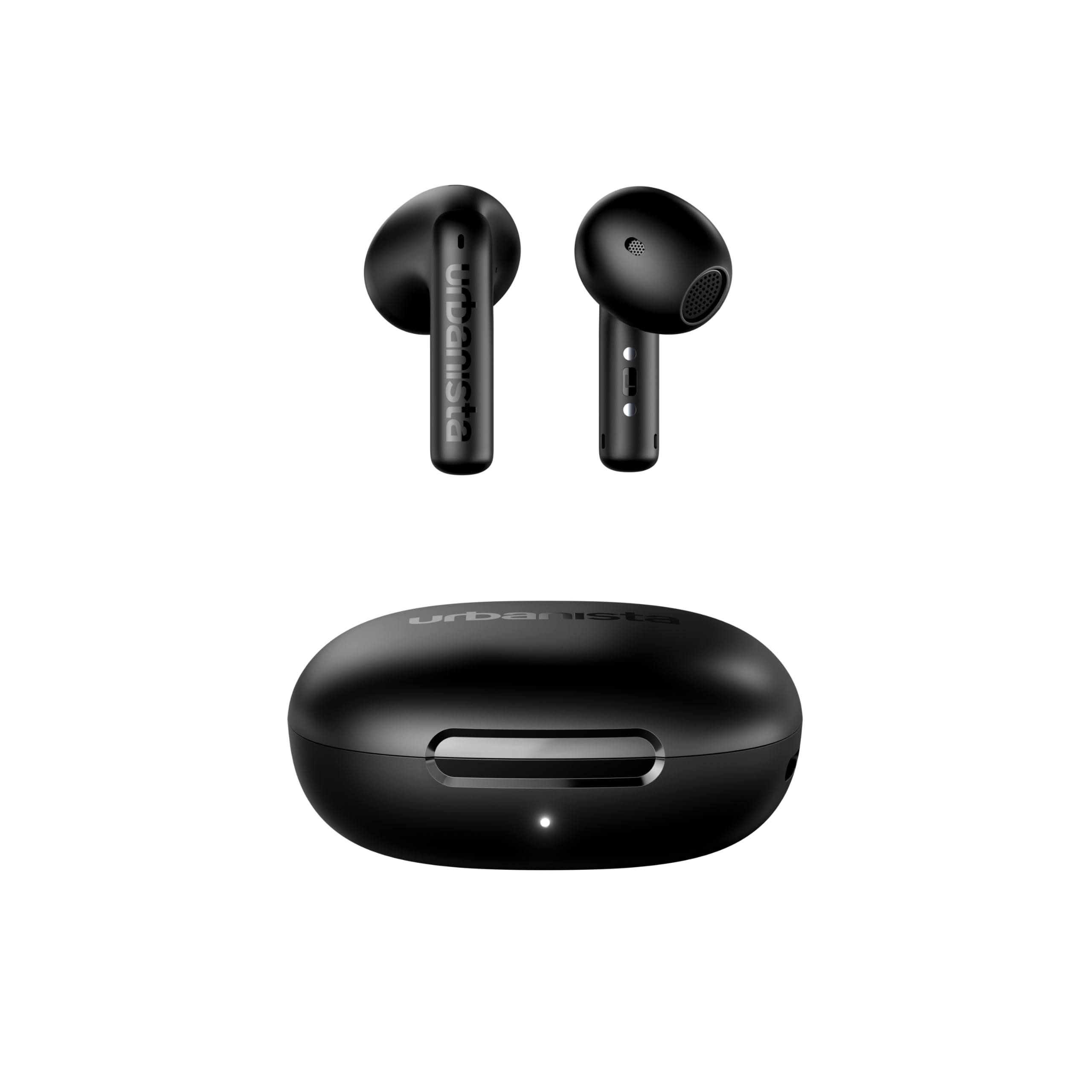
Figure 1: Urbanista Santa Monica Adaptive Noise Cancelling Earbuds and Charging Case.
Qu'y a-t-il dans la boîte
- Écouteurs Urbanista Santa Monica
- Étui de chargement sans fil
- Coussinets d'oreille (tailles variées)
- Guide de démarrage rapide
- Documentation juridique
Installation
Charger les écouteurs et l'étui
Before first use, fully charge your Urbanista Santa Monica earbuds and charging case. The charging case can be charged via a USB-C cable or wirelessly. A full charge takes approximately 2 hours.
Jumelage avec un appareil
- Ouvrez le boîtier de charge. Les écouteurs passeront automatiquement en mode appairage.
- Sur votre appareil (smartphone, tablette, ordinateur portable), accédez aux paramètres Bluetooth.
- Select "Urbanista Santa Monica" from the list of available devices.
- Une fois la connexion établie, vous entendrez un message audio confirmant la réussite de l'appairage.
The earbuds support Bluetooth 6.0 for a stable connection and multipoint connection, allowing you to connect to two devices simultaneously.
Mode d'emploi
Commandes tactiles
The Urbanista Santa Monica earbuds feature intuitive touch controls on each earbud. Specific functions can be customized via the Urbanista companion app.
Adaptive Noise Cancelling (ANC) and Ambient Sound
The earbuds feature Open Fit Adaptive Noise Cancelling technology, which scans your ear canals to optimize ANC performance and filter out unwanted sounds. You can switch between ANC, Ambient Aware, and TalkThru modes using the touch controls or the companion app. Ambient Aware allows you to hear your surroundings, while TalkThru lowers music volume and amplifies voices for conversations.

Figure 2: Close-up of the earbud speaker, highlighting the sound output.
Son spatial
Enhance your audio experience with Spatial Sound modes: Music, Theater, and Gaming. These modes add a stereo effect to make audio feel more immersive.
VoiceAware
Activate VoiceAware to hear your own voice during calls, preventing you from speaking too loudly. The level of your voice feedback can be adjusted.
SilentNow
The SilentNow feature disconnects Bluetooth and activates noise cancellation, creating a silent bubble for relaxation or napping, especially useful during travel. You can set a timer for this mode.
Notifications and Message Preview
Receive notifications and message previews directly on the charging case's display, allowing you to stay informed without checking your phone.
Retrouver mes amis
If you misplace your earbuds, use the Find My Buds feature to make them emit a high-pitched sound, helping you locate them.
Lampe de poche
The charging case includes a flashlight option that illuminates the display white, providing a convenient light source in dark environments.
Commandes de lecture et de volume
Manage your music playback (play, pause, skip tracks) and adjust volume directly from the earbuds' touch controls or the companion app.
Max Volume Limiter
To protect your hearing, the companion app offers a Max Volume Limiter feature, which can be set to prevent listening at excessively loud levels.
Personi-Fi
Utilize the Personi-Fi feature in the app to personalize your sound profile based on a detailed hearing test, optimizing the audio experience specifically for you.
Autonomie de la batterie et charge
The earbuds provide up to 4 hours of playtime (3 hours with ANC enabled) on a single charge. The charging case offers an additional 20 hours of playtime (16.5 hours with ANC enabled), totaling up to 24 hours of combined use. The case supports both USB-C and wireless charging.

Figure 3: Urbanista Santa Monica Earbuds outside their charging case.
Résistance à l'eau
The Urbanista Santa Monica earbuds are water resistant, providing protection against sweat and light splashes. They are not designed for submersion in water.
Qualité sonore
Equipped with 13mm dynamic drivers and bio-fiber diaphragms, the Santa Monica earbuds deliver powerful, dynamic audio with deep, resonant bass, rich mids, and crisp highs. Adaptive EQ technology adjusts frequencies based on your ear canal and fit for optimal sound. The bio-fiber material minimizes distortion and enhances clarity.

Figure 4 : Détaillé view of the earbud's design, showcasing the wind-noise reduction airflow structure.
Caractéristiques
| Fonctionnalité | Spécification |
|---|---|
| Nom du modèle | Santa Monica |
| Numéro de modèle | 1037702 |
| Technologie de connectivité | Sans fil (Bluetooth) |
| Technologie de communication sans fil | Bluetooth |
| Contrôle du bruit | Annulation active du bruit |
| Placement des oreilles | Dans l'oreille |
| Facteur de forme | Véritablement sans fil |
| Type de contrôle | Contrôle tactile |
| Temps de charge | 2 heures |
| Poids de l'article | 41.4 gramme |
| Niveau de résistance à l'eau | Résistant à l'eau |
| Composition des cellules de batterie | Lithium-ion |
Dépannage
If you encounter any issues with your Urbanista Santa Monica earbuds, please try the following:
- Pas de son : Assurez-vous que les écouteurs sont chargés et correctement appairés avec votre appareil. Vérifiez le niveau sonore des écouteurs et de votre appareil.
- Problèmes de couplage : Turn off Bluetooth on your device, then turn it back on. Reset the earbuds by placing them in the charging case and closing the lid for a few seconds, then try pairing again.
- Connexion intermittente : Ensure your device is within the Bluetooth range (typically 10 meters) and there are no major obstructions.
- Problèmes de charge : Verify the USB-C cable is securely connected to both the case and a power source. For wireless charging, ensure the case is correctly placed on a compatible wireless charger.
- Commandes tactiles non réactives : Ensure the touch surface is clean and dry. Try restarting the earbuds.
For further assistance, refer to the full user manual available on the Urbanista website ou contacter le support client.
Garantie et assistance
Your Urbanista Santa Monica earbuds come with a manufacturer's warranty. Please refer to the legal documentation included in the box or visit the official Urbanista website for detailed warranty information and customer support contacts. Keep your proof of purchase for warranty claims.