
1. Introduction
This manual provides essential information for setting up, operating, maintaining, and troubleshooting your NIMO N158 15.6-inch laptop. Please read this manual thoroughly before using your device to ensure optimal performance and longevity.
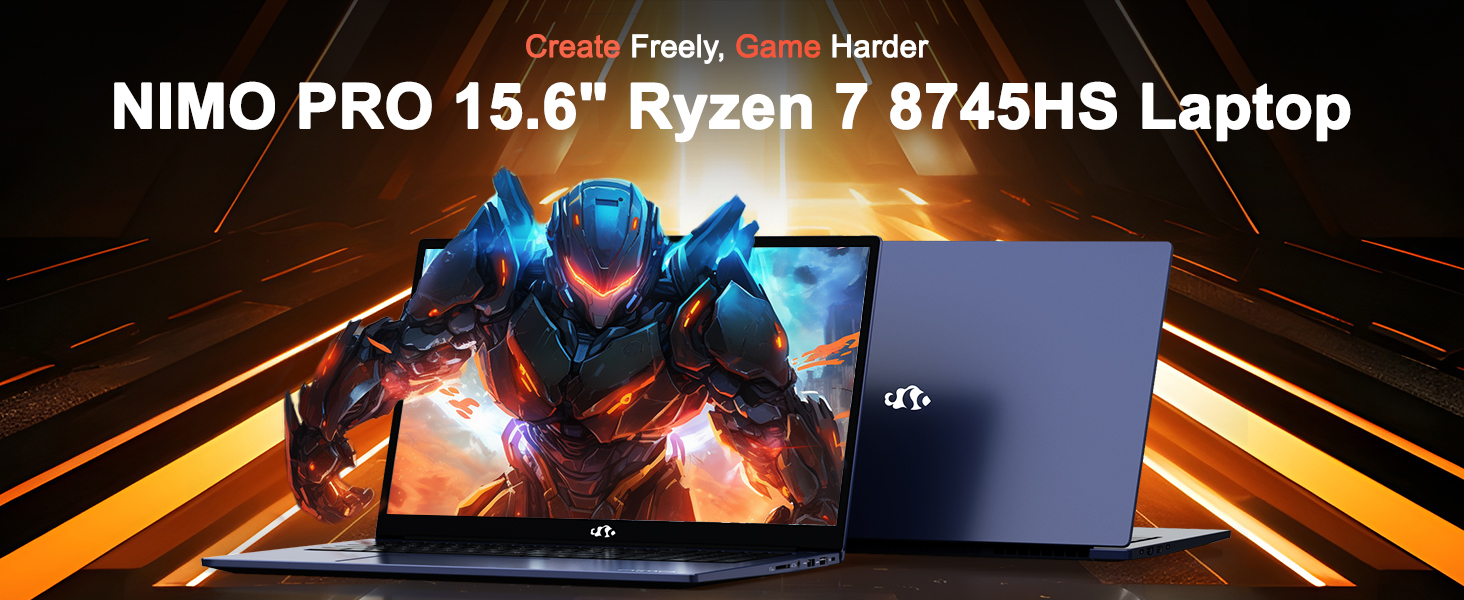
Image: The NIMO N158 15.6-inch laptop, showcasinet sa conception et ses principales caractéristiques.
2. Produit terminéview
The NIMO N158 is a high-performance laptop designed for productivity and entertainment. It features an AMD Ryzen 7 8745HS processor, 64GB DDR5 RAM, and a 1TB PCIe 4.0 SSD.
2.1 Composants clés
- Processeur: AMD Ryzen 7 8745HS (8 cœurs, 16 threads, jusqu'à 4.9 GHz)
- Graphique: AMD Radeon 780M Integrated Graphics
- Mémoire: 64 Go de RAM DDR5 (4800 MHz)
- Stockage: SSD PCIe 4.0 de 1 To
- Afficher: Écran IPS antireflet Full HD (1920 x 1080) de 15.6 pouces
- Système opérateur: Windows 11 Famille
- Batterie: Lithium-polymère 75 Wh
2.2 Ports et interfaces
The NIMO N158 laptop offers a variety of ports for connectivity:

Image: Diagram illustrating the various ports and interfaces on the NIMO N158 laptop.
- 1 port USB 2.0
- 3 ports USB 3.0
- 1 x USB 4.0 Type-C Port (with 100W PD fast charging support)
- 1 x Port HDMI
- 1 x Prise casque
- 1 x lecteur de carte SD
- 1 x emplacement pour verrou Kensington
3. Installation
3.1 Mise sous tension et charge initiales
- Unpack the laptop and the included 100W Type-C PD Fast Charger.
- Connect the charger to the USB Type-C port on the laptop and to a power outlet. The Charger LED will illuminate.
- Laissez l'ordinateur portable se charger pendant au moins 30 minutes avant la première utilisation, ou jusqu'à ce que l'indicateur de batterie affiche une charge suffisante.
- Appuyez sur le bouton d'alimentation pour allumer l'ordinateur portable.

Image: The NIMO N158 laptop connected to its 100W Type-C fast charger, illustrating the charging process.
3.2 Configuration du système d'exploitation
Upon first boot, you will be guided through the Windows 11 Home setup process. Follow the on-screen instructions to configure your language, region, network connection, and user account.
3.3 Configuration du lecteur d'empreintes digitales
For enhanced security, set up the integrated fingerprint reader during the Windows 11 setup or later via Windows Settings > Accounts > Sign-in options. This allows for quick and secure login.
4. Mode d'emploi
4.1 Clavier et pavé tactile
- Clavier rétroéclairé : The keyboard features backlighting for comfortable typing in low-light conditions. Use the designated function key (Fn + F key combination, typically) to adjust brightness or toggle the backlight.
- Clavier numérique: Un clavier numérique dédié est inclus pour une saisie de données efficace.
- Precision Gesture Touchpad: Le pavé tactile prend en charge les gestes multipoints pour la navigation. Consultez les paramètres Windows pour personnaliser les gestes du pavé tactile.

Image: A user interacting with the NIMO N158 laptop, highlighting the backlit keyboard and fingerprint reader on the touchpad.
Affichage 4.2
The 15.6-inch Full HD IPS anti-glare display provides clear and vibrant visuals. Adjust display settings (resolution, brightness, color) through Windows Display Settings.

Image: The NIMO N158 laptop displaying a vibrant image on its 15.6-inch Full HD IPS screen, emphasizing visual quality.
4.3 Webcame
The laptop includes a 2MP webcam. For privacy, a physical webcam shield or switch is integrated. Ensure the webcam is open when in use and closed when not needed.

Image: A visual representation of the NIMO N158 laptop's privacy-focused camera, showing the open and closed states of the webInterrupteur à came.
4.4 Performances et multitâche
The AMD Ryzen 7 8745HS processor and 64GB DDR5 RAM provide robust performance for demanding tasks, content creation, and gaming. The 1TB PCIe 4.0 SSD ensures fast boot times and application loading.

Image: A close-up of the AMD Ryzen 7 8745HS processor chip, highlighting its core specifications.
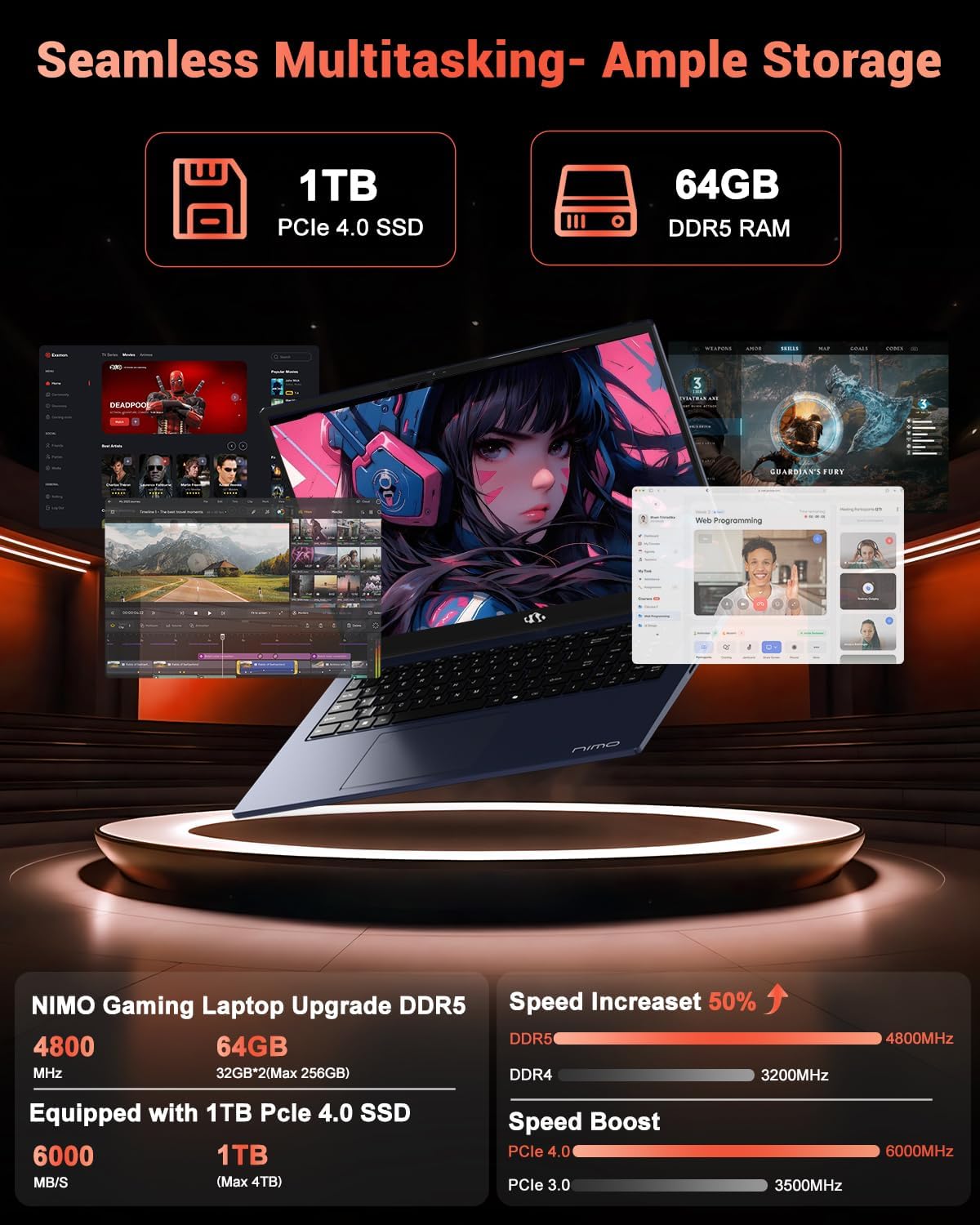
Image: The NIMO N158 laptop displaying multiple applications open, demonstrating its multitasking capabilities with 64GB RAM and 1TB SSD.
5. Entretien
5.1 Entretien général
- Nettoyez l'ordinateur portable en essuyant ses surfaces avec un chiffon doux et sec.
- Évitez d'exposer l'ordinateur portable à des températures extrêmes, à la lumière directe du soleil ou à l'humidité.
- Ne placez pas d'objets lourds sur l'ordinateur portable.
- Assurez une bonne ventilation en ne bloquant pas les bouches d’aération.
5.2 Possibilité de mise à niveau
The NIMO N158 features an upgradable design, allowing for expansion of memory (RAM) and storage (SSD). Consult a qualified technician or refer to official NIMO support resources before attempting any internal upgrades to avoid voiding your warranty.
6. Dépannage
If you encounter issues with your NIMO N158 laptop, consider the following basic troubleshooting steps:
- Pas d'alimentation : Vérifiez que le chargeur est bien branché et que la prise de courant fonctionne. Essayez une autre prise.
- Problèmes d'affichage : Check external display connections if using one. Adjust screen brightness. Restart the laptop.
- Performances lentes : Fermez les applications inutiles. Vérifiez les mises à jour en arrière-plan. Assurez-vous d'avoir suffisamment d'espace de stockage libre.
- Problèmes de connectivité : Restart your Wi-Fi router. Reconnect to the Wi-Fi network. Update network drivers.
- Blocages du système : Maintenez le bouton d'alimentation enfoncé pendant 10 à 15 secondes pour forcer l'arrêt, puis redémarrez.
For persistent issues, refer to the NIMO support website ou contacter le service client.
7. Spécifications
| Fonctionnalité | Spécification |
|---|---|
| Marque | NIMO |
| Nom du modèle | NIMO N158B |
| Taille de l'écran | 15.6 pouces |
| Résolution de l'écran | 1920 x 1080 pixels (FHD IPS) |
| Processeur | AMD Ryzen 7 8745HS (jusqu'à 4.9 GHz) |
| BÉLIER | 64 Go DDR5 (4800 MHz) |
| Disque dur | SSD de 1024 Go (PCIe 4.0) |
| Coprocesseur graphique | Carte graphique AMD Radeon 780M |
| Système opérateur | Windows 11 Famille |
| Type sans fil | 802.11a/b/g/n/ac (Wi-Fi 6E) |
| Ports USB 2.0 | 1 |
| Ports USB 3.0 | 3 |
| Ports USB 4.0 Type-C | 1 |
| Durée de vie moyenne de la batterie | 15.5 heures |
| Poids de l'article | 3.8 livres |
| Dimensions du produit | 14.07 x 8.98 x 0.76 pouces |
| Caractéristiques spéciales | Clavier rétroéclairé, lecteur d'empreintes digitales, audio HD, pavé numérique |
8. Garantie et assistance
NIMO is committed to providing excellent customer service and product support.
8.1 Informations sur la garantie
Votre ordinateur portable NIMO N158 est livré avec un Garantie de 2 ans À compter de la date d'achat, cette garantie couvre les défauts de fabrication et les dysfonctionnements matériels dans des conditions normales d'utilisation. Veuillez conserver votre preuve d'achat pour toute réclamation au titre de la garantie.

Image: A technician performing maintenance on a laptop, representing the 2-year support provided by NIMO.
Politique de retour 8.2
NIMO propose un Politique de retour sans tracas de 90 jours. If you are not satisfied with your purchase, you may return the product within 90 days from the date of purchase. Please refer to the official NIMO return policy for detailed terms and conditions.

Image: A delivery person handing a package to a customer, illustrating the 90-day return policy.
8.3 Assistance clientèle
Our dedicated support team is available to assist you with any questions or issues. You can reach us via:
- E-mail: service@nimopc.com
- En ligne: Visitez le site officiel de NIMO webSite de FAQ et de ressources d'assistance.
We strive to provide quick solutions and a worry-free experience.

Image: Customer service representatives wearing headsets, representing professional customer assistance.