
1. Introduction
This manual provides essential instructions for the safe and effective use of your AIMILAR Bluetooth Kitchen Scale. This smart scale is designed to assist with precise food weighing and nutritional tracking, supporting various dietary and health goals.
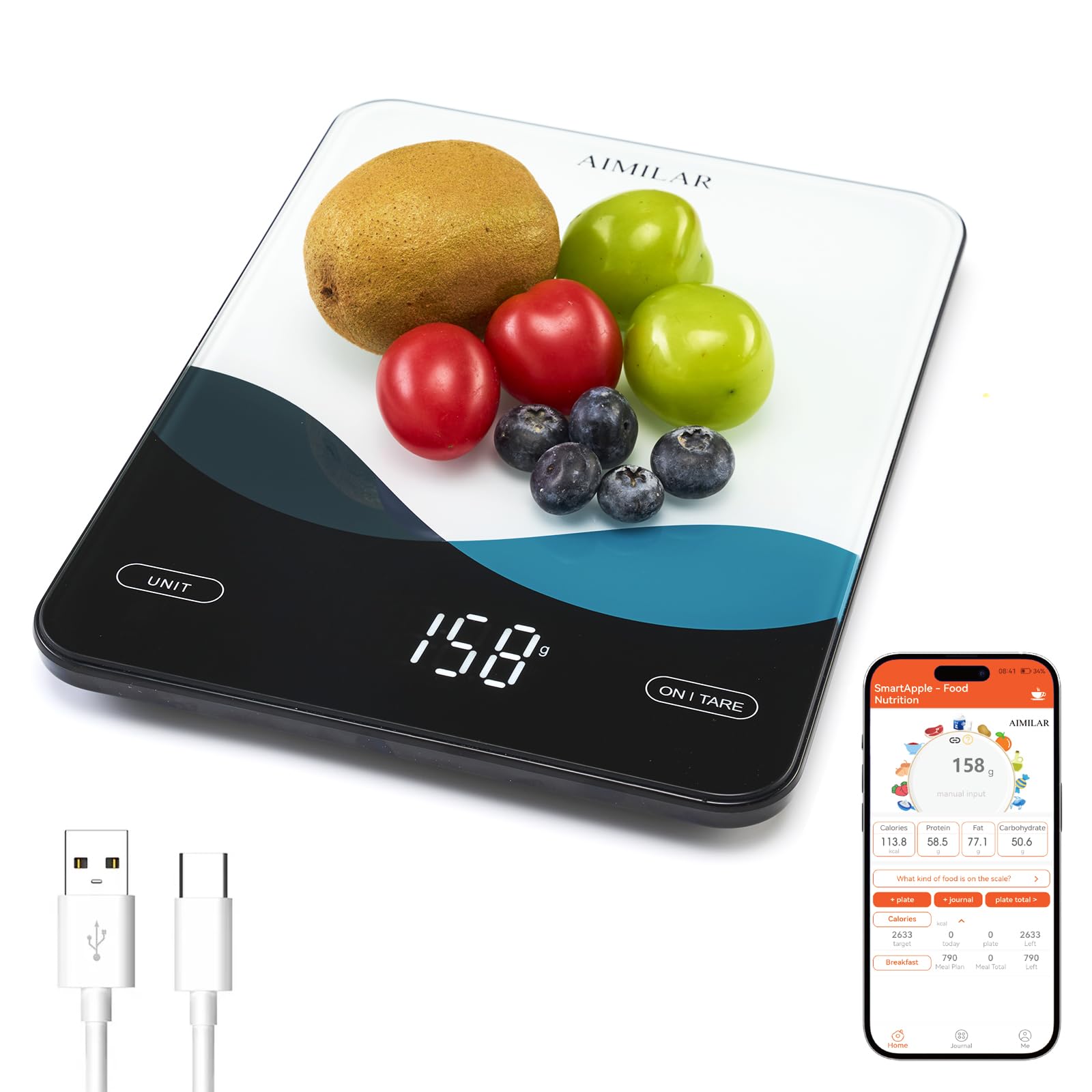
Devant view of the AIMILAR Bluetooth Kitchen Scale, showcasinson design élégant et son écran LED.
2. Produit terminéview
The AIMILAR Bluetooth Kitchen Scale combines accurate weighing with smart nutrition tracking capabilities. Its tempered glass platform ensures durability and easy cleaning, while the USB-C rechargeable battery offers convenience.
Caractéristiques principales :
- Connectivité de l'application Bluetooth : Seamlessly pairs with a free app for calorie counting, macro tracking (protein, carbs, fat), and analysis of over 19 nutrients.
- Rechargeable par USB-C : Features a built-in rechargeable battery for quick charging via USB-C, eliminating the need for disposable batteries.
- Affichage LED clair : A large, easy-to-read LED screen provides clear measurements in any lighting condition.
- Pesée précise : Offers 1g precision, measuring from 5g up to 10kg (22lb) in g, lb:oz, oz, and ml units.
- Commandes tactiles pratiques : Smooth touch buttons for easy operation, including a one-touch tare function.
- Caractéristiques de sécurité : Includes auto-off, overload, and low battery alerts.

The scale connected to a smartphone app, displaying nutrition metrics for various foods.
3. Installation
3.1 Charge initiale
Before first use, ensure the scale is fully charged. Connect the provided USB-C charging cable to the scale's USB-C port and a suitable power adapter (not included). A full charge typically takes 2.5-3 hours.

The scale connected via USB-C for charging, highlighting its rechargeable battery feature.
3.2 Mise sous/hors tension
- Pour allumer: Locate the physical ON/OFF switch on the side of the scale and slide it to the 'ON' position. Then, press the 'ON/TARE' button on the scale's surface.
- Éteindre: The scale will auto-off after 120 seconds of inactivity. Alternatively, press and hold the 'ON/TARE' button for 2 seconds, or slide the physical ON/OFF switch to the 'OFF' position.
3.3 Installation et connexion de l'application
Download the free 'SmartApple' app from your device's app store (available on App Store and Google Play). Ensure Bluetooth is enabled on your smartphone. Open the app and follow the on-screen instructions to pair with your AIMILAR Kitchen Scale. One tap is usually sufficient for connection.
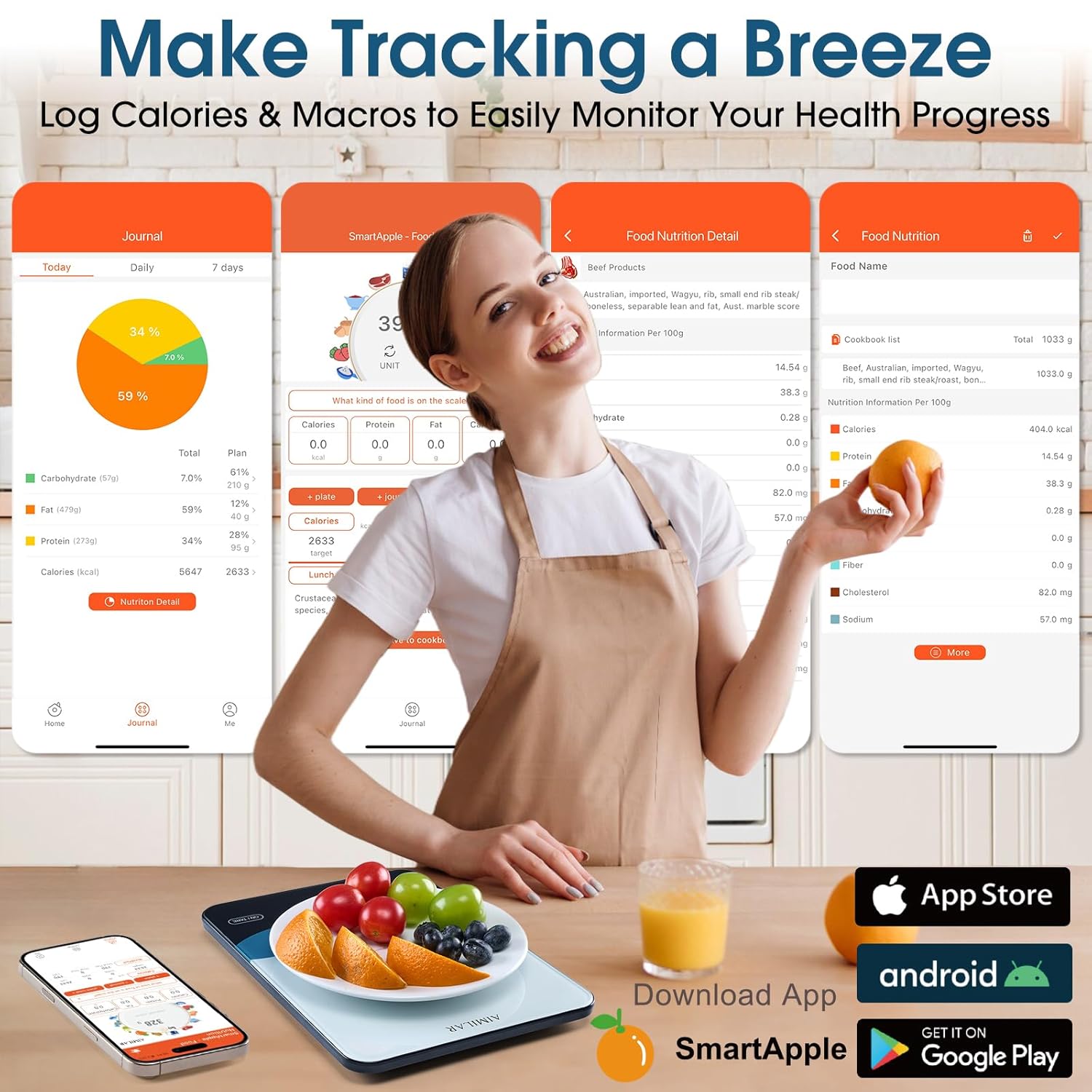
The SmartApple app interface on a smartphone, showing food logging and nutrition analysis.
4. Mode d'emploi
4.1 Pesage de base
- Placez la balance sur une surface plane et stable.
- Turn on the scale using the side switch and 'ON/TARE' button.
- Press the 'UNIT' button to cycle through available units: grams (g), pounds:ounces (lb:oz), ounces (oz), and milliliters (ml).
- Place the item to be weighed on the center of the scale platform. The weight will be displayed on the LED screen.

The scale displaying various units of measurement: grams, pounds:ounces, ounces, and milliliters.
4.2 Fonction de tare
La fonction tare permet de peser les ingrédients dans un récipient en soustrayant le poids du récipient.
- Placez un récipient vide sur la balance. L'écran affichera son poids.
- Press the 'ON/TARE' button. The display will reset to zero.
- Ajoutez vos ingrédients dans le récipient. L'écran affichera uniquement le poids des ingrédients.

Visual guide demonstrating the three steps of using the tare function for accurate ingredient measurement.
4.3 Smart Nutrition Tracking with App
Once connected to the 'SmartApple' app:
- Place food on the scale. The weight will sync to the app.
- In the app, select the type of food you are weighing from the database.
- The app will automatically calculate and display the nutritional information (calories, macros, etc.) for the weighed portion.
- You can log your meals, set daily nutrition goals, and review your intake history within the app.
Official product video demonstrating the setup, weighing, and app synchronization features of the AIMILAR Smart Kitchen Scale.
5. Entretien
5.1 Nettoyage
The scale features a tempered glass platform that is easy to clean. Wipe the surface with a damp cloth. Avoid using abrasive cleaners or submerging the scale in water. Ensure no food or debris gets trapped in the touch control areas.

A hand wiping the tempered glass surface of the scale, illustrating its easy-to-clean design.
5.2 Stockage
Rangez la balance dans un endroit frais et sec. Évitez de poser des objets lourds dessus lorsqu'elle n'est pas utilisée afin de ne pas endommager les capteurs.
6. Dépannage
- Lectures inexactes : Ensure the scale is on a flat, stable surface. Avoid placing it near vibrating appliances.
- La balance ne s'allume pas : Check the physical ON/OFF switch on the side. Ensure the battery is charged.
- Problèmes de connectivité des applications : Ensure Bluetooth is enabled on your device and the scale is within range. Restart both the app and the scale if issues persist.
- Lectures fluctuantes : For stable results, add at least 3g for the first weighing after power-on or tare. The built-in threshold helps avoid minor fluctuations.
- Overload/Low Battery Alerts: The scale will display alerts for overload or low battery. Recharge the scale if the low battery alert appears.
7. Spécifications
| Fonctionnalité | Détail |
|---|---|
| Marque | AIMILAR |
| Modèle | AY8007 |
| Capacité de poids maximale | 10 kilogrammes (22 lb) |
| Précision de lecture | 1 Grams (0.05oz) |
| Type d'affichage | DIRIGÉ |
| Connectivité | Bluetooth |
| Source d'énergie | Batterie rechargeable USB-C |
| Type de matériau | Acrylonitrile Butadiene Styrene, Tempered Glass |
| Poids de l'article | 0.9 livres |
| Composants inclus | Smart Scale, USB-C Charging Cable |

Détaillé view of the scale's dimensions, main power switch, and USB-C charge port.
8. Garantie et assistance
The AIMILAR Bluetooth Kitchen Scale comes with a Garantie d'un an. For any product inquiries, technical support, or warranty claims, please refer to the contact information provided in your product packaging or visit the official AIMILAR website.