
1. Introduction
This manual provides comprehensive instructions for the ZIUTY T21 Wireless Earbuds. These earbuds feature Active Noise Cancellation (ANC) and Environmental Noise Cancellation (ENC) for clear audio, a multi-functional touchscreen charging case, Bluetooth 5.3 connectivity, and an IPX7 waterproof rating. Please read this manual carefully to ensure proper use and optimal performance of your device.
2. Contenu de la boîte
Vérifiez que tous les éléments énumérés ci-dessous sont inclus dans votre colis :
- Écouteurs sans fil T21
- Boîtier de chargement avec écran tactile
- Câble de chargement USB-C
- Embouts auriculaires (tailles S/M/L)
- Manuel d'utilisation

Image: Package contents of the ZIUTY T21 Wireless Earbuds.
3. Produit terminéview
3.1 Composants
The ZIUTY T21 system consists of two wireless earbuds and a portable charging case with an integrated touchscreen.
3.2 Contrôles
The earbuds and charging case offer various control options:
Commandes tactiles des écouteurs :
- Lecture/Pause : Appuyez une fois sur l'un des écouteurs.
- Piste suivante : Appuyez deux fois sur l'écouteur droit.
- Piste précédente: Appuyez deux fois sur l'écouteur gauche.
- Répondre/Terminer l'appel : Appuyez une fois sur l'un des écouteurs.
- Rejeter l'appel : Appuyez longuement sur l'un ou l'autre écouteur.
- Activer l'assistant vocal: Appuyez trois fois sur l'un ou l'autre écouteur.
- Basculer entre le mode ANC et le mode Transparence : Appuyez et maintenez la pression pendant 2 secondes sur l'un ou l'autre écouteur.
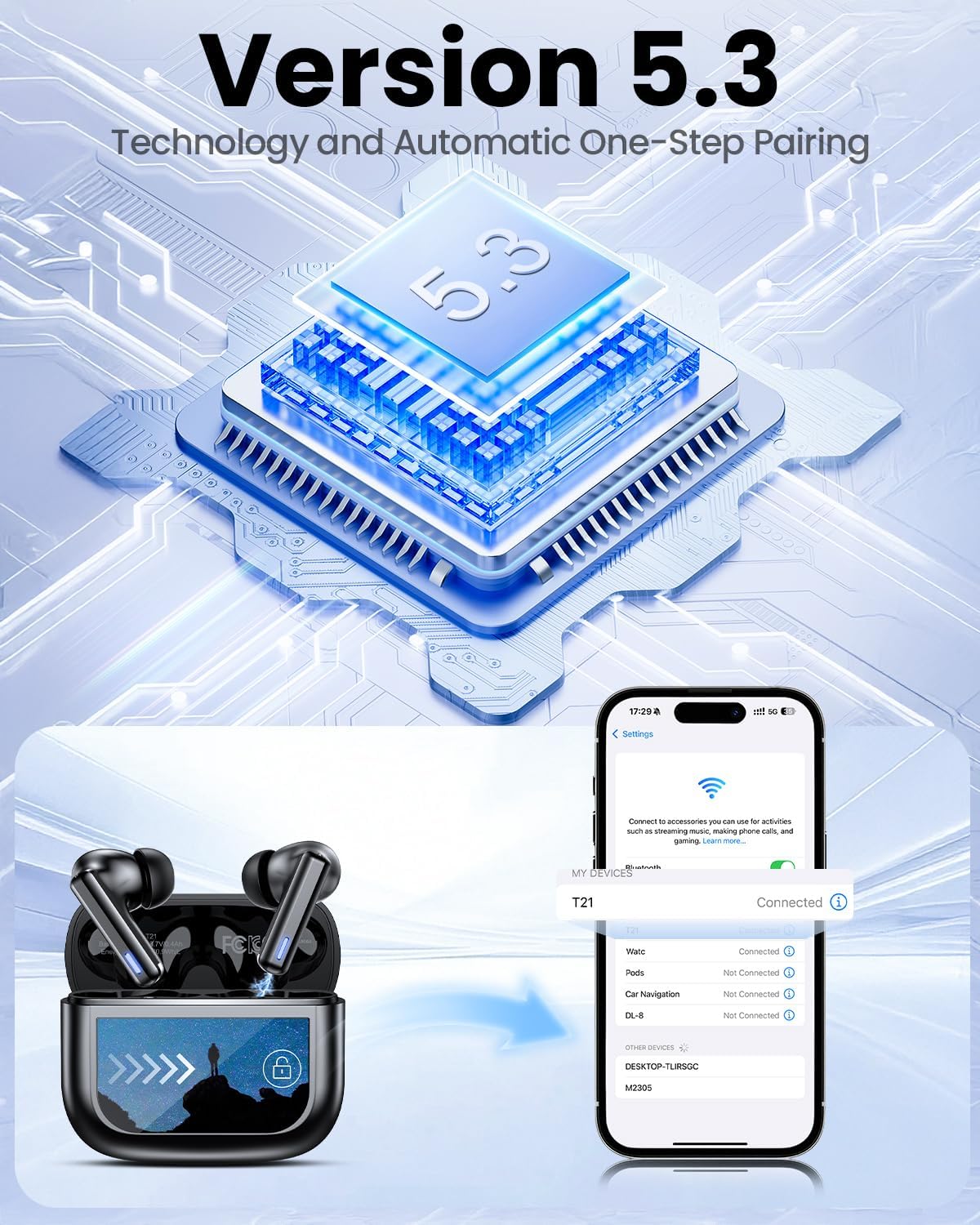
Image: Smart touch controls available on the earbuds.
Charging Case Touch Screen Functions:
- Lecture de musique : Control play, pause, and track navigation.
- Contrôle du volume : Régler le niveau de sortie audio.
- Réduction du bruit : Toggle between ANC, Transparency, and Normal modes.
- Égaliseur (EQ) : Select from 5 preset sound profiles.
- Niveau de lumière : Ajuster la luminosité de l'écran.
- Changement de langue : Changer la langue d'affichage.
- Trouver mes écouteurs : Retrouver les écouteurs égarés.
- Contrôle de la caméra : Déclenchez à distance l'appareil photo de votre téléphone.

Image: Multi-functional LCD touch screen interface on the charging case.
4. Installation
4.1 Charge initiale
- Avant la première utilisation, retirez le film protecteur des contacts de charge des deux écouteurs.
- Placez les écouteurs dans l’étui de chargement.
- Connect the USB-C charging cable to the case and a power source. The case's touchscreen will display the charging status.
- Fully charge the earbuds and case before initial use. A full charge takes approximately 1.5 hours.
4.2 Couplage Bluetooth
- Ouvrez le boîtier de charge. Les écouteurs passeront automatiquement en mode appairage.
- Sur votre appareil (smartphone, tablette, ordinateur portable), activez le Bluetooth.
- Rechercher Sélectionnez les appareils Bluetooth disponibles et choisissez « T21 » dans la liste.
- Once connected, the earbuds will indicate successful pairing, and the device will show "Connected".

Image: Bluetooth 5.3 technology and one-step pairing process.
5. Mode d'emploi
5.1 Réduction active du bruit (ANC) et mode Transparence
The earbuds feature Hybrid Active Noise Cancellation (ANC) to reduce ambient noise by up to 40dB, and a Transparency Mode to allow you to hear your surroundings.
- Modes de commutation: Press and hold either earbud for 2 seconds to cycle between ANC, Transparency, and Normal modes. You can also switch modes via the charging case touchscreen.

Image: Active Noise-Cancelling in use.
5.2 Sound Quality and EQ Modes
Equipped with 14.2mm dynamic drivers, the earbuds deliver balanced audio. You can customize your listening experience with 5 Equalizer (EQ) presets:
- Normale
- Rocher
- Classique
- Populaire
- Jazz
Select your preferred EQ mode directly from the charging case touchscreen.

Image: Available 5 EQ Modes for audio customization.
5.3 Passer et recevoir des appels
The dual-ENC microphones are designed to reduce 98% of background noise, ensuring clear calls even in noisy environments.
- Répondre/Terminer l'appel : Appuyez une fois sur l'un des écouteurs.
- Rejeter l'appel : Appuyez longuement sur l'un ou l'autre écouteur.

Image: Earbud design for superior call clarity with built-in microphones.
5.4 Find My Earbuds Feature
The charging case touchscreen includes a "Find My Earphone" function to help locate misplaced earbuds.
- Access the "Find My Earphone" option on the case's touchscreen. The earbuds will emit a sound to assist in locating them.

Image: Using the 'Find My Earbuds' feature on the charging case.
5.5 Gestion de la batterie
The earbuds provide up to 8 hours of playtime on a single charge, extended to a total of 40 hours with the charging case. A 10-minute quick charge can provide 2 hours of music playback.
- The charging case touchscreen displays the battery percentage pour le boîtier et les écouteurs individuels.

Image: Battery life indication for ZIUTY T21 earbuds and charging case.
6. Entretien
6.1 Nettoyage
Regular cleaning helps maintain optimal performance and charging efficiency.
- Use an alcohol pad or a soft, dry cloth to clean the charging contacts on both the earbuds and inside the charging case.
- Gently clean the ear tip mesh to remove any dust or earwax that may affect sound quality or volume.

Image: Cleaning instructions for earbuds and charging case contacts.
6.2 Résistance à l'eau
The ZIUTY T21 earbuds have an IPX7 waterproof rating, meaning they can withstand immersion in water up to 1 meter for 30 minutes. This makes them suitable for workouts and light rain exposure.
- Ne plongez pas le boîtier de charge dans l’eau.
- Assurez-vous que les écouteurs soient secs avant de les remettre dans l'étui de chargement afin d'éviter tout dommage.

Image: IPX7 Waterproof feature of the earbuds.
6.3 Eartip Selection and Comfort
The package includes S, M, and L size eartips to ensure a comfortable and secure fit for various ear canal sizes. A proper fit is crucial for optimal sound quality and noise cancellation.
- Experiment with different eartip sizes to find the best seal and comfort for your ears.
- To replace eartips, gently pull off the current tip and push on the new one, ensuring it is securely attached.

Image: Eartip sizes for comfortable and stable fit.
7. Dépannage
If you encounter issues with your ZIUTY T21 Wireless Earbuds, refer to the following common problems and solutions:
- Les écouteurs ne se connectent pas :
Ensure earbuds are charged and removed from the case. Turn off and on your device's Bluetooth. Forget "T21" from your device's Bluetooth list and re-pair. - Aucun son ne sort d'un écouteur :
Check if both earbuds are charged. Try placing both earbuds back in the case, closing it, and then reopening to reset the connection. Clean the charging contacts. - Problèmes de charge :
Ensure the USB-C cable is securely connected to both the case and the power source. Clean the charging contacts on the earbuds and inside the case. Try a different charging cable or power adapter. - Mauvaise qualité sonore ou volume faible :
Ensure eartips provide a good seal. Clean the ear tip mesh to remove any obstructions. Adjust volume on both the earbuds (via touch controls) and your connected device. - Commandes tactiles non réactives :
Assurez-vous que vos doigts sont propres et secs. Essayez de réinitialiser les écouteurs en les plaçant dans l'étui et en le fermant pendant quelques secondes.
8. Spécifications
| Fonctionnalité | Spécification |
|---|---|
| Nom du modèle | T21 |
| Technologie de connectivité | Sans fil (Bluetooth 5.3) |
| Portée Bluetooth | 15 mètres |
| Contrôle du bruit | Annulation de bruit active (ANC) |
| Microphones | Dual-ENC Microphones |
| Taille du pilote audio | 14.2 millimètres |
| Réponse en fréquence | 20 kHz |
| Sensibilité | 107 dB |
| Impédance | 32 ohms |
| Autonomie de la batterie (écouteurs) | Jusqu'à 8 XNUMX heures |
| Autonomie de la batterie (avec étui) | Jusqu'à 40 XNUMX heures |
| Temps de charge | Environ 1.5 heures |
| Niveau de résistance à l'eau | IPX7 |
| Type de contrôle | Commandes tactiles (écouteurs), écran tactile (boîtier) |
| Caractéristiques spéciales | 5 EQ Presets, Find My Earbuds, Camera Control |
| Matériel | Acrylonitrile butadiène styrène (ABS) |
| Poids de l'article | 3.17 onces (90 grammes) |
| Dimensions du produit | 2.23 x 1.01 x 1.94 pouces |
9. Garantie et assistance
For warranty information or technical support, please refer to the contact details provided with your purchase or visit the official ZIUTY webConsultez le site. Conservez votre preuve d'achat pour toute réclamation au titre de la garantie.