
Introduction
Thank you for choosing the Armocity 4-Tier White Corner Bookshelf. This instruction manual provides essential information for the safe assembly, operation, and maintenance of your new furniture. Designed to maximize space, this L-shaped bookshelf features four open tiers and rounded corners, making it a versatile addition to various rooms.
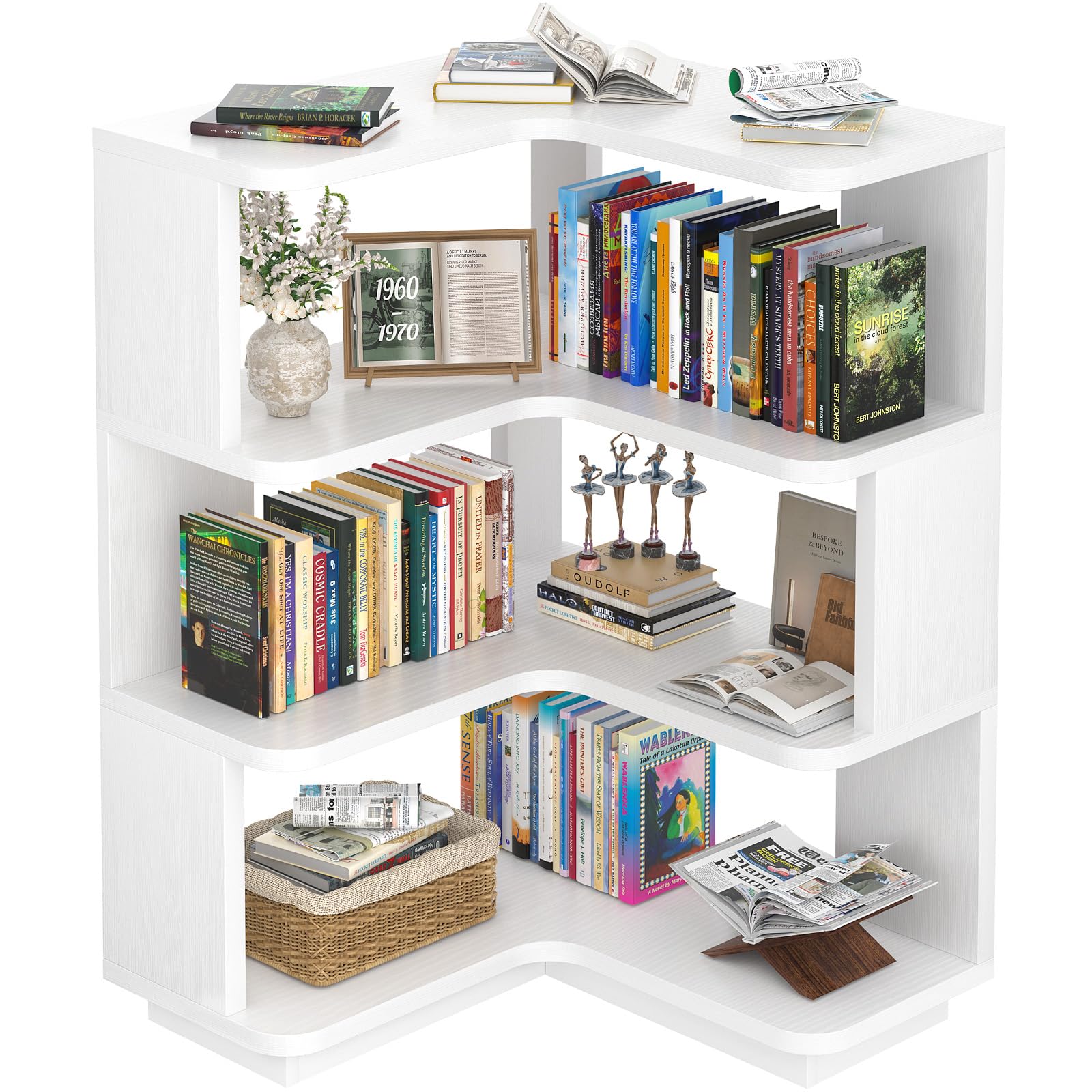
Image: The Armocity 4-Tier White Corner Bookshelf, showcasing its L-shaped design and multiple shelves filled with books and decor, positioned in a cozy living room corner.
Consignes de sécurité
Veuillez lire et comprendre toutes les instructions avant le montage et l'utilisation. Conservez ce manuel pour toute consultation ultérieure.
- Dispositif anti-basculement : Always install the included wall anchors to prevent tipping, especially if children or pets are present. This significantly improves safety.
- La répartition du poids: Distribute weight evenly across all shelves. Avoid placing heavy items on upper shelves to maintain stability.
- Stabilité de la surface : Ensure the bookshelf is placed on a flat, stable, and level surface.
- Sécurité des enfants : Keep small parts and packaging materials away from children during assembly. The rounded corners are designed for safety, but supervision is always recommended.
- Prises de courant: If your model includes integrated power outlets, ensure they are used according to electrical safety guidelines. Do not overload the outlets.

Image : détaillée view of the bookshelf's safety features, including smoothly rounded corners to prevent injury, an anti-tip device for wall mounting, and the precise 90-degree design for a snug fit in corners.
Contenu du colis
Avant de commencer l'assemblage, vérifiez que toutes les pièces et la visserie sont présentes. Si des pièces sont manquantes ou endommagées, veuillez contacter le service client.
The package includes pre-sorted parts and hardware. Refer to the detailed parts list and illustrations provided in your physical instruction booklet for exact quantities and identification.
Composants typiques :
- Engineered Wood Panels (various shapes for shelves and supports)
- Assembly Hardware (screws, dowels, cam locks, wall anchors)
- Power Strip with USB Ports (for models with this feature)
- Assembly Tool (e.g., Hex Key)
Instructions d'installation et d'assemblage
Assembly is straightforward and typically takes about 1 hour without power tools, or approximately 30 minutes with power tools. All parts are labeled with stickers for easy identification. It is recommended to assemble the unit on a soft, clean surface to prevent scratches.
Guide étape par étape :
- Préparez la base : Identify the bottom panel and attach the necessary hardware (e.g., cam bolts) as indicated in your manual.
- Assembler les supports verticaux : Connect the vertical support panels to the base using dowels and cam locks. Ensure all connections are secure.
- Installez les étagères : Gradually add the curved shelf panels, securing them to the vertical supports. Pay attention to the orientation of each shelf to ensure the L-shape is correctly formed.
- Fixer les panneaux arrière (le cas échéant) : Some models may include back panels for added stability. Secure these as per the instructions.
- Installer le panneau supérieur : Place the top panel, ensuring it aligns with all vertical supports and is securely fastened.
- Multiprise intégrée : If your model includes a power strip with USB ports, carefully insert it into the designated cutout on the top panel and secure it with the provided screws. Route the power cord through the cable management hole.
- Apply Anti-Tip Device: Securely attach the anti-tip device to the top rear of the bookshelf and to a wall stud using the provided hardware. This is a critical safety step.
- Vérifications finales : Ensure all screws and fasteners are tightened. Gently shake the unit to check for stability.
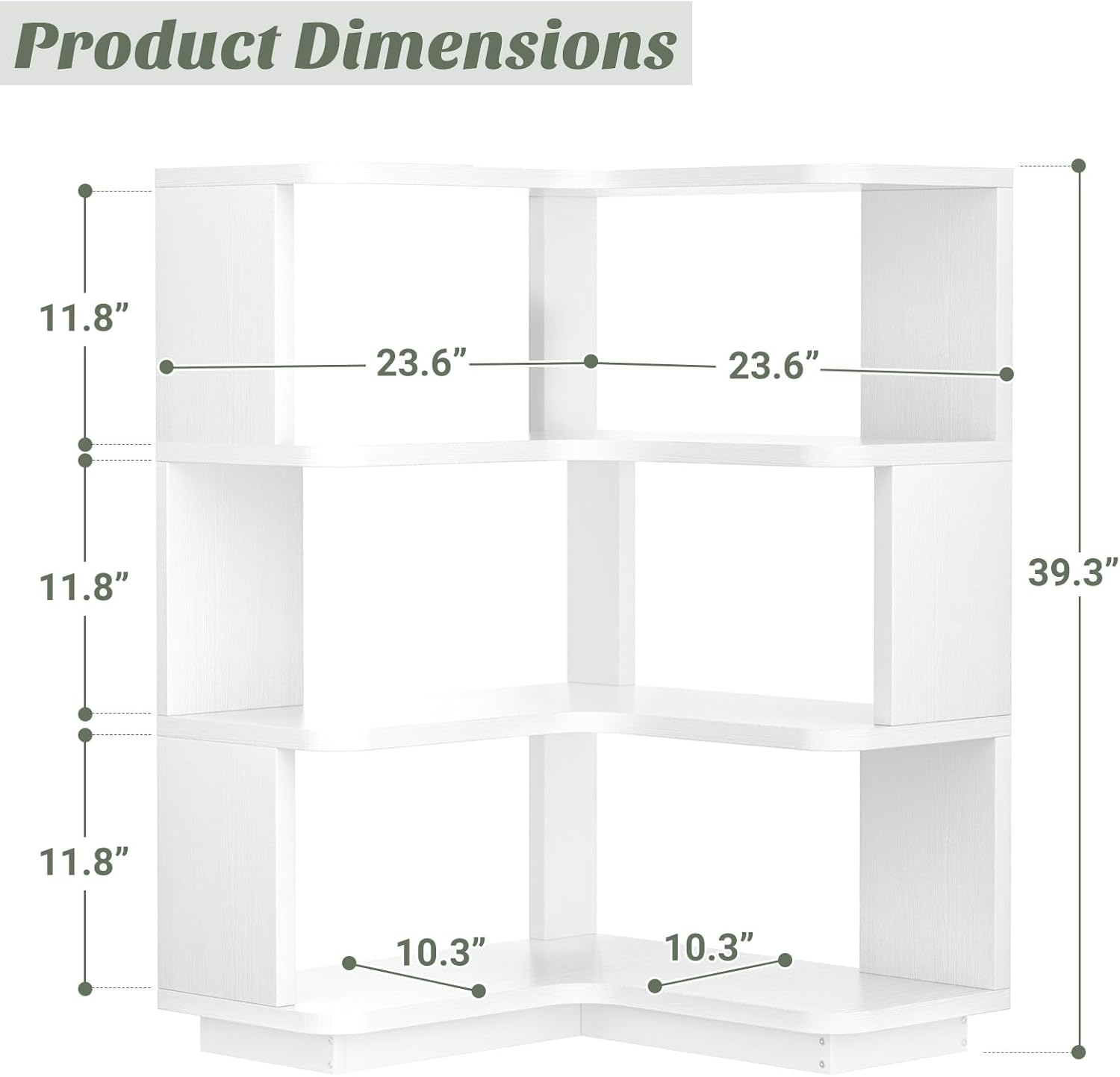
Image: A technical diagram illustrating the precise dimensions of the 4-Tier Corner Bookshelf, including its overall height of 39.3 inches and shelf depths of 11.8 inches and 10.3 inches, crucial for planning placement.
Mode d'emploi
The Armocity 4-Tier Corner Bookshelf is designed for versatile storage and display. Its L-shaped design allows it to fit snugly into room corners, maximizing space.
- Placement: Position the bookshelf in any corner of your bedroom, living room, home office, kitchen, or hallway.
- Stockage: Utilize the four open shelves to store books, display decorative items, plants, photos, or small appliances. The built-in bookends on each shelf help prevent items from slipping.
- Accès à l'alimentation : If equipped, use the integrated power strip with USB ports on the top shelf to conveniently charge devices or power small electronics.
- Versatilité: This unit can serve various functions, from a traditional bookshelf to a display stand for collectibles, or even as corner pantry shelves in a kitchen.

Image: The 4-Tier Corner Bookshelf in a child's room, showcasing its rounded corners and ample storage for books and toys, making it a safe and functional piece for young users.

Image: The 4-Tier Corner Bookshelf creatively repurposed as a compact bar shelf, holding various bottles and barware, illustrating its multi-room versatility.
Entretien
Proper care will ensure the longevity and appearance of your bookshelf.
- Nettoyage: Essuyez les surfaces avec un chiffon doux et sec.amp Utilisez un chiffon. Évitez les produits chimiques agressifs ou les nettoyants abrasifs, qui peuvent endommager la finition du bois d'ingénierie.
- Déversements : Promptly clean any spills to prevent staining or damage to the material.
- Fixations : Vérifiez régulièrement le serrage de toutes les vis et fixations. Resserrer si nécessaire pour préserver l'intégrité de la structure.
- Exposition au soleil : Évitez toute exposition prolongée et directe au soleil afin de prévenir la décoloration ou le jaunissement de la finition.
Dépannage
Problèmes courants et solutions :
- Unité bancale :
- Assurez-vous que tous les verrous à came et les vis sont complètement serrés.
- Verify the unit is on a level surface. Adjust with shims if needed.
- Confirm the anti-tip device is securely installed.
- Parties manquantes:
- Double-check all packaging materials. Small hardware can sometimes be overlooked.
- Contact Armocity customer support with your model number and a description of the missing part.
- Difficulté avec l'assemblage :
- Review the step-by-step instructions and illustrations carefully.
- Ensure parts are oriented correctly before tightening fasteners.
- If using a hex key, ensure it is fully inserted to avoid stripping screw heads.
Caractéristiques
| Nom du modèle | Bibliothèque d'angle à 4 niveaux |
| Numéro de modèle de l'article | 4CBS-W |
| Marque | Armocité |
| Couleur | Blanc |
| Matériel | Bois d'ingénierie |
| Dimensions du produit | 23.6"P x 23.6"L x 39.3"H |
| Poids de l'article | 29.9 livres |
| Nombre d'étagères | 4 |
| Type d'installation | Freestanding |
| Caractéristiques spéciales | Corner Design, Easy Assemble, Rounded Corners, Built-in Bookends, Optional Power Strip with USB Ports (depending on model) |
| Assemblage requis | Oui |
Garantie et assistance
For warranty information, product support, or to order replacement parts, please contact Armocity customer service directly. Refer to the contact details provided in your purchase documentation or visit the official Armocity website.
You can visit the Armocity Store for more products: Armocity Store on Amazon