
1. Introduction
Thank you for choosing the PAXA Mini Electric Shaver. This compact and powerful device is designed to provide a close and comfortable shave, whether at home or on the go. Featuring a magnetic dual-head rotary system, IPX7 waterproofing for wet and dry use, and convenient USB-C charging, this shaver is built for efficiency and portability. Please read this manual thoroughly before first use to ensure proper operation and maintenance.
2. Ce qui est inclus
- Rasoir électrique PAXA Mini
- Housse de protection
- Câble de chargement USB-C
- Brosse de nettoyage
- Manuel d'utilisation

Image: Contents of the PAXA Mini Electric Shaver package.
3. caractéristiques du produit
3.1. High-Performance Shaving System
The PAXA Mini Electric Shaver features a powerful 9,000 RPM high-speed motor and precision stainless steel blades. Its dual-ring arc blade design with a protective mesh ensures a close, smooth shave without pulling or irritation. The magnetic blade head is designed for easy attachment and removal.

Image : détaillée view of the shaver's internal components and performance metrics.
3.2. Compact and Durable Design
Crafted with a durable aluminum alloy and ABS body, this shaver features a matte finish and full anti-slip texture for a secure grip. Its compact, palm-sized design (approximately 2.3 inches) makes it ideal for travel, fitting easily into pockets, toiletry bags, or briefcases. A hard protective case is included to prevent accidental power-on and protect the shaver during transport.

Image: The shaver's compact size for portability.
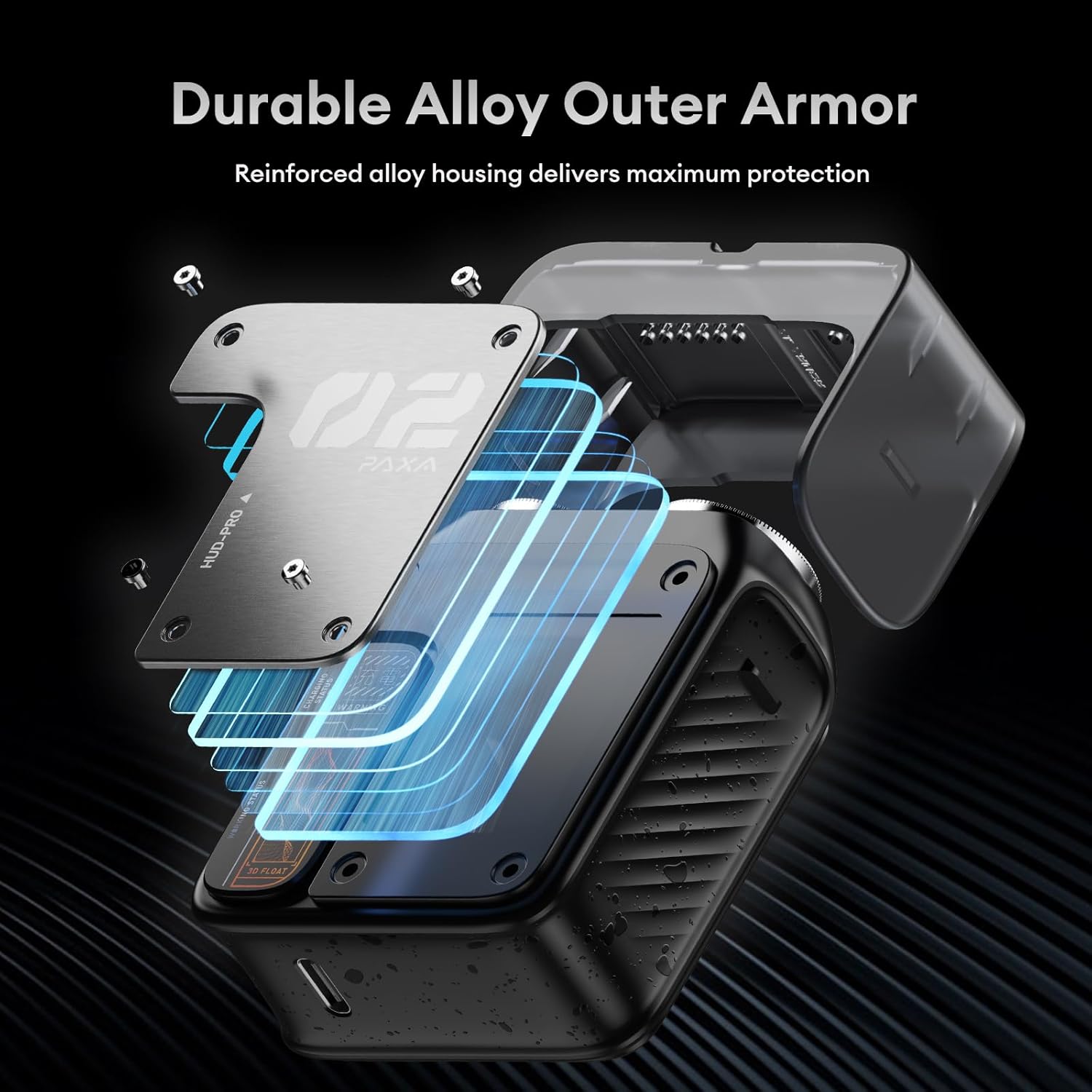
Image: The shaver's durable alloy outer armor.
3.3. IPX7 Waterproof for Wet & Dry Shaving
With an IPX7 waterproof rating, this electric foil shaver can be used for both wet and dry shaving. Enjoy a refreshing shave with foam or gel, or a quick dry shave. The waterproof design also makes rinsing and cleaning quick and easy under running water.

Image: The shaver's wet and dry shaving capabilities.

Image: The shaver undergoing an IPX7 full body wash.
3.4. Smart Battery Indicator & USB-C Fast Charging
The shaver features a smart "breathing" LED battery display with orange and red indicators to show power levels at a glance. It supports USB-C fast charging, providing 5 minutes of emergency power with a quick charge, and a full charge delivers up to 60 minutes of continuous use with 90 days of standby time.
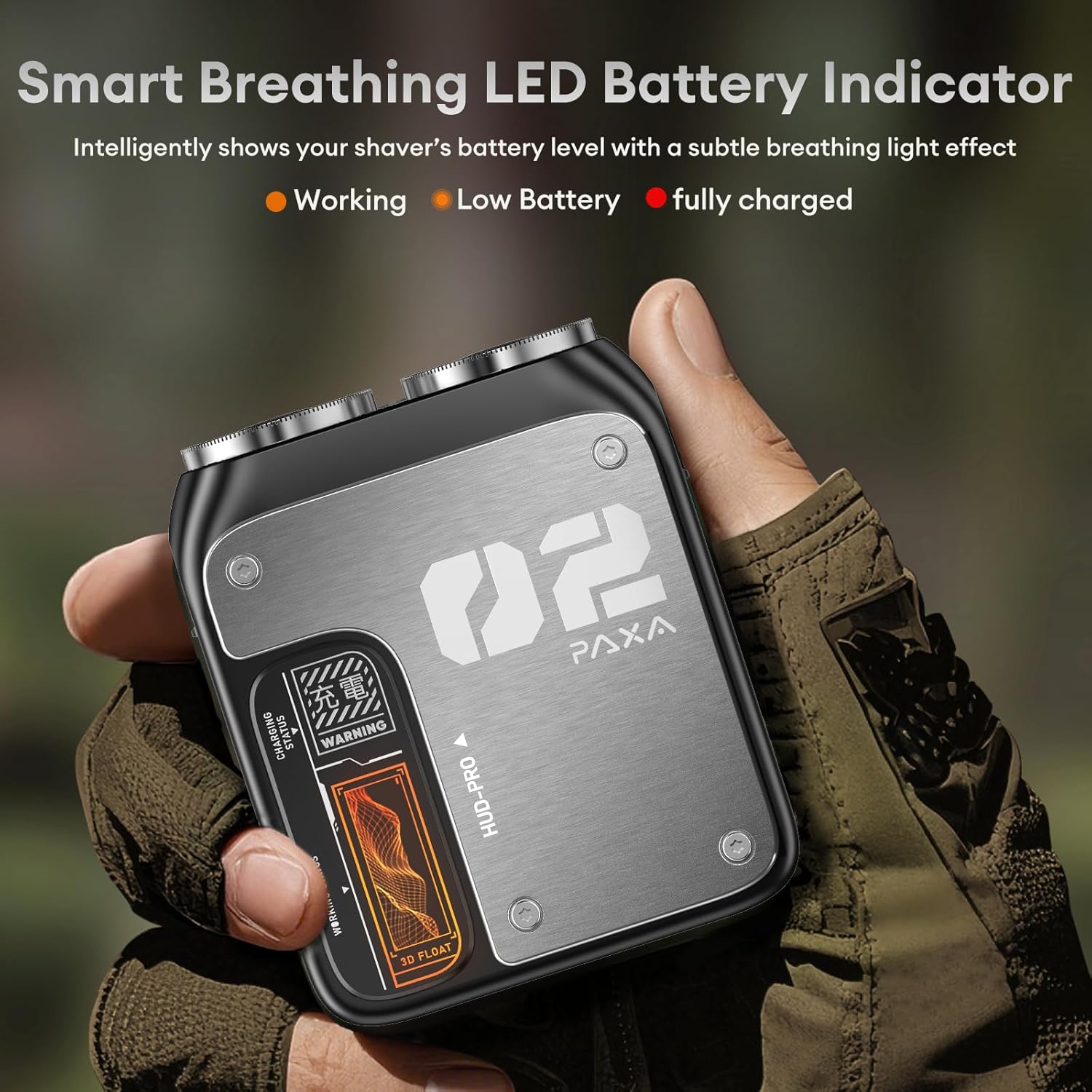
Image: The shaver's smart LED battery indicator.

Image: USB-C charging options for the shaver.
4. Installation
4.1. Charge initiale
- Before first use, fully charge your PAXA Mini Electric Shaver.
- Connect the provided USB-C cable to the charging port on the shaver and plug the other end into a compatible USB power source (e.g., laptop, car charger, power bank, or wall adapter).
- The LED battery indicator will show the charging status. A full charge typically takes about 1 hour.
- Do not use the shaver while it is charging. Keep it away from water during charging.
4.2. Préparation pour la première utilisation
- Remove the protective cover from the shaver head.
- It is recommended to perform a gentle test shave on a small area of your skin to allow for adjustment, as new shaver blades may initially feel sharper.
5. Mode d'emploi
5.1. Mise sous/hors tension
Press the power button located on the side of the shaver to turn it on or off. Always hold the shaver away from your face when turning it on or off.
5.2. Technique de rasage
The PAXA Mini Electric Shaver can be used for both wet and dry shaving.
- Rasage à sec : For a quick and convenient shave, ensure your skin is clean and dry. Gently move the shaver in circular motions or straight lines against the direction of hair growth.
- Rasage humide : For a more refreshing and comfortable shave, apply shaving foam or gel to your face. Move the shaver smoothly over your skin, following the contours of your face.
Important Note: New shaver blades may initially feel sharper. We recommend shaving gently without applying excessive pressure, allowing your skin time to adjust.
Video: A brief demonstration of the PAXA Mini Electric Shaver's IPX7 waterproof feature and its compact design.
6. Entretien
6.1. Nettoyage de la tête de rasage
Regular cleaning ensures optimal performance and hygiene. The magnetic blade head makes cleaning simple:
- Assurez-vous que le rasoir est éteint.
- Gently pull the magnetic blade head upwards to detach it from the shaver body.
- Rinse the detached blade head and the shaver body under running water to remove hair clippings and debris. You may also use the provided cleaning brush to dislodge stubborn hairs.
- Allow all parts to air dry completely before reattaching the blade head and storing the shaver.
6.2. Stockage
After cleaning and drying, place the protective cover back on the shaver head. Store the shaver in a cool, dry place, away from direct sunlight and extreme temperatures.
7. Dépannage
| Problème | Cause possible | Solution |
|---|---|---|
| Le rasoir ne s'allume pas. | Batterie faible ou pas de charge. | Charge the shaver fully using the USB-C cable. Check the LED indicator for charging status. |
| Mauvaises performances de rasage. | Les lames sont émoussées ou obstruées par des cheveux. | Clean the shaver head thoroughly. If performance does not improve, consider replacing the blade head (replacement parts sold separately). |
| Le rasoir arrache les poils ou provoque des irritations. | Incorrect shaving technique or skin not adjusted to new blades. | Shave gently without excessive pressure. Ensure skin is clean. For wet shaving, use foam or gel. Allow skin a few weeks to adjust to a new electric shaver. |
| La charge ne fonctionne pas. | Câble ou source d'alimentation défectueux. | Essayez un autre câble USB-C ou un autre adaptateur secteur. Assurez-vous que le port de charge est propre et exempt de poussière. |
8. Spécifications
| Fonctionnalité | Détail |
|---|---|
| Nom de marque | PAXA |
| Nom du modèle | PAT0105 |
| Numéro de modèle de l'article | PAT0105 |
| Numéro de pièce du fabricant | PAT0103 |
| Dimensions du colis | 4.76 x 4.49 x 1.54 pouces |
| Poids de l'article | 7.05 onces |
| Couleur | Gris |
| Matériau de la lame | Acier allié |
| Nombre de lames | 2 |
| Type de tête | Rotatif |
| Source d'énergie | Alimenté par batterie |
| Type de batterie | Integrated Rechargeable Lithium-Ion, 350 mAh |
| Durée de vie moyenne de la batterie | 60 jours (en veille) |
| Temps d'utilisation continu | Jusqu'à 60 minutes |
| Indice d'étanchéité | IPX7 |
| Utilisations recommandées | Barbe |
| Fonctionnalités supplémentaires | Battery Indicator, Detachable Head, Dry Shave, Floating Head, Rechargeable |
| Composants inclus | Brosse de nettoyage |
9. Garantie et assistance
The PAXA Mini Electric Shaver comes with a Garantie constructeur de 1 ans. For warranty claims, technical support, or any questions regarding your product, please refer to the contact information provided with your purchase documentation or visit the official PAXA website.