Manuel d'utilisation de l'ordinateur portable de jeu NIMO 17.3" IPS FHD
Modèle : NIMO N177
Marque : NIMO
Introduction
This manual provides essential information for setting up, operating, maintaining, and troubleshooting your NIMO 17.3" IPS FHD Gaming Laptop. Please read this guide thoroughly to ensure optimal performance and longevity of your device.
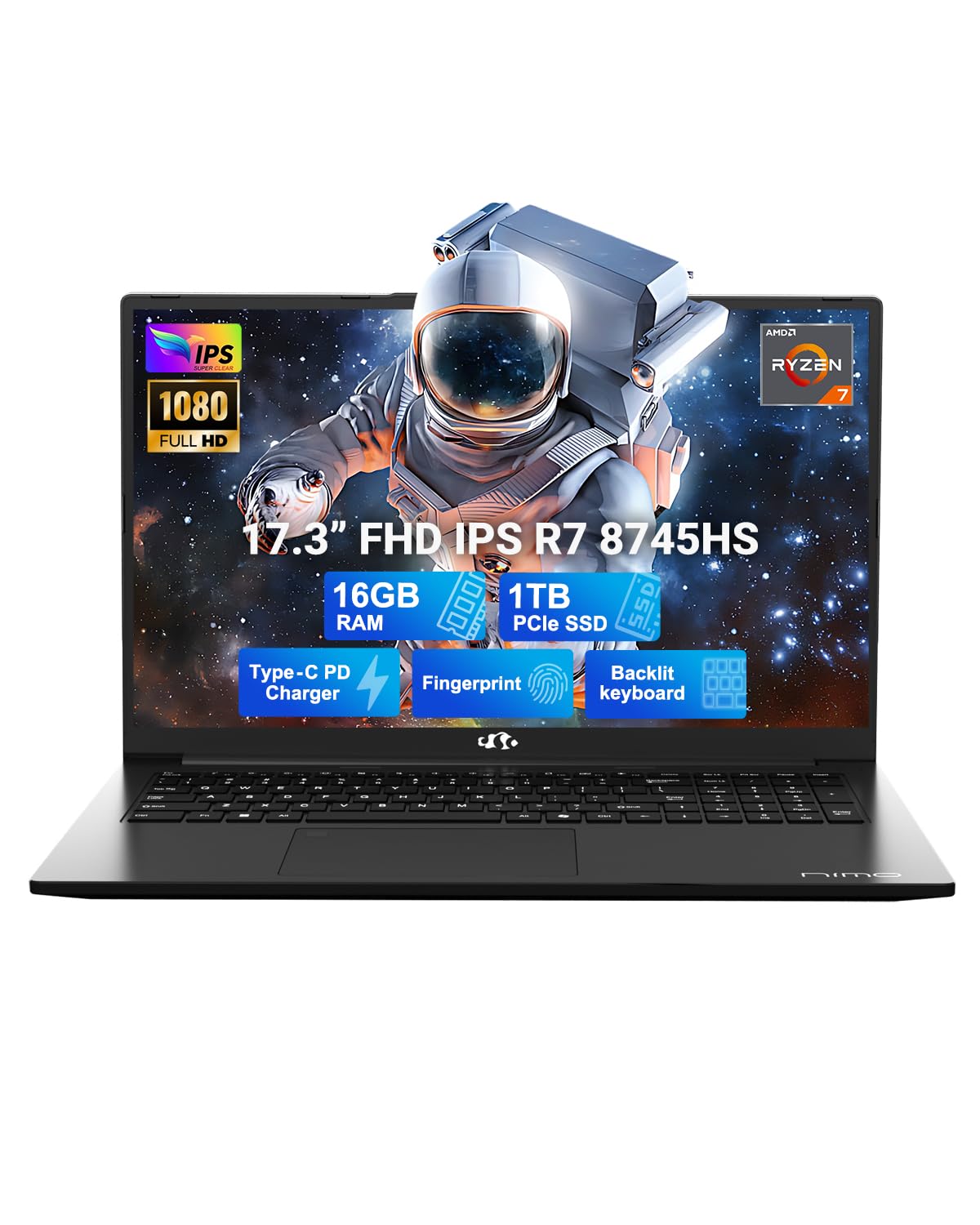
Figure 1: NIMO 17.3" IPS FHD Gaming Laptop
1. Installation
1.1 Déballage et mise sous tension initiale
Carefully remove the laptop and its accessories from the packaging. Ensure all components listed in the 'What's in the Box' section are present. Connect the 100W USB-C PD fast charger to the laptop and a power outlet. The laptop will guide you through the initial Windows 11 setup process.
Video 1: NIMO 17.3" Gaming Laptop with PD 100W Ultra-Fast Charging - Demonstrates connecting the charger and initial power-on sequence.
1.2 Chargement de l'ordinateur portable
The NIMO laptop comes with a 100W PD fast charger and a 6.56ft USB-C cable. A 15-minute charge can provide up to 2 hours of use. The USB-C charger is universally compatible and can charge other devices like phones and tablets.
Figure 2: The 100W USB-C fast charger included with the NIMO laptop.
1.3 Connectivité
The laptop features a variety of high-speed interfaces for versatile connectivity:
Port USB 2.0
3 ports USB 3.0
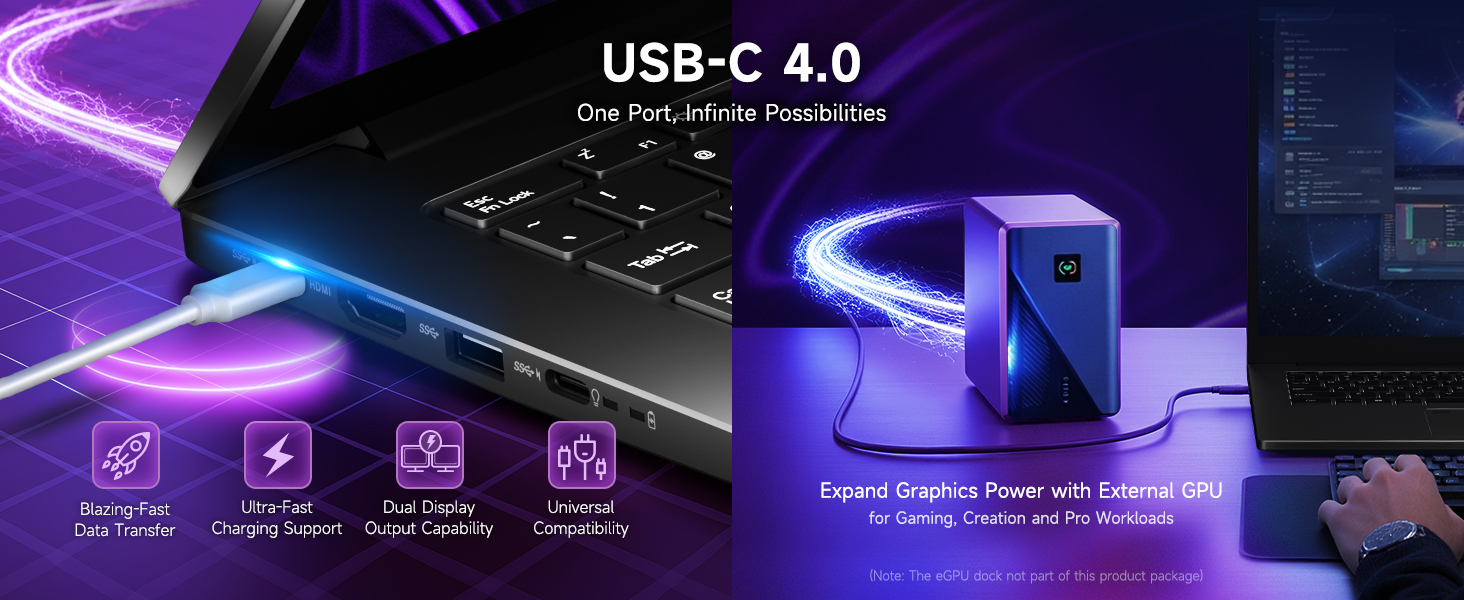
USB 4.0 Type-C Port (supports external GPU docks, high-speed drives, multiple displays)
Port HDMI
Prise casque
Lecteur de carte SD
Slot pour verrou Kensington
Figure 3 : Plusview of the NIMO laptop's high-speed interfaces.
2. Utilisation de l'ordinateur portable
2.1 Performance
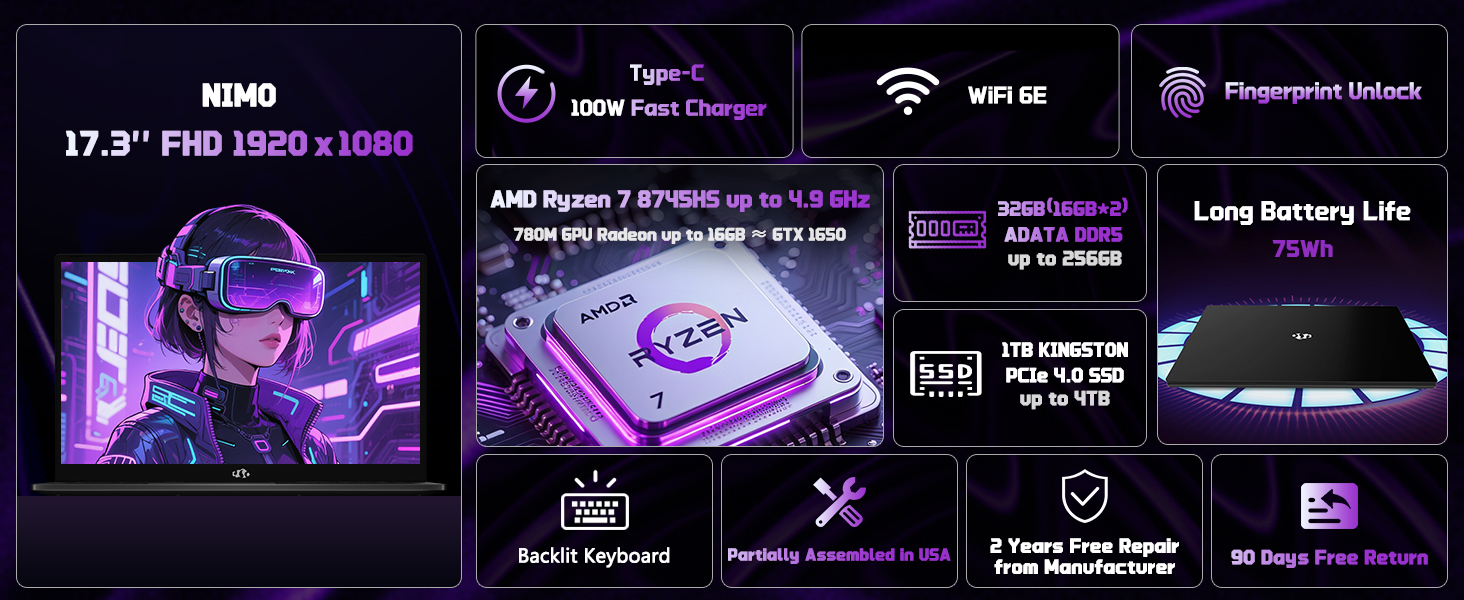
The NIMO laptop is equipped with an AMD Ryzen 7 8745HS processor (8-core/16-thread) with turbo speeds up to 4.9GHz, and AMD Radeon 780M Graphics. This configuration is designed for seamless gaming, content creation, and productivity, handling both single and multi-threaded tasks efficiently. It also includes a built-in NPU for AI-powered tools.
Video 2: NIMO Gaming-Laptop Ryzen 9 8945HS Engineered for performance - Highlights the laptop's processing power.
Figure 4: AMD Ryzen 7 8745HS Processor details.
Affichage 2.2
Expérience immersive viewing on the 17.3" FHD IPS anti-glare display with a 1920x1080 resolution and an ultra-thin 85% screen-to-body ratio. This display offers bright views and eye protection, making it suitable for both work and entertainment.
Figure 5: The 17.3" FHD IPS display provides a large, sharp visual experience.
2.3 Clavier et pavé tactile
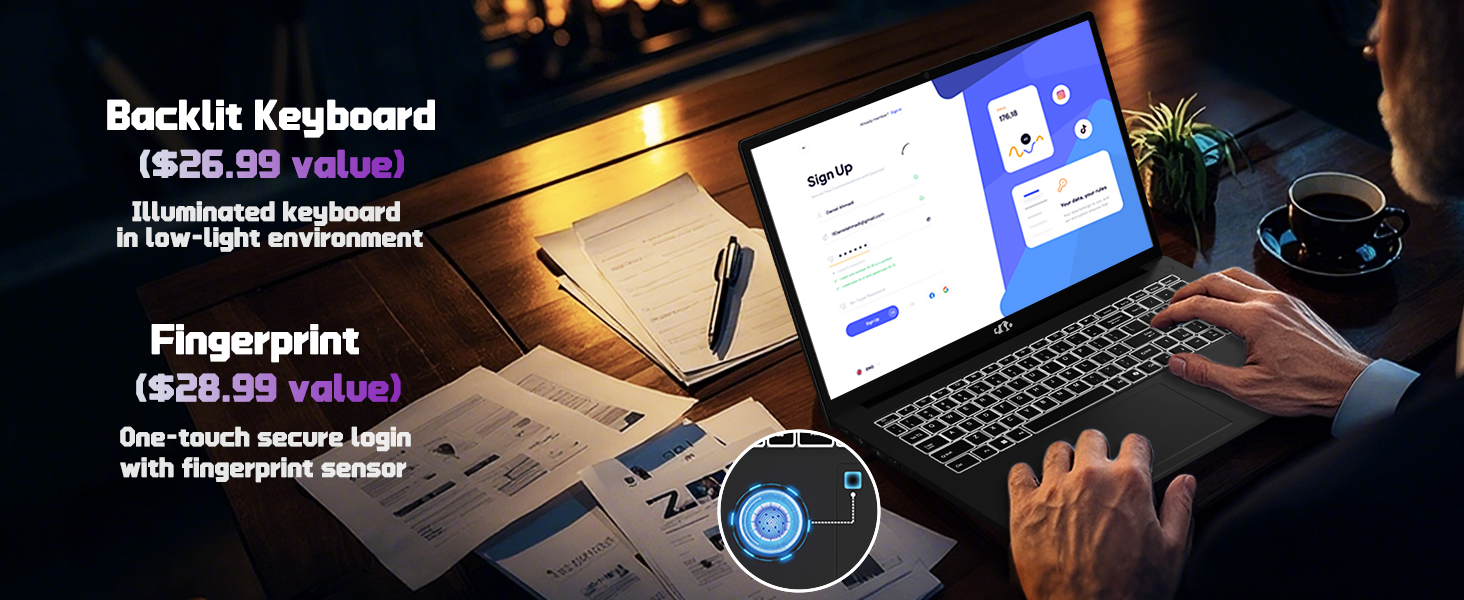
The laptop features a backlit keyboard for comfortable typing in any lighting condition and a precision gesture touchpad with an integrated fingerprint reader for instant, secure unlocking.
Figure 6: Backlit keyboard and fingerprint unlock feature on the NIMO laptop.
2.4 Webcame
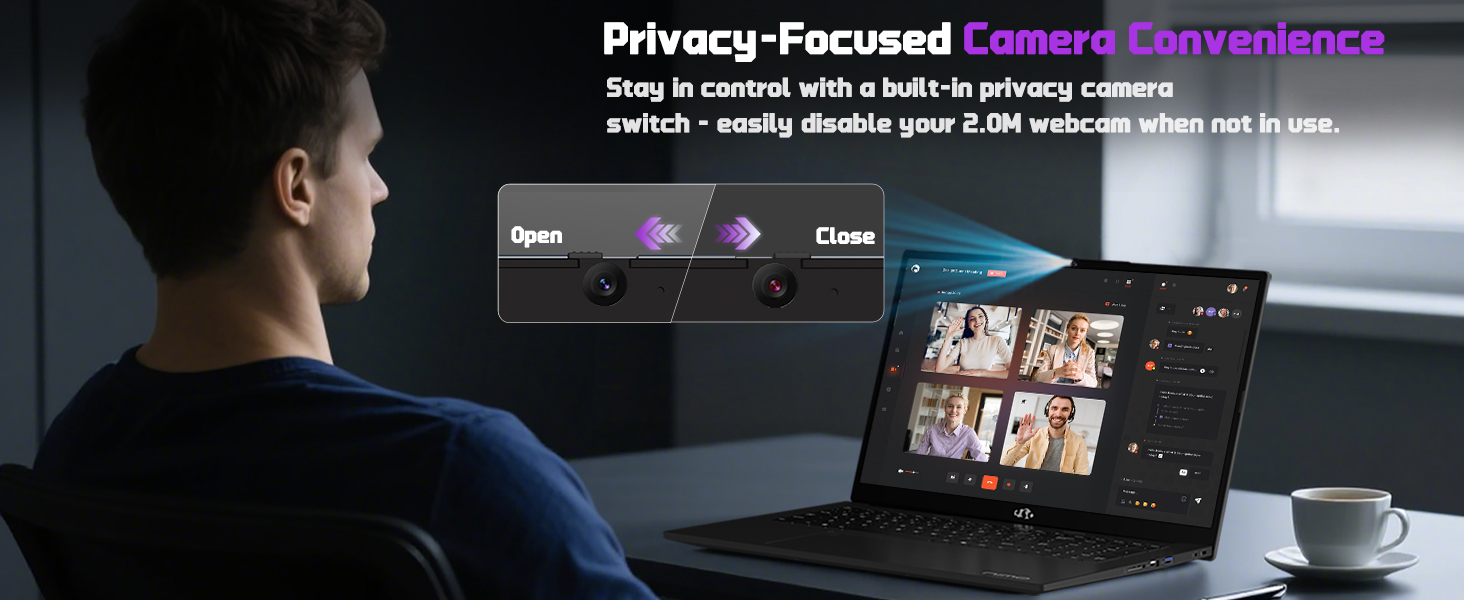
Le 2 MP intégré webcam includes a built-in privacy switch, allowing you to easily disable it when not in use for enhanced privacy.
Figure 7 : Webcam with privacy switch for user control.
2.5 Gaming and Productivity
The NIMO laptop is designed to handle demanding tasks, including gaming and creative work, with its powerful AMD Ryzen 7 8745HS processor and Radeon 780M Graphics. It provides a smooth and responsive experience for various applications.
Video 3: NIMO Gaming-Laptop: Think What You Will, Do As You Do - Showcases the laptop's capabilities for gaming and creative tasks.
3. Entretien
3.1 Possibilité de mise à niveau
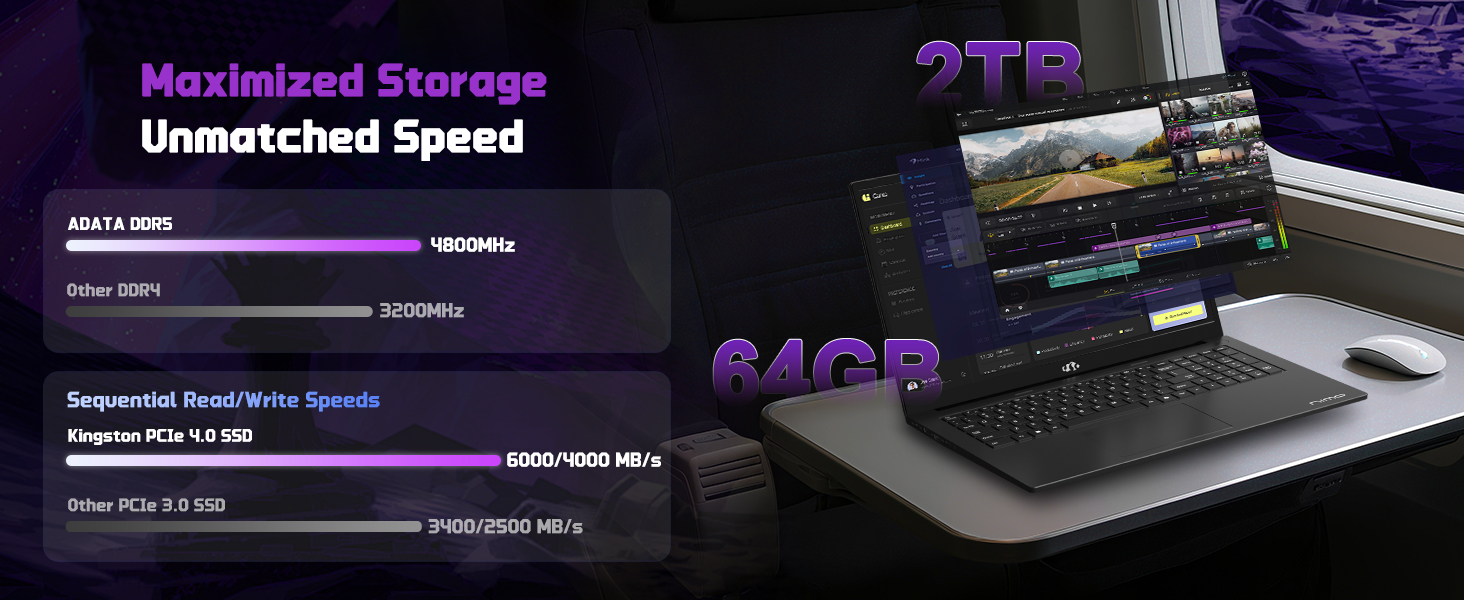
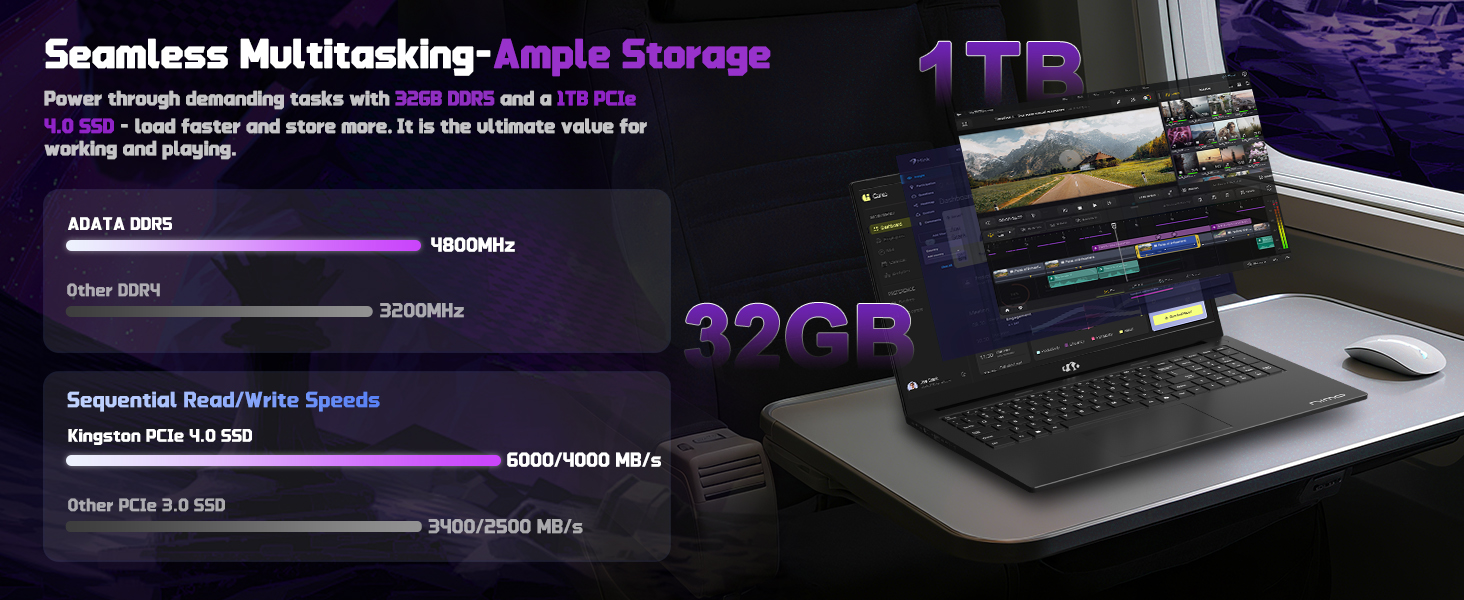
The NIMO laptop is equipped with 16GB DDR5 RAM and a 1TB PCIe 4.0 SSD. Its user-friendly design allows for effortless memory and storage expansion to meet your evolving needs.
Figure 8: Illustration of the laptop's upgradable RAM and SSD components.
3.2 Entretien de la batterie
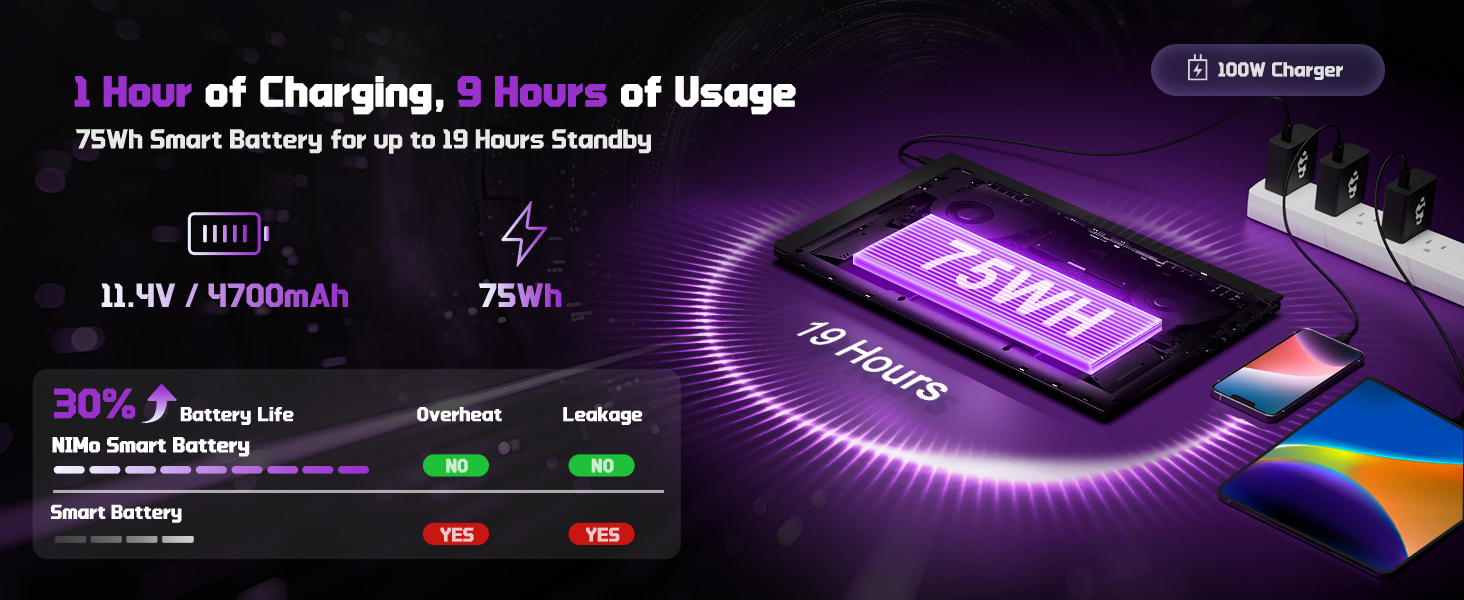
The laptop features a 75Wh Smart Battery designed for up to 15.5 hours of average battery life. To maximize battery lifespan, avoid extreme temperatures and fully discharging the battery frequently.
Figure 9: Information on NIMO Smart Battery and charging efficiency.
4. Dépannage
If you encounter any issues with your NIMO laptop, please refer to the following general troubleshooting steps before contacting support:
Pas d'alimentation : Assurez-vous que le chargeur est correctement branché à la fois à l'ordinateur portable et à une prise de courant fonctionnelle. Vérifiez le voyant de charge.
Problèmes d'affichage : Si l'écran reste noir, essayez de connecter un moniteur externe pour vérifier si le problème provient de l'écran ou de la sortie graphique de l'ordinateur portable.
Performances lentes : Close unnecessary applications, check for background processes, and ensure your operating system is up to date. Consider performing a system scan for malware.
Problèmes de connectivité : For Wi-Fi issues, restart your router and the laptop. For peripheral issues, try connecting the device to a different port or another computer to isolate the problem.
For more complex issues, please contact NIMO customer support.
1 ports USB 2.0, 3 port USB 3.0, 1 port USB 4.0 Type-C
Durée de vie moyenne de la batterie
15.5 heures (75 Wh)
Poids de l'article
3.84 livres
Dimensions du produit
15.66 x 9.99 x 0.74 pouces
Couleur
Noir
Arrière WebRésolution de came
2 MP
6. Garantie et assistance
6.1 Informations sur la garantie
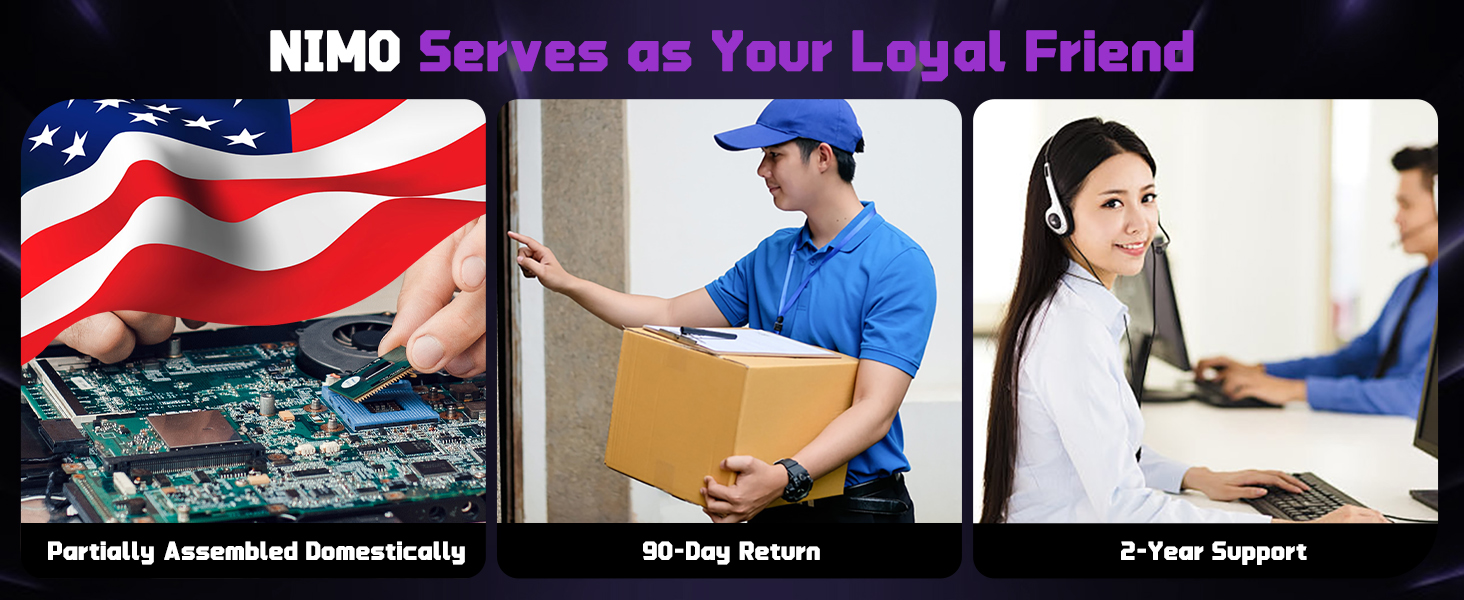
Your NIMO laptop is backed by a Garantie de 2 ans from NIMO Direct Inc. This warranty covers manufacturing defects and ensures your satisfaction.
Figure 10: NIMO products are covered by a 2-year support warranty.
Politique de retour 6.2
NIMO offers hassle-free Retours sous 90 jours. You may return any NIMO product for any reason within 90 days of purchase.
Figure 11: NIMO's 90-day return policy for customer satisfaction.
6.3 Assistance clientèle
Our dedicated support team is available to ensure quick solutions for a worry-free experience. For product-related questions or assistance, you can contact us through our official website, email, or telephone. We aim to reply to your inquiries as soon as we receive them.
Figure 12: NIMO provides professional customer assistance.
Ask a question about this manual
Ask about setup, troubleshooting, compatibility, parts, safety, or missing instructions. Manuals+ will review the question and use this page’s manual context to help answer it.