
1. Introduction
This manual provides detailed instructions for the Inateck BCST-72 2D Wireless Barcode Scanner. Please read this guide thoroughly before using the device to ensure proper operation and to maximize its performance. The Inateck BCST-72 is designed for efficient and accurate scanning of various 1D and 2D barcodes, offering versatile connectivity and a long-lasting battery.
2. Contenu du colis
Vérifiez que tous les éléments sont présents dans votre colis :
- Inateck BCST-72 2D Wireless Barcode Scanner
- Câble de chargement USB (USB-A vers USB-B)
- Clé USB sans fil 2.4 GHz
- Guide de l'utilisateur (ce document)
Description de la vidéo : An unboxing video showing the Inateck BCST-72 barcode scanner, user guide, USB cable, and 2.4G USB dongle being removed from their packaging. This video provides a visual confirmation of the package contents.
3. Produit terminéview
3.1 caractéristiques physiques
The Inateck BCST-72 is built for durability and comfort, featuring a robust design suitable for various work environments.
- Conception durable : The scanner incorporates thickened TPU soft rubber for 360° drop protection, capable of withstanding repeated drops from 1.8 meters.
- Poignée ergonomique : Engineered for comfort during extended use, its balanced weight and slip-resistant backstrap ensure effortless handling.
- Bouton durable : The trigger button features a metal and plastic combined design, supporting millions of clicks for long-term reliability.
Description de l'image : Un détail view of the Inateck BCST-72 barcode scanner, illustrating its robust construction with enhanced TPU for 360-degree protection against drops from up to 1.8 meters.

Description de l'image : A hand holding the Inateck BCST-72 barcode scanner, emphasizing its ergonomic design for comfortable and effortless control during use.

Description de l'image : A close-up shot of the Inateck BCST-72 barcode scanner's yellow trigger button, highlighting its durable construction designed for millions of clicks.
4. Installation
4.1 Chargement du scanner
Before initial use, fully charge the scanner. Connect the provided USB charging cable to the scanner's charging port and a USB power source. The scanner is equipped with a 2600mAh battery, offering up to 180 days of standby time or 180,000 scans on a single charge.

Description de l'image : The Inateck BCST-72 barcode scanner with an overlay indicating its 180-day standby battery life, 144 hours of non-stop scanning, and 2600mAh battery capacity.
4.2 Options de connectivité
The BCST-72 offers three connectivity modes: 2.4G Wireless, Bluetooth, and Wired USB. It is compatible with Windows, Mac, iOS, Android, iPadOS, and Linux operating systems.
4.2.1 Connexion Bluetooth
Pour se connecter via Bluetooth :
- Allumez le scanner.
- Download the "Inateck Scanner" app from the App Store or Google Play.
- Open the app and follow the on-screen instructions to pair the scanner via Bluetooth. The app will guide you through the setup process.
- Once paired, the scanner can be used with your device.
4.2.2 Connexion sans fil 2.4 GHz
For 2.4G wireless connection:
- Insérez la clé USB 2.4 GHz dans un port USB disponible de votre ordinateur ou de votre appareil hôte.
- Allumez le scanner. Il devrait se connecter automatiquement au dongle.
- The scanner will function as a keyboard input device.
4.2.3 Connexion USB filaire
To connect via wired USB:
- Connectez le scanner à votre ordinateur à l'aide du câble USB fourni.
- The scanner will be recognized as a USB HID keyboard device and is ready for use.

Description de l'image : The Inateck BCST-72 barcode scanner shown connecting via Bluetooth to devices running Windows, macOS, Linux, Raspberry Pi, iOS, and Android, illustrating its broad compatibility.

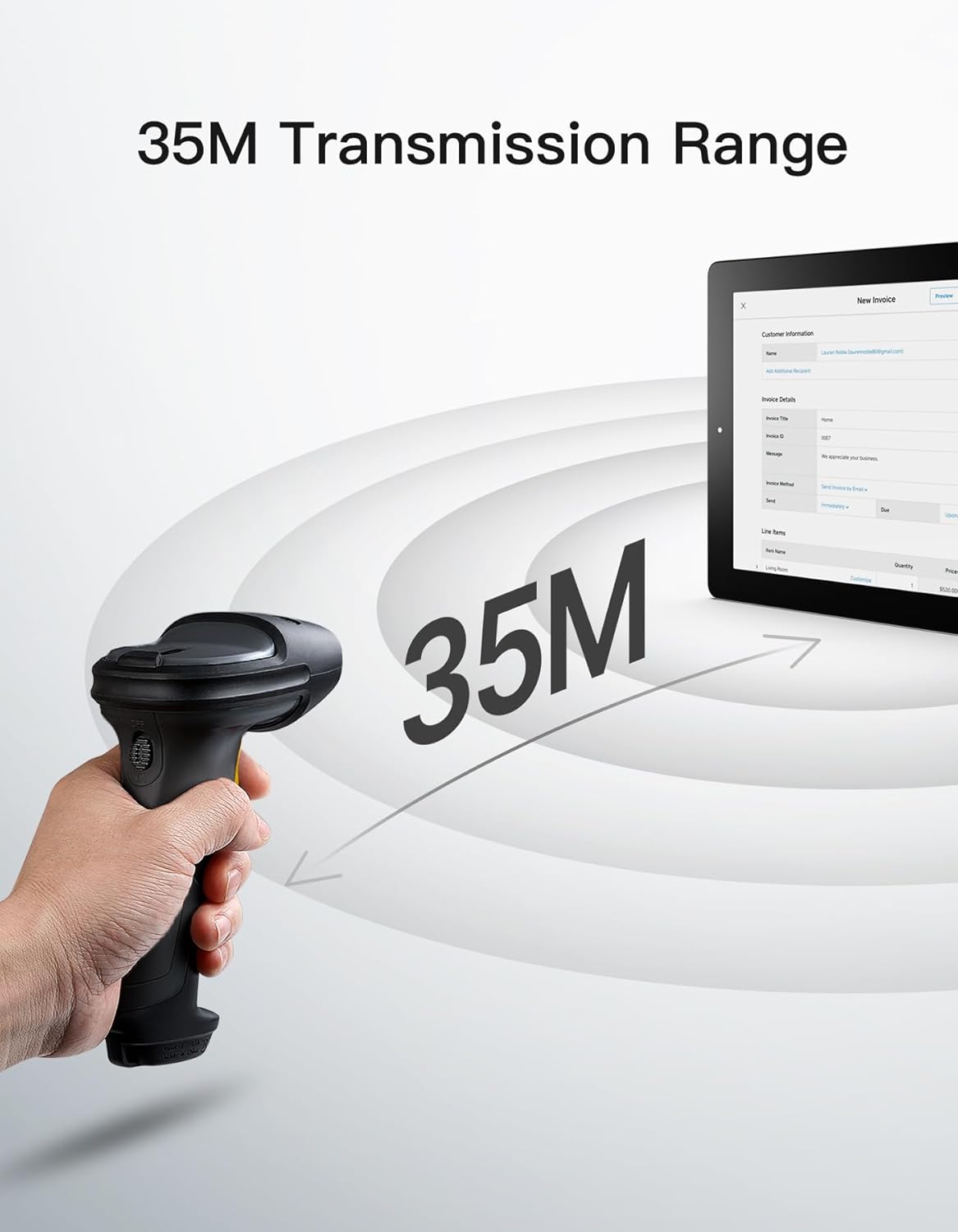
Description de l'image : The Inateck BCST-72 barcode scanner illustrating its 35-meter wireless transmission range, connecting to a tablet displaying an invoice.
5. Mode d'emploi
5.1 Lecture des codes-barres
The Inateck BCST-72 accurately reads almost all 1D and 2D barcodes within a 4–35 cm scanning range. It supports mainstream barcode types including Code 128, EAN-13, UPC-A, QR Code, PDF-417, Data Matrix, Aztec Code, and more. Equipped with a red laser aiming frame and white fill light, it reliably scans damaged, small, or blurred barcodes in both bright and low-light conditions.

Description de l'image : The Inateck BCST-72 barcode scanner head shown with various 1D and 2D barcodes, indicating its "Super Decoding Ability" to read different types of codes.

Description de l'image : The Inateck BCST-72 barcode scanner highlighting its capability to read both 1D and 2D barcodes, listing various supported formats like Code 128, EAN-13, UPC-A, QR, and Data Matrix.
5.2 Modes de numérisation
The scanner offers multiple scanning modes to suit different applications:
- Mode manuel : Appuyez sur le bouton de déclenchement pour scanner chaque code-barres individuellement.
- Mode continu : Le scanner émet en continu un faisceau de balayage, lisant les codes-barres lorsqu'ils traversent le champ de view sans avoir besoin d'appuyer sur la gâchette.
- Mode de détection automatique : The scanner automatically detects barcodes placed within its scanning range and activates the scan beam.
- Mode inventaire : Allows for offline data collection, storing up to 270,000 barcodes internally before uploading them to a host device.

Description de l'image : The Inateck BCST-72 barcode scanner in a stand, demonstrating its automatic detection mode for hands-free scanning.

Description de l'image : The Inateck BCST-72 barcode scanner continuously scanning multiple items on a conveyor belt, illustrating its continuous scanning mode.

Description de l'image : The Inateck BCST-72 barcode scanner used in inventory mode, showing scanned data being uploaded to a spreadsheet, highlighting its offline data collection capability.
5.3 Inateck Scanner App & SDK
The Inateck Scanner app (available on App Store and Google Play) and SDK provide advanced configuration options and seamless integration with ERP systems. The app allows for fast configuration of Bluetooth pairing, barcode settings, and data processing. You can customize settings such as volume, barcode types, suffixes, and prefixes. The SDK enables developers to integrate the scanner directly into custom software solutions.
Description de la vidéo : An official product video demonstrating the Inateck BCST-72 barcode scanner's features, including its decoding ability, battery life, durable design, and the functionality of the Inateck Scanner app for configuration and data processing. It also highlights the SDK for seamless integration.
6. Entretien
Pour garantir la longévité et les performances optimales de votre lecteur de codes-barres Inateck BCST-72, suivez ces consignes de maintenance :
- Nettoyage: Utilisez un chiffon doux et sec pour nettoyer l'extérieur du scanner. Pour la fenêtre de numérisation, utilisez un chiffon non pelucheux légèrement essuyé.ampNettoyez avec un produit doux et non abrasif. Évitez les produits chimiques agressifs ou les matériaux abrasifs qui pourraient rayer la lentille.
- Entretien de la batterie: Avoid fully discharging the battery frequently. For long-term storage, charge the battery to about 50% and store the device in a cool, dry place. Recharge periodically if stored for extended periods.
- Stockage: Rangez le scanner dans un endroit propre et sec, à l'abri des températures extrêmes, de la lumière directe du soleil et des substances corrosives.
7. Dépannage
If you encounter issues with your Inateck BCST-72 scanner, refer to the following common solutions:
- Le scanner ne s'allume pas : Assurez-vous que la batterie est chargée. Branchez le scanner à une source d'alimentation à l'aide du câble USB et laissez-le charger pendant au moins 30 minutes avant de tenter de le rallumer.
- Unable to Connect via Bluetooth/2.4G:
- Assurez-vous que le scanner est dans le mode d'appairage correct.
- Verify that Bluetooth is enabled on your host device.
- For 2.4G, ensure the USB dongle is securely plugged in and recognized by your device.
- Essayez de redémarrer à la fois le scanner et l'appareil hôte.
- Le scanner ne lit pas les codes-barres :
- Ensure the barcode is clean, undamaged, and within the scanner's optimal reading range (4-35 cm).
- Check if the barcode type is supported by the scanner. You can configure supported barcode types via the Inateck Scanner app.
- Ajustez la distance et l'angle du scanner par rapport au code-barres.
- Ensure sufficient lighting for the barcode. The scanner has a white fill light for low-light conditions.
- Aucune transmission de données :
- Confirm successful connection (Bluetooth, 2.4G, or wired).
- Ensure the cursor is in an active text field on your host device where data can be input.
- Check the scanner's settings via the Inateck Scanner app for any data processing rules that might be affecting output.
For further assistance, refer to the electronic manual within the Inateck Scanner app or contact Inateck customer support.
8. Spécifications
| Fonctionnalité | Détail |
|---|---|
| Marque | Inateck |
| Modèle | BCST-72 |
| Capacité de numérisation | 1D and 2D Barcodes (Code 128, EAN-13, UPC-A, QR Code, PDF-417, Data Matrix, Aztec Code, etc.) |
| Plage de balayage | 4–35 cm |
| Connectivité | Connexion sans fil 2.4 GHz, Bluetooth, USB filaire |
| Compatibilité | Windows, Mac, iOS, Android, iPadOS, Linux |
| Batterie | 1 batterie lithium-ion (incluse), 2600 mAh |
| Autonomie de la batterie | Up to 180 days standby or 180,000 scans |
| Protection contre les chutes | Résiste à des chutes d'un mètre. |
9. Garantie et assistance
Inateck products come with a standard warranty. For specific warranty terms and conditions, please refer to the documentation included with your purchase or visit the official Inateck website. If you require technical support, have questions about product operation, or need assistance with troubleshooting, please contact Inateck customer support. You can find contact information on the Inateck website or within the Inateck Scanner app.
Visitez le Inateck Store pour plus d'informations et de produits.