1. Introduction
This manual provides detailed instructions for the Generic S-M6Pro Ergonomic Wired Gaming Mouse. Please read this guide thoroughly to ensure proper setup, operation, and maintenance of your device. This mouse is designed for high-precision gaming and general computer use, featuring adjustable DPI, programmable buttons, and RGB lighting.
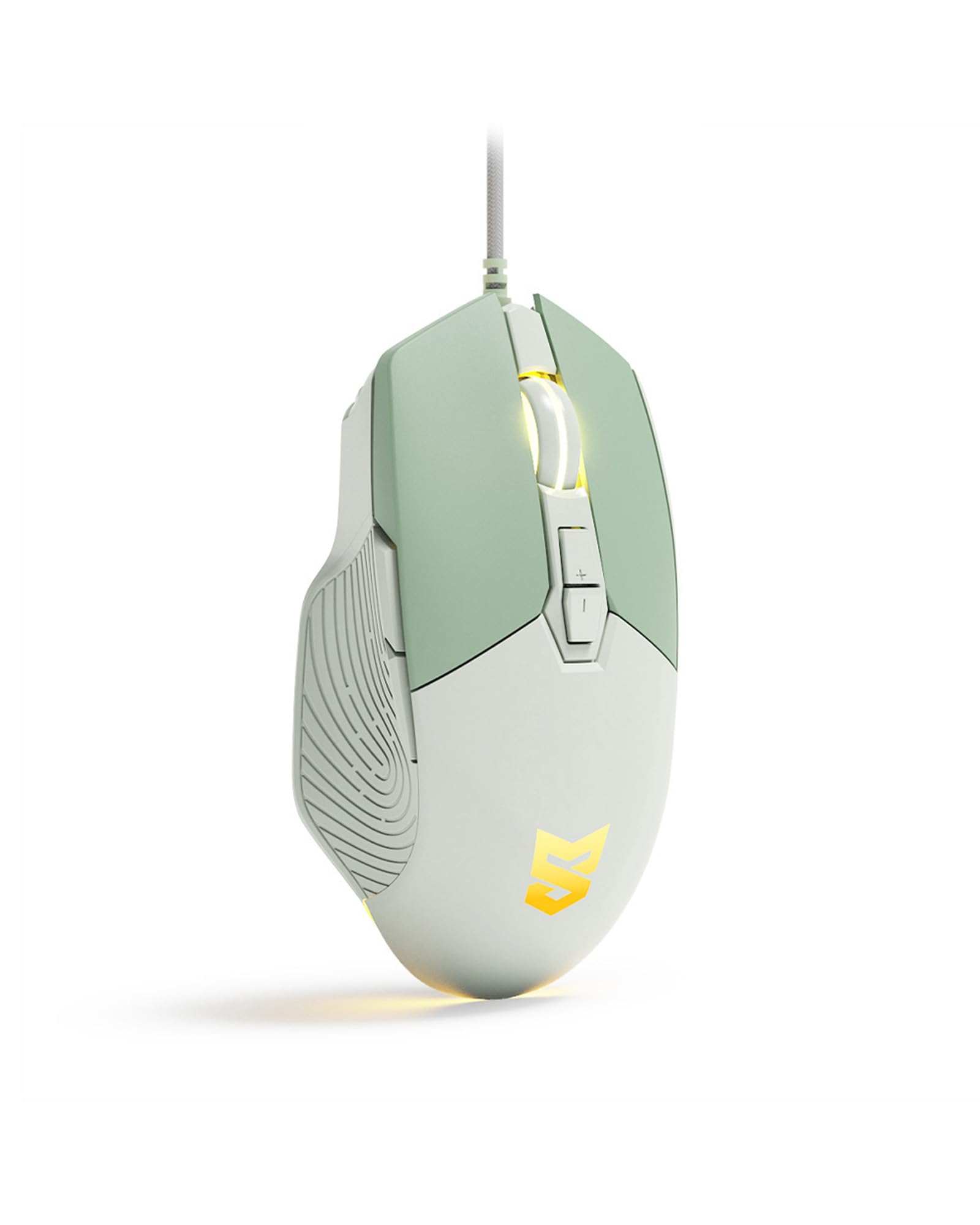
Figure 1: Generic S-M6Pro Ergonomic Wired Gaming Mouse (Mint Green variant).
2. Principales caractéristiques
- High-Efficiency Optical Sensor: Features a maximum 7200 DPI for precise and accurate tracking.
- Connexion filaire fiable : Equipped with a 162mm braided rope USB-C cable for low-latency performance.
- Conception ergonomique : Shaped for excellent grip and comfort during extended use.
- Boutons programmables : 7 programmable buttons for custom functions, macros, and ripple control via dedicated driver software.
- Rétroéclairage LED RVB : Dynamic RGB lighting with breathing effects.
- Interrupteurs durables : Engineered for a 10-million-click button lifespan.
- Pattes de souris ICE : Designed for ultra-smooth gliding and minimal friction, enhancing tracking precision.

Figure 2: High-precision optical sensor and RGB lighting.

Figure 3: High precision sensors for accurate tracking.
3. Guide de configuration
- Déballez la souris : Carefully remove the gaming mouse from its packaging.
- Connectez-vous à l'ordinateur : Plug the USB-C connector of the mouse cable into an available USB port on your computer (PC, Mac, or Linux).
- Installation du pilote (facultative) : The mouse is plug-and-play for basic functionality. For advanced customization, including programmable buttons, macros, and RGB effects, download and install the dedicated driver software from the manufacturer's website. Se référer à l'emballage du produit ou aux instructions du fabricant. website contenant le lien de téléchargement du logiciel.
- Placement: Placez la souris sur une surface propre et plane ou sur un tapis de souris pour des performances de suivi optimales.

Figure 4: Ergonomic design for comfortable grip during use.
4. Mode d'emploi
4.1 Fonctions des boutons
The S-M6Pro mouse features 7 programmable buttons. Default functions are listed below:
- Bouton gauche : Fonction de clic principale.
- Bouton droit : Fonction de clic secondaire (menu contextuel).
- Roller Button (Scroll Wheel): Défilement vers le haut/bas, clic du milieu.
- Bouton DPI+ : Augmente la sensibilité DPI.
- Bouton DPI : Diminue la sensibilité DPI.
- Bouton avant : Navigue vers l'avant dans web navigateurs ou file explorateurs.
- Bouton Retour : Navigue en arrière dans web navigateurs ou file explorateurs.

Figure 5: Labeled buttons on the S-M6Pro gaming mouse.
4.2 Ajustement PPP
The mouse supports four adjustable DPI levels, allowing you to switch sensitivity on the fly to match your task or game. Use the DPI+ and DPI- buttons to cycle through the available settings:
- 1200 DPI
- 2400 DPI
- 4800 DPI
- 7200 DPI (maximum)

Figure 6: Visual representation of adjustable DPI settings.
Rétroéclairage LED RVB 4.3
The mouse features dynamic RGB LED backlighting with a breathing effect. The lighting can be customized using the dedicated driver software. This software allows for adjustment of colors, effects, and brightness.

Figure 7: RGB LED backlighting in action.
4.4 Personnalisation du logiciel
Utilize the dedicated driver software to unlock the full potential of your S-M6Pro mouse. The software allows you to:
- Program the 7 buttons with custom functions or macros.
- Adjust DPI settings beyond the default levels.
- Modifier la fréquence d'interrogation.
- Set Lift-Off Distance (LOD).
- Control RGB lighting effects and colors.
- Économisez profiles to the mouse's on-board memory.
The software ensures a personalized gaming and computing experience.
5. Entretien
- Nettoyage: Utilisez un chiffon doux et sec pour essuyer la surface de la souris. Pour les saletés tenaces, frottez légèrement avec un chiffon doux et sec.ampNettoyez le chiffon avec de l'eau. Évitez d'utiliser des produits chimiques agressifs ou des matériaux abrasifs.
- Entretien du capteur : Pour un suivi précis, veillez à ce que le capteur optique situé sous la souris reste propre et exempt de poussière et de débris. Utilisez un coton-tige ou de l'air comprimé si nécessaire.
- Gestion des câbles: Avoid sharp bends or excessive pulling on the braided USB-C cable to prevent damage.
- Pieds de souris : The ICE mouse feet are designed for durability. If they become worn over time, replacement feet may be available from the manufacturer or authorized retailers to maintain optimal glide performance.

Figure 8: Underside of the mouse with optical sensor and ICE feet.
6. Dépannage
| Problème | Cause possible | Solution |
|---|---|---|
| La souris ne répond pas | Connexion USB défectueuse, port USB défectueux, problème de pilote. |
|
| Inaccurate or jerky tracking | Capteur optique sale, surface inadaptée, réglage DPI incorrect. |
|
| Les boutons ne fonctionnent pas comme prévu | Configuration logicielle, problème de pilote. |
|
| L'éclairage RVB ne fonctionne pas | Paramètre logiciel, problème d'alimentation. |
|
7. Spécifications
| Fonctionnalité | Détail |
|---|---|
| Marque | Générique |
| Numéro de modèle | S-M6Pro |
| Couleur | Vert Menthe |
| Technologie de connectivité | Câble USB-C |
| Technologie de détection de mouvement | Optique |
| Mouse Maximum Sensitivity | 7200 DPI (Adjustable) |
| Quantité de boutons | 7 boutons programmables |
| Orientation de la main | Droite |
| Appareils compatibles | Ordinateur personnel |
| Plateforme matérielle | Linux, Mac, PC |
| Poids de l'article | 139 gramme |
| Dimensions de l'article (L x l) | 5 po L x 2.7 po l |
| Matériau de l'enceinte | Plastique |
| Piles requises | Non |
8. Informations sur la garantie
Specific warranty details for the Generic S-M6Pro Ergonomic Wired Gaming Mouse are typically provided with the product packaging or available on the manufacturer's official website. Veuillez consulter ces ressources pour connaître l'intégralité des conditions générales de garantie.
9. Assistance clientèle
For technical assistance, troubleshooting beyond this manual, or inquiries regarding your Generic S-M6Pro Ergonomic Wired Gaming Mouse, please contact the manufacturer's customer support. Contact information can usually be found on the product packaging, the manufacturer's official website (Linkerfoo), or through your retailer.
10. Démonstration vidéo du produit
Video 1: A short demonstration of the Wired Gaming Mouse, showcasing its design and RGB lighting effects. This video is 20 seconds long and provides a visual overview of the product's aesthetics and basic functionality.


