
MUBVIEW Cloche J7
MUBVIEW Manuel d'utilisation de la sonnette vidéo sans fil Bell J7 2K avec carillon
Modèle : Bell J7
1. Introduction
This manual provides detailed instructions for the installation, operation, and maintenance of your MUBVIEW Bell J7 2K Wireless Video Doorbell Camera with Chime. Please read this manual thoroughly before using the product to ensure proper function and safety. This device is designed to enhance your home security with advanced features like 2K video, motion detection, and two-way audio.
2. Contenu de la boîte
Vérifiez que tous les composants sont présents avant de procéder à l'installation :
- Camera Doorbell x1
- Carillon x1
- Manuel d'utilisation x1
- Câble de charge x1
- Batterie x3
- Other Accessories (screws, anchors, screwdriver)

Image: Contents of the MUBVIEW Bell J7 package, including the doorbell, chime, and installation tools.
3. Produit terminéview
Familiarize yourself with the main parts of your video doorbell and chime:
Caméra de sonnette
- Objectif de caméra 2K : Capture des vidéos haute résolution.
- PIR Motion Sensor: Détecte les mouvements humains.
- Microphone: Pour une communication audio bidirectionnelle.
- Conférencier: Pour la communication audio bidirectionnelle et la sirène.
- Bouton de sonnette : Active la sonnerie et envoie des notifications.
- Micro USB-C Port: Pour recharger la batterie interne.
- Bouton de réinitialisation : Pour réinitialiser l'appareil.
- Emplacement pour carte micro SD : For local video storage (up to 128GB, card not included).
- Anti-Theft Button: Triggers an alarm if the doorbell is removed from its mount.
Carillon sans fil
- Conférencier: Emits doorbell sound.
- Contrôle du volume : Régule le volume de la sonnerie.
- Sélecteur de tonalité : Changes chime melody.
- Source d'alimentation : Alimenté par batterie pour un placement flexible.

Image : Avant view of the MUBVIEW Bell J7 doorbell and chime.
4. Installation
Follow these steps to set up your MUBVIEW Bell J7 doorbell camera:
4.1 Recharge de la sonnette
- Before first use, fully charge the doorbell camera using the provided USB charging cable.
- The charging port is located on the side of the doorbell, protected by a rubber flap.
- Une charge complète peut durer jusqu'à 180 jours, selon l'utilisation.
4.2 Installation de l'application et connexion Wi-Fi
- Téléchargez le CloudEdge or MUBVIEW app from your smartphone's app store (Apple App Store or Google Play Store).
- Créez un compte ou connectez-vous si vous en avez déjà un.
- Assurez-vous que votre smartphone est connecté à un Réseau Wi-Fi 2.4 GHz. The doorbell is not compatible with 5GHz Wi-Fi.
- In the app, select "Add Device" and choose "Smart Video Doorbell".
- Follow the on-screen prompts to connect the doorbell to your Wi-Fi network. This typically involves scanning a QR code displayed on your phone with the doorbell camera.
- Once connected, you can name your device and complete the setup.
4.3 Installation de la sonnette
The doorbell can be mounted using screws or strong adhesive tape (not included for all mounting types).
- Attach the mounting bracket to your desired location on the wall or door frame. Ensure it is at an appropriate height for optimal viewing.
- Secure the bracket using the provided screws and anchors.
- Slide the doorbell camera into the mounting bracket until it clicks securely into place.
- For added security, a small screw can be inserted from the bottom of the bracket into the doorbell to prevent easy removal.

Image: Installation of the MUBVIEW Bell J7 doorbell camera onto its mounting bracket.
5. Mode d'emploi
5.1 En direct View et audio bidirectionnel
- Ouvrir le MUBVIEW app to access the live video feed from your doorbell camera.
- Use the microphone icon in the app to enable two-way audio and speak with visitors at your door.
- The voice changer feature can be activated for added privacy and security.

Image: Demonstrating two-way audio and voice message functionality via the app.
5.2 Détection de mouvement et alertes
- The doorbell features advanced PIR motion and human detection to minimize false alarms.
- When motion is detected, you will receive instant push notifications on your smartphone.
- Adjust motion detection sensitivity and set custom motion zones within the app to suit your environment.

Image: Smartphone notification for human detection from the doorbell camera.
5.3 Vision nocturne
- The doorbell camera automatically switches to IR night vision in low-light conditions.
- Enhanced night vision provides clear images up to 33 feet.
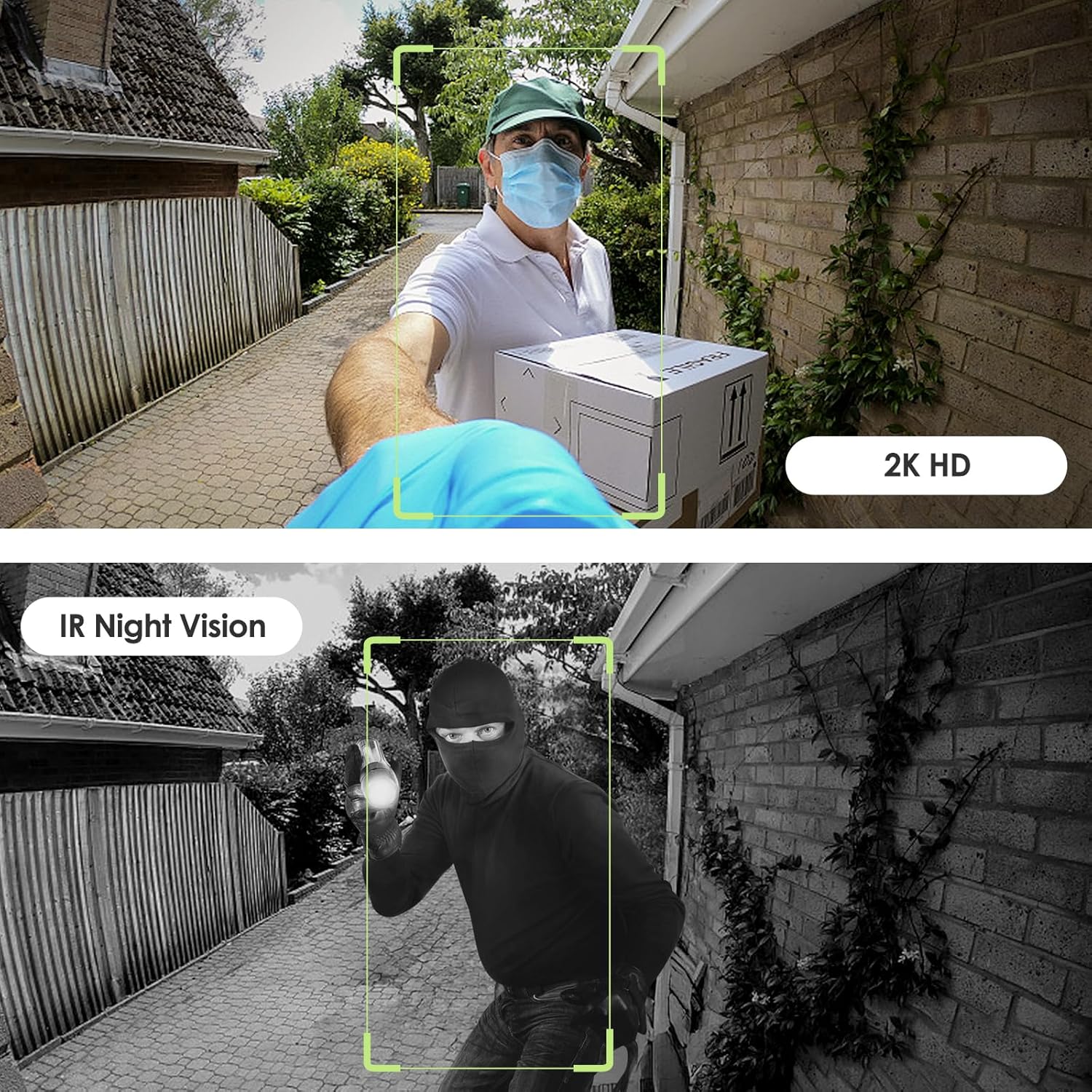
Image: Day and night vision capabilities of the MUBVIEW Bell J7 doorbell.
5.4 Stockage vidéo
- Carte Micro SD: Insert a micro SD card (up to 128GB, not included) into the designated slot for local storage of recorded footage.
- Stockage dans le cloud : Enjoy 7-day free cloud loop storage. Optional premium cloud storage plans are available for extended storage and features.

Image: Multiple storage options: local Micro SD card and cloud service.
6. Caractéristiques
- Résolution 2K Full HD : Fournit une vidéo claire et détaillée.
- Objectif grand angle 145° : Offre une large gamme view à votre porte.
- Alimenté par pile: Ensures easy, wire-free installation.
- Connectivité Wi-Fi 2.4 GHz : Stable and reliable wireless connection.
- Résistance aux intempéries IP65 : Built to withstand various outdoor conditions (rain, heat, hail, sun, dust).
- Alarme antivol : Siren sounds if the doorbell is tamperré avec.
- Changeur de voix : Enhances privacy during two-way audio.
- Pre-Recorded Voice Messages: Respond quickly with custom messages.
- Partage familial : Supports up to 15 online users and 20 user accounts.
- Compatibilité: Fonctionne avec Alexa et Google Assistant.

Image : Terminéview of MUBVIEW Bell J7 features.
7. Entretien
7.1 Chargement de la batterie
The doorbell is powered by rechargeable batteries. Monitor the battery level through the app and recharge as needed. The battery life can extend up to 180 days on a single charge, depending on activity and settings.
7.2 Nettoyage
Essuyez l'objectif de la caméra et l'extérieur de la sonnette avec un chiffon doux et sec.amp Utilisez un chiffon pour enlever la poussière et les débris. Évitez d'utiliser des produits chimiques agressifs ou des matériaux abrasifs qui pourraient endommager l'appareil.
7.3 Résistance aux intempéries
Le MUBVIEW Bell J7 is IP65 weather-resistant, designed to endure various outdoor conditions. However, extreme weather conditions may still impact performance or battery life.

Image: IP65 Weather Resistance of the MUBVIEW Bell J7 doorbell.
8. Dépannage
| Problème | Solution possible |
|---|---|
| La sonnette ne se connecte pas au Wi-Fi | Ensure your Wi-Fi is 2.4GHz. Move the doorbell closer to your router during setup. Reset the doorbell and try again. |
| Déclenchements fréquents de fausses alarmes de mouvement | Adjust the motion detection sensitivity in the app. Set custom motion zones to exclude busy areas or moving foliage. |
| Mauvaise qualité vidéo | Check your Wi-Fi signal strength in the app. Ensure the camera lens is clean and free from obstructions. |
| Durée de vie de la batterie courte | Reduce motion detection sensitivity or frequency of live view Accès. Assurez-vous que la sonnette est complètement chargée. |
| Anti-theft alarm not working | Ensure the anti-theft feature is enabled in the app settings. Check if the doorbell is properly seated in its mounting bracket, activating the tampeuh bouton. |
9. Spécifications
- Nom du modèle : Cloche J7
- Résolution de capture vidéo : 2K
- Technologie de connectivité: Sans fil (Wi-Fi 2.4 GHz)
- Source d'alimentation : Battery Powered (3 A batteries included)
- Utilisation intérieure/extérieure : De plein air
- Niveau de résistance à l'eau : Étanchéité IP65
- Caractéristiques spéciales : 2-Way Audio, Built-In Light, HD Resolution, Image Sensor, Motion Sensor, Voice Changer, Anti-Theft Alarm
- Appareils compatibles : Smartphone (via CloudEdge/MUBVIEW application)
- Dimensions du produit : 1.37 x 5.27 x 2.2 pouces
- Poids de l'article : 15.4 onces
10. Garantie et assistance
MUBVIEW is committed to providing quality products and customer satisfaction. For any inquiries or support needs, please refer to the following:
- Service client: Available via Call Service (9AM-5PM EST) and Online Email.
- Retours : 30-day Amazon return policy applies.
- Plans de protection : Des plans de protection optionnels de 2 et 3 ans sont disponibles à l'achat.
For detailed contact information, please visit the official MUBVIEW website or refer to the contact details provided in the product packaging.

Image: MUBVIEW Customer Service details.
Ask a question about this manual
Ask about setup, troubleshooting, compatibility, parts, safety, or missing instructions. Manuals+ will review the question and use this page’s manual context to help answer it.