
1. Introduction
The PAPIFEED Automatic Cat Feeder is designed to provide scheduled and controlled feeding for your cats and small dogs. Featuring 2.4G WiFi connectivity and app control, it allows you to manage your pet's meals remotely. The feeder includes a dual power supply system for reliability and a detachable design for easy cleaning, ensuring your pet receives fresh food consistently.
2. Contenu du colis
Veuillez vérifier que tous les articles sont présents dans le colis :
- 1 x PAPIFEED Automatic Cat Feeder Unit
- 1 x Gamelle
- 1 x adaptateur secteur
- 1 x câble de chargement USB
Note: 4 AA batteries for backup power are not included and must be purchased separately.
3. Produit terminéview
Familiarize yourself with the main components of your PAPIFEED Automatic Cat Feeder:

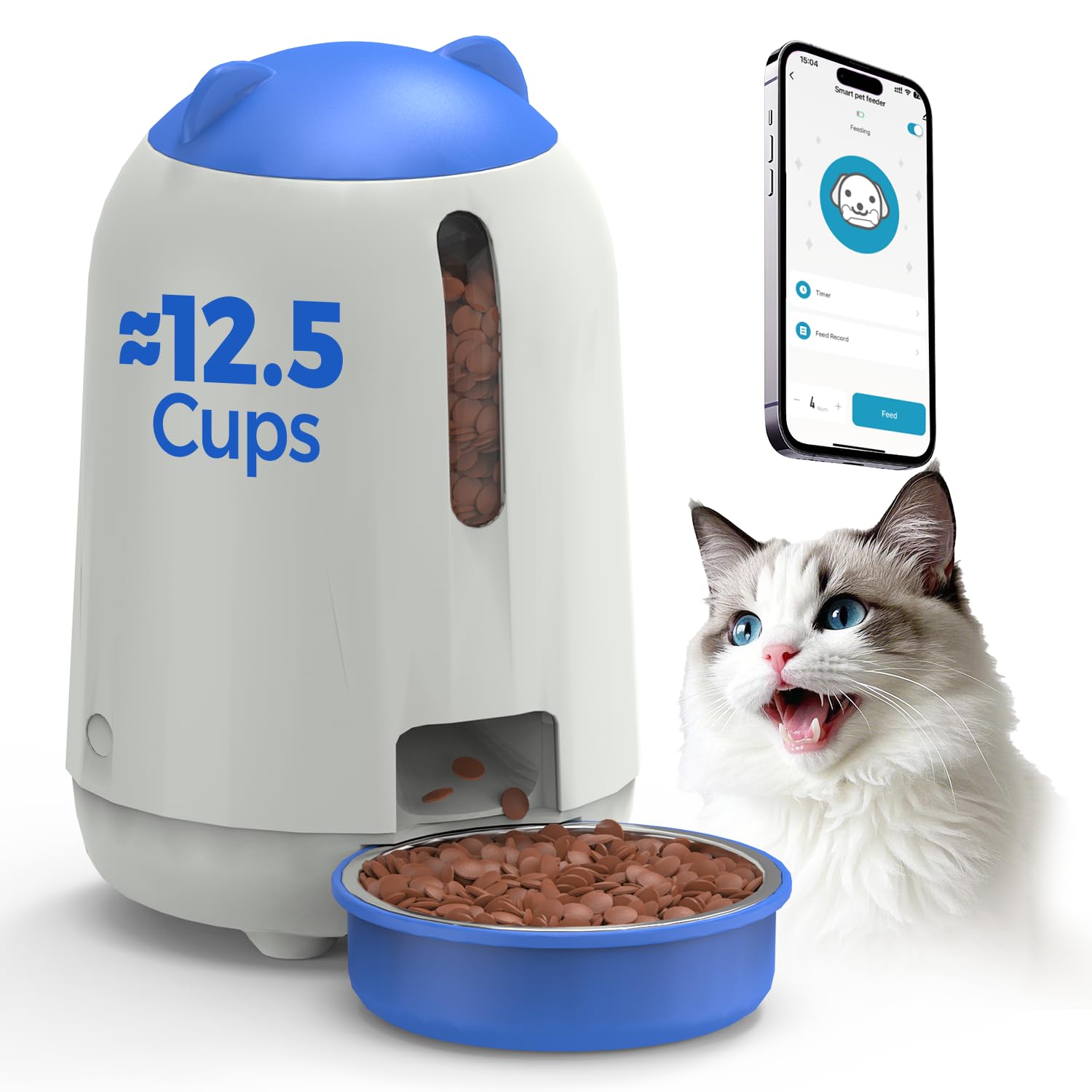
Dans l'ensemble view of the PAPIFEED Automatic Cat Feeder with its food bowl and a cat.
- Trémie alimentaire : Stores dry pet food (3L capacity).
- Lid with Knob Lock: Secures the food hopper and prevents pet access.
- Fenêtre transparente : Allows visual monitoring of food levels.
- Point de distribution : Là où les aliments sont déversés dans le bol.
- Bol alimentaire : Detachable bowl for pet consumption.
- Control Panel/Indicator: Located on the front, indicates status and WiFi connection.
- Port d'alimentation: Pour connecter l'adaptateur secteur.
- Compartiment à piles : For backup AA batteries (located at the bottom).

Détaillé view highlighting the transparent food level window, secure knob lock, and removable parts for cleaning.
4. Installation
4.1 Alimentation
- Puissance principale : Raccordez l'adaptateur secteur fourni au port d'alimentation du distributeur et branchez-le à une prise murale.
- Alimentation de secours : Pour un fonctionnement ininterrompu en cas de coupure de couranttages, install 4 new AA batteries (not included) into the battery compartment at the bottom of the feeder. The feeder will automatically switch to battery power if the main power is lost.
It is recommended to maintain dual power supply mode for daily use to ensure the backup battery is ready for sudden power outaget.
4.2 Chargement alimentaire
- Rotate the lid counter-clockwise to unlock and remove it.
- Pour dry pet food into the hopper. The feeder has a 3L capacity, suitable for 1-2 weeks of feeding depending on pet size.
- Ensure kibble size is between 0.2-0.47 inches (5-12mm) to prevent clogging.
- Place the lid back on and rotate clockwise to secure the knob lock.
Pouring dry kibble into the feeder's hopper.

Recommended kibble sizes ranging from 5x5mm to 12x12mm to ensure proper dispensing.
4.3 Téléchargement et connexion de l'application
- Download the "Smart Life" app from the App Store (iOS) or Google Play Store (Android). You can scan the QR code below for direct access.
- Inscrivez-vous ou connectez-vous à votre compte Smart Life.
- Ensure your mobile device is connected to a 2.4G WiFi network. The feeder only supports 2.4G WiFi.
- Follow the in-app instructions to add the PAPIFEED Automatic Cat Feeder. This typically involves putting the feeder into pairing mode (refer to the app for specific button presses or indicators) and confirming the WiFi network.

Scannez le code QR pour télécharger l'application Smart Life. Téléchargez l'application Smart Life
5. Mode d'emploi
5.1 Contrôle des applications
Once connected to the Smart Life app, you can control the feeder remotely:
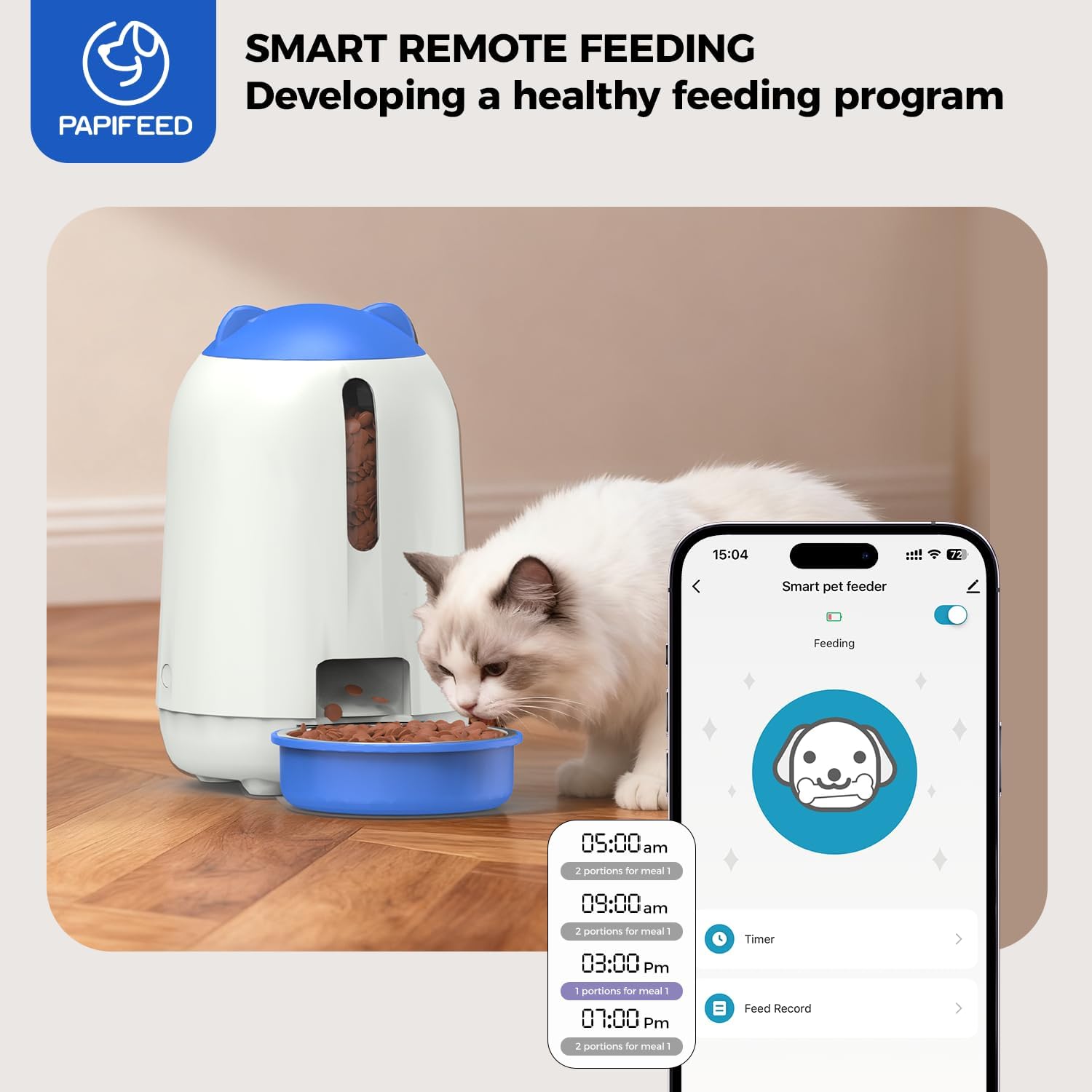
- Customize Feeding Schedule: Set specific times and portion sizes for up to 10 meals per day, with 1-12 portions per meal.
- Distribution manuelle : Dispense food instantly with a tap in the app.
- Registres d'alimentation : View un historique des repas distribués.
- Partage d'appareils : Share control of the feeder with other family members through the app.
The Smart Life app interface for customizing feeding plans and remote control.
Remarque importante : When the feeder is operating on backup battery power, it will remain offline (unable to connect to the APP). However, it will continue to execute the preset feeding schedule to ensure your pet eats on time.
6. Entretien
6.1 Nettoyage
Un nettoyage régulier garantit l'hygiène et le bon fonctionnement du distributeur.
- Démontage: The food bin, grain outlet channel, and food bowl are designed to be fully detachable for cleaning.
- Lavage: Rinse the detachable parts (food bin, grain outlet channel, food bowl) directly with clean water. Ensure they are completely dry before reassembling.
- Unité principale : The main feeder unit, which contains electronic components, should PAS be washed or submerged in water. Wipe it clean with a soft, damp tissu.
- Remontage: Once all parts are dry, reassemble the feeder, ensuring all components are securely in place.

The food bin, grain outlet channel, and food bowl can be detached and rinsed with water.

Illustration of removable parts for easy cleaning, with a clear indication that the main electronic unit should not be washed.
7. Dépannage
- Feeder is offline in the app: If the feeder is running on backup AA batteries, it will not connect to the app. It will still dispense food according to the last programmed schedule. Reconnect to main power for app functionality.
- Distribution de nourriture non assurée :
- Check food level in the hopper.
- Ensure kibble size is within the recommended range (0.2-0.47 inches / 5-12mm) to prevent clogs.
- Verify the dispensing mechanism is clear of obstructions.
- Problèmes de connexion Wi-Fi :
- Confirm your router is broadcasting a 2.4G WiFi signal. The feeder does not support 5G WiFi.
- Ensure the feeder is within range of your WiFi router.
- Restart your router and the feeder, then attempt to reconnect via the app.
- Pet knocks over the feeder: Place the feeder in a stable location or consider securing it to prevent accidental tipping by active pets.
8. Spécifications
| Marque | PAPALIE |
| Numéro de modèle | MAOER-BUTTON |
| Capacité | 3 litres |
| Alimentation électrique | AC Adapter (included) + 4 AA Batteries (not included) |
| Connectivité | Wi-Fi 2.4G |
| Dimensions | 18.54 x 18.54 x 12.7 cm (7.3 x 7.3 x 5 pouces) |
| Poids | 1.37 kg (3.02 lb) |
| Matériel | Plastique durable |
| Espèces ciblées | Chats, petits chiens |
9. Garantie et assistance
Ce distributeur automatique de croquettes pour chat PAPIFEED est livré avec un Garantie constructeur de 2 ans.
For technical assistance, warranty claims, or any questions regarding your product, please contact PAPIFEED customer support through the retailer's platform or the official PAPIFEED website.