
1. Introduction
This manual provides detailed instructions for the safe operation and maintenance of your AXNEN GT8 Mini Drone. The GT8 is a foldable quadcopter equipped with a 4K HD camera, brushless motors, and a remote control with a built-in 4.3-inch LCD screen for real-time image transmission. It features various flight modes and intelligent functions designed for both beginners and experienced users.

Image: The AXNEN GT8 Mini Drone with its remote control, featuring an integrated LCD screen for direct viewing of flight footage.
Please read this manual thoroughly before operating the drone to ensure proper usage and to prevent damage or injury.
2. Consignes de sécurité
- Environnement de vol : Operate the drone in open, clear areas, away from people, buildings, trees, and power lines. Avoid flying in strong winds or adverse weather conditions.
- Sécurité des batteries : Use only the provided batteries and charger. Do not overcharge or puncture batteries. Discontinue use if batteries show signs of damage or swelling.
- Sécurité de l'hélice : Keep hands, face, and loose clothing away from rotating propellers. Ensure propellers are correctly installed and undamaged before each flight.
- Responsabilité de l'opérateur : The operator is responsible for safe operation and compliance with local regulations. This drone weighs less than 249 grams and typically does not require FAA registration in the United States, but always check current local regulations.
- Ligne de visée visuelle : Maintenez toujours un contact visuel direct avec le drone pendant le vol.
- Eau et humidité : N’exposez pas le drone ou la télécommande à l’eau ou à l’humidité.
3. Contenu du colis
Vérifiez que tous les éléments énumérés ci-dessous sont présents dans votre colis :
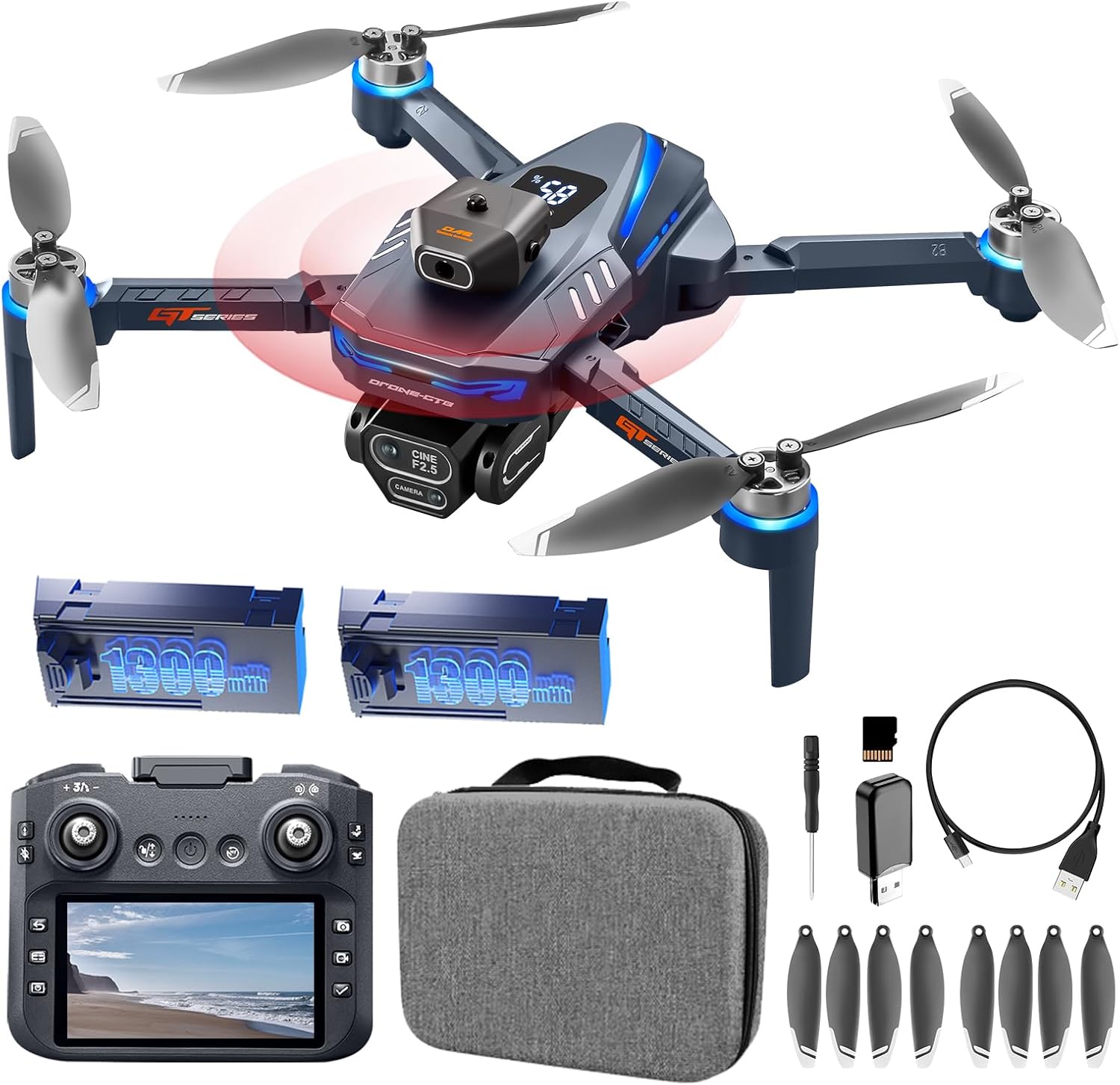
Image: All components included in the AXNEN GT8 Mini Drone package, laid out for inspection.
- AXNEN GT8 Mini Drone x 1
- Remote Control with 4.3" HD LCD Screen x 1
- Rechargeable Drone Batteries (1300mAh) x 2
- Hélices de rechange x 8
- Câble de charge USB x 1
- Tournevis x 1
- Carte mémoire (8 Go) x 1
- Memory Card Reader x 1
- Étui de transport x 1
- Manuel d'utilisation x 1
4. Installation
4.1. Chargement des batteries
Ensure both the drone batteries and the remote control are fully charged before first use. Use the provided USB charging cable.
- Connectez la batterie du drone au câble de chargement USB.
- Connect the USB cable to a suitable USB power adapter (not included).
- Charging indicators will show the charging status. A full charge typically takes approximately 2 hours for the remote control and 1.5-2 hours per drone battery.

Image: Illustration of the drone's high-capacity batteries and brushless motors, highlighting power and efficiency.
4.2. Installation de l'hélice
Si les hélices ne sont pas préinstallées ou doivent être remplacées :
- Identifiez l’hélice appropriée pour chaque moteur (marquée A ou B).
- Attach the propeller to the corresponding motor shaft and secure it with the provided screws using the screwdriver.
- Ensure all propellers are firmly attached and rotate freely without obstruction.
4.3. Installation de la carte SD
Insert the provided 8GB Micro SD card into the drone's camera slot to store photos and videos.

Image: A Micro SD card shown alongside the drone and its remote, indicating its use for media storage.
4.4. Mise sous tension et appairage
- Placez le drone sur une surface plane et de niveau.
- Maintenez le bouton d'alimentation du drone enfoncé jusqu'à ce que les voyants s'allument.
- Turn on the remote control. The remote and drone should automatically pair. The LCD screen on the remote will display the camera feed once connected.
- If the remote defaults to a non-English language, navigate through the settings menu on the remote's LCD screen to select English.

Image: The drone's remote control featuring a 4.3-inch HD LCD screen, showing the live video feed from the drone's camera.
5. Mode d'emploi
5.1. Commandes de vol de base
- Décollage/atterrissage en une seule touche : Appuyez sur le bouton prévu à cet effet sur la télécommande pour le décollage ou l'atterrissage automatique.
- Mode sans tête : Active un mode dans lequel l'orientation du drone est sans importance pour les commandes, simplifiant ainsi le pilotage pour les débutants.
- Positionnement par flux optique : Helps the drone maintain a stable hover, especially useful for indoor flight or in areas with minimal wind.

Image: Visual guide demonstrating beginner-friendly features like Optical Flow Hover, One-Key Start/Landing, and Headless Mode.

Image: The drone utilizing Floating Optical Flow technology to maintain a stable position above a grassy field.

Image: The drone performing a one-click takeoff from a designated landing pad, illustrating ease of use.
5.2. Fonctionnalités de vol avancées
- Évitement d'obstacle: The drone is equipped with an obstacle avoidance system that automatically detects and helps prevent collisions.
- Flips à 360° : Execute aerial stunts with a single button press on the remote control.
- Vol par points de passage : Plan a custom flight path within the companion application, and the drone will follow the pre-set route.
- Contrôle gestuel : Utilisez des gestes spécifiques de la main pour déclencher l'enregistrement de photos ou de vidéos.

Image: The drone navigating through a forest, illustrating its intelligent obstacle avoidance capabilities.

Image: The drone demonstrating its obstacle avoidance feature while flying within a wooded area.

Image: The drone executing a pre-programmed flight path over a scenic river, showcasing the Waypoint Fly feature.

Image: A sequence of images depicting the drone performing a 360-degree flip, highlighting its stunt capabilities.
5.3. Fonctionnement de la caméra
The GT8 drone features a 4K HD camera with a 90° wide-angle lens. The lens can be manually tilted 90 degrees for varied perspectives.
- Capture photo/vidéo : Utilisez les boutons dédiés de la télécommande pour prendre des photos ou démarrer/arrêter l'enregistrement vidéo.
- Stabilisation électronique d'image (EIS) : This feature enhances image clarity and reduces shake in photos and videos.
- Fonction de zoom: Utilisez la fonction zoom numérique pour les plans rapprochés.
- Filtres beauté : Apply filters to enhance captured images.
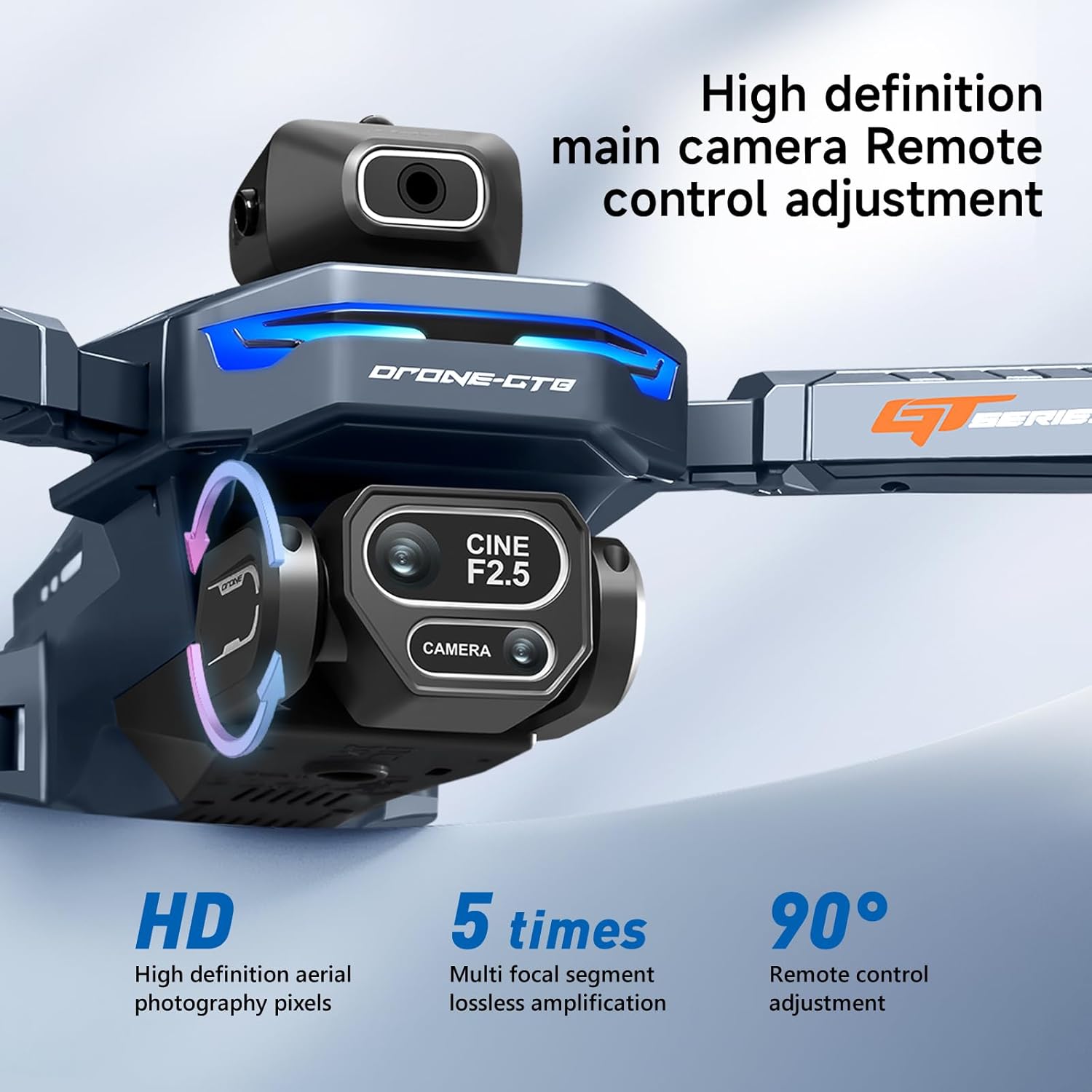
Image : Une image détaillée view of the drone's 4K HD camera, highlighting its 90-degree manual tilt capability and high-definition pixels.

Image: A side-by-side comparison demonstrating the effectiveness of EIS Smart Anti-Vibration in producing stable and clear footage.

Image: The drone's 4K HD camera system, indicating its capability for dual camera switching and multiple perspectives.

Image : Un collage montrantasing various drone features including zoom, beauty filters, gesture photo capture, and waypoint flight.
6. Entretien
- Nettoyage: Utilisez un chiffon doux et sec pour nettoyer le drone et la télécommande. Évitez d'utiliser des liquides ou des solvants.
- Inspection de l'hélice : Vérifiez régulièrement l'état des hélices : elles ne doivent présenter ni fissures, ni déformations, ni dommages. Remplacez immédiatement toute hélice endommagée.
- Stockage de la batterie : Store batteries in a cool, dry place, partially charged (around 50%) if not used for extended periods.
- Entretien du moteur : Les moteurs sans balais sont conçus pour durer. Veillez à les protéger de la poussière et des débris.

Image: An illustration of the drone's brushless motor, highlighting its internal components and design for improved wind resistance.
7. Dépannage
| Problème | Cause possible | Solution |
|---|---|---|
| Le drone ne décolle pas ou vole de manière erratique. |
|
|
| Remote control LCD screen is blank or not displaying video. |
|
|
| Remote control language resets to Chinese. |
|
|
| Qualité d'image/vidéo médiocre. |
|
|
8. Spécifications
| Fonctionnalité | Détail |
|---|---|
| Marque | AXNEN |
| Nom du modèle | GT8 |
| Dossier spécial | Pliable |
| Couleur | Bleu foncé |
| Résolution de capture vidéo | 4K |
| Technologie de connectivité | USB (pour le chargement) |
| Poids de l'article | 177 grammes (6.2 onces) |
| Format de capture vidéo | MP4 |
| Type de contrôle | Télécommande |
| Matériel | Plastique |
| Technologie de communication sans fil | 2.4GHz RF |
| Composition des cellules de batterie | Lithium-ion |
| Piles incluses | Yes (2 drone batteries, 2 AA for remote) |
| Télécommande incluse | Oui |
| Technologie de capteur optique | Flux optique |
| Dimensions du produit | 11.22"L x 10.24"l x 2.84"H |
| Durée du vol | Jusqu'à 30 minutes (avec deux batteries) |
| Remote Screen Size | 4.3 pouces |
| Distance de transmission | 50m (environ) |
9. Garantie et assistance
For warranty information, technical support, or service inquiries, please refer to the contact details provided on the product packaging or the official AXNEN webConsultez le site. Conservez votre reçu d'achat comme preuve d'achat pour toute réclamation au titre de la garantie.