
1. Produit terminéview
The PAXA Clipbuds 7 are open-ear wireless earbuds designed for comfort and situational awareness. They feature Bluetooth 5.4 connectivity, a dual LED battery display, touch controls, and IP45 water resistance.
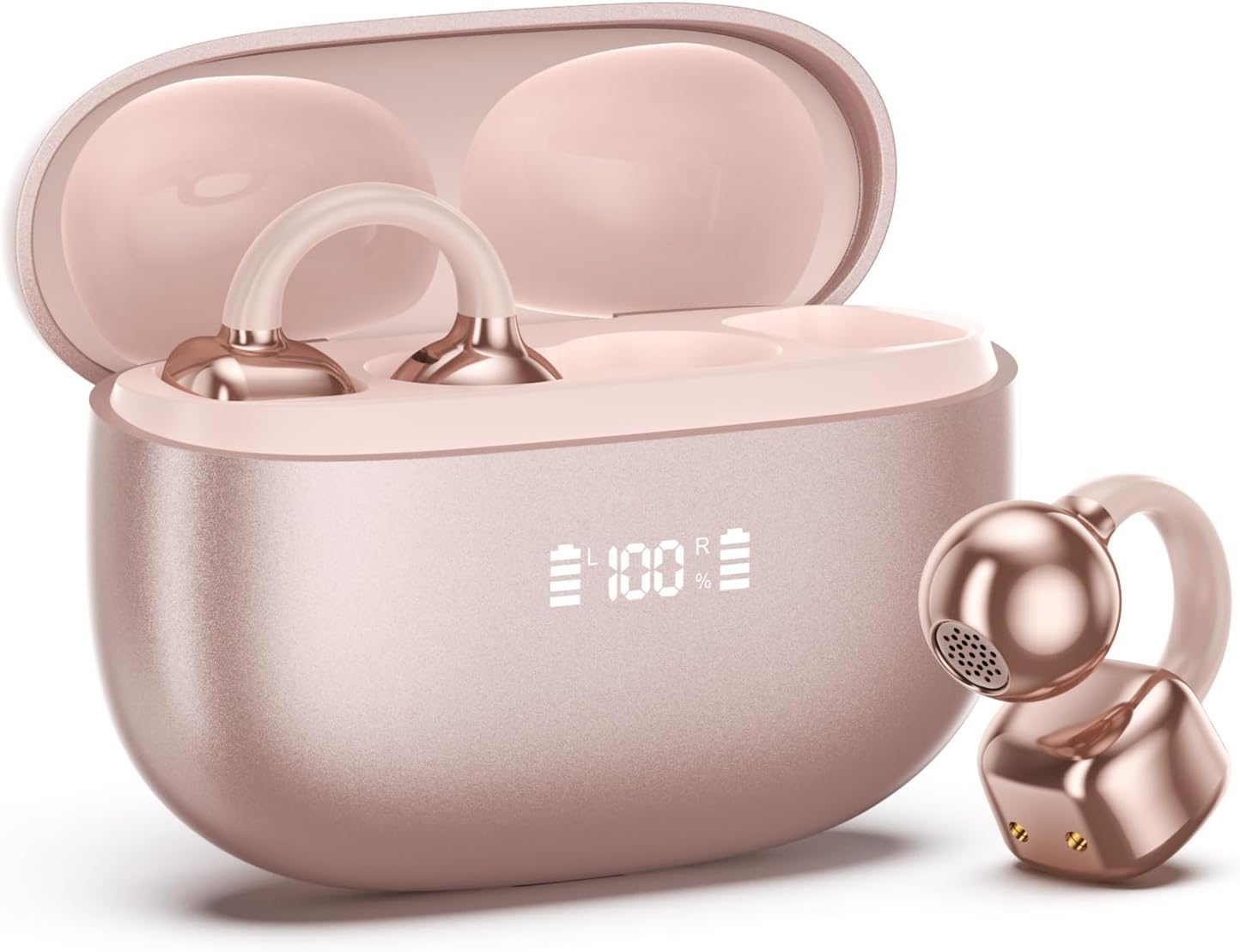
Image 1.1: PAXA Clipbuds 7 Rose Gold Earbuds and Charging Case. The earbuds are shown in their open charging case, which features an LED display indicating battery levels. One earbud is also shown outside the case.
Caractéristiques principales :
- Open-ear design for comfort and environmental awareness.
- Bluetooth 5.4 pour une connexion sans fil stable et efficace.
- Dual LED display on charging case for battery status.
- Touch controls for music, calls, and voice assistant.
- Up to 44 hours total playtime with charging case.
- Résistance à la poussière et à l'eau IP45.
- Ultra-lightweight design (4.5g per earbud).
2. Contenu du colis
Vérifiez que tous les articles sont présents dans le colis :
- Écouteurs à clip (1 paire)
- Étui de chargement sans fil (1)
- Câble de charge (1)
- Manuel d'utilisation (1)
3. Configuration et appairage
3.1 Charge initiale
Before first use, fully charge the earbuds and the charging case. Connect the provided charging cable to the Type-C port on the charging case and a USB power source. The LED display on the case will indicate the charging status.
3.2 Port des écouteurs
The Clipbuds 7 are designed to clip onto the thinnest part of your ear. Adjust the earbud tip to align with your ear canal for optimal sound and comfort.
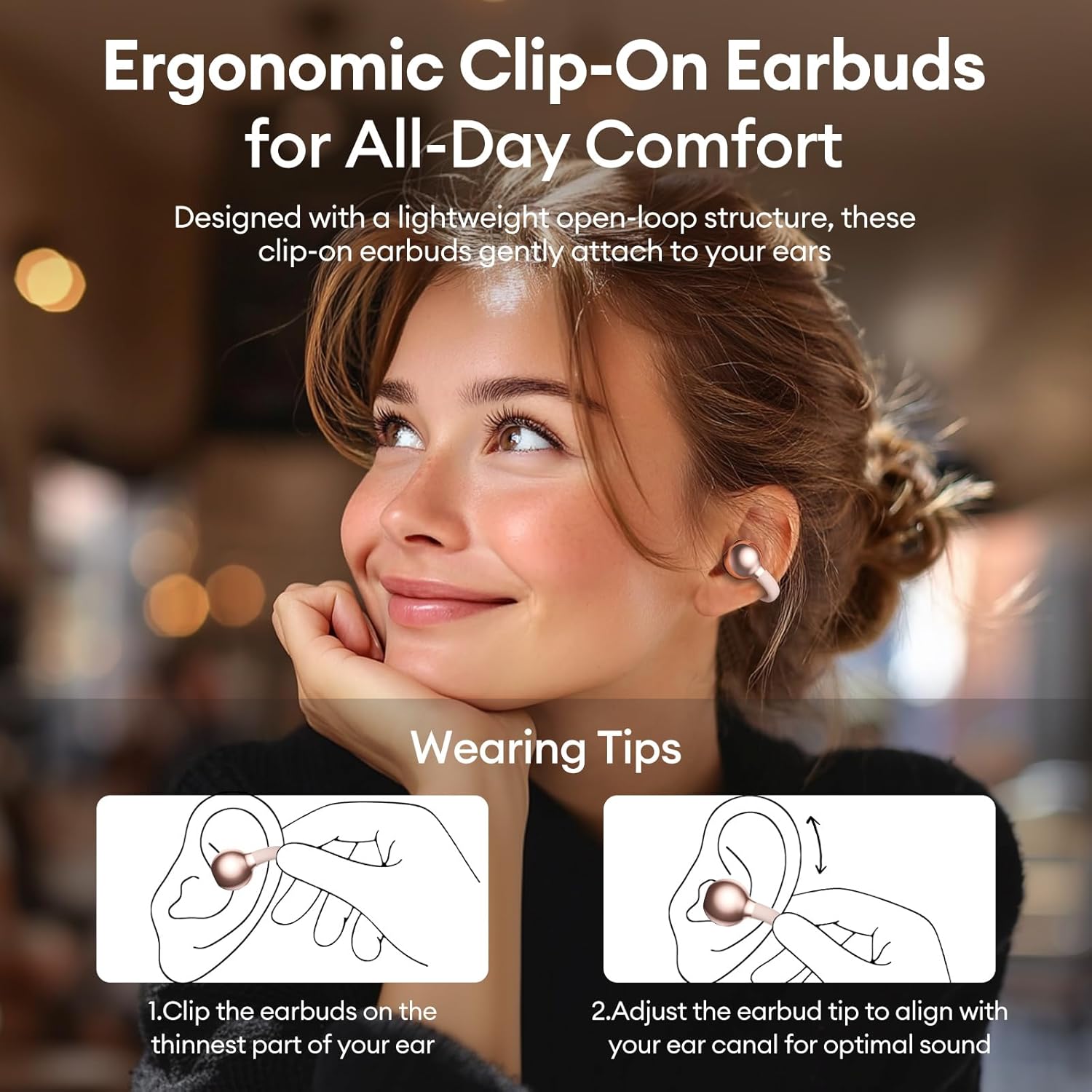
Image 3.2: Wearing instructions for PAXA Clipbuds 7. The diagram illustrates clipping the earbud onto the ear and adjusting for fit.
3.3 Couplage Bluetooth
- Assurez-vous que les écouteurs sont chargés et dans leur étui de chargement.
- Ouvrez le boîtier de charge. Les écouteurs passeront automatiquement en mode appairage.
- Sur votre appareil (smartphone, tablette, ordinateur portable), accédez aux paramètres Bluetooth.
- Rechercher "Clipbuds 7" in the list of available devices and select it to connect.
- Une fois connectés, les écouteurs se coupleront automatiquement avec votre appareil lorsque vous les retirerez de leur étui.
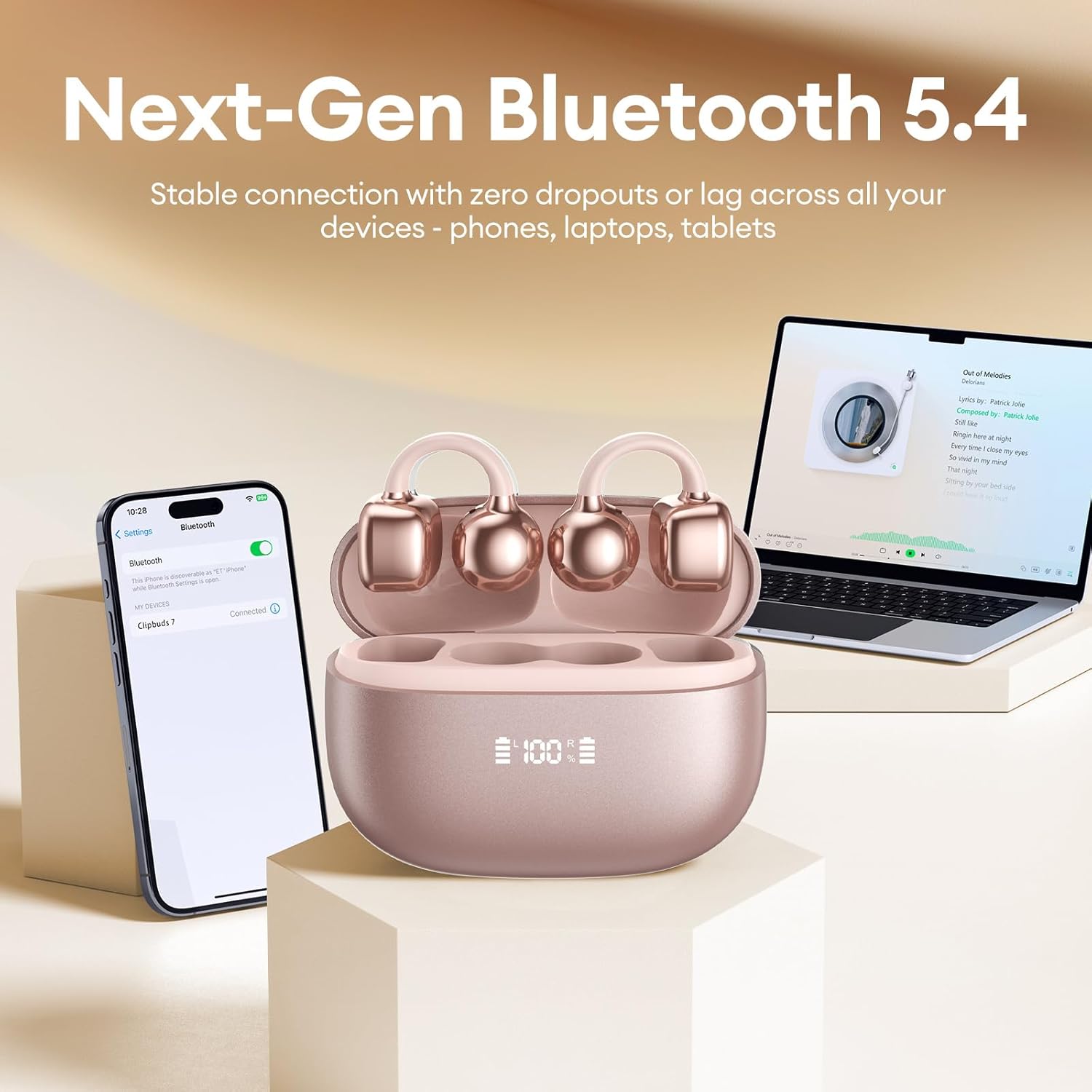
Image 3.3: PAXA Clipbuds 7 connected via Bluetooth to a smartphone and a laptop, demonstrating multi-device compatibility.
4. Mode d'emploi
4.1 Commandes tactiles
The Clipbuds 7 feature sensitive touch controls on each earbud. Refer to the following table for functions:

Image 4.1: Visual guide for PAXA Clipbuds 7 touch controls, showing actions for calls, music, and voice assistant.
| Fonction | Action |
|---|---|
| Répondre/mettre fin à l'appel | Double-cliquez sur l'un ou l'autre des écouteurs. |
| Rejeter l'appel | Appuyez et maintenez l'un des écouteurs pendant 2 secondes |
| Lecture/Pause | Double-cliquez sur l'un ou l'autre des écouteurs. |
| Chanson précédente | Appuyez trois fois sur l'écouteur gauche (L). |
| Chanson suivante | Appuyez trois fois sur l'écouteur droit (R). |
| Volume + | Cliquez sur l'écouteur droit (R). |
| Le volume - | Cliquez sur l'écouteur gauche (L). |
| Assistant vocal (Siri, Google Assistant) | Maintenez les deux écouteurs en place pendant 2 secondes. |
4.2 LED Battery Display
The charging case features a dual LED display that shows the battery percentage of the case and each individual earbud (L and R).
4.3 Conscience auditive
The open-ear design allows you to hear your audio while remaining aware of your surroundings. This feature is beneficial for activities like running, cycling, or commuting where situational awareness is important.

Image 4.3: Individuals using PAXA Clipbuds 7 during work, sports, and social gatherings, highlighting their versatility and open-ear design.
5. Batterie et charge
The Clipbuds 7 offer extended battery life for prolonged use.
- Temps de lecture des écouteurs : Jusqu'à 8 heures avec une seule charge.
- Durée totale de lecture: Jusqu'à 44 heures d'autonomie avec l'étui de chargement.
- Charge rapide : 10 minutes de charge offrent environ 3 heures d'autonomie.

Image 5.1: Illustration of the PAXA Clipbuds 7 charging case, highlighting the 44-hour total battery life and fast charging capability.
6. Maintenance et entretien
6.1 Résistance à l'eau et à la poussière
The Clipbuds 7 have an IP45 rating, making them resistant to dust and splashes of water. This means they can withstand sweat and light rain, making them suitable for workouts and outdoor activities. However, they are not designed for submersion in water.
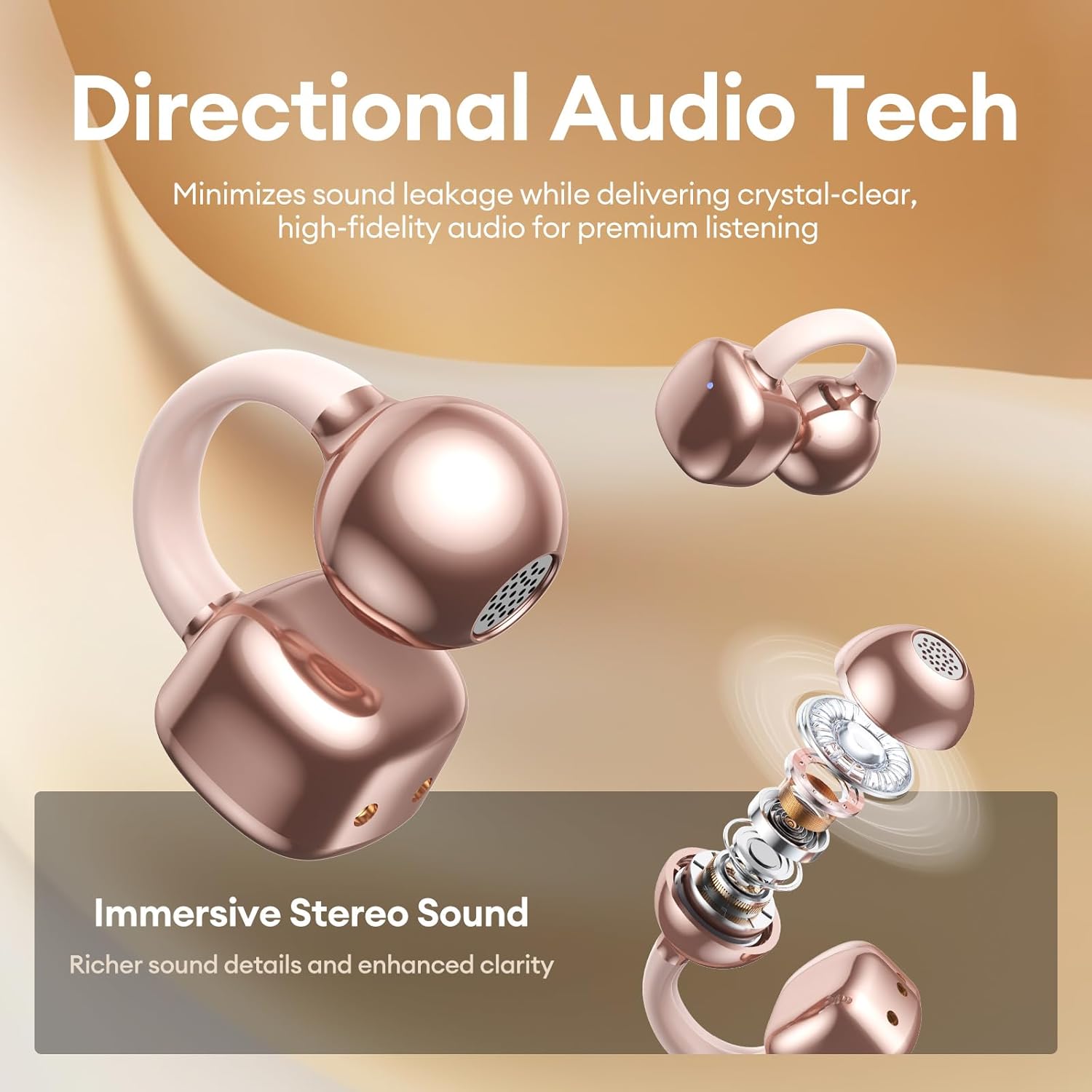
Image 6.1: A person wearing PAXA Clipbuds 7 during light rain, illustrating the IP45 water resistance feature.
6.2 Nettoyage
To maintain optimal performance and hygiene, regularly clean your earbuds and charging case with a soft, dry, lint-free cloth. Avoid using abrasive materials or harsh chemicals.
7. Dépannage
If you encounter issues with your Clipbuds 7, try the following solutions:
- Aucun problème de son/connectivité :
- Assurez-vous que les écouteurs sont chargés.
- Vérifiez que Bluetooth est activé sur votre appareil.
- Forget "Clipbuds 7" from your device's Bluetooth list and re-pair.
- Ensure earbuds are within Bluetooth range (up to 50 feet).
- Les écouteurs ne chargent pas :
- Vérifiez que le câble de chargement est bien connecté à la fois au boîtier et à la source d'alimentation.
- Assurez-vous que le boîtier de charge lui-même est alimenté.
- Nettoyez les contacts de charge des écouteurs et de l’étui.
- Les commandes tactiles ne répondent pas :
- Assurez-vous que vos doigts sont propres et secs.
- Redémarrez les écouteurs en les plaçant dans l'étui, en le fermant, puis en le rouvrant.
8. Spécifications
| Fonctionnalité | Détail |
|---|---|
| Nom du modèle | Clipbuds 7 |
| Marque | PAXA |
| Technologie de connectivité | Sans fil (Bluetooth) |
| Version Bluetooth | 5.4 |
| Portée Bluetooth | Jusqu'à 50 pieds |
| Placement des oreilles | Oreille ouverte |
| Type de contrôle | Contrôle tactile |
| Autonomie de la batterie (charge unique) | 8 heures |
| Autonomie totale de la batterie (avec étui) | 44 heures |
| Niveau de résistance à l'eau | IP45 (Dust/Water Resistant) |
| Contrôle du bruit | Réduction de bruit hybride (ENC pour les appels) |
| Matériel | Caoutchouc silicone + plastique |
| Poids de l'article | 2.39 onces |
| Composants inclus | Clip on Earbuds, Wireless Charging Case, Charging Cable, User Manual |
9. Garantie et assistance
For warranty information and customer support, please refer to the contact details provided with your purchase or visit the official PAXA webConsultez le site. Conservez votre preuve d'achat pour toute réclamation au titre de la garantie.
10. Vidéos officielles du produit
The following videos provide additional information and demonstrations of the PAXA Clipbuds 7.
PAXA Clipbuds7 Open Ear Clip On Earbuds with LED Display
Video 10.1: This video from PAXA Direct showcases the features of the Clipbuds 7, including the LED display and open-ear design. It demonstrates the product's appearance and some functionalities.
PAXA High-Street Jewelry Open Ear Clip On Earbuds
Video 10.2: This video from PAXA Direct highlights the aesthetic and design aspects of the Clipbuds 7, emphasizing their jewelry-like appearance and comfortable fit.