
1. Introduction
Thank you for choosing the WiMiUS P62 Pro 4K Projector. This manual provides essential information for setting up, operating, and maintaining your projector to ensure optimal performance and longevity. Please read this manual thoroughly before use and retain it for future reference.
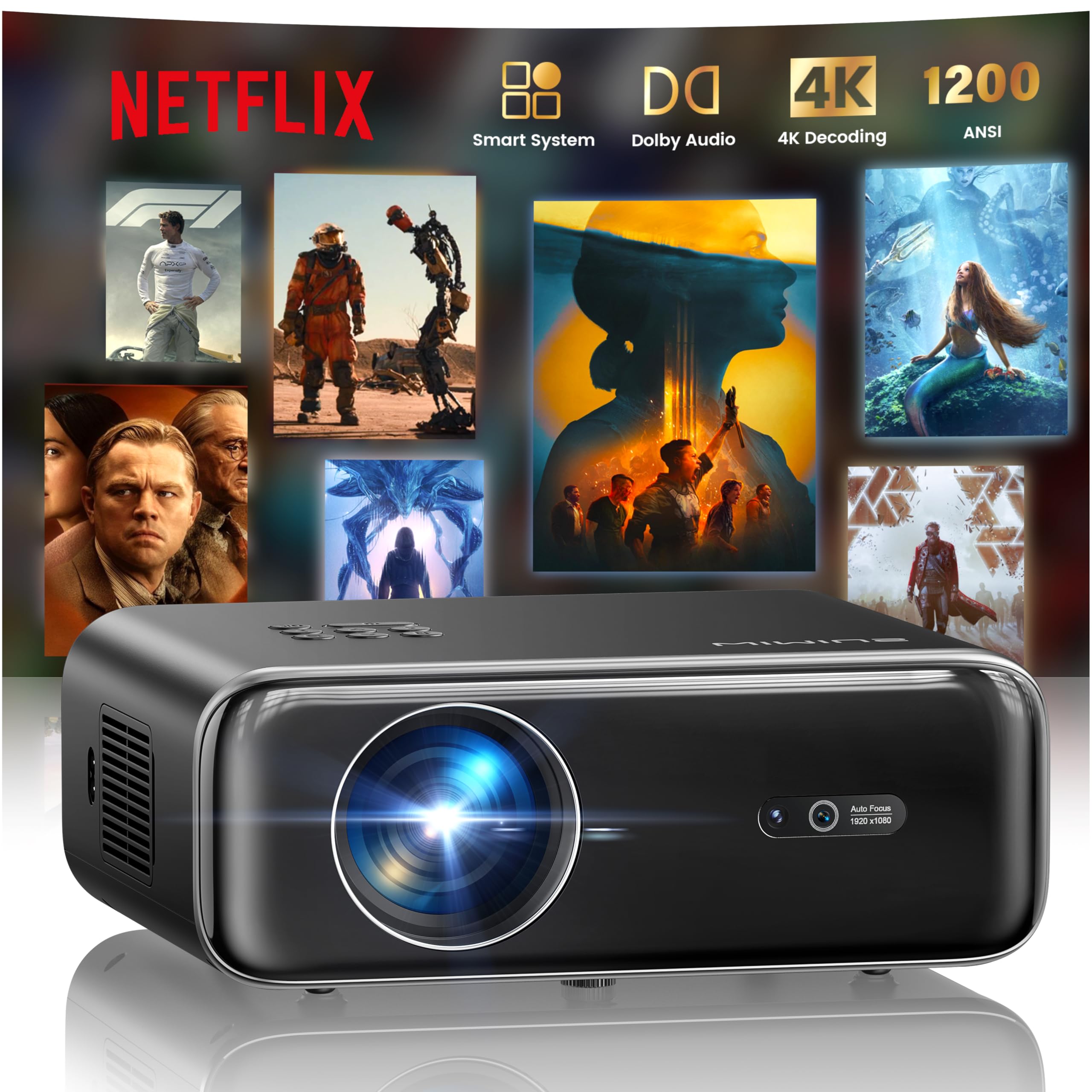
The WiMiUS P62 Pro 4K Projector, a compact and powerful device designed for home entertainment.
2. Contenu de la boîte
Carefully unpack your WiMiUS P62 Pro projector and ensure all items are present:
- WiMiUS P62 Pro Projector (Netflix included)
- Télécommande
- Protège-objectif
- Cordon d'alimentation
- Câble HDMI
- Kit de nettoyage
- Guide de démarrage rapide

Contents of the WiMiUS P62 Pro package, including the projector, remote, and essential cables.
3. Produit terminéview et fonctionnalités clés
The WiMiUS P62 Pro is a versatile 4K-supported projector designed for a superior home cinema experience. Its key features include:
- Haute luminosité: 1400 ANSI lumens for clear images even in ambient light.
- Résolution native 1080p : Supports 4K Ultra HD input for crisp visuals.
- Smart OS with Official Apps: Pre-installed Netflix, YouTube, Prime Video, Plex, and access to over 20,000 apps.
- AI Intelligent Adjustment: Automatic focus, keystone correction, obstacle avoidance, and screen alignment.
- Audio Dolby : Integrated dual 36W speakers with Dolby Audio for immersive sound.
- Connectivité polyvalente : WiFi 6, Bluetooth 5.4 (bidirectional), HDMI (ARC & CEC), USB.
- Conception portable : Compact dimensions (25.7 x 20 x 10.3 cm) and lightweight (1.8 kg) for easy transport.
- Protection des yeux : Utilizes diffuse reflection imaging technology to reduce eye strain.

The WiMiUS P62 Pro offers a revolutionary home cinema experience with integrated streaming apps like Netflix, YouTube, and Prime Video.

Experience exceptional audio quality with integrated Dolby Audio and powerful Hi-Fi speakers.
4. Installation
Suivez ces étapes pour la configuration initiale de votre projecteur :
- Placement: Position the projector on a stable, flat surface or mount it (ceiling or tripod). Ensure adequate ventilation around the device. The projector can be placed between 1 to 6 meters from the projection surface.
- Connexion électrique : Branchez le cordon d'alimentation au projecteur, puis à une prise de courant.
- Mise sous tension : Appuyez sur le bouton d'alimentation du projecteur ou de la télécommande pour l'allumer.
- Ajustements automatiques : The projector features AI-powered auto-focus and auto-keystone correction. It will automatically adjust the image for clarity and shape. It also includes intelligent obstacle avoidance and automatic screen alignment.
- Manual Adjustments (if needed): If further adjustments are required, use the remote control to access settings for focus, keystone, and zoom (50%-100%).

The projector features intelligent screen adaptation 3.0, including auto-focus, auto-keystone correction, and obstacle avoidance.
5. Mode d'emploi
5.1 Mise sous/hors tension
- Pour allumer : Appuyez sur le bouton d'alimentation du projecteur ou de la télécommande.
- Pour éteindre : Appuyez de nouveau sur le bouton d'alimentation. Confirmez l'arrêt si vous y êtes invité.
5.2 Navigation et sélection de la source
- Use the remote control's directional buttons and OK button to navigate the on-screen menu.
- Select your desired input source (HDMI 1, HDMI 2, USB, or Smart Apps) from the main menu.
5.3 Paramètres d'image et de son
- Access the settings menu to adjust picture parameters such as brightness, contrast, color, and aspect ratio.
- Adjust sound volume and audio modes. The integrated Dolby Audio provides rich sound.

Enjoy an ultimate gaming experience with low latency and a 60Hz refresh rate.

Easily display your work or presentations on a larger screen.
6. Connectivité
The WiMiUS P62 Pro offers multiple connectivity options:
- Ports HDMI (x2) : Connect devices like laptops, gaming consoles, Blu-ray players. HDMI 2 supports ARC (Audio Return Channel) and CEC (Consumer Electronics Control) for simplified audio setup and control.
- Ports USB (x2) : Lisez des fichiers multimédias directement depuis des clés USB ou connectez des périphériques externes.
- Wi-Fi 6 : Connect to your home network for internet access and streaming. Supports screen mirroring from iOS, Android, and Windows 10 devices for seamless content sharing.
- Bluetooth 5.4 (bidirectionnel) : Connect external Bluetooth speakers or headphones for enhanced audio. The projector can also act as an independent Bluetooth speaker when connected to a phone.

The rear panel of the projector features multiple connectivity ports including HDMI and USB.

Synchronize and enjoy with multiple connectivity options for seamless entertainment.
7. Fonctionnalités intelligentes
7.1 Integrated Streaming Applications
The projector comes with officially certified streaming applications pre-installed, providing direct access to a vast library of content:
- Netflix
- YouTube
- Prime Video
- Plex
- And more via the integrated App Store.

Access official integrated apps like Netflix and Plex directly from your projector.

Explore more applications through the integrated App Store.
7.2 AI-Powered Image Adjustment
The projector utilizes advanced AI algorithms for automatic image optimization:
- Mise au point automatique: Automatically adjusts the image sharpness.
- Correction trapézoïdale automatique : Corrige les images déformées pour obtenir un rectangle parfait.
- Évitement intelligent des obstacles : Detects and adjusts the projection to avoid objects in the path.
- Alignement automatique de l'écran : Optimizes the image to fit the projection surface.

AI-optimized intelligent configuration ensures the best image quality wherever you are.
7.3 Web Navigation
Navigate the internet directly on your projector using the integrated web browser. This allows you to access websites, news, and online content without needing an external computer.

Parcourir le web directly on your projector with the integrated navigation feature.
8. Entretien
Un entretien régulier garantit la longévité et les performances de votre projecteur :
- Nettoyage des lentilles : Use the provided cleaning kit or a soft, lint-free cloth to gently clean the projector lens. Avoid abrasive materials or harsh chemicals.
- Ventilation: Assurez-vous que les ouvertures de ventilation du projecteur sont dégagées afin d'éviter toute surchauffe. Ne placez pas le projecteur sur des surfaces molles susceptibles d'obstruer la circulation de l'air.
- Élimination de la poussière : Periodically clean the exterior of the projector with a soft, dry cloth to remove dust.
- Stockage: Lorsqu'il n'est pas utilisé pendant une période prolongée, rangez le projecteur dans un endroit frais et sec, idéalement dans son emballage d'origine ou dans un étui de protection.
9. Dépannage
If you encounter issues with your WiMiUS P62 Pro projector, refer to the following common problems and solutions:
| Problème | Cause possible | Solution |
|---|---|---|
| Aucune image affichée | Câble d'alimentation débranché, source d'entrée incorrecte, cache-objectif en place. | Vérifiez la connexion électrique, sélectionnez la source d'entrée correcte, retirez le cache de l'objectif. |
| L'image est floue | Flou, le projecteur a bougé. | Allow auto-focus to engage or manually adjust focus using the remote. |
| L'image est déformée (forme trapézoïdale). | Le projecteur n'est pas perpendiculaire à l'écran. | Allow auto-keystone correction to engage or manually adjust keystone settings. |
| Pas de son | Volume trop faible, périphérique audio externe non connecté, sortie audio incorrecte. | Increase volume, check external audio connections, ensure correct audio output is selected. |
| Impossible de se connecter au Wi-Fi/Bluetooth | Incorrect password, device out of range, network issue. | Verify password, move devices closer, restart router/projector. |
Pour obtenir de l'aide supplémentaire, veuillez consulter les informations de contact dans la section Garantie et assistance.
10. Spécifications
Detailed technical specifications for the WiMiUS P62 Pro Projector:
- Marque: WiMiUS
- Modèle: P62 Pro
- Luminosité: 1400 lumens ANSI (38000 lumens)
- Résolution native : 1920 x 1080P
- Résolution d'affichage maximale : 3840 x 2160 (4K Ultra HD Support)
- Rapport de contraste : 40000:1
- Type d'affichage : LCD ou LED
- Technologie de connectivité: Bluetooth 5.4, HDMI, USB, Wi-Fi 6
- Utilisations recommandées : Home Cinema, Gaming, Live TV & Sports, Outdoor, Camping
- Caractéristiques spéciales : AI Auto Focus/Keystone, Obstacle Avoidance, Screen Alignment, Official Apps (Netflix, etc.), Dolby Audio, HDMI ARC/CEC
- Distance de projection : 1 à 6 XNUMX mètres
- Taille de l'image : 40 à 300 pouces
- Type de contrôle : Télécommande
- Poids: 1.8 kilogrammes
- Dimensions: 25.7 x 20 x 10.3 cm
- L'encodage de la vidéo: H.264, H.265

The projector boasts 1400 ANSI lumens and a 40000:1 contrast ratio for remarkable brilliance.

Apprécier viewing without harmful blue light, reducing eye fatigue.
11. Garantie et assistance
The WiMiUS P62 Pro Projector comes with a 2-year warranty. For any questions or support needs regarding your projector, please refer to the service information provided in the Quick Start Guide or contact WiMiUS customer support directly. You can often find support contact details on the manufacturer's official website ou via votre plateforme d'achat.


