
Solide SRT427
STRONG 4K UHD Box SRT 427 User Manual
Introduction
This manual provides comprehensive instructions for the installation, operation, and maintenance of your STRONG 4K UHD Box SRT 427. Please read this manual carefully before using the device to ensure proper functionality and to prevent damage. Keep this manual for future reference.
Contenu du colis
Avant de procéder à l'installation, veuillez vérifier que tous les éléments sont présents dans l'emballage :
- STRONG 4K UHD Box SRT 427
- Télécommande (piles non incluses)
- Adaptateur secteur
- Câble HDMI
- Guide d'installation rapide
Installation
Follow these steps to set up your STRONG 4K UHD Box SRT 427:
- Se connecter à la télévision : Connect one end of the HDMI cable to the HDMI OUT port on the SRT 427 and the other end to an available HDMI IN port on your television.
- Connexion à l'alimentation : Plug the power adapter into the DC IN port on the SRT 427, then plug the adapter into a wall outlet.
- Connexion à Internet (facultatif) : For internet-based features, connect an Ethernet cable to the LAN port on the SRT 427, or configure Wi-Fi settings after initial boot-up.
- Insérez les piles dans la télécommande : Open the battery compartment on the remote control and insert 2x AAA batteries (not included), ensuring correct polarity.
- Mise sous tension : Turn on your TV and select the correct HDMI input source. The SRT 427 should power on automatically. If not, press the power button on the remote control.
- Assistant de configuration initiale : Follow the on-screen instructions to complete the initial setup, including language selection, network configuration, and channel scanning.
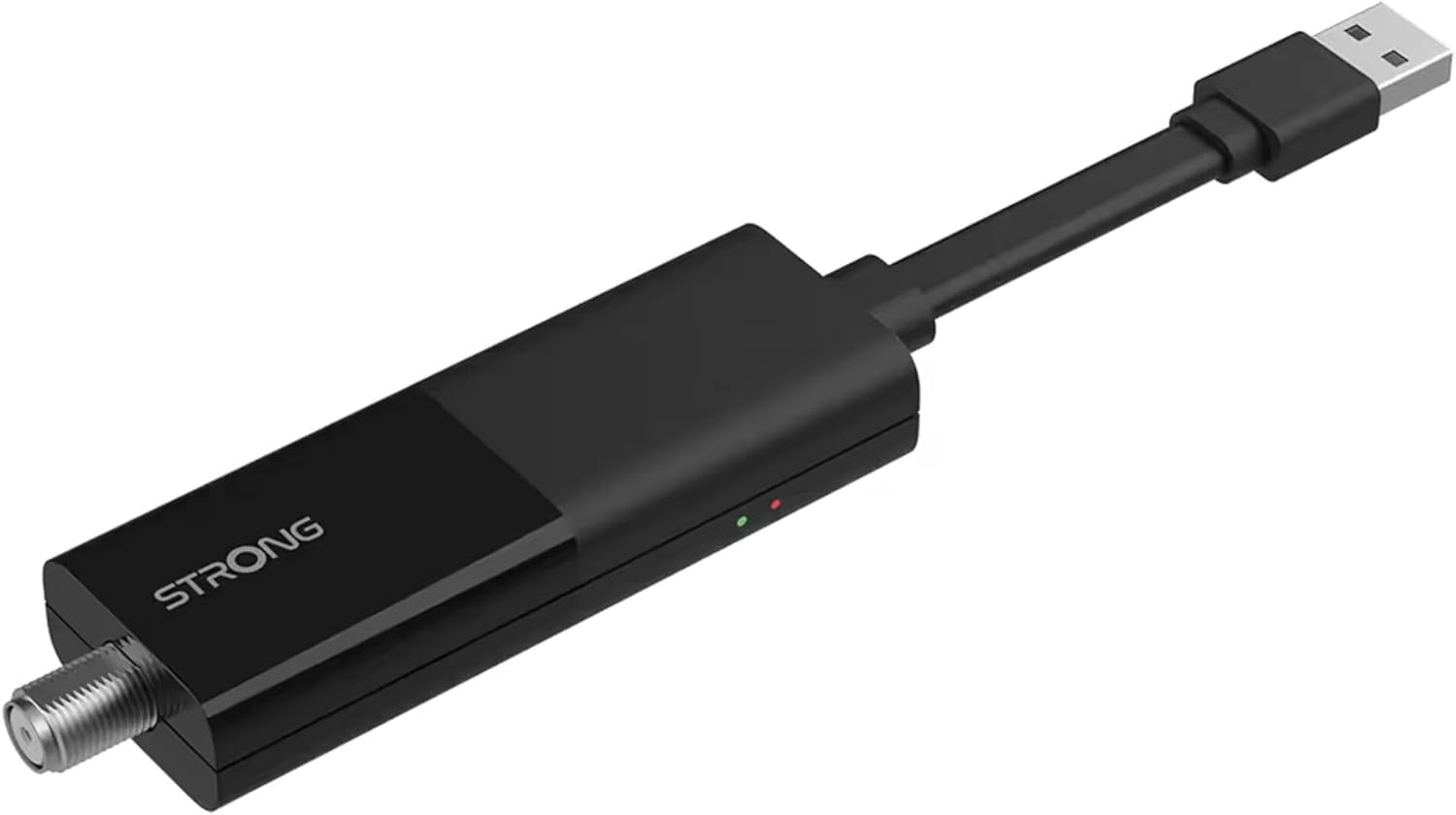
Image: The STRONG 4K UHD Box SRT 427, a compact black USB dongle-style device with a USB connector on one end and an F-type coaxial antenna input on the other, featuring the 'STRONG' logo and small indicator lights.
Mode d'emploi
Once the initial setup is complete, you can begin using your SRT 427. Use the remote control to navigate the user interface.
- Écran d'accueil : Appuyez sur le MAISON button to access the main menu, where you can find applications, settings, and media options.
- Navigation: Utiliser les flèches (HAUT BAS GAUCHE DROITE) to move through menus and options. Press OK pour confirmer une sélection.
- Contrôle du volume : Utilisez le VOL+ et vol- boutons pour régler le volume audio.
- Sélection des chaînes : If connected to an antenna, use the CH+ et CH- buttons to change channels, or enter channel numbers directly using the numeric keypad.
- Paramètres: Access the settings menu to customize display, audio, network, and system preferences.
- Lecture multimédia: Connectez un périphérique de stockage USB au port USB pour lire des fichiers multimédias. files (photos, videos, music) through the built-in media player.
Entretien
Proper maintenance ensures the longevity and optimal performance of your SRT 427.
- Nettoyage: Disconnect the device from power before cleaning. Use a soft, dry cloth to wipe the exterior. Do not use liquid cleaners or abrasive materials.
- Ventilation: Veillez à placer l'appareil dans un endroit bien aéré. Ne bloquez pas les ouvertures de ventilation.
- Température: Évitez d'exposer l'appareil à des températures extrêmes, à la lumière directe du soleil ou à une forte humidité.
- Mises à jour du micrologiciel : Periodically check for firmware updates through the system settings to ensure you have the latest features and bug fixes.
Dépannage
If you encounter issues with your SRT 427, refer to the following common problems and solutions:
| Problème | Solution |
|---|---|
| Pas de courant | Check if the power adapter is securely connected to the device and the wall outlet. Ensure the outlet is functional. |
| Pas d'image à la télévision | Verify the HDMI cable is correctly connected to both the SRT 427 and the TV. Ensure the TV is set to the correct HDMI input source. |
| Pas de son | Check the volume level on both the SRT 427 and your TV. Ensure audio settings in the SRT 427 menu are correct. |
| La télécommande ne fonctionne pas | Check and replace the batteries. Ensure there are no obstructions between the remote and the device's IR sensor. |
| Impossible de se connecter au Wi-Fi | Ensure your Wi-Fi router is on and within range. Re-enter the Wi-Fi password in the network settings. Try restarting both the SRT 427 and your router. |
Caractéristiques
Technical specifications for the STRONG 4K UHD Box SRT 427:
- Numéro de modèle : SRT427
- Dimensions du produit : 5.91 x 7.87 x 5.91 pouces
- Poids de l'article : 1.76 livres
- Piles : 1 AAAA batteries required (for remote control, typically)
- Fabricant: Fort
- Language (Default): Italian (may vary by region, user configurable)
- ASIN: B0FDPX7PRQ
- Date de mise en ligne sur Amazon : 21er août 2025
Garantie et assistance
For warranty information and technical support, please refer to the warranty card included in your product packaging or visit the official Strong website. N'essayez pas de réparer l'appareil vous-même, car cela pourrait annuler votre garantie.
Officiel Website: www.strong.tv
Ask a question about this manual
Ask about setup, troubleshooting, compatibility, parts, safety, or missing instructions. Manuals+ will review the question and use this page’s manual context to help answer it.