
1. Introduction
This manual provides detailed instructions for the MCHOSE A5 Ultra V2 Wireless Gaming Mouse. Designed for high-performance gaming, this mouse combines a lightweight, symmetrical design with advanced connectivity and sensor technology. Please read this manual thoroughly to ensure proper setup and optimal use of your device.
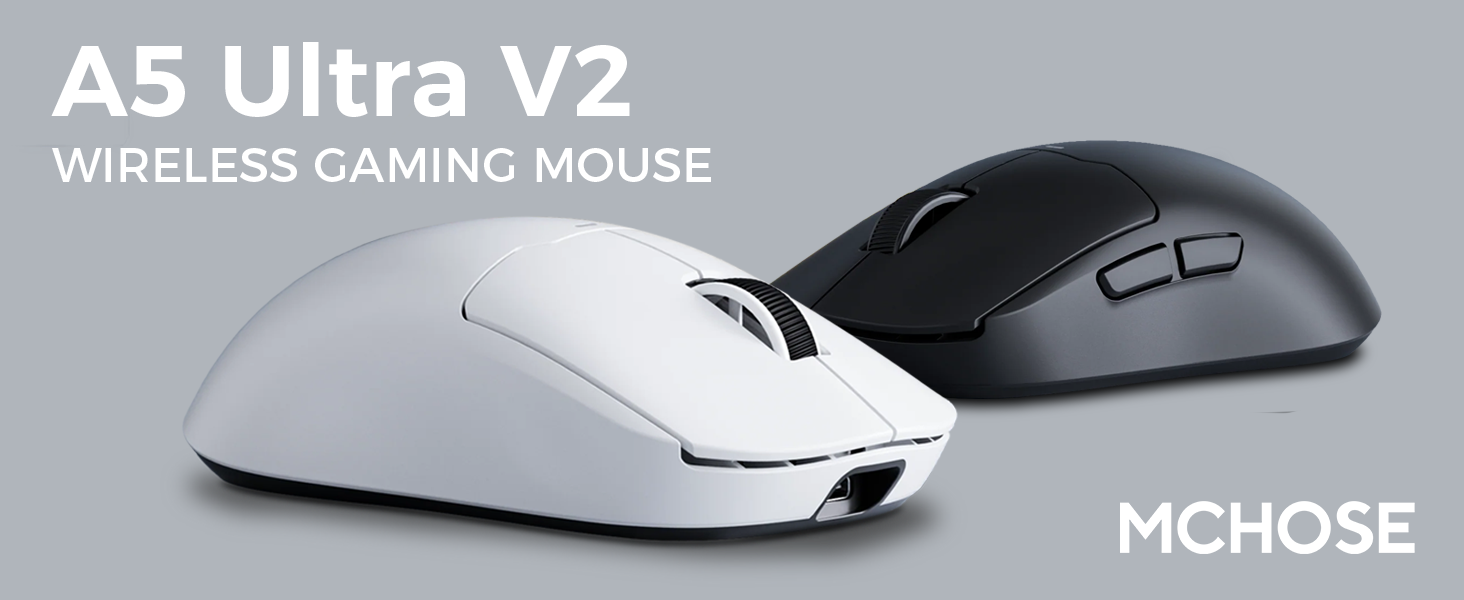
Figure 1: MCHOSE A5 Ultra V2 Wireless Gaming Mouse Overview
2. Principales caractéristiques
- Conception légère : Weighing only 54g, the mouse offers optimal control and comfort for extended gaming sessions.

Figure 2: Lightweight design for enhanced comfort.
- High Precision PAW3395 Optical Sensor: Achieve maximum accuracy with up to 26,000 DPI for precise tracking.

Figure 3: PAW3395 optical sensor for high precision.
- Wired 8K/Wireless 4K Polling Rate: Experience ultra-low-latency and lightning-fast response times with up to 8000Hz wired and 4000Hz wireless polling rates.

Figure 4: Illustrating the 4K wireless polling rate capability.
- Connexion tri-mode : Connect via ultra-low-latency 2.4GHz wireless, Bluetooth, or wired USB for versatile use across various devices.

Figure 5 : Options de connectivité tri-mode.
- Logiciels personnalisés : Utilize the dedicated software to store custom settings for buttons, DPI adjustments, polling rates, and gaming modes directly on the mouse's onboard memory.

Figure 6: Custom software for personalized settings.
- Batterie longue durée : Enjoy up to 130 hours of battery life on a single charge, minimizing interruptions during gameplay.
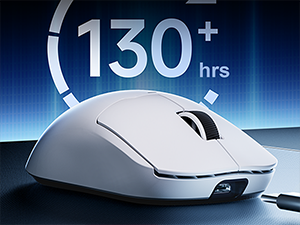
Figure 7 : Autonomie de la batterie prolongée pour une utilisation prolongée.
3. Instructions de configuration
The MCHOSE A5 Ultra V2 offers three connection modes: 2.4GHz wireless, Bluetooth, and wired USB.
3.1. Connexion sans fil 2.4 GHz
- Locate the 2.4GHz USB receiver (dongle) inside the mouse's bottom compartment.
- Branchez le récepteur USB dans un port USB disponible sur votre ordinateur.
- Turn on the mouse using the switch located on the bottom. Ensure it is set to the 2.4GHz wireless mode (usually indicated by a specific position or LED color).
- Your computer should automatically detect the mouse. If not, try restarting your computer or replugging the receiver.

Figure 8: USB receiver stored in the mouse compartment.
3.2. Connexion Bluetooth
- Turn on the mouse and set the switch on the bottom to Bluetooth mode.
- Sur votre ordinateur ou appareil, accédez aux paramètres Bluetooth.
- Initiate the pairing process on your device. The mouse should appear as "MCHOSE A5 Ultra V2" or similar.
- Sélectionnez la souris à appairer. Suivez les instructions à l'écran.
3.3. Connexion USB filaire
- Connectez le câble USB-C fourni au port avant de la souris.
- Connectez l'autre extrémité du câble à un port USB disponible sur votre ordinateur.
- La souris passera automatiquement en mode filaire et commencera à se charger.
4. Mode d'emploi
4.1. Fonctions de base
- Click gauche: Action principale.
- Clic-droit: Menu d'actions/contexte secondaire.
- Molette: Défilement vers le haut/bas, clic du milieu.
- Boutons latéraux : Typically configured for forward/backward navigation in web Navigateurs. Personnalisables par logiciel.
4.2. Réglage DPI
The mouse features a dedicated DPI button (often located on the bottom or top, near the scroll wheel) to cycle through preset DPI levels. For fine-tuning and custom DPI settings, use the MCHOSE custom software.
4.3. Custom Software Usage
Download the MCHOSE custom software from the official MCHOSE website. Ce logiciel vous permet de :
- Réaffecter les boutons.
- Ajustez les niveaux de DPI et créez un profil pro personnaliséfiles.
- Modify polling rates.
- Configure macros.
- Manage gaming modes.
Settings are stored on the mouse's onboard memory, allowing you to use your custom configurations on any computer without the software installed.
5. Entretien
- Nettoyage: Utilisez un chiffon doux et sec pour nettoyer la surface de la souris. Pour les saletés tenaces, un chiffon légèrement plus sec peut être utile.amp Un chiffon peut être utilisé, en veillant à ce qu'aucune humidité ne pénètre dans l'appareil. Évitez les produits chimiques agressifs et les matériaux abrasifs.
- Nettoyage du capteur : Periodically clean the optical sensor on the bottom of the mouse with a cotton swab to ensure optimal tracking performance.
- Entretien de la batterie: To prolong battery life, avoid fully discharging the mouse frequently. Charge the mouse when the battery indicator is low.
- Stockage: Lorsqu'elle n'est pas utilisée pendant une période prolongée, rangez la souris dans un endroit frais et sec.
6. Dépannage
| Problème | Cause possible | Solution |
|---|---|---|
| Souris ne répondant pas (sans fil) | Low battery; USB receiver disconnected; Incorrect mode selected. | Charge the mouse; Re-plug the USB receiver; Ensure the mouse is in 2.4GHz or Bluetooth mode. |
| Souris ne répondant pas (Bluetooth) | Non apparié ; Bluetooth désactivé sur l’appareil ; batterie faible. | Re-pair the mouse; Enable Bluetooth on your device; Charge the mouse. |
| Suivi inexact | Dirty sensor; Unsuitable surface; Incorrect DPI setting. | Clean the optical sensor; Use a mouse pad or suitable surface; Adjust DPI settings. |
| Les boutons ne fonctionnent pas | Conflit logiciel ; Dommages physiques. | Restart computer; Check custom software settings; Contact support if physical damage is suspected. |
| Durée de vie de la batterie courte | Frequent high polling rate use; Battery degradation. | Reduce polling rate if not critical; Ensure full charges; Contact support if battery life significantly degrades. |
7. Spécifications du produit
| Fonctionnalité | Détail |
|---|---|
| Modèle | A5 Ultra V2 |
| Marque | CHOISIR |
| Technologie de connectivité | Sans fil 2.4 GHz, Bluetooth, USB filaire |
| Technologie de détection de mouvement | Optical (PAW3395) |
| DPI max. | 26,000 DPI |
| Taux de sondage | Wired 8000Hz, Wireless 4000Hz |
| Poids de l'article | 54 grammes (2.12 onces) |
| Autonomie de la batterie | Jusqu'à 130 XNUMX heures |
| Piles | 1 batterie lithium-ion (incluse) |
| Couleur | Noir (selon la variante actuelle) |
| Dimensions du colis | 7.36 x 4.53 x 3.31 pouces |
| Compatibilité du système d'exploitation | Linux, Windows |
8. Garantie et assistance
This MCHOSE product is covered by a standard manufacturer's warranty. For specific warranty details, please refer to the warranty card included in your product packaging or visit the official MCHOSE website.
For technical support, troubleshooting assistance, or warranty claims, please contact MCHOSE customer service through their official website ou les coordonnées fournies dans la documentation de votre produit.
Note: Protection plans may be available for purchase separately through retailers. These plans are not directly provided by MCHOSE.