
VIDCASTIVE V30
Manuel d'utilisation
VIDCASTIVE 4K Mini Hidden Camera
Modèle : V30
Marque : VIDCASTIVE
1. Introduction
Thank you for choosing the VIDCASTIVE 4K Mini Hidden Camera. This compact and powerful device is designed to provide discreet and reliable indoor security monitoring. Featuring dual-band Wi-Fi, AI human detection, night vision, and flexible storage options, it offers comprehensive surveillance for your home, office, or personal space. Please read this manual carefully to ensure proper setup, operation, and maintenance of your camera.
Caractéristiques principales :
- Connectivité Wi-Fi double bande : Supports both 2.4GHz and 5GHz networks for stable and flexible connection.
- Durée de vie prolongée de la batterie : Up to 15 hours continuous recording, and up to 150 days standby with remote shutdown.
- Quick Setup & App Control: Easy 3-minute setup via intuitive mobile app for real-time alerts and live viewing.
- Ultra-Compact 4K Coverage: Portable 1.6-inch design with crisp 4K live streaming and 150° wide viewing angle, plus 5x digital zoom.
- Détection de mouvement intelligente et vision nocturne : Advanced PIR sensor and AI human detection reduce false alarms. Clear infrared night vision up to 26 ft.
- Cloud & SD Card Recording: Free 3-day looping cloud storage and support for microSD cards up to 256GB (not included).
2. Contenu de la boîte
Veuillez vérifier le contenu du colis à l'ouverture :
- Boîtier de l'appareil photo
- Support de caméra
- Câble de chargement USB-C
- Manuel d'utilisation (Ce document)

Image: The VIDCASTIVE 4K Mini Hidden Camera, its retail box, and a smartphone displaying the camera's app interface.
3. Produit terminéview
Familiarize yourself with the physical components of your camera.
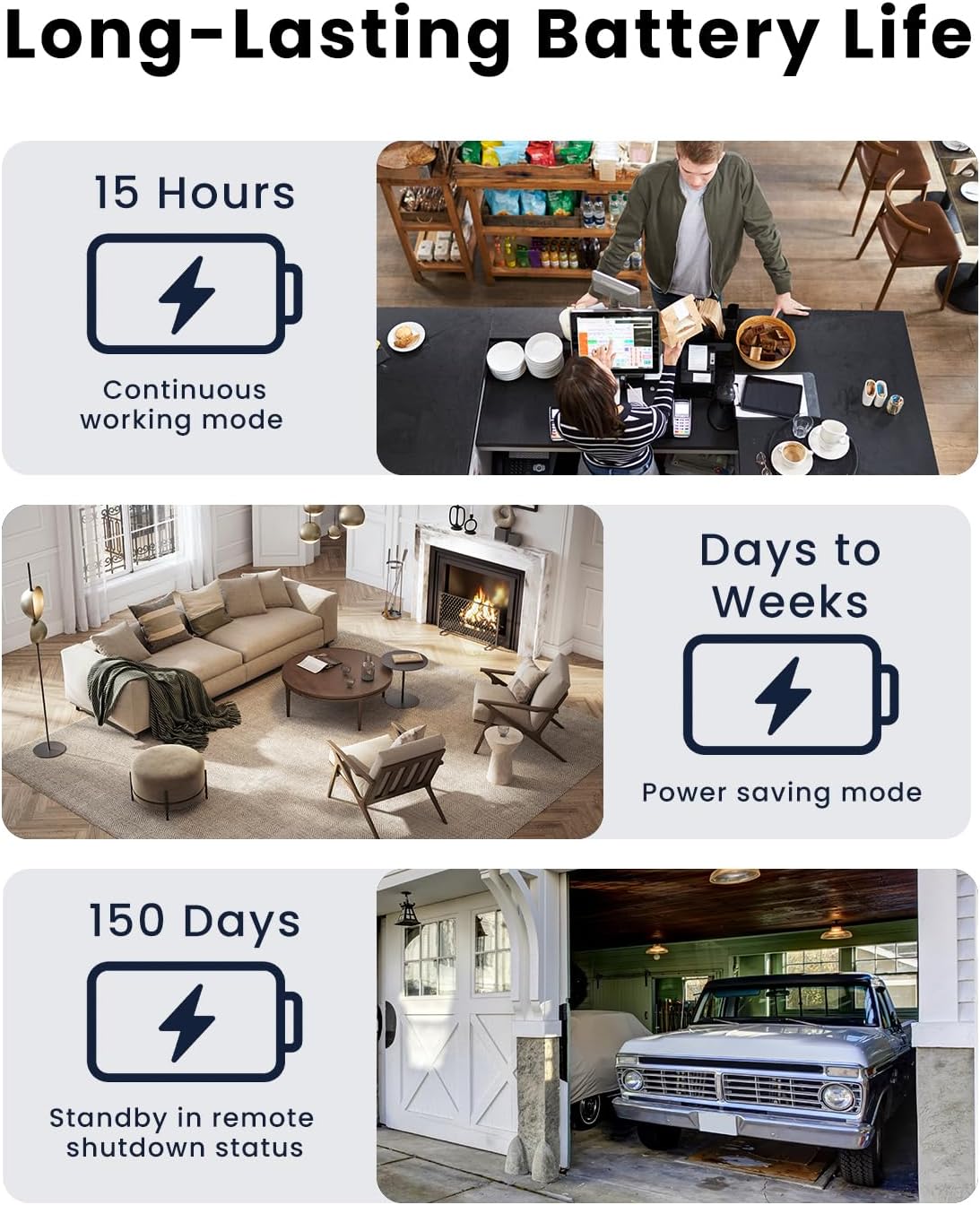
Image : L'appareil photo montreasing its compact form factor, indicating its small size and portability.
The camera features a lens, an infrared sensor for night vision, a PIR motion sensor, a power switch, a USB-C charging port, and a microSD card slot. Its small dimensions (1.6 x 1.6 x 1.6 inches) allow for discreet placement.
4. Guide de configuration
4.1. Charger la caméra
Before first use, fully charge the camera using the provided USB-C cable and a standard 5V USB power adapter (not included). The charging indicator light will change color or turn off once fully charged.
4.2. Inserting/Removing MicroSD Card
The camera supports microSD cards up to 256GB (not included) for local storage. Gently insert the card into the microSD slot until it clicks into place. To remove, push the card in slightly until it springs out.

Image: A microSD card being inserted into the camera's slot, demonstrating the local storage option.
4.3. Installation de l'application et création du compte
Download the official mobile application from your smartphone's app store (iOS or Android). Rechercher "WiFi Camera" or refer to the QR code in the quick start guide. Follow the on-screen instructions to create an account and log in.
4.4. Connexion au Wi-Fi
The camera supports both 2.4GHz and 5GHz Wi-Fi networks. For initial setup, ensure your phone is connected to the same Wi-Fi network you intend to connect the camera to. Open the app, select 'Add Device', and follow the prompts to connect the camera to your Wi-Fi network. This typically involves scanning a QR code generated by the app with the camera's lens.

Image: Visual representation of the camera's dual-band Wi-Fi capability, supporting both 2.4GHz for range and 5GHz for speed.
5. Mode d'emploi
5.1. Vivre View et Zoom numérique
Une fois connecté, ouvrez l'application pour accéder au direct. view. You can monitor your space in real-time. The camera provides crisp 4K live streaming. Use the in-app controls to utilize the 5x digital zoom feature to examine details more closely without significant loss of clarity.

Image: A close-up of the camera lens with a graphic overlay indicating 4K resolution and 5x digital zoom capabilities.
5.2. Détection de mouvement et alertes
The camera features an advanced PIR motion sensor and AI human detection to intelligently distinguish people from other movements, reducing false alarms. When motion is detected, you will receive instant alerts on your smartphone. You can customize motion detection zones and schedules within the app to focus on specific areas and times.
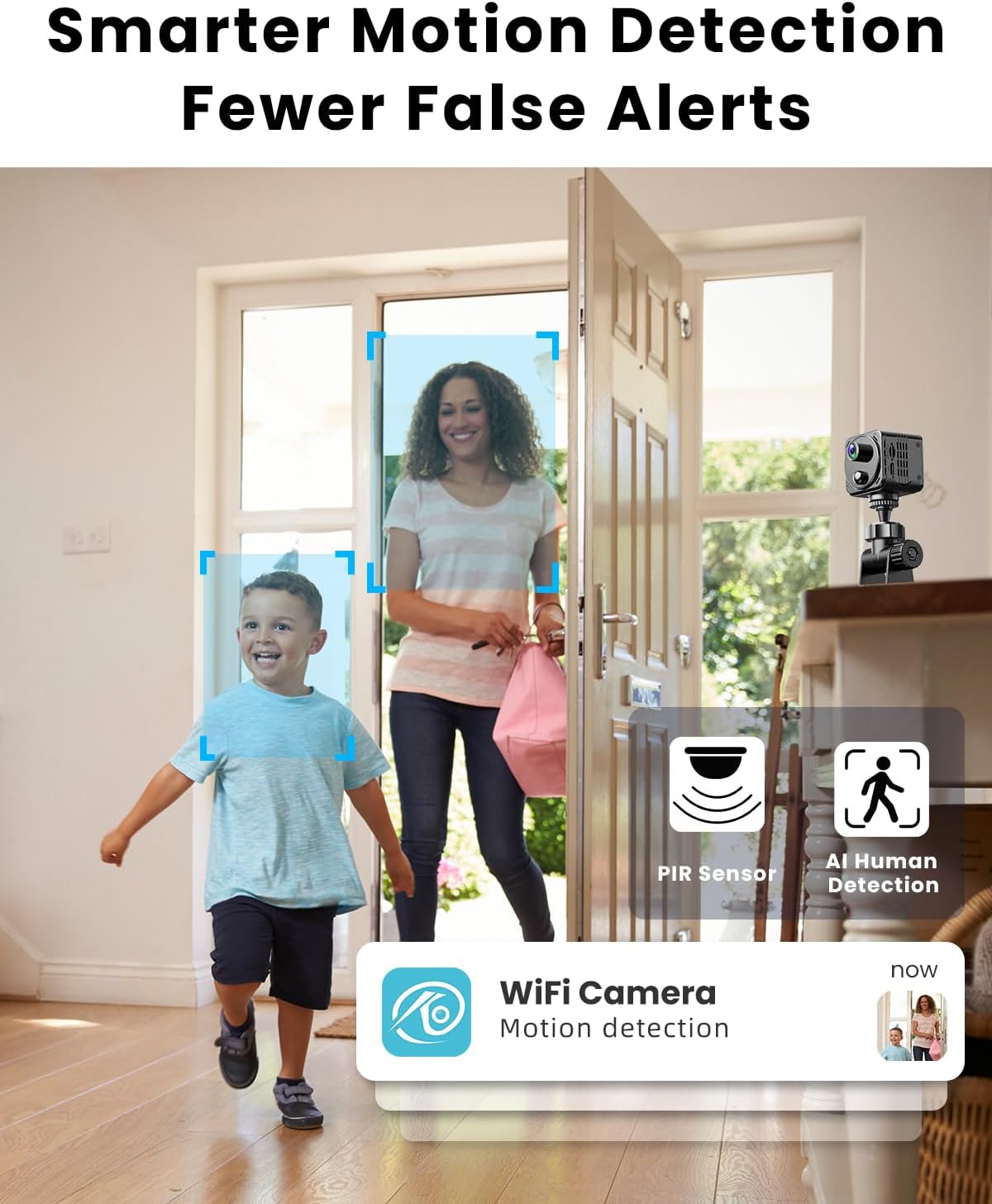
Image: A scene demonstrating AI human detection, with bounding boxes around people and a notification for motion detection.
5.3. Vision nocturne
The camera automatically switches to infrared night vision in low-light conditions, providing clear video up to 26 feet away in complete darkness. The infrared lights are invisible, ensuring discreet monitoring without a visible red glow.

Image: A dark room scene with the camera's night vision active, showing clear visibility up to 26 feet.
5.4. Enregistrement et stockage
Your camera offers two primary storage options:
- Stockage dans le cloud : Enjoy free 3-day looping cloud storage for motion-triggered video clips. No subscription is required for this basic service.
- Carte MicroSD : For local storage, the camera supports microSD cards up to 256GB (not included). This provides a flexible backup option.
You can play back, download, and share footage directly through the mobile app.
5.5. Gestion de la durée de vie de la batterie
The built-in 3000mAh rechargeable battery offers various operational durations:
- Enregistrement continu: Jusqu'à 15 heures avec une seule charge.
- Mode économie d'énergie: With motion detection enabled, battery life can extend from a few days to several weeks, depending on activity frequency.
- Mode veille: When turned off remotely via the app, the camera can stay in standby for up to 150 days. You can wake it up anytime through the app.
Image: Visual breakdown of the camera's battery performance across continuous, power-saving, and ultra-standby modes.
6. Entretien
Pour garantir la longévité et les performances optimales de votre appareil photo :
- Nettoyage: Utilisez un chiffon doux et sec pour nettoyer l'objectif et le boîtier de l'appareil photo. Évitez les nettoyants abrasifs et les solvants.
- Placement: Place the camera in a stable, dry environment away from direct sunlight, extreme temperatures, and strong magnetic fields.
- Entretien de la batterie: For long-term storage, charge the battery to about 50% to prolong its lifespan. Avoid fully discharging the battery frequently.
- Mises à jour du micrologiciel : Periodically check the app for available firmware updates to ensure your camera has the latest features and security enhancements.
7. Dépannage
If you encounter issues with your camera, refer to the table below for common problems and solutions.
| Problème | Cause possible | Solution |
|---|---|---|
| La caméra ne se connecte pas au Wi-Fi | Incorrect Wi-Fi password; Camera too far from router; Router settings (firewall, band selection). | Double-check password. Move camera closer to router. Ensure router supports 2.4GHz or 5GHz and is not blocking the connection. Try restarting router and camera. |
| Poor video quality / Lagging stream | Weak Wi-Fi signal; Network congestion; Insufficient internet bandwidth. | Improve Wi-Fi signal strength. Reduce network traffic. Check internet speed. Switch to 5GHz Wi-Fi if available for faster speeds. |
| Motion alerts are too frequent / False alarms | Sensitivity too high; Environmental factors (pets, shadows, moving objects). | Adjust motion detection sensitivity in the app. Utilize AI human detection. Set up specific motion detection zones to exclude high-traffic areas. |
| Camera not recording to SD card | Carte SD pleine ou corrompue ; carte SD mal insérée ; paramètres d’enregistrement incorrects. | Format the SD card via the app. Reinsert the SD card. Check recording settings in the app to ensure local recording is enabled. Use a high-quality SD card. |
| La batterie se décharge rapidement | Continuous recording; Frequent motion detection; Extreme temperatures. | Switch to power-saving mode. Reduce motion detection sensitivity or frequency. Ensure camera is not exposed to extreme heat or cold. |
8. Spécifications
| Fonctionnalité | Détail |
|---|---|
| Nom du modèle | V30 |
| Utilisation intérieure/extérieure | Intérieur |
| Résolution de capture vidéo | 4K |
| Protocole de connectivité | Wi-Fi (2.4 GHz et 5 GHz) |
| Source d'énergie | Alimenté par batterie (3000 mAh) |
| Type de contrôleur | Android, iOS (Smartphone App) |
| Type de montage | Tabletop Mount (Camera Stand included) |
| Caractéristiques spéciales | HD Resolution, Local Recording, Motion Sensor (PIR & AI Human Detection), Night Vision, Portable |
| Options de stockage | Cloud (3-day free looping), MicroSD (up to 256GB) |
| Dimensions (L x l x H) | 1.6 x 1.6 x 1.6 pouces |
| Poids de l'article | 8.1 onces |
| Matériel | Plastique |
9. Garantie et assistance
VIDCASTIVE is committed to providing high-quality products and excellent customer support. For any inquiries, technical assistance, or warranty claims, please refer to the following resources:
- Support en ligne: Visit the official VIDCASTIVE store on Amazon for FAQs and contact information: VIDCASTIVE Amazon Store
- Plans de protection : Extended protection plans may be available for purchase to cover your device beyond the standard warranty period. Check product listing for details.
Veuillez conserver votre reçu d'achat comme preuve d'achat à des fins de garantie.
Ask a question about this manual
Ask about setup, troubleshooting, compatibility, parts, safety, or missing instructions. Manuals+ will review the question and use this page’s manual context to help answer it.