
POLVCDG BDAMX-1FMC82
Manuel d'utilisation des écouteurs à conduction osseuse POLVCDG
Modèle : BDAMX-1FMC82
Marque : POLVCDG
1. Introduction
Thank you for choosing POLVCDG Bone Conduction Headphones. These open-ear headphones are designed to provide a unique audio experience while maintaining environmental awareness, making them ideal for sports, workouts, hiking, and cycling. Featuring IPX6 waterproofing, clear call quality with ENC noise reduction, and a long-lasting battery, these headphones offer comfort and performance for your active life.

Image 1.1: The POLVCDG Bone Conduction Headphones in green, showcasing their open-ear design.
2. Contenu de la boîte
À l'ouverture de votre colis, veuillez vérifier que les éléments suivants sont bien présents :
- Bone Conduction Headset x 1
- Câble de chargement (Type-C) x 1
- Adjustable Elastic Band x 1
- Manuel d'utilisation x 1
3. Guide de configuration
3.1 Chargement des écouteurs
Before first use, fully charge your headphones. The headphones feature a Type-C charging port for quick and convenient power replenishment.
- Connectez le câble de chargement Type-C fourni au port de chargement des écouteurs.
- Connectez l'autre extrémité du câble à un adaptateur secteur USB (non inclus) ou au port USB d'un ordinateur.
- The LED indicator will show charging status (refer to specific light patterns in the manual for details).
- A full charge typically takes approximately 2 hours, providing up to 10 hours of music playback or call time.

Image 3.1: Visual representation of the Type-C charging port and other key features like ENC and battery life.
3.2 Couplage Bluetooth
Pour connecter vos écouteurs à un appareil :
- Assurez-vous que les écouteurs sont éteints.
- Press and hold the power button until the LED indicator flashes (e.g., blue and red alternately), indicating pairing mode.
- Sur votre appareil (smartphone, tablette, ordinateur), activez le Bluetooth et recherchez les appareils disponibles.
- Select "POLVCDG BDAMX-1FMC82" (or similar name) from the list of found devices.
- Une fois connecté, le voyant LED affichera généralement une lumière bleue fixe ou clignotera lentement.
The headphones support connection to two devices simultaneously, allowing seamless switching between them.
3.3 Port des écouteurs
The flexible titanium frame is designed for a secure and comfortable fit. Place the transducers on your cheekbones, just in front of your ears, with the band resting behind your head. The lightweight design (29 grams) ensures fatigue-free wear.

Image 3.2: Details on the lightweight and secure fit of the headphones, highlighting the flexible titanium frame.
4. Mode d'emploi
4.1 Contrôles de base
Le casque est doté de commandes à boutons intuitives pour différentes fonctions :
- Marche/Arrêt : Appuyez sur le bouton d'alimentation et maintenez-le enfoncé.
- Lecture/Pause : Appuyez une fois sur le bouton multifonction.
- Volume haut/bas : Utilisez les boutons de volume dédiés.
- Piste suivante : Press and hold the volume up button (or specific button combination).
- Piste précédente: Press and hold the volume down button (or specific button combination).
4.2 Gestion des appels
The integrated microphone with ENC (Environmental Noise Cancellation) ensures clear calls even in noisy environments.
- Répondre/Terminer l'appel : Appuyez une fois sur le bouton multifonction pendant un appel entrant ou un appel actif.
- Rejeter l'appel : Maintenez le bouton multifonction enfoncé pendant un appel entrant.
- Assistant vocal: Appuyez deux fois sur le bouton multifonction pour activer l'assistant vocal de votre appareil.
4.3 Expérience audio
Equipped with 16mm drivers and MFR-TURBO Digital Audio Enhancement Technology, these headphones deliver rich, high-fidelity sound for music and podcasts.

Image 4.1 : Une explosion view illustrating the advanced internal components, including the 16mm drivers and MFR-TURBO technology, responsible for enhanced audio quality.

Image 4.2: A cyclist demonstrating the open-ear design, which allows for environmental awareness during activities.
5. Entretien
5.1 Nettoyage
Pour préserver la durée de vie et l'hygiène de vos écouteurs :
- Essuyez les écouteurs avec un chiffon doux.amp Essuyez-vous après chaque utilisation, surtout après l'entraînement.
- Évitez d’utiliser des produits chimiques agressifs ou des matériaux abrasifs.
- Assurez-vous que le port de charge est sec avant de connecter le câble de charge.
5.2 Imperméabilisation
The headphones are IPX6 waterproof, meaning they are resistant to sweat and splashes from any direction. This makes them suitable for various outdoor activities and workouts.
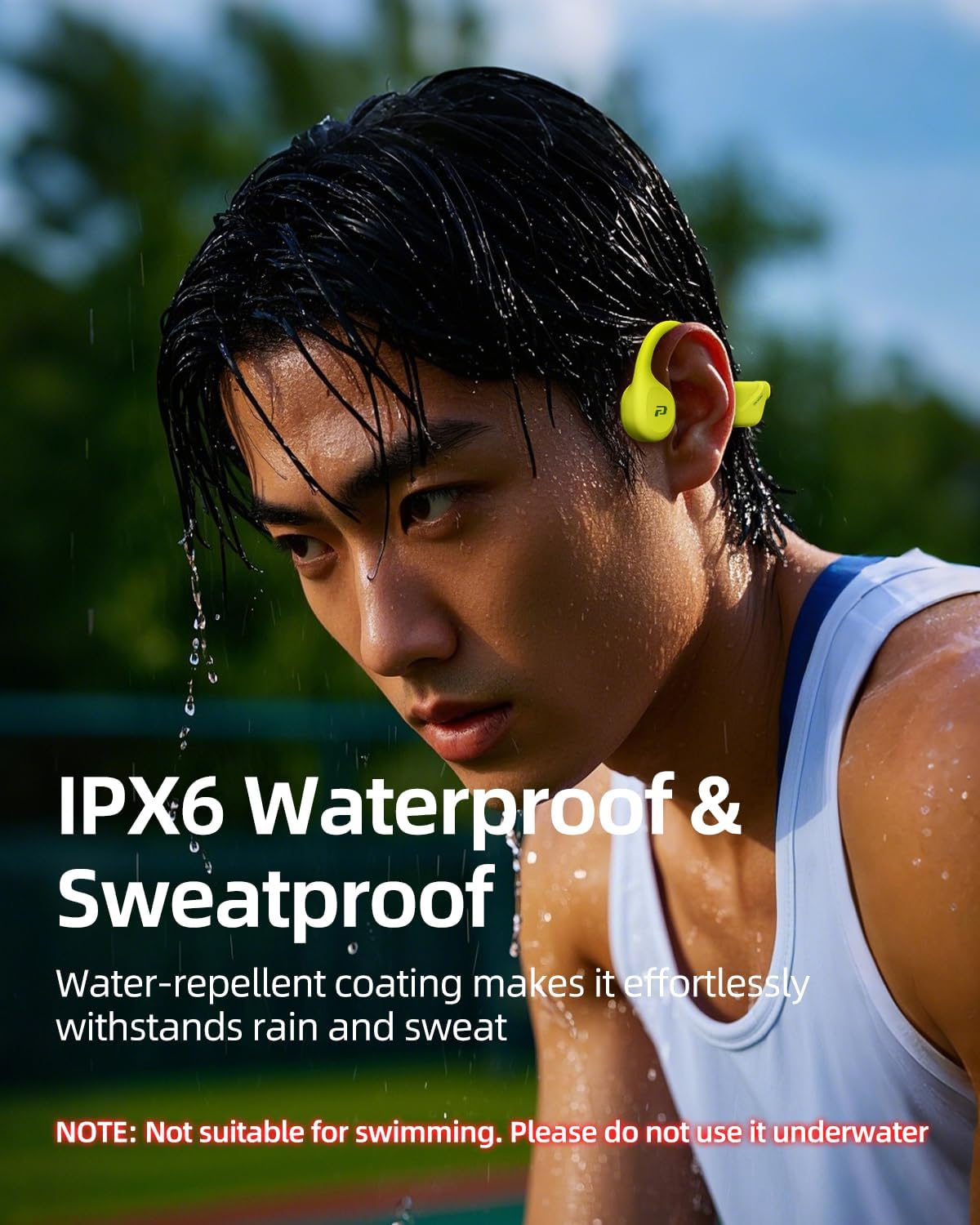
Image 5.1: The headphones are shown with water resistance, highlighting their IPX6 waterproof rating for sweat and rain.
NOTE: These headphones are not designed for swimming or prolonged underwater use. Do not submerge them in water.
6. Dépannage
Si vous rencontrez des problèmes avec vos écouteurs, veuillez consulter les solutions courantes suivantes :
| Problème | Solution possible |
|---|---|
| Les écouteurs ne s'allument pas | Assurez-vous que les écouteurs sont complètement chargés. Branchez-les à une source d'alimentation et vérifiez le voyant de charge. |
| Impossible de jumeler l'appareil | Ensure Bluetooth is enabled on your device. Place headphones in pairing mode. Move closer to the device. Clear previous Bluetooth connections on your device. |
| Pas de son ou volume faible | Check headphone and device volume levels. Ensure headphones are properly connected. Try re-pairing. |
| Mauvaise qualité d'appel | Ensure microphone is not obstructed. Move to a quieter environment. Check network signal on your phone. |
If the issue persists after trying these steps, please contact our customer support team for further assistance.
7. Spécifications
| Fonctionnalité | Détail |
|---|---|
| Nom du modèle | BDAMX-1MN82 |
| Numéro de modèle de l'article | BDAMX-1FMC82 |
| Technologie de connectivité | Sans fil (Bluetooth) |
| Technologie de communication sans fil | Bluetooth |
| Contrôle du bruit | Suppression du bruit dans l'environnement (ENC) |
| Réponse en fréquence | 20 kHz |
| Sensibilité | 90 dB |
| Impédance | 8 ohms |
| Placement des oreilles | Oreille ouverte |
| Facteur de forme | Sur l'oreille |
| Indice d'étanchéité | IPX6 |
| Autonomie de la batterie | Jusqu'à 10 XNUMX heures |
| Temps de charge | 2 heures |
| Type de contrôle | Contrôle des boutons |
| Matériel | Plastique, caoutchouc |
| Poids de l'article | 7.2 ounces (approx. 29 grams for the headset itself) |
| Dimensions du produit | 5.27 x 2.32 x 6.1 pouces |
| Fabricant | POLVCDG |
| Pays d'origine | Chine |
8. Garantie et assistance
Your POLVCDG Bone Conduction Headphones come with a manufacturer's warranty. For any product-related inquiries, technical support, or warranty claims, please contact our dedicated customer support team. We are committed to assisting you within 12 hours.
For the most up-to-date support information, please visit the official POLVCDG store or contact us via the platform where you purchased the product.
Thank you for choosing POLVCDG.