
Introduction
Welcome to your new NINGMEI Desktop PC Computer. This manual provides essential information for setting up, operating, maintaining, and troubleshooting your system. Please read it thoroughly to ensure optimal performance and longevity of your computer.
1. Guide de configuration
1.1 Déballage
Carefully remove the computer and all accessories from the packaging. Inspect for any visible damage. Retain original packaging for future transport or service.

Image: The NINGMEI Desktop PC Computer, showcasing its internal components and overall design.
1.2 Connexion de périphériques
- Moniteur: Connect your monitor to the appropriate video output port (HDMI, DisplayPort) on the back of the PC.
- Clavier et souris : Connectez votre clavier et votre souris aux ports USB disponibles.
- Pouvoir: Connect the power cable to the power supply unit (PSU) on the back of the PC and then to a wall outlet.
- Réseau: For wired internet, connect an Ethernet cable to the LAN port. For wireless, ensure antennas are connected (if applicable) or connect via Wi-Fi settings in Windows.

Image : détaillée view of the front panel ports, including USB 3.0, standard USB, microphone, headset, reboot, and power button.
1.3 Mise sous tension initiale
Press the power button on the front of the PC. The system will boot into Windows 11 Home. Follow the on-screen instructions for initial setup, including region, language, and user account creation.
2. Mode d'emploi
2.1 Windows 11 Famille
Your NINGMEI PC comes pre-installed with Windows 11 Home 64-bit. Familiarize yourself with the operating system's interface and features.
2.2 Gaming and Multitasking
The AMD Ryzen 7 5700G processor with integrated AMD Radeon Vega Graphics, 16GB DDR4 RAM, and 1TB NVME SSD provides robust performance for gaming and demanding applications. Ensure your graphics drivers are up to date for the best experience.

Image: The NINGMEI Desktop PC in a typical desktop setup, ready for use.
3. Entretien
3.1 Gestion de la poussière
The NINGMEI Soul Series Case features a removable magnetic dust screen on the top. Regularly clean this screen to prevent dust buildup and maintain optimal airflow. Gently remove the screen and clean it with a soft brush or cloth.

Image: The magnetic dust filter on the top of the PC case, designed for easy removal and cleaning.
3.2 Nettoyage interne
Periodically, with the PC powered off and unplugged, use compressed air to clean dust from internal components, especially fans and heatsinks, to ensure efficient cooling.

Image: A visual representation of the excellent air duct design within the NINGMEI PC case, illustrating efficient airflow.
3.3 Mises à jour logicielles
Maintenez votre système d'exploitation Windows et vos pilotes à jour pour garantir la stabilité et la sécurité du système.
4. Dépannage
4.1 Pas d'alimentation
- Vérifiez que le câble d'alimentation est bien branché à la fois à l'ordinateur et à la prise murale.
- Ensure the power switch on the PSU (if present) is in the 'On' position.
- Testez la prise murale avec un autre appareil.
4.2 Aucun affichage
- Verify that the monitor is powered on and correctly connected to the PC's video output.
- Assurez-vous que la source d'entrée correcte est sélectionnée sur votre moniteur.
4.3 Ralentissement du système
- Vérifiez la présence d'applications en arrière-plan excessives.
- Ensure sufficient free space on your NVME SSD.
- Effectuez une analyse du système à la recherche de logiciels malveillants ou de virus.
5. Spécifications techniques
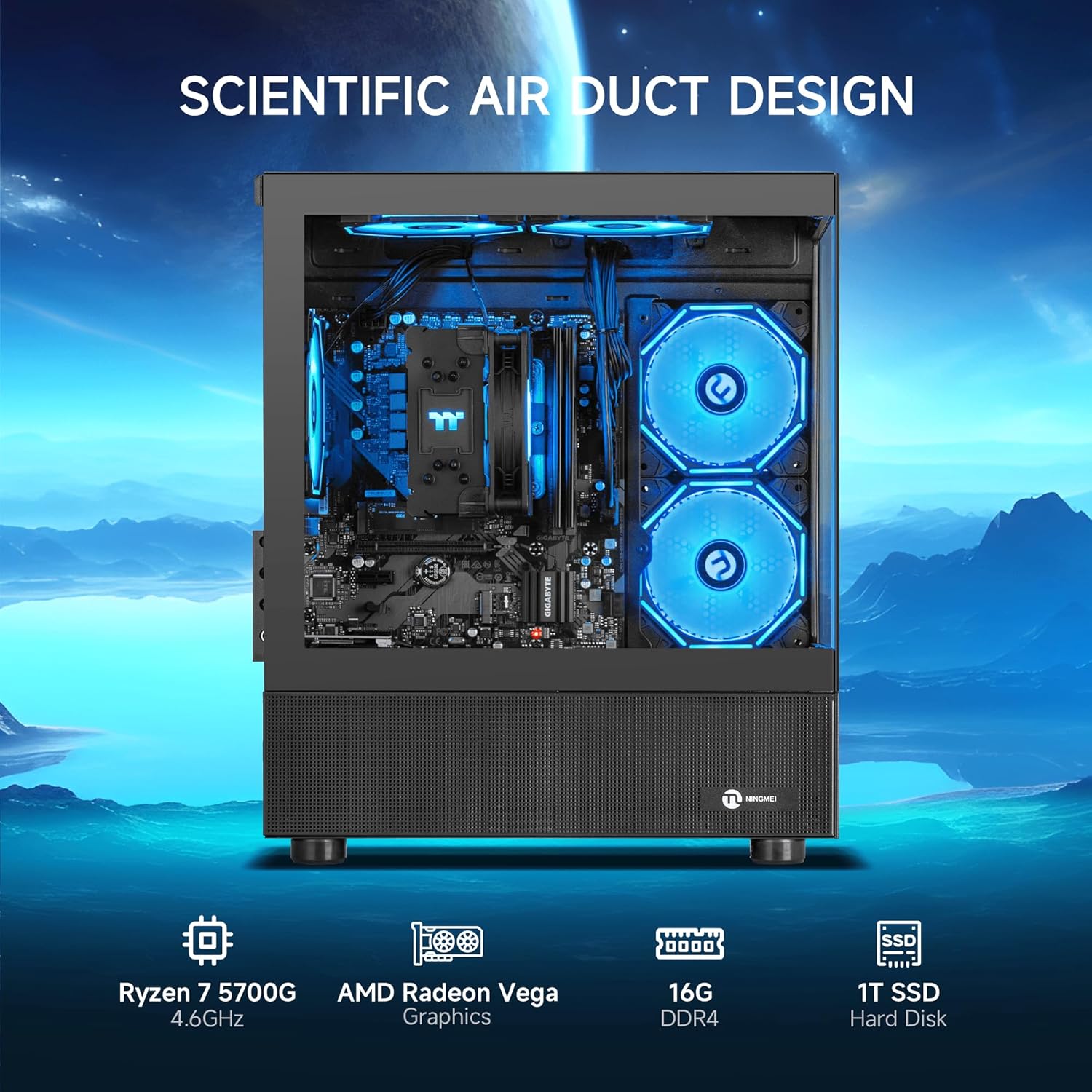
Image: The NINGMEI PC highlighting its core specifications and scientific air duct design.
| Fonctionnalité | Spécification |
|---|---|
| Processeur | AMD Ryzen 7 5700G (3.8 GHz, up to 4.6 GHz Max Boost) |
| BÉLIER | 16 Go DDR4 3200 MHz |
| Stockage | Disque SSD NVME 1 To |
| Graphique | AMD Radeon Vega Graphics (Integrated) |
| Système opérateur | Windows 11 Famille 64 bits |
| Alimentation électrique | 550W PSU |
| Type de cas | Tower (NINGMEI Soul Series Case) |
| Dimensions (L x l x H) | 15.74 x 8.26 x 16.65 pouces |
| Poids | 22.3 livres |
| Ports USB 2.0 | 3 |
| Ports USB 3.0 | 3 |
| Vitesse de la mémoire | 3200 MHz |
| Interface du disque dur | PCIEx4 |
6. Garantie et assistance
Your NINGMEI Desktop PC comes with a free one-year warranty. Additionally, free lifetime technical support is provided for any assistance you may require. For support, please refer to the contact information provided with your purchase or visit the official NINGMEI website.